.avif)
Notion vs Trello: Honest Comparison in 2026 (I tried both)

Notion vs Trello, both tools are powerful for productivity, but after using both I can see clearly that each one has its own way of getting things done. Trello was actually one of the first productivity tools I tried before I found Notion. It's simple, visual, and I get why people love it.
But after switching to Notion in 2020 and using it every day for my personal stuff and creating templates that have sold over 67,000 times, I see very clearly where Trello stops being enough and where Notion takes over.
So in this guide I'll give you an honest breakdown of both based on actually using them. Let's get into it.
.avif)
Table of content
Notion: A Complete Overview
Trello: A Complete Overview
Notion vs Trello: Feature-by-Feature Comparison
Comparison Table: Notion vs Trello
Notion: A Complete Overview
What is Notion?
Notion was founded in 2013 by Ivan Zhao and Simon Last. By 2024 it had over 100 million users and 4 million paying customers. Those are big numbers for a productivity tool.
The idea is simple. You get a blank page and build whatever you want on it. Notes, tasks, databases, calendars, all in one place. No fixed structure, no forced workflow. That flexibility is honestly why I never looked back after I started using it.
Everything is a block. Text, images, tables, databases, all pieces you drag around and arrange however you want. Once you get that, you can build almost anything.
Notion by numbers
I remember when I joined Notion in 2020 they had just hit 1 million users. Now they're at 100 million. That kind of growth doesn't happen by accident.
- Over 100 million users worldwide as of 2024
- Around 4 million paid users
- $10 billion valuation from their latest funding round
- Over 50% of Fortune 500 companies using it, including Salesforce, Figma, and OpenAI
- US leads the user base at 22%, UK follows at 7%
The Fortune 500 stat is the one that still surprises me. This was a tool for people who like building systems and now half the biggest companies in the world are running on it.
Core Notion Features
After using Notion for 6 years straight, here are the features I actually love about it.
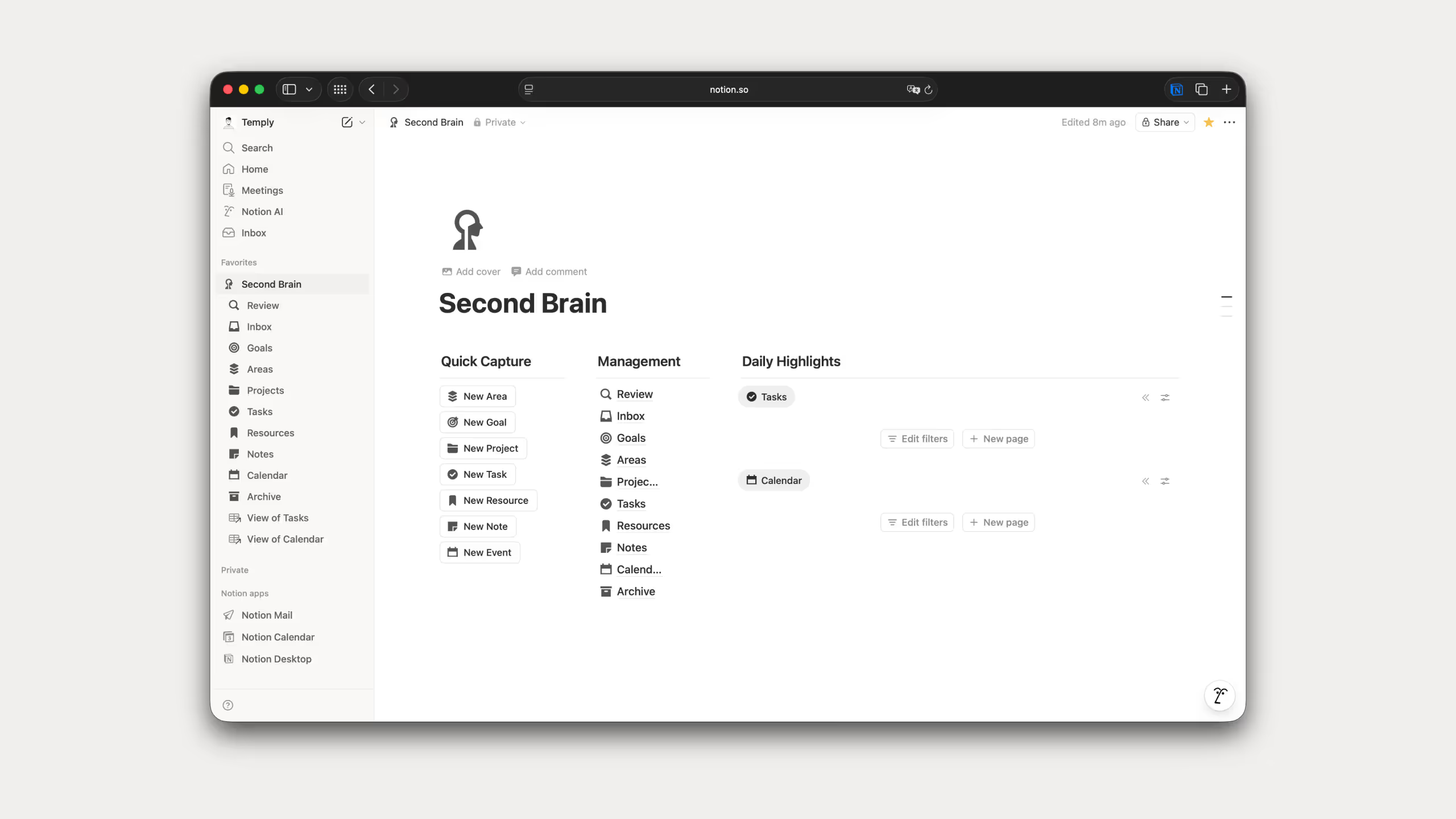
Pages and blocks: You start with nothing and build exactly what you need. Text, tables, checklists, databases, embeds, all as blocks you move around freely. Pages can live inside other pages with no limit. Nothing else I've tried comes close to this level of flexibility.
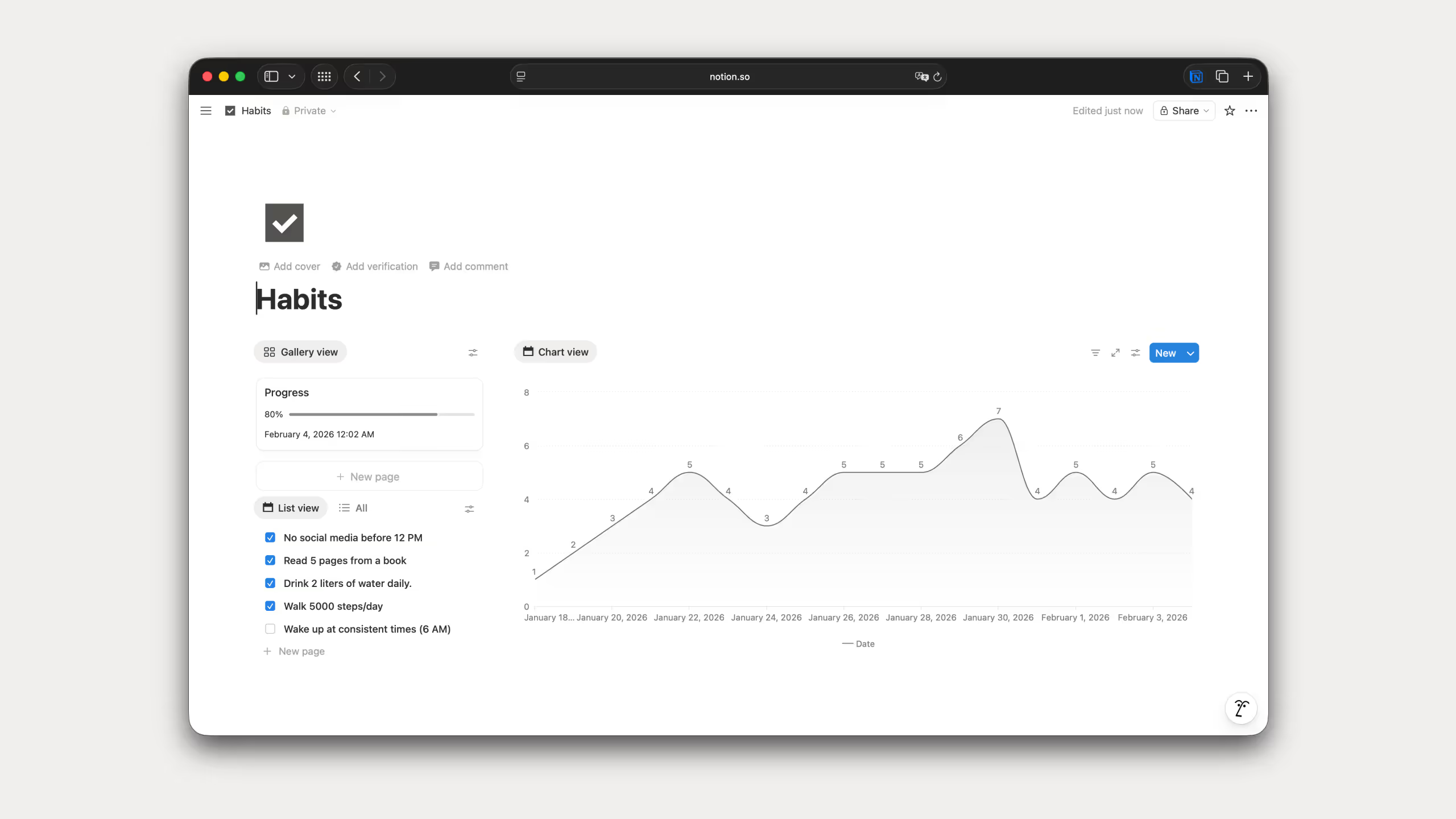
Databases: This is where Notion leaves most tools behind. One database, multiple ways to look at it. Table, board, calendar, timeline, gallery. Same information, different angles. I build databases into almost every template I create and it's the feature I keep coming back to.
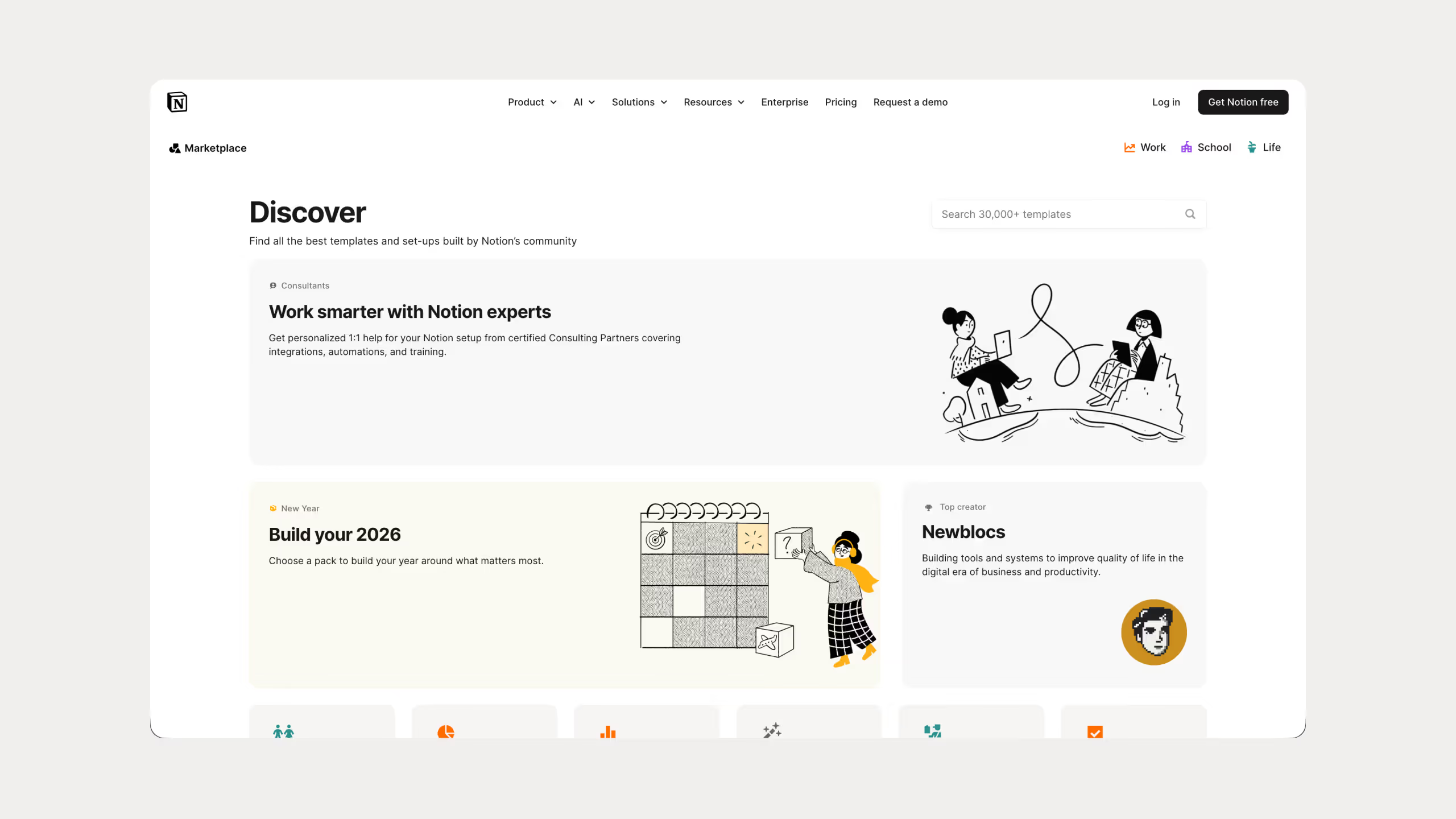
Templates: Over 20,000 templates in the gallery for pretty much any use case. You can also save your own and reuse them. I've built 25 templates downloaded over 67,000 times so I know better than most how much a well built template speeds things up.
Notion AI: AI that lives inside your workspace. Writing, fixing grammar, summarizing, brainstorming, without opening another app. You also pick which model you want, Claude, GPT, Gemini, DeepSeek. I use this every single day.
.avif)
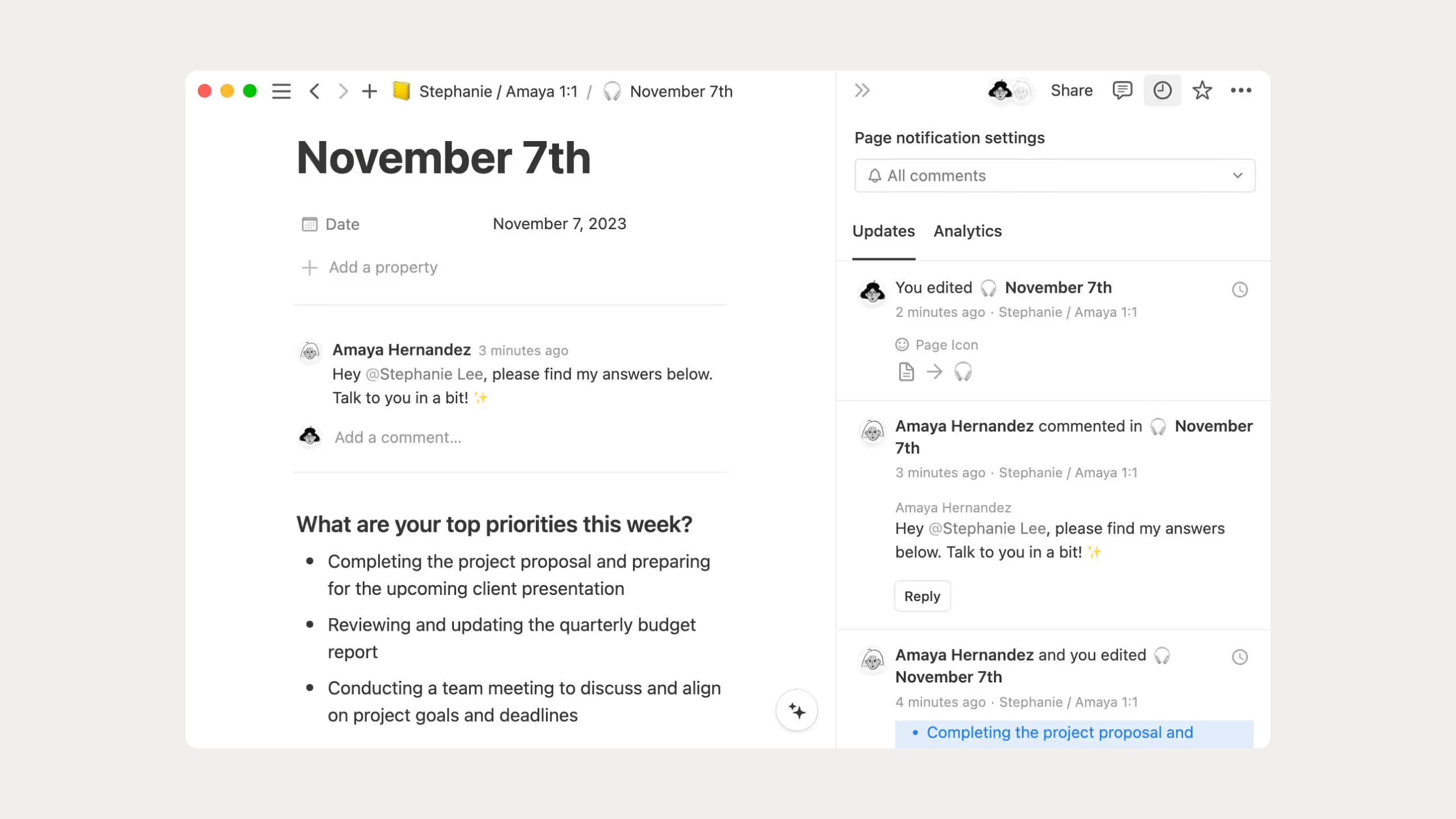
Collaboration: Everyone edits the same page at the same time, you leave comments, mention people, set permissions. I use this with clients constantly and it cuts down on a lot of unnecessary back and forth.
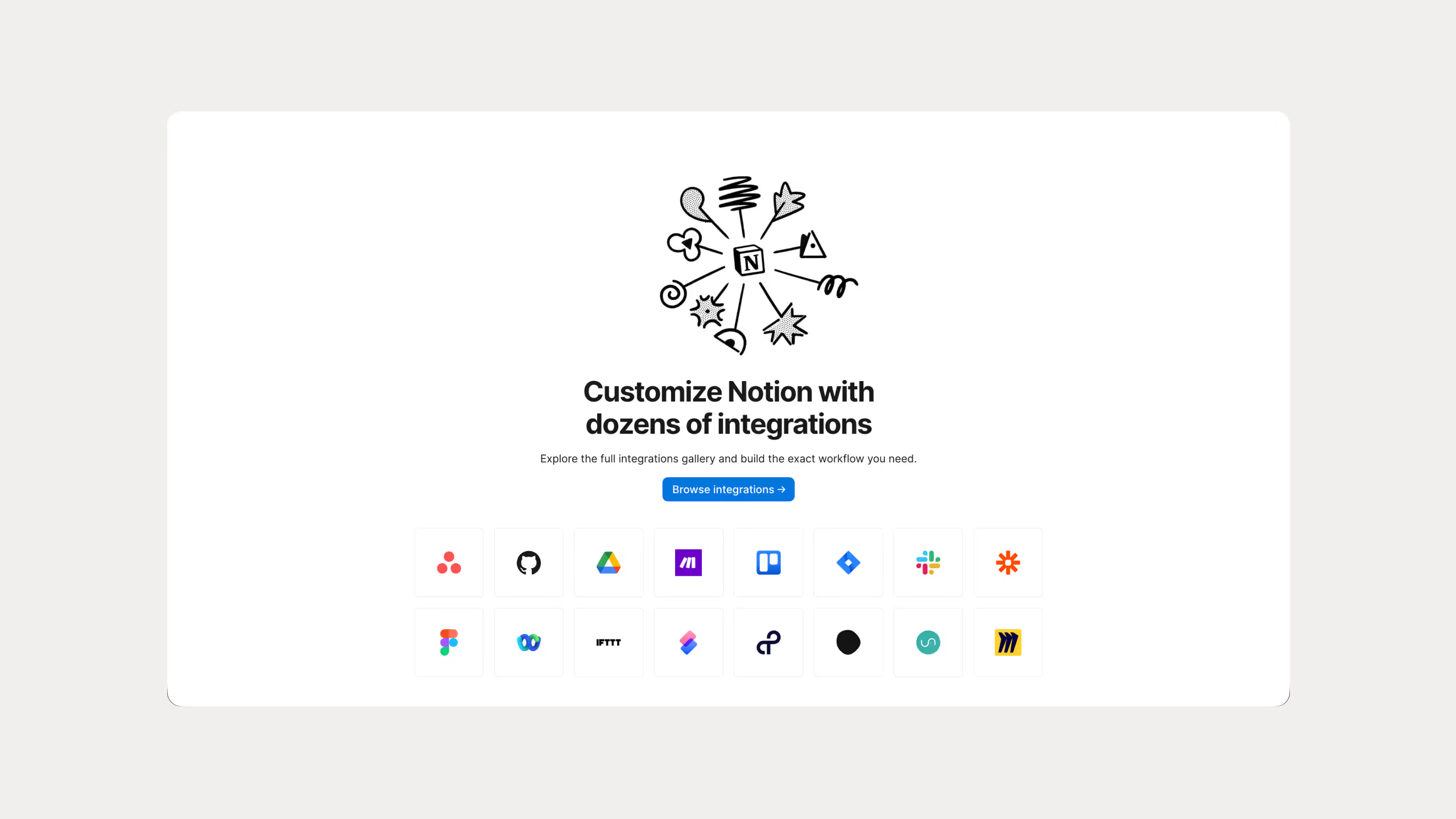
Integrations: Notion connects with tools such as Slack, Google Drive, GitHub, Figma, and Asana. This lets you pull information from other apps into Notion.
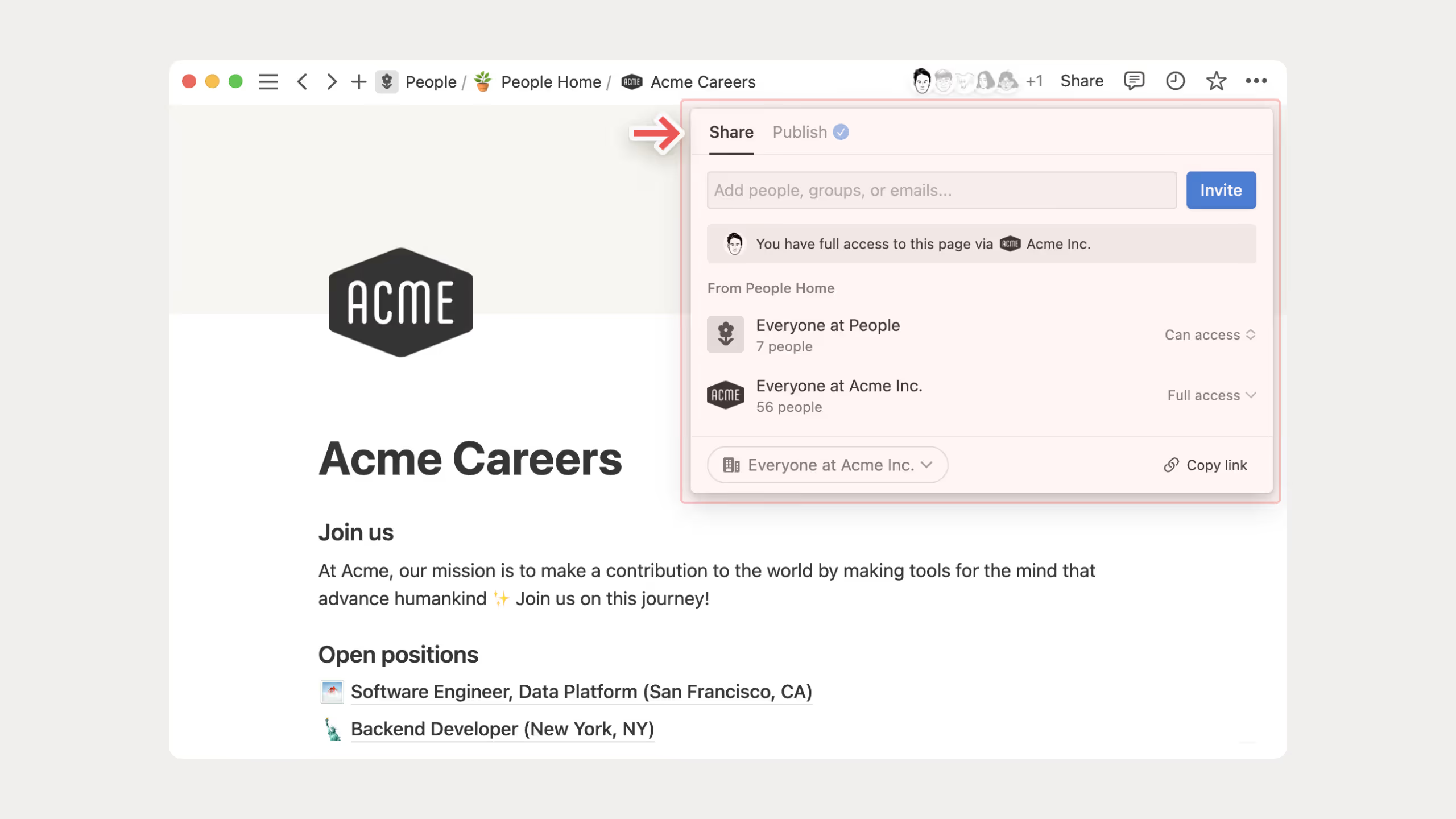
Web publishing: Any page can go public with a custom domain and basic SEO. Some people build their entire website on Notion and skip traditional website builders completely.
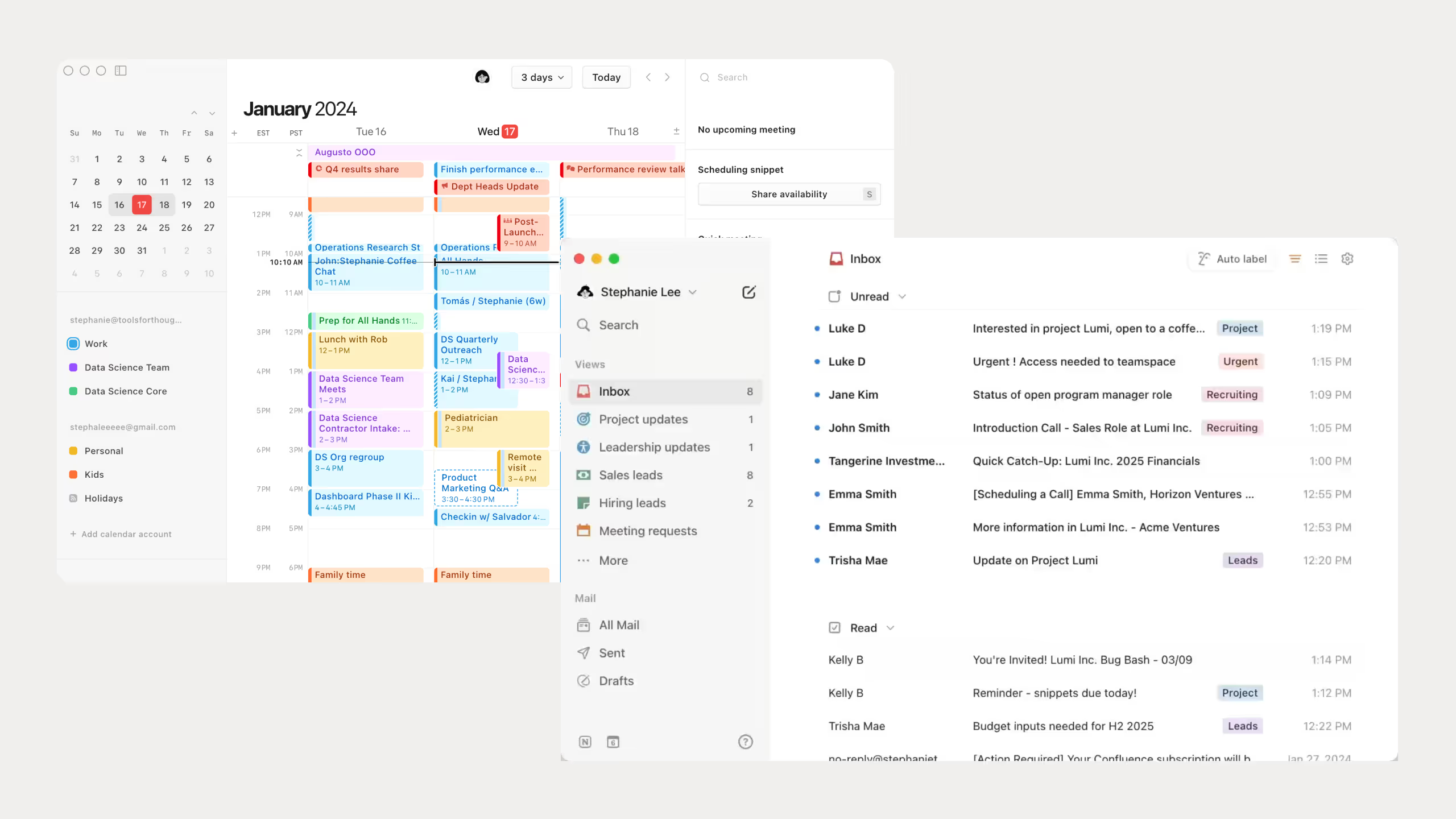
Calendar and Mail: The calendar connects directly to your task database. Drag and drop tasks onto it and everything updates. I use this daily. Notion Mail I haven't tried yet, Gmail still does the job for me.
Notion Pricing
.avif)
To be honest, I’m still just using the free version because it does everything I need. If you're working on your own, it’s honestly more than enough to get you going.
Just a few quick heads-ups though:
- You can only upload files up to 5MB, and you can only look back at 7 days of page edit history.
- If you’re a student or teacher, definitely use your school email because you can get the Plus plan for free.
- Don't expect full Notion AI, you only get a trial on the lower plans unless you pay for the high-end business tiers.
- If you do end up upgrading, definitely pay yearly since it saves you around 20%.
Best Uses for Notion
Honestly, I have used Notion for pretty much everything over the years. Once you understand how it works, you can really turn it into whatever you need.
But from my experience, here is where Notion actually works best:
Saving notes: You can keep all your ideas, notes, and random thoughts connected in one place. This is actually how I first started using Notion back in 2020, mostly as a second brain for my work and personal stuff.
Team guides: Notion is really good for keeping your company guides, SOPs, and internal documents organized. I personally use it for all my internal systems because everything stays easy to find.
Project tracking: It makes managing projects much easier since you can see your tasks, deadlines, and progress visually without things feeling messy.
Content calendars: You can plan your Instagram posts, Twitter content, and newsletters in one simple system. I actually use it every day for my own content planning with my Notion Creator Studio template, and it keeps everything organized in one place without overthinking what to post next.
Client portals: You can create private pages for clients where you share updates, files, links, and everything they need in one place.
There are honestly a lot more ways to use Notion too. Once you get comfortable with it, you start finding new use cases naturally.
Trello: A Complete Overview
What is Trello?
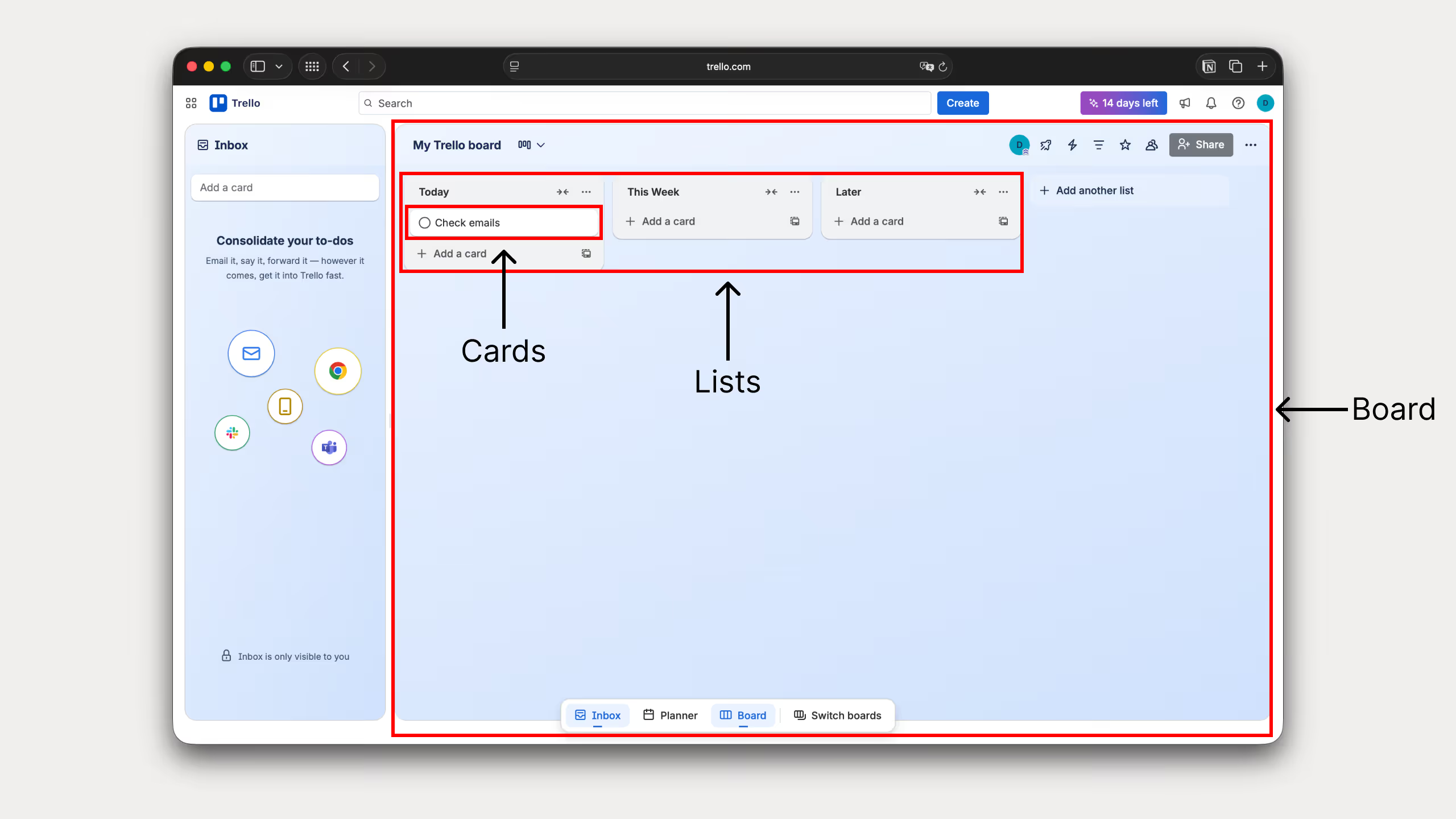
Trello is a simple visual project management tool built around boards, lists, and cards. It helps you organize tasks, track progress, and collaborate without things getting complicated.
What makes Trello stand out is how visual everything is. You can literally see the status of every project at a glance, which makes it really easy to understand what’s done, what’s in progress, and what still needs attention.
Trello by numbers
Trello is used by millions of people and teams around the world.
It has over 50 million registered users globally, and a lot of teams use it every day just to stay on top of their work and collaborate without things getting messy.
You’ll see it used everywhere, from small startups to big companies, mainly because it’s simple and doesn’t take much time to figure out.
It also connects with over 200 apps through Power-Ups, so you can easily plug it into the tools you already use instead of rebuilding your whole system around it.
Core Trello Features
I haven’t used Trello as deeply as Notion, but I’ve spent enough time in it to understand what it’s really good at.
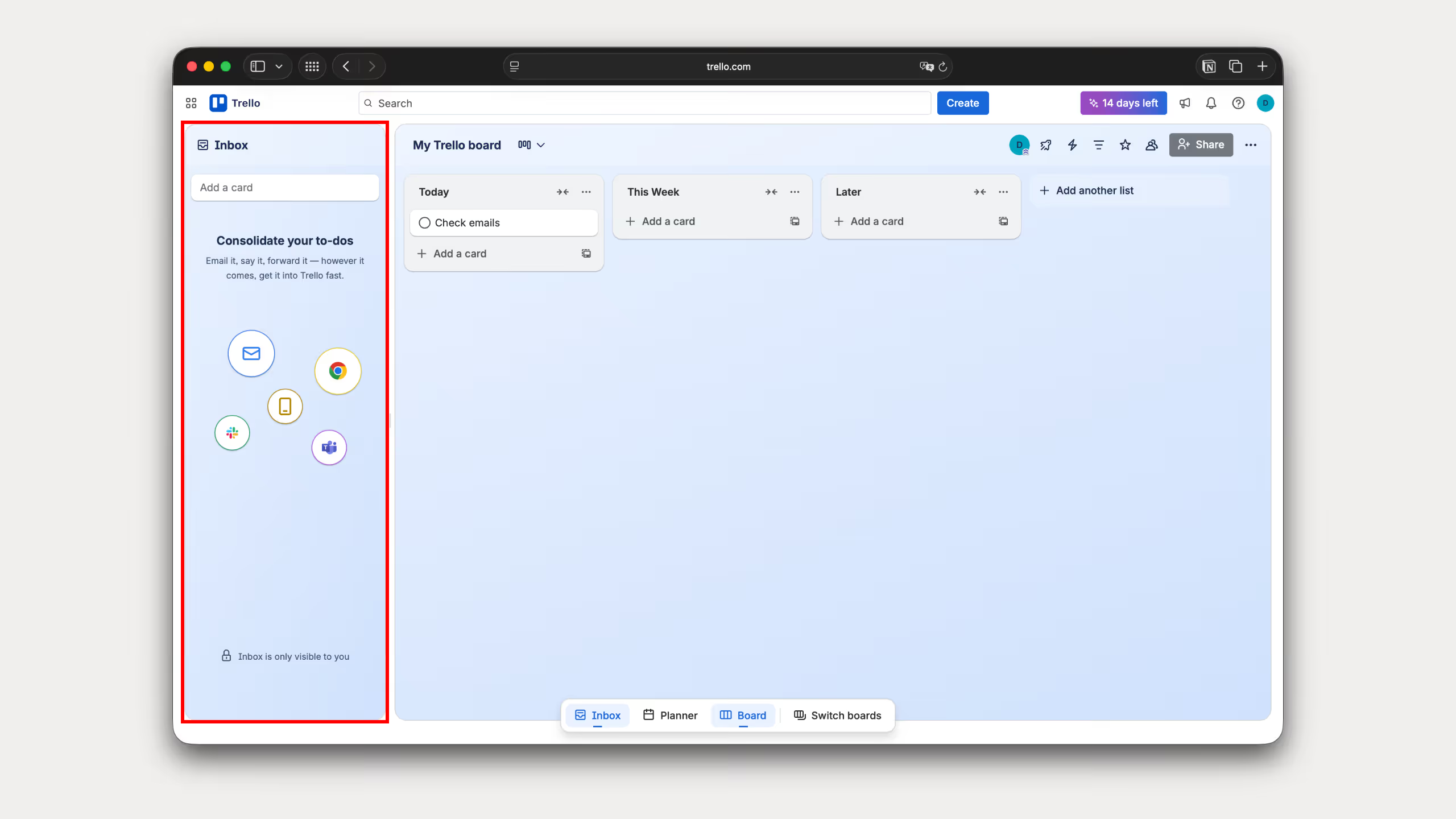
Inbox: A simple place to capture tasks from email, Slack, or Teams. Useful for making sure nothing gets lost before you organize it.
Planner: A timeline view for your tasks across boards. Helps you see what’s coming up without switching between different projects.

Boards, Lists, and Cards: The core structure of Trello. Boards for projects, lists for stages, and cards for tasks. This is what makes Trello easy to understand from day one.
Automation (Butler): Built-in automations that handle repetitive actions like moving cards or updating statuses. Once it’s set up, it runs in the background.

Power-Ups and integrations: Lets you connect Trello with tools like Google Drive, Slack, Jira, and others. Useful if you already use multiple tools and want everything connected.

Collaboration: You can assign tasks, comment, set due dates, and work with your team directly inside boards. Keeps everything in one shared space.
Trello Pricing
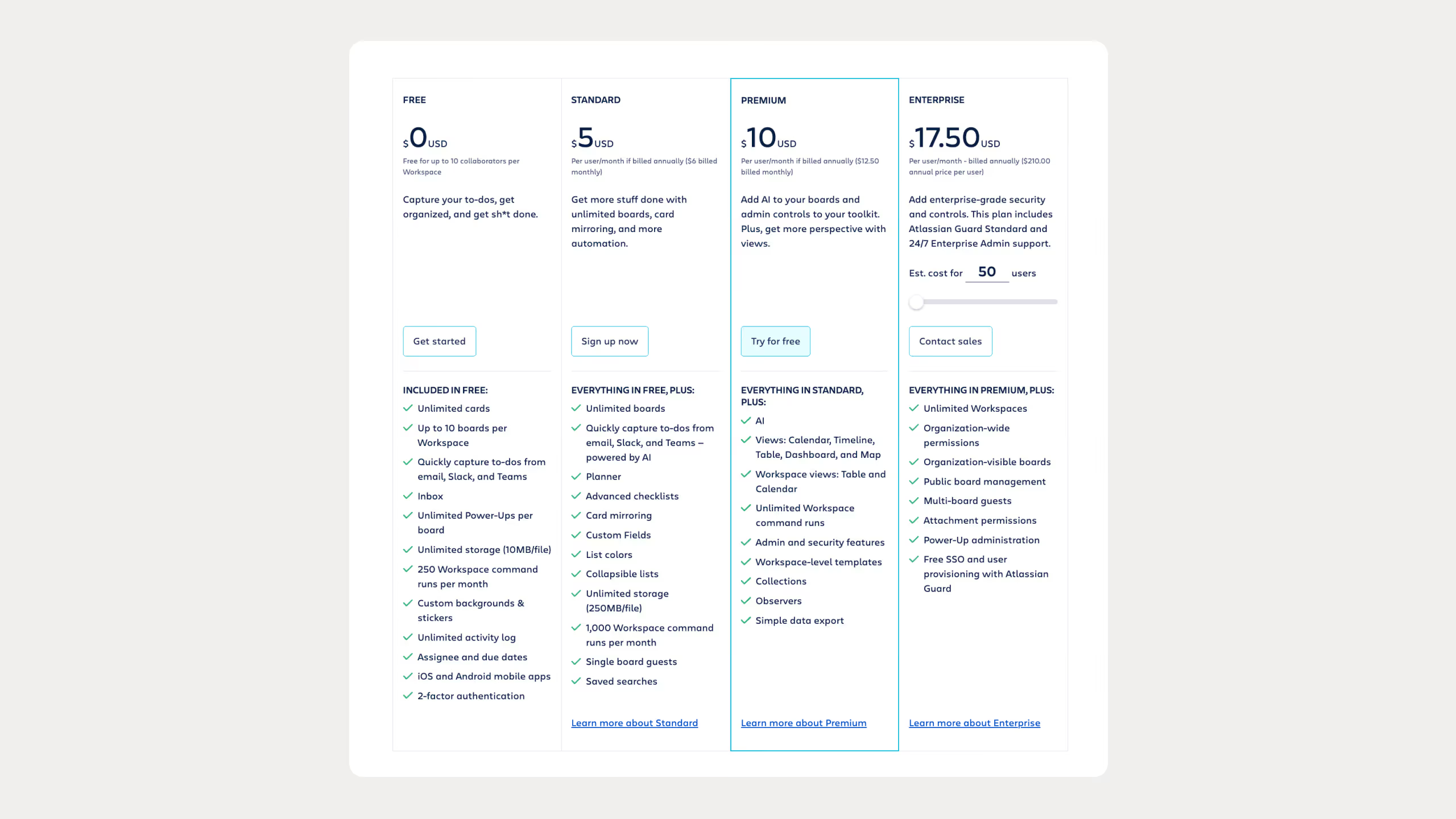
Trello has a free plan that's actually pretty generous. You get the basic boards and lists without paying anything, and I’ve seen solo users and small teams stay on it for years since it covers the essentials.
The Standard plan is $5 per user per month. It’s the first real step up if you run out of space, giving you unlimited boards and better checklists.
The Premium plan is $10 per user per month. This is where you get different views like calendars and timelines, plus better admin controls. I'd only bother with this if you're managing a larger team and need to see everything in one place.
The Enterprise plan starts around $17.50 per user per month for larger teams. It’s strictly for big companies that need SSO, strict security, and organization-wide permissions.
Compared to Notion, the pricing is pretty close at the mid tier. The main difference is that Notion lets you do a lot more with formatting and docs on their free plan, whereas Trello keeps you locked into the board layout. You can get by on Trello's free plan for a long time, but you really only need to pay once you start scaling your team and need tighter control over your projects.
Best Uses for Trello
Basic task tracking: This is what Trello is built for. If you just want a simple Kanban setup to see what tasks are active, what’s stuck, and what’s finished, it works perfectly.
Content and editorial pipelines: It’s great for managing a production schedule for blog posts, videos, or social media. You can easily create lists for each stage like "Idea," "Writing," "Editing," and "Published" and drag your cards across as you progress.
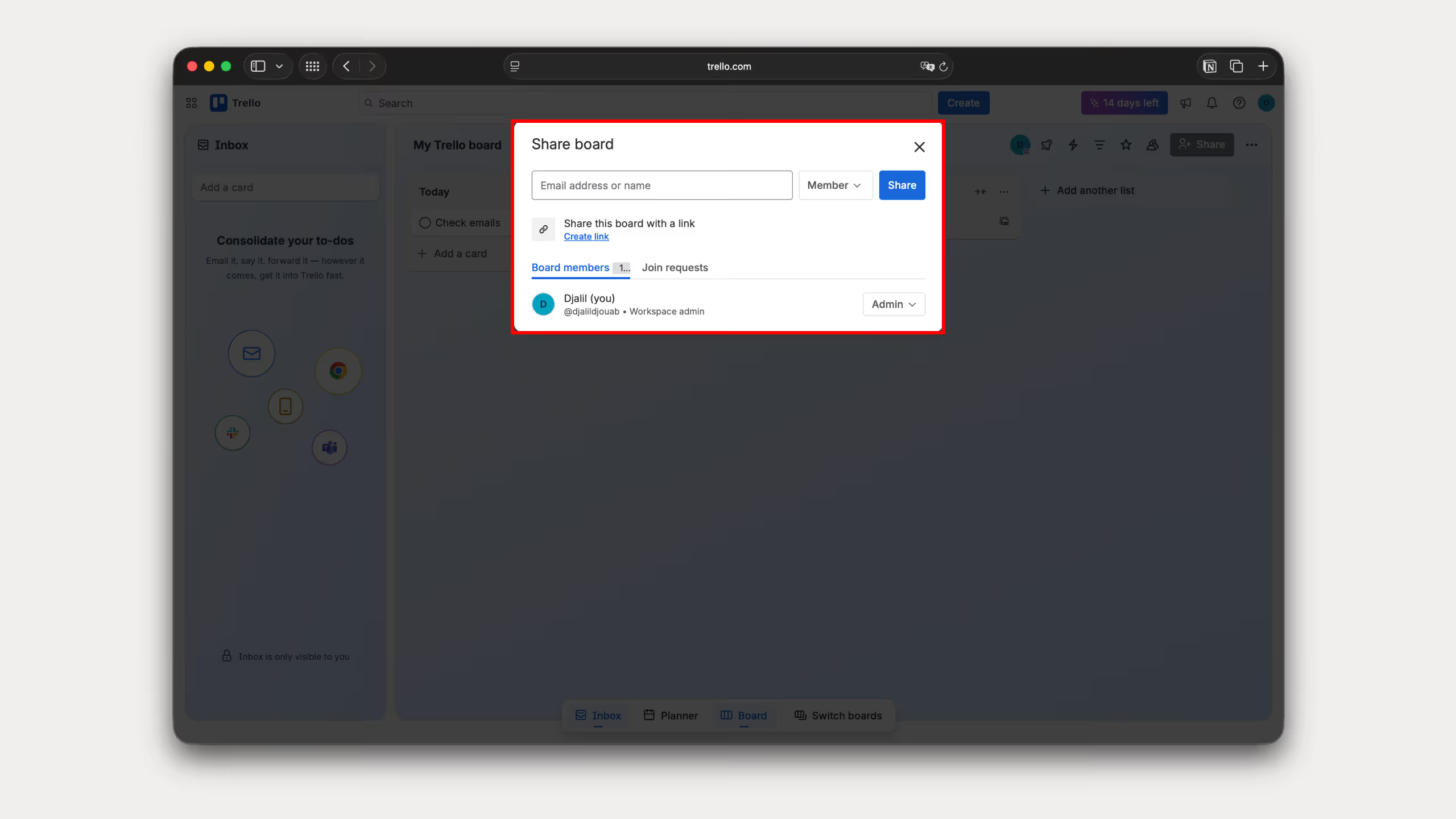
Simple CRM and lead tracking: Small startups and freelancers use it to manage sales deals. You can map out your pipeline with columns like "New Lead," "Contacted," "Proposal Sent," and "Closed Won" to track where clients are in the process without paying for a heavy CRM tool.
Client onboarding: You can set up a standardized template board for every new client you bring in. It acts as a shared portal where they can upload assets, view checklists, and track milestones without things getting buried in email threads.
Event planning: I’ve seen people use it for everything from tracking product launches to planning personal milestones. It lets you organize vendors, budgets, and deadlines visually so nothing slips through the cracks.
Trello vs Notion: Feature Comparison
Task and Project Management
Trello is just dead simple. You get boards, lists, and cards, and you instantly see where everything stands. I use it when I want zero friction.
Notion forces you to think a bit more, but it lets you keep your tasks right next to your project notes and docs.
Winner: Trello if you just want to track tasks, Notion if you need the actual context behind them.
Databases and Data Structure
Notion is a powerhouse here. You can link tables together, filter data, and build an actual system. This is how I run my entire business.
Trello keeps everything trapped inside cards on a board. If you need to connect different types of data, it falls apart.
Winner: Notion, by a mile.
Automation
Trello has Butler built right in, and it's great. You can set it to automatically move cards or clean up your board without needing extra tools.
Notion’s native automation is still pretty basic. I usually have to plug in Zapier if I want to do anything actually useful.
Winner: Trello.
Collaboration
Trello works fine if you just want to tag a teammate in a comment or assign them a deadline on a card.
Notion feels like a true shared workspace. My team can edit the same page together in real time and build out our company wiki without jumping between apps.
Winner: Notion.
AI Tools
Trello uses AI mostly to summarize card details or suggest quick board automations. It's fine, but nothing crazy.
Notion AI is built right into your editor. I use it to summarize long meeting transcripts or quickly pull information out of messy notes.
Winner: Notion.
Views and Layouts
Trello is a Kanban board first. You have to pay for their Premium plan just to unlock basic timeline and calendar views.
Notion lets you take the exact same list of tasks and instantly toggle it between a table, board, calendar, or timeline for free.
Winner: Notion.
Integrations
Trello has Power-Ups for pretty much everything. It easily plugs right into Slack, Google Drive, or Jira.
Notion connects with all the heavy hitters too, like Slack and Figma, so your documentation stays updated.
Winner: Tie. They both connect to whatever you're already using.
Offline Access
Trello needs an internet connection for almost everything. If you lose Wi-Fi, you can't do much.
Notion lets you view pages you recently opened offline, but trying to do heavy work without internet is still a massive pain.
Winner: Tie. Honestly, both suck if you don't have a solid connection.
Ease of Use
Trello takes five minutes to learn. Anyone can open it and understand how the boards work immediately.
Notion looks like a blank page when you first sign up. It’s incredibly flexible, but it's easy to get overwhelmed if you don't know what you're trying to build yet.
Winner: Trello.
Comparison Table: Notion vs Trello
So, what to choose?
If you went back in time and asked me which tool to choose, my answer is obvious. I’d say Notion. And no, it's not just because I sell Notion templates lol.
It's because Notion offers what Trello doesn't: flexibility and freedom. You can build literally anything you want inside it. Yeah, it takes a little bit of time to figure out how it works at first, I know that. But believe me, it’s completely worth it.
Frequently Asked Questions
Is Notion better than Trello for project management?
It depends on what you need. Trello is better if you just want to track tasks visually. Notion is better if your projects need deep notes, files, and databases right next to your tasks.
Can Notion replace Trello?
Yes, it can. Notion can build the exact same boards, but you have to set them up yourself. Trello is ready to use the second you sign up.
Is Trello easier to use than Notion?
Yes, by a mile. Trello takes five minutes to learn. Notion gives you a blank page, which can feel overwhelming at first.
Which is better for personal use?
Notion is usually better because you can use it as a second brain for notes, goals, and daily life tracking. Trello is only good if you just want a simple to-do list.
Does Trello handle docs like Notion?
No. You can add short notes and links inside Trello cards, but it is not made for long-form writing or company wikis.
Is Notion good for teams compared to Trello?
Yes, especially if your team needs to share docs, guides, and track tasks in one spot. Trello is better for small teams that just want to assign tasks and move on.
Can Trello handle complex workflows?
Not really. The built-in automations help, but it lacks real databases. If you need a heavy, connected system, go with Notion.
Which is better for startups, Notion or Trello?
Most startups use Notion to build their company wikis and plan projects, then use Trello to actually track the daily work.
Does Notion have boards like Trello?
Yes. You can turn any Notion database into a Kanban board with one click. The only difference is that the board sits on top of a database instead of being the whole tool.
Is Trello still worth using in 2026?
Yes. If you hate complicated setups and just want speed, clarity, and simple visual tracking, Trello is still great.