.avif)
Airtable vs Notion: Honest Comparison for 2026 (I tried both)

If you are trying to decide between Airtable vs Notion, you are definitely not alone. Over 100 million people use Notion worldwide, and more than 500,000 organizations use Airtable. We can clearly see that both tools are trusted at a very large scale. Picking the right one can save you hours every week and prevent a lot of frustration later. This guide explains everything in simple terms so you can make the right choice for your needs.
.avif)
Table of content
Notion: A Complete Overview
Airtable: A Complete Overview
5. Best Use Cases for Airtable
Airtable vs Notion: Feature-by-Feature Comparison
Comparison Table: Notion vs Airtable at a Glance
Notion: A Complete Overview
What is Notion?
described as an all-in-one workspace. It started as a note-taking app and slowly turned into a tool for writing, planning, and organizing almost anything.
Notion is built around pages and blocks. A block can be text, an image, a checklist, a database, or many other things. Pages can live inside other pages, which makes Notion feel like a private wiki for you or your team.
Notion User Statistics
Here are a few numbers that explain Notion’s popularity:
- Over 100 million users worldwide
- 4 million paying customers
- More than 50% of Fortune 500 companies use Notion in some way
- The company is valued at around $10 billion
Core Notion Features
Flexible pages and nested structure: Every page starts blank and is built with blocks like text, tables, checklists, or embeds. Pages can live inside other pages, which makes it easy to build a clean hierarchy. A single page can be a quick note or part of a larger system. I think this flexibility is one of Notion’s biggest strengths.
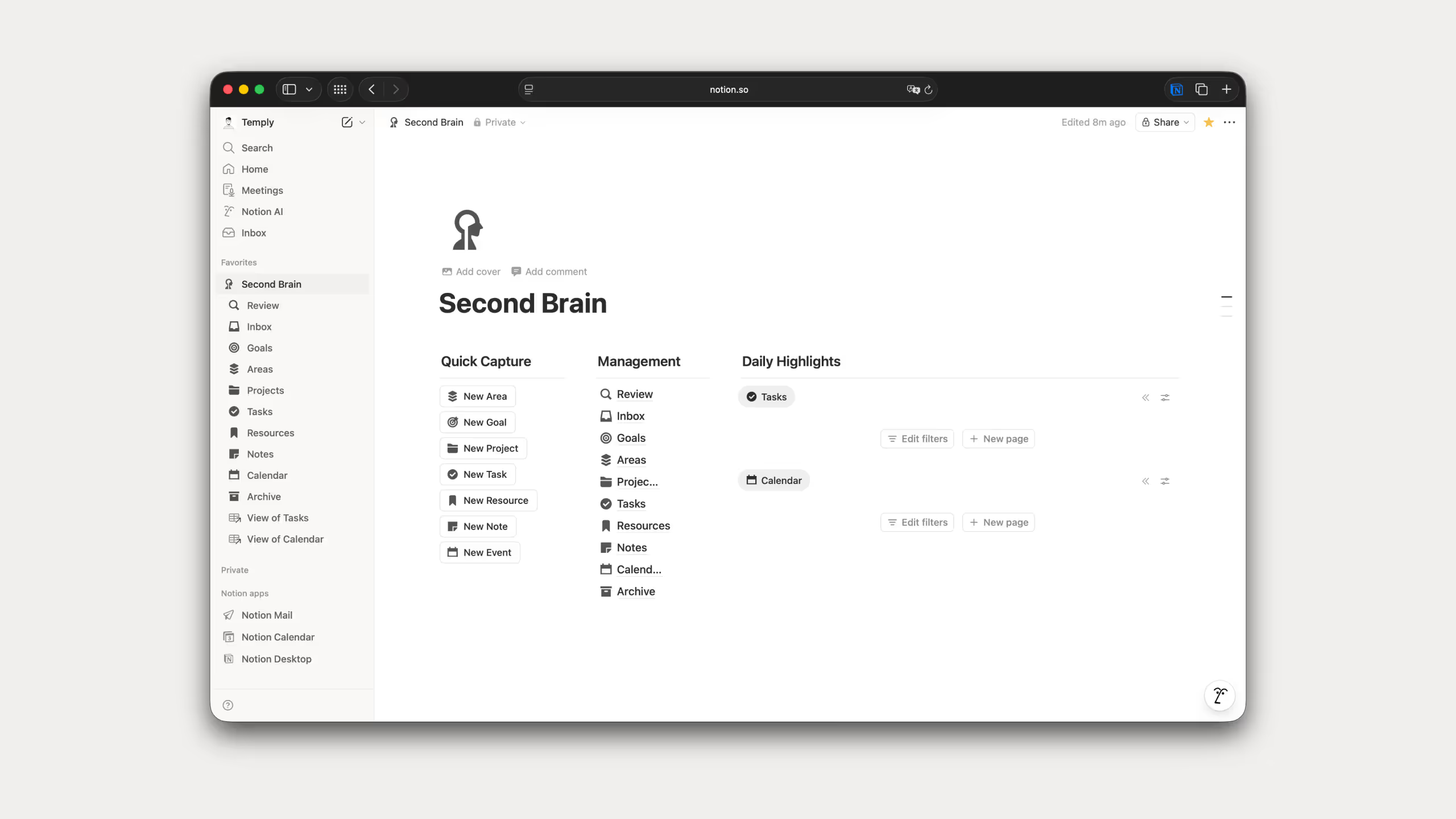
Databases and Views: You can create tables, kanban boards, calendars, timelines, and galleries. One database can be shown in many views without copying data. I find this useful when the same information needs to be seen in different ways.
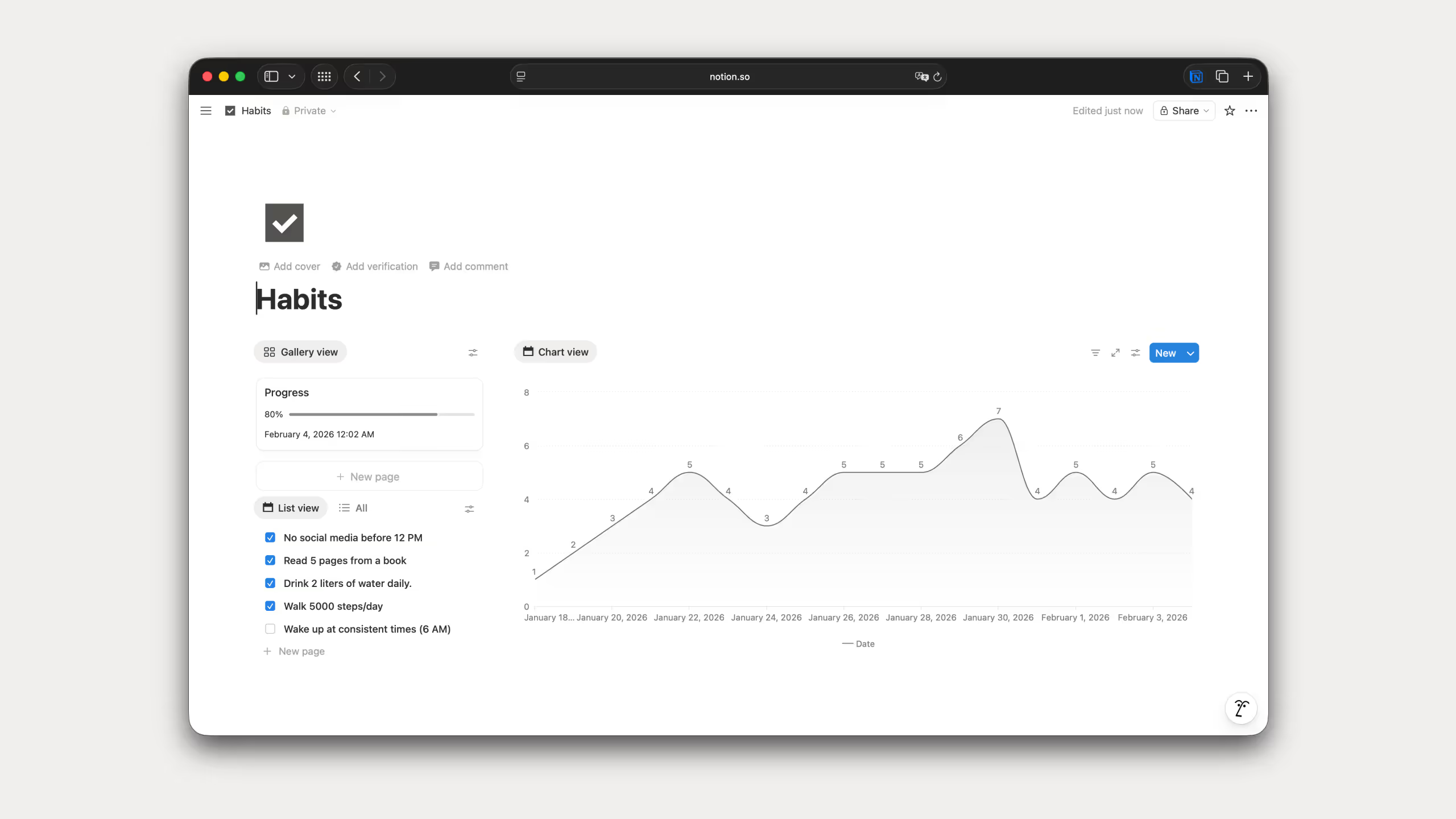
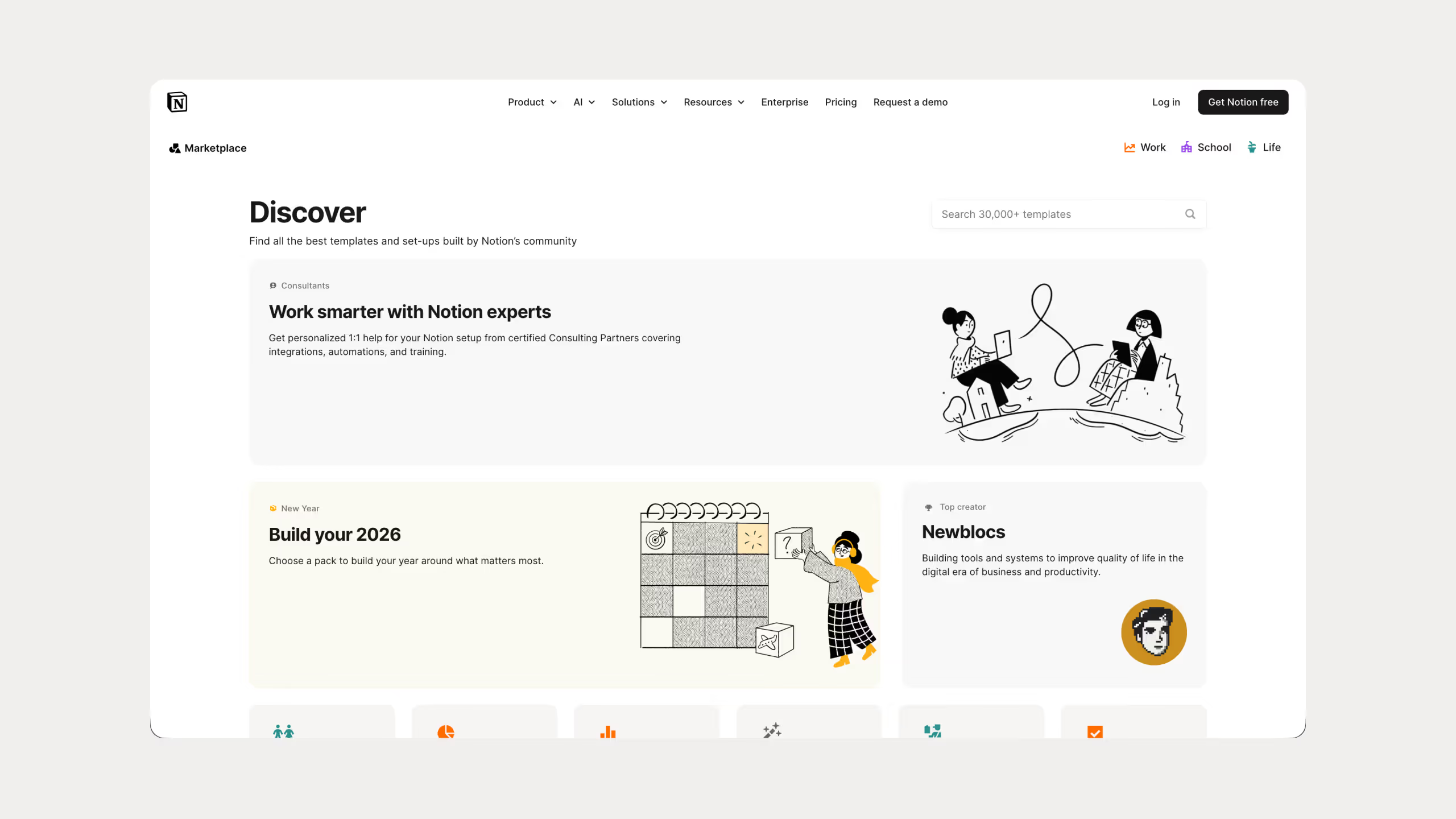
Templates: Notion offers thousands of ready-made templates for things like project planning, habit tracking, content calendars, and more. You can also create your own templates to reuse.
Notion AI: Built-in AI that can write text, summarize notes, translate content, and answer questions using your workspace as context. I find this more practical than generic AI because it understands your actual data.
.avif)
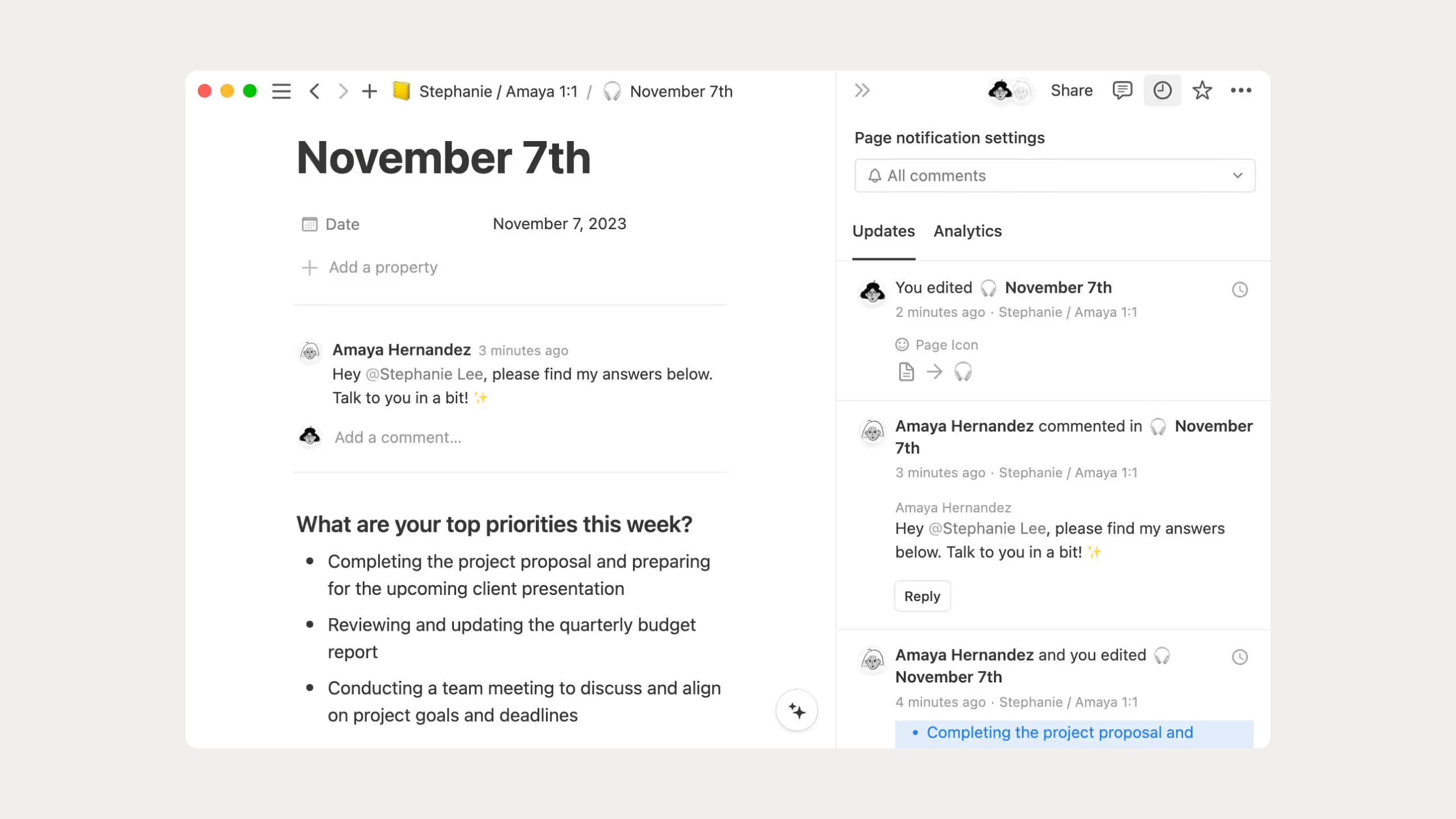
Collaboration: Multiple people can work on the same page at the same time. You can comment, mention teammates, and control who can view or edit each page.
Integrations: Notion connects with tools like Slack, Google Drive, GitHub, Figma, and Asana, so information from other apps can live in one place.
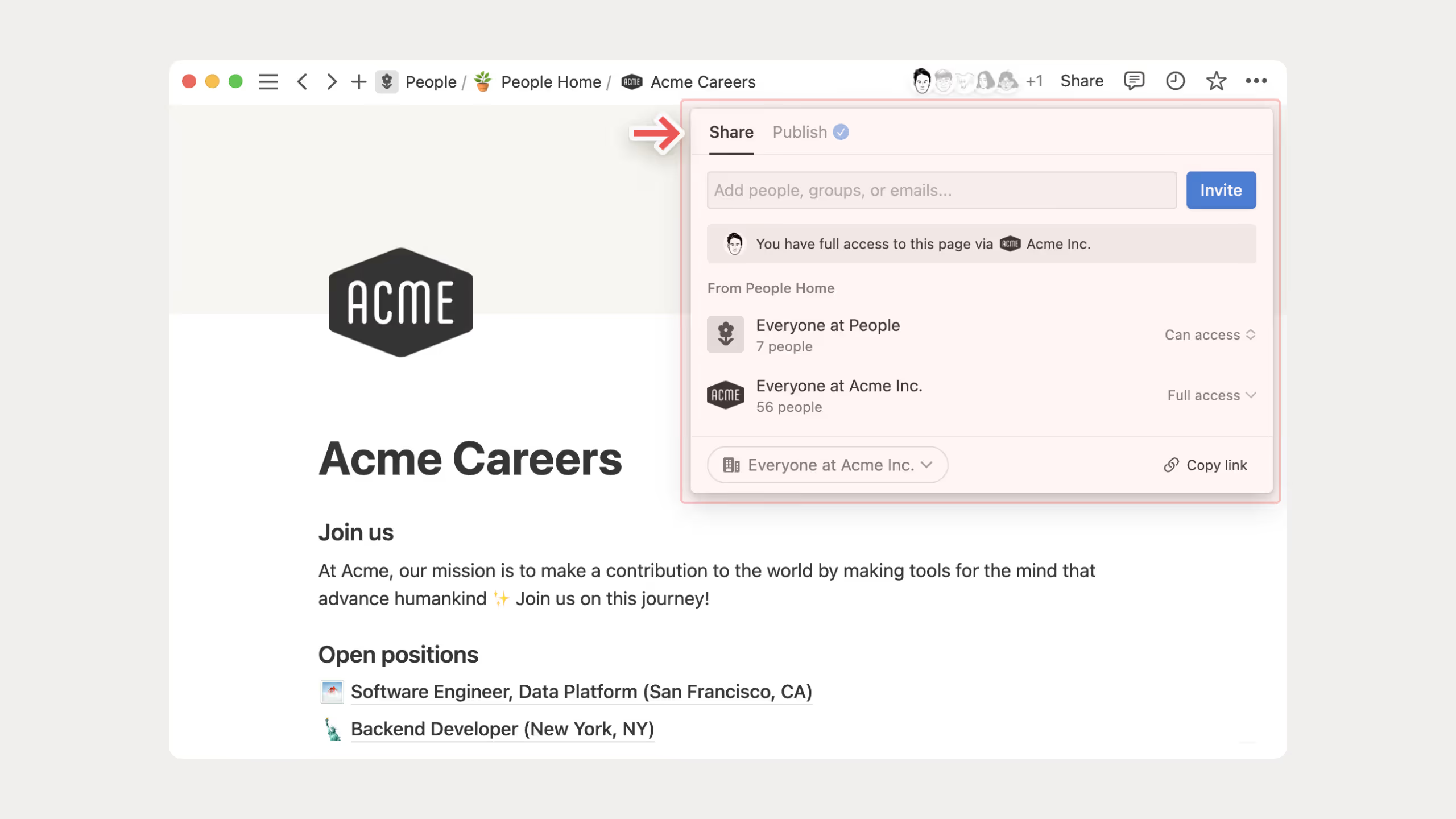
Web publishing: Any page can be turned into a public website. You can add a custom domain, basic SEO settings, and branding. I think this feature is underrated, especially for simple docs or client portals.
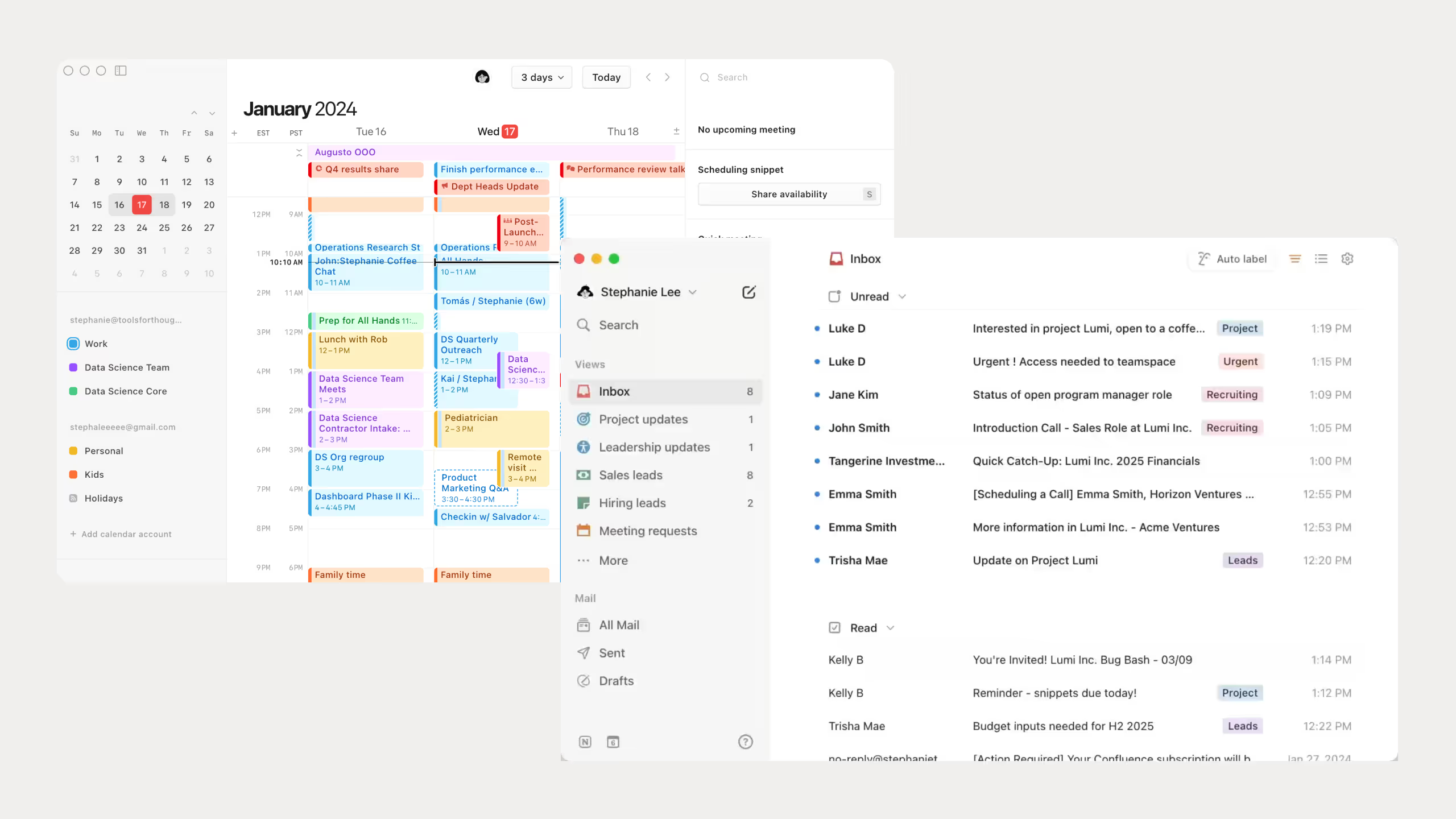
Calendar and Mail: Notion now includes a calendar app and an email app called Notion Mail. The goal is to manage schedules and communication inside the same workspace as your notes, tasks, and projects.
Notion Pricing
.avif)
Notion pricing notes:
- The Free plan gives individuals unlimited pages, but file uploads are limited to 5MB and page history only goes back 7 days.
- Students and educators can use the Plus plan for free if they sign up with a school email address.
- Full access to Notion AI is only available on Business and Enterprise plans.
- Paying yearly is cheaper overall and saves roughly 20 percent compared to monthly billing.
- For solo users, the Free plan is usually enough to properly test Notion before upgrading.
Best Use Cases for Notion
- Team wikis and documentation: Keep company knowledge, processes, and guides in one searchable place.
- Project management: Track tasks, deadlines, and progress using boards, calendars, and timelines.
- Content calendars: Plan blog posts, videos, newsletters, or social media in one shared system.
- Personal knowledge management: Organize notes, ideas, and resources into a connected “second brain.”
- Client portals: Share updates, documents, and deliverables through public or private Notion pages.
Common examples include company handbooks, meeting notes, content calendars, onboarding docs, and client workspaces.
Airtable: A Complete Overview
What is Airtable?
When comparing Airtable vs Notion, the first thing to understand is what Airtable is really made for. Airtable is a cloud tool that mixes a spreadsheet with a database. I usually explain it like this: it looks like Google Sheets, but it behaves more like a smart system that understands your data.
In Airtable, you work with something called a base. A base is like a database. Inside a base, you have tables, and inside tables, you have records and fields. The big difference from a normal spreadsheet is that Airtable knows what kind of data you are entering. If a field is for email addresses, it only accepts valid emails. Dates show up as calendars. You can also connect tables together, which helps keep everything organized.
Airtable User Statistics
Looking at the numbers helps explain why Airtable vs Notion is such a popular topic:
- Over 500,000 organizations use Airtable globally
- Revenue reached $478 million in 2025, up from $304.7 million in 2024
- The company is valued at about $12 billion (2021) ~$4B current estimate
- Airtable connects with over 1,000 apps through built-in integrations and tools like Zapier
Core Airtable Features
Workspace structure: Your Airtable workspace contains multiple bases. Each base is a database made up of one or more tables, similar to spreadsheet worksheets, you can also see same table data in different views like Grid, Calendar, Gallery, Kanban, Timeline, List, and Gantt.
Tables are built from fields, which are columns, and records, which are rows that store the actual data.

Rich field types: Support for attachments, checkboxes, dropdowns, formulas, lookups, rollups, and more for precise data control.

Automations: Built-in automation to trigger actions like sending messages, updating records, or calling APIs based on events or schedules.

Interface Designer (Interfaces): Drag-and-drop builder to create dashboards, data entry screens, and lightweight internal apps without code.

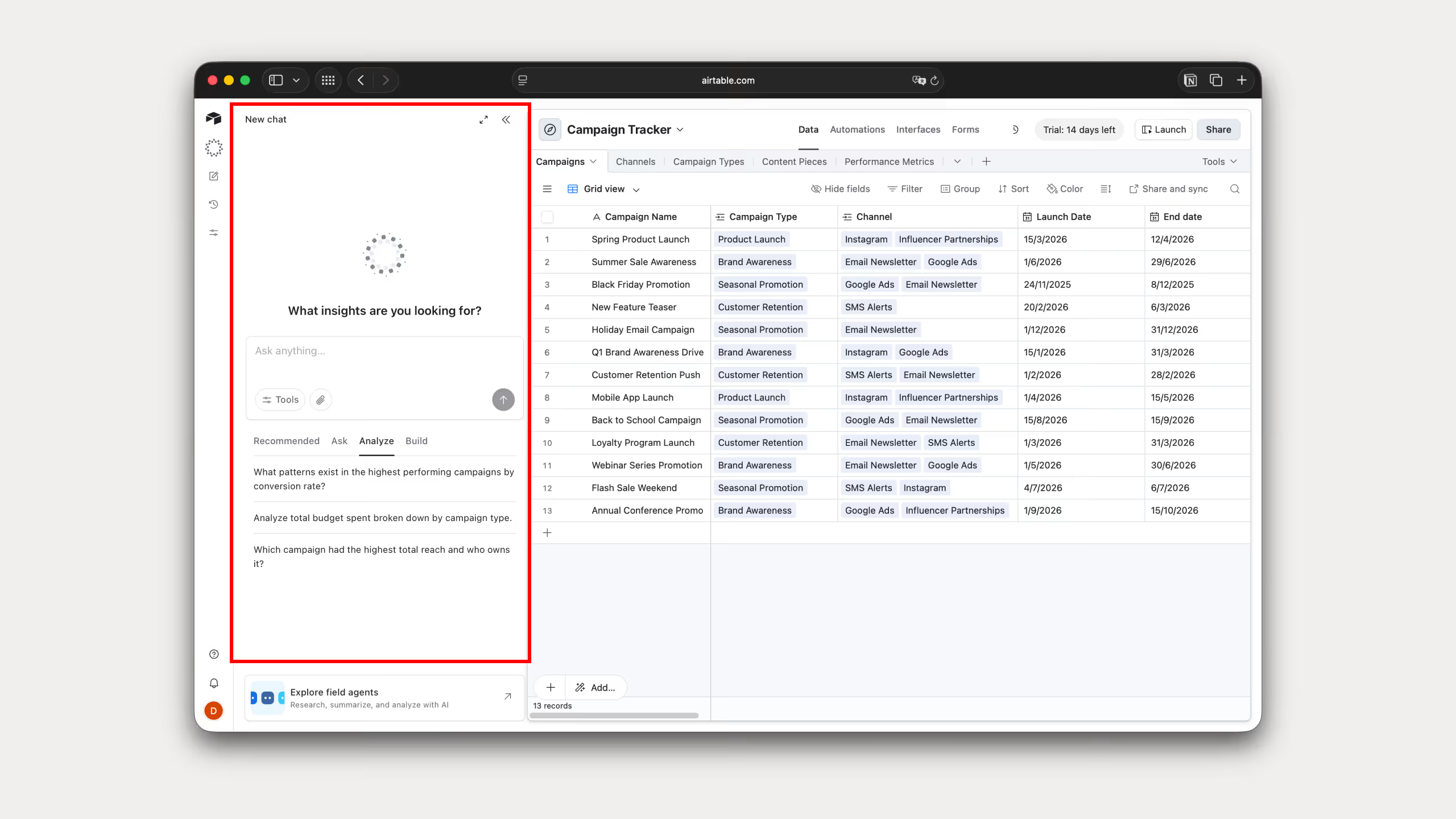
AI (Omni): Use AI to generate formulas, summarize records, classify data, and help build tables and workflows using natural language.
Templates and extensions: Prebuilt templates for CRMs, event planning, content calendars, plus extensions for charts, scripts, and custom logic.

Collaboration tools: Real-time collaboration with comments, shared bases, granular permissions, and notifications.

Sync and integrations: Sync records across bases and connect with tools like Slack, Google Workspace, Jira, Zapier, and more.

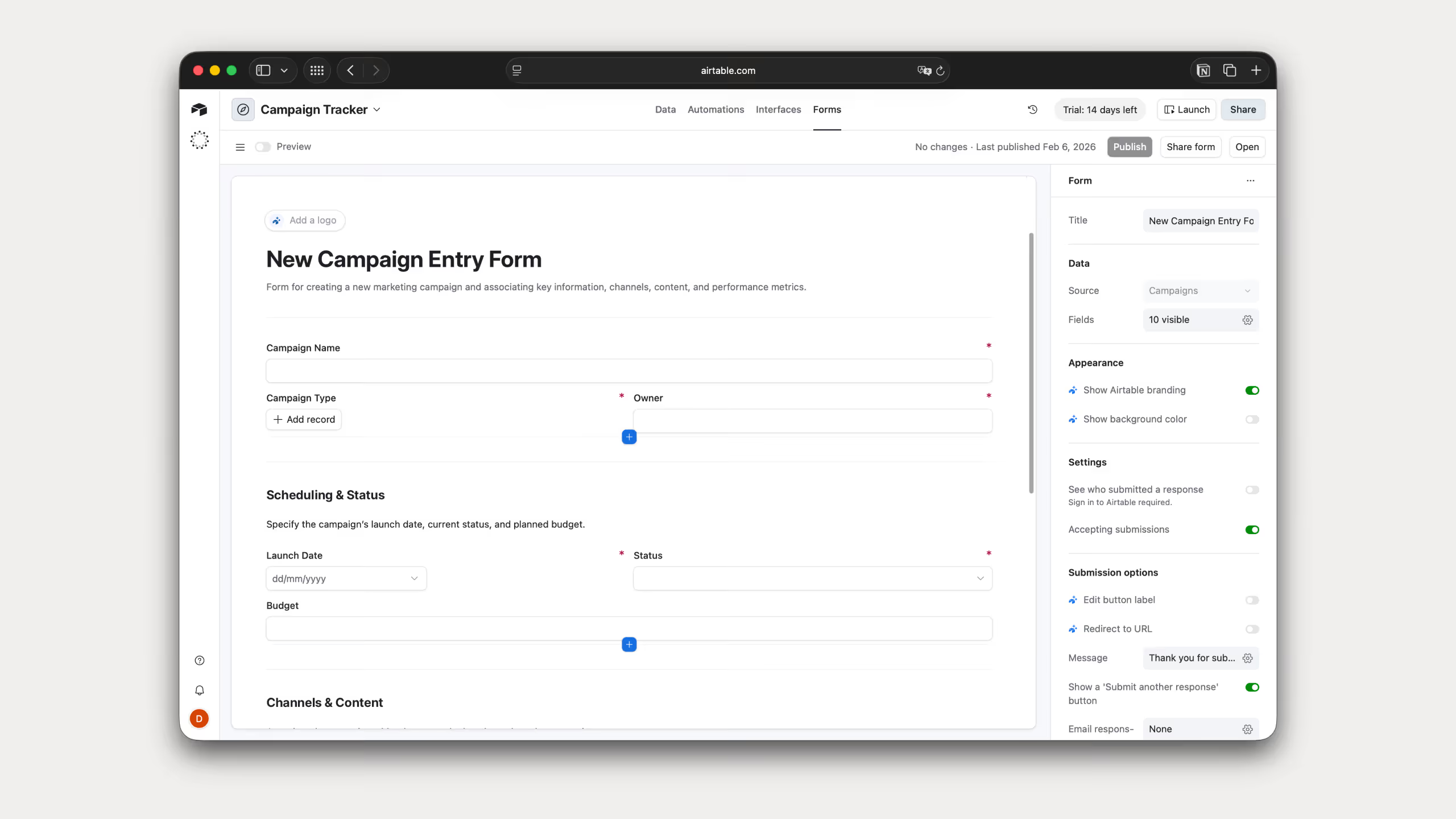
Forms: Built-in forms that collect data directly into tables from customers or teammates.
Airtable Pricing
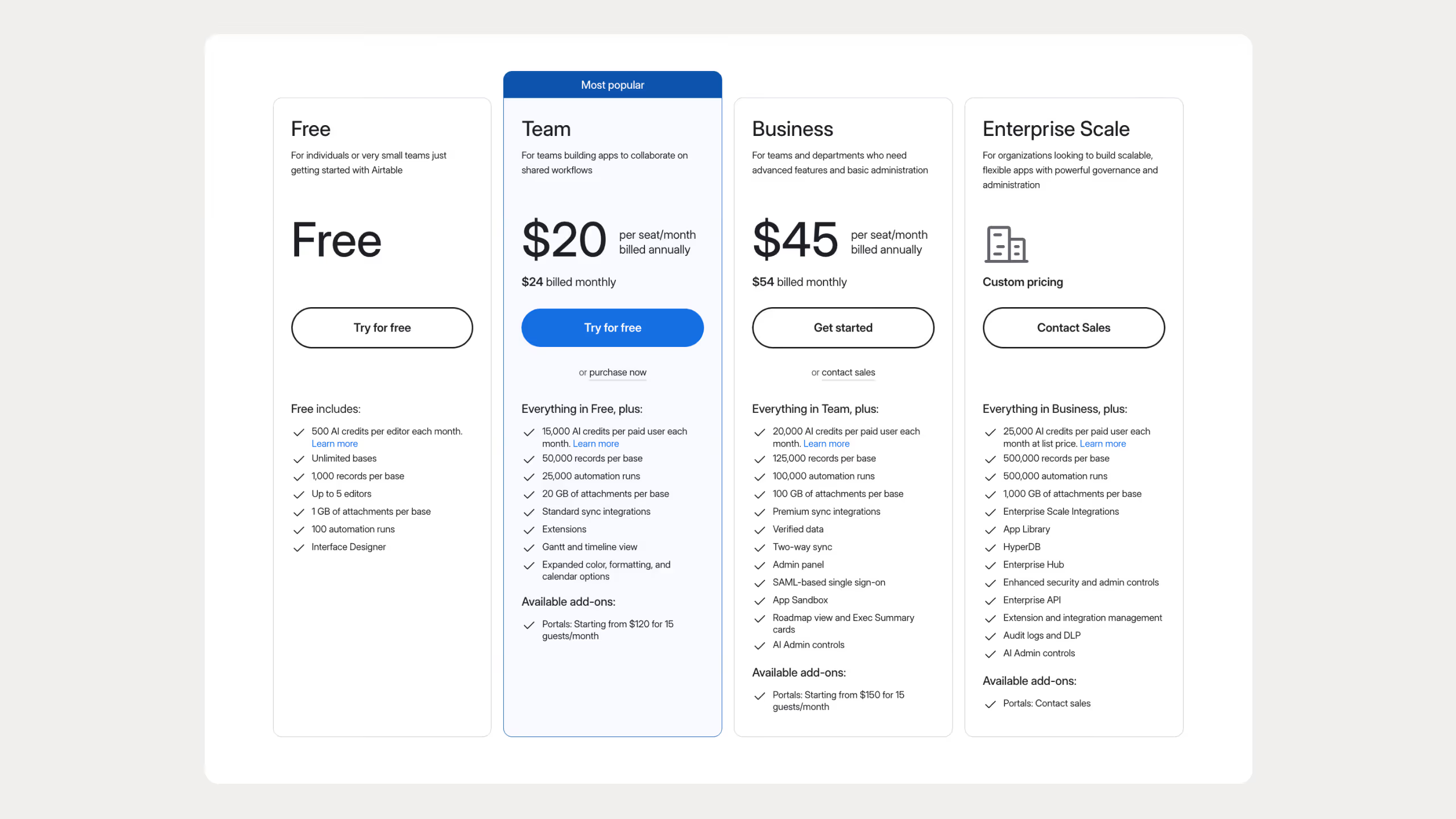
Key Airtable pricing notes:
- The Free plan is mainly for testing and small personal projects.
- Pricing is per seat, which can get expensive as teams grow.
- Automations, records, and storage limits increase quickly on paid plans.
- Airtable offers strong enterprise features, but most of them are locked behind higher tiers.
Best Use Cases for Airtable
- Structured data management: Manage large datasets with relationships, filters, and linked records.
- Automations and workflows: Set up automated tasks like notifications, updates, or cross-tool syncing.
- Project and task tracking: Track projects with timelines, calendars, kanban boards, and dependencies.
- Custom internal tools: Build dashboards, portals, and internal apps without coding.
- Integration-heavy workflows: Connect Airtable to other software like CRMs, marketing tools, and databases.
Airtable vs Notion: Feature Comparison
Let’s compare Airtable vs Notion in the areas people care about most.
Database Capabilities
This is where the difference between Airtable vs Notion is very clear.
Airtable is built for databases first. You can connect tables, pull data from one table into another, and manage very large datasets. On Enterprise plans, Airtable can handle up to 100 million records per table.
Notion treats databases as flexible lists of pages. You can create relationships, but they are simpler. Each item in a database is also a page. Notion databases are limited to 20,000 rows on paid plans.
Winner for Databases: Airtable
Documentation and Knowledge Management
Here, the Airtable vs Notion comparison flips.
Notion is much better for writing and documentation. Long text, formatting, and page structure all feel easy and natural.
Airtable can store long text, but it does not feel great for writing full documents.
Winner for Documentation: Notion
Task and Project Management
Airtable excels at complex project management with timelines, dependencies, and automations. It works best for structured, process-driven teams.
Notion is better for lightweight to medium project management where tasks live alongside notes, context, and documentation.
Winner for Task and Project Management: Tie
Automations and Integrations
Airtable has strong built-in automations and connects easily with many tools.
Notion has basic automations, but they are limited compared to Airtable.
Winner for Automations: Airtable
AI Capabilities
Airtable AI focuses more on building systems and working with structured data.
Notion AI focuses more on writing, summarizing, and everyday productivity. In my opinion, this makes it easier for most people to use right away.
Winner for AI: Notion
Collaboration
Airtable supports collaboration with shared bases, permissions, comments, and real-time updates. It works well for operational teams, but collaboration is mostly centered around data, not long discussions.
Notion is built for collaboration. Teams can write, comment, mention each other, and edit pages together in real time. In my experience, this feels more natural for discussion-heavy work.
Winner for Collaboration: Notion
Offline Access
Airtable has very limited offline access. You generally need an internet connection to view or edit data.
Notion offers partial offline access. You can view recently opened pages on desktop and mobile, but full offline editing is still limited.
Winner for Offline Access: Notion (slightly)
Security and Privacy
Airtable offers strong security features, especially on Business and Enterprise plans. This includes advanced permissions, audit logs, and enterprise-grade compliance.
Notion also provides solid security, with features like SAML SSO, access controls, and admin tools on higher plans. Both tools meet the needs of most teams.
Winner for Security: Tie
User Interface and Ease of Use
Airtable is easier if you already like spreadsheets but takes time to master.
Notion looks simple but can feel overwhelming because you can build almost anything.
Winner for Ease of Use: Tie
Comparison Table: Notion vs Airtable
Which Should You Choose between Airtable and Notion?
Choose Notion When You Need:
- To build a custom productivity system, not follow a rigid setup.
- Project and task tracking in one place.
- To work with a team and need live collaboration and comments.
- Structured documentation over scattered notes.
- AI built into your workspace for writing and planning.
Choose Airtable When You Need:
- To manage large amounts of structured data
- Strong automations and workflows
- Custom internal tools and dashboards
- Heavy integrations with other software
Common examples include CRMs, content production tracking, inventory systems, and marketing operations.
Consider Using Both If:
In many teams, Airtable vs Notion is not an either-or decision. I often see teams use Notion for documentation and Airtable for tracking and operations. With tools like Zapier, you can connect them and get the best of both.
You can even automate the flow between them using tools like Zapier to sync content from Airtable and Notion.
The Bottom Line: Airtable vs Notion in 2026
Here is the short version.
Choose Airtable if your work depends on data, systems, and automation.Choose Notion if your work depends on writing, documentation, and collaboration.
If you are unsure, try both. Both tools have free plans. Build something real in each one and see which fits the way you think and work.
Frequently Asked Questions
Can Notion replace Airtable for database work?
For very simple databases, Notion can work, but for complex relational data, automations, and structured workflows, Airtable is stronger. Notion’s databases are easier but limited compared to Airtable’s relational model.
Which is better for project management?
Neither tool is a true dedicated project management app, but Notion is often easier for context-rich projects with docs + tasks, while Airtable handles structured project tracking with timelines and automations better.
Which is better for collaboration?
Notion is usually seen as better for real-time team collaboration, comments, and shared content, especially in documents and wikis. Airtable supports collaboration too but is focused around data and records.
Does Airtable have better automations than Notion?
Yes. Airtable has more advanced built-in automation capabilities. Notion’s automations are more limited and often rely on external tools like Zapier or Make.
Is Airtable harder to learn than Notion?
Yes. Airtable’s database concepts (linked records, rollups, formulas) have a steeper learning curve. Notion feels more intuitive for non-technical users.
Which one is cheaper?
Notion’s paid plans generally cost less than Airtable’s for similar team sizes, and its free tier is more generous for basic use. Airtable’s pricing reflects its more powerful data and automation features.
How do views compare between the two?
Airtable offers views like grid, calendar, kanban, gallery, timeline, and Gantt. Notion offers tables, boards, calendars, timelines, and galleries, but Airtable adds features like form and smoother view switching.
Which tool is better for documentation and wikis?
Notion is much better for creating documents, knowledge bases, and wikis. Airtable is not designed for long-form text or narrative content.
Can I use Notion databases the same way as Airtable tables?
Not really. Notion databases are simpler and work well for small to medium data sets, but Airtable tables are relational, letting you link records, roll up data, and handle complex workflows.
Which has better templates for business workflows?
Airtable has more templates for structured workflows like CRMs, project pipelines, and inventory tracking. Notion templates are stronger for documentation, knowledge bases, and planning.
Does Airtable have better reporting and dashboards than Notion?
Yes. Airtable has Interface Designer, charts, and dashboards built-in. Notion lacks advanced reporting tools and mostly relies on manual views or external integrations.
Can Notion automate tasks without external tools?
Only limited automation. Notion has some native automation for databases, but complex workflows usually need Zapier or Make. Airtable has more robust built-in automation.
Is Airtable better for CRM or sales pipelines than Notion?
Yes. Airtable is designed for structured tracking and relational data, which makes CRMs, sales pipelines, and project tracking more powerful than in Notion.
Which tool is better for personal productivity vs team use?
Notion is flexible for personal productivity, note-taking, and planning. Airtable is stronger for team projects with structured data, automations, and dashboards.
How does mobile experience compare between Airtable and Notion?
Both have mobile apps, but Notion works better offline and for reading/writing notes. Airtable mobile is best for viewing and updating structured data, but offline features are limited.
Which one handles attachments and media better?
Airtable supports attachments in fields directly tied to records and integrates with cloud storage. Notion supports media in pages but doesn’t tie it to structured data as well.
Can Notion link records between tables like Airtable?
Not fully. Notion can create relations between databases, but it’s less powerful than Airtable’s linked records and rollups.
Does Airtable require technical skills to build advanced systems?
Somewhat. Basics are easy, but advanced tables, automations, and interfaces may require learning formulas, scripting, or the API.
Can Notion be used as a wiki and a database at the same time?
Yes. Notion is ideal for wikis with embedded databases, but the database capabilities are simpler and not relational like Airtable.
Which one loads faster with large amounts of data?
Airtable handles large datasets more efficiently. Notion can slow down with many database entries, complex views, or lots of embedded content.
Are there limits on views you can create in Notion vs Airtable?
Notion allows multiple views per database but with some performance limits. Airtable supports more view types and larger databases without slowing down.
Which has better support and learning resources?
Both have good documentation and tutorials. Airtable has a more detailed knowledge base for database features; Notion excels at tutorials for personal productivity and collaboration.
How do access controls compare between Airtable and Notion?
Airtable offers granular permissions at base, table, and field levels. Notion provides page-level permissions, which are simpler but less granular for complex workflows.
Can Airtable and Notion be used together?
Yes. Many teams use Notion for documentation and Airtable for structured workflows and data, syncing them with tools like Zapier or Make.