.avif)
Notion vs Clickup: Honest Comparison for 2026 (I tried both)

Notion vs ClickUp, what would you choose? I get asked about this constantly. People want to know which one is worth their time before they commit to learning a whole new system.
I've been using Notion since 2020 and I've built my entire workflow on top of it, so I'm not neutral here. But I also tried ClickUp properly before writing this, not just a quick look around.
So in this guide I'll tell you what I actually think about both, what works, what doesn't, and which one is right for you. Let's get into it.
.avif)
Table of content
What is Notion?
Notion launched in 2016, founded by Ivan Zhao and Simon Last in San Francisco. By 2024 it had crossed 100 million users and over 4 million paying customers. That's not small tool numbers.
At its core, Notion is a flexible workspace. Everything starts as a blank page and you build it however you want. Text, tables, task boards, calendars, embedded content, all in one place. I think this freedom is the main reason it blew up the way it did.
It runs on a block system. Every piece of content is a block you can move, edit, or delete. Once you understand that, you can build almost anything inside it.
Notion Key Statistics
Notion has blown up fast. When I started using it in 2020 they had just hit 1 million users. By 2024 that number crossed 100 million. What surprises me most is that 50% of Fortune 500 companies are using it now. It went from a tool productivity nerds loved to something enterprise teams run their operations on. That says a lot about how far it has come.
Notion Features Overview
Notion has a lot going on, but here are the features that actually matter when you're comparing it to ClickUp.
Block-based pages: Everything in Notion starts as a blank page and you fill it with blocks. Text, tables, checklists, databases, embeds, whatever you need. You can nest pages inside pages with no real limit. I've been using this system since 2020 and it still feels like the most flexible way to organize things I've ever used.
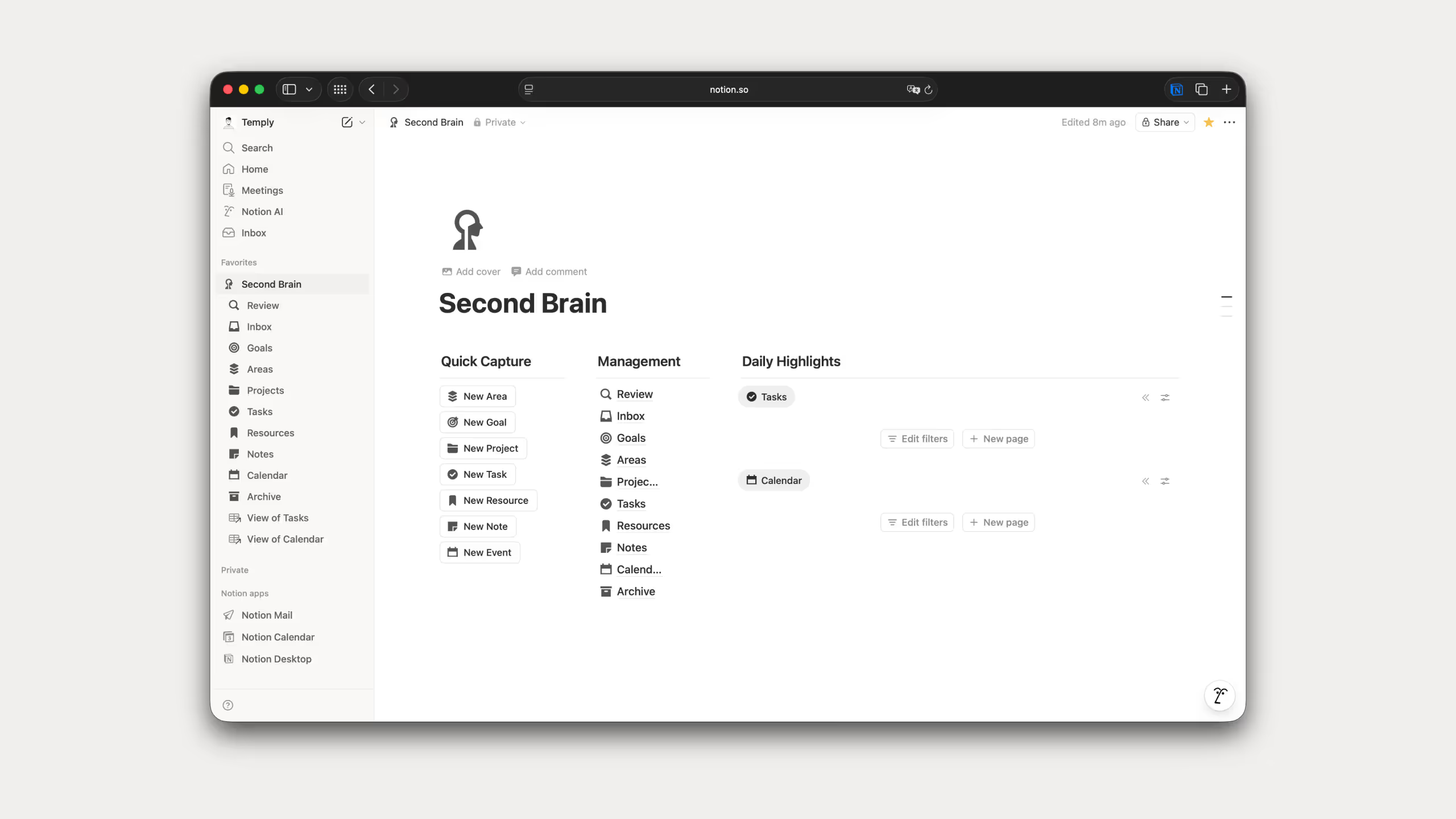
Databases: This is the feature that separates Notion from most tools. You build a database once and view it as a table, kanban board, calendar, timeline, or gallery depending on what you need. No duplicate data, just different ways of looking at the same thing. I rely on this constantly when building templates.

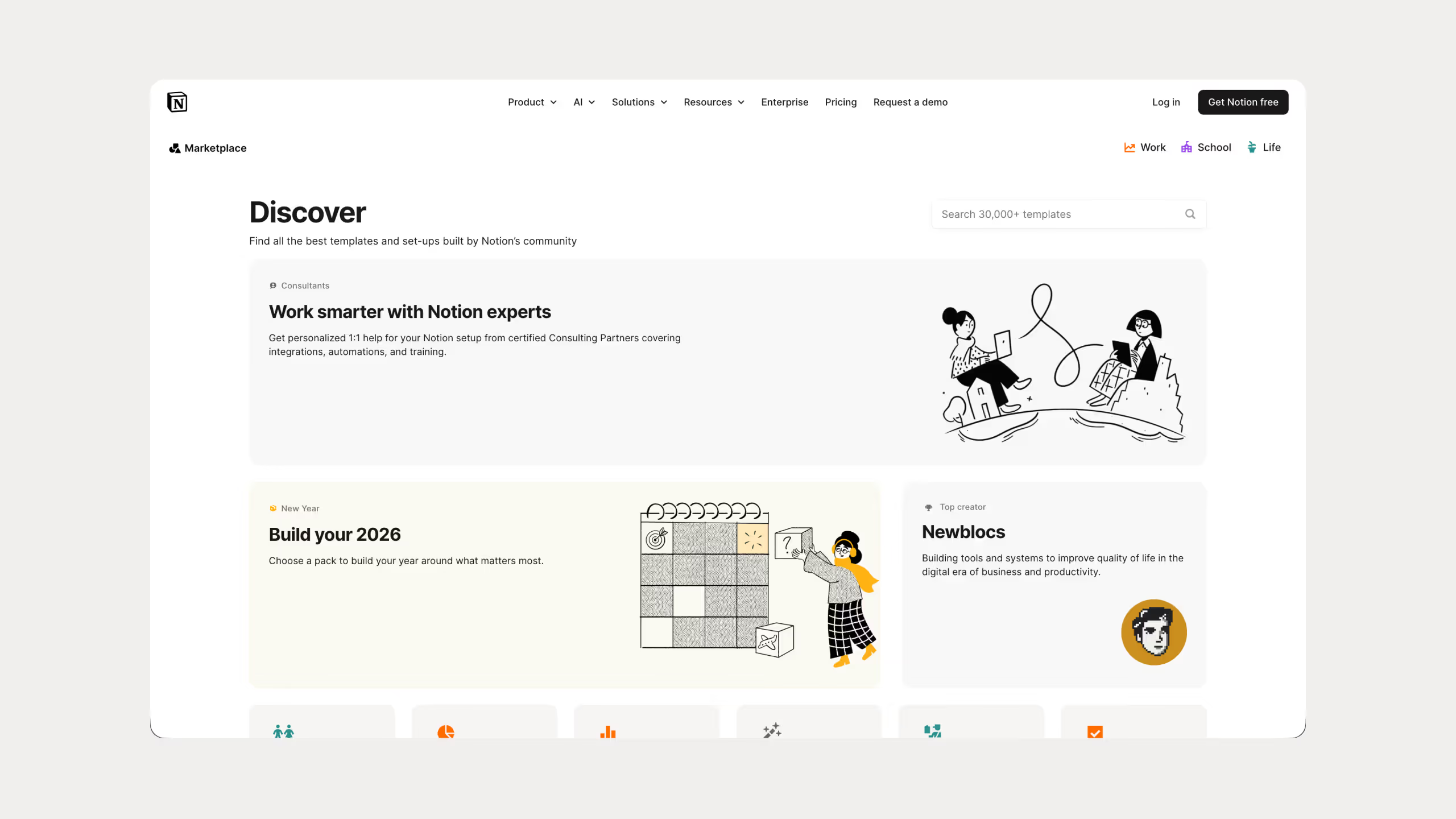
Templates: Notion has over 20,000 templates in its gallery covering almost any use case you can think of. You can also build your own and reuse them. I've done this across my 25 templates that have been downloaded over 67,000 times, so I know how much time a good template saves.
Notion AI: AI built directly into your workspace. Writing, summarizing, grammar fixes, brainstorming, all without switching apps. You can also choose your model, Claude, GPT, Gemini, DeepSeek. I use this daily instead of jumping between different AI tools.
.avif)
Collaboration: Real-time editing, comments, mentions, and permission controls all in one place. I use this with clients and it keeps everything clean without back and forth emails.

Web publishing: You can publish any Notion page to the web, add a custom domain, and even basic SEO settings. I've seen people skip website builders entirely and just use Notion for their whole site.

Calendar and Mail: The Notion Calendar syncs with your task database and you can drag and drop tasks straight onto it. I use this every day. Notion Mail I haven't really touched yet, Gmail still works fine for me.

Notion Pricing Plans
.avif)
Notion is free to start. You can upgrade to Plus, Business, or Enterprise when you need more, but honestly I've been on the free plan since 2020 and it still covers everything I need as a solo user. Check the Notion pricing page if you want to see what each plan includes.
The one thing worth paying for is Notion AI. I use it constantly for rewriting, fixing grammar, and brainstorming without opening another app. You pick the model you want, Claude, GPT, Gemini, it's all there. More details on the Notion AI page.
What is ClickUp?
ClickUp launched in 2017, founded by Zeb Evans in San Diego. Today it has over 22 million users and more than 100,000 paying teams.
Unlike Notion, ClickUp was built as a project management tool from day one. Docs and wikis were added later and you can feel that when you use it. Task management is where it shines, everything else feels secondary.
ClickUp Key Statistics
ClickUp's numbers are solid but when you put them next to Notion it tells you a lot. Notion has 100 million users, ClickUp has 22 million. Notion is valued at $10 billion, ClickUp at $4 billion. Both are serious tools but Notion has clearly won the broader audience. ClickUp's strength is with teams who need serious project management, and the numbers reflect that with 100,000 paying teams. That's not a small number.
ClickUp Features Overview
I haven't used ClickUp as deeply as Notion so I can't give you the same level of personal experience here. But I spent enough time in it to tell you what actually stands out.
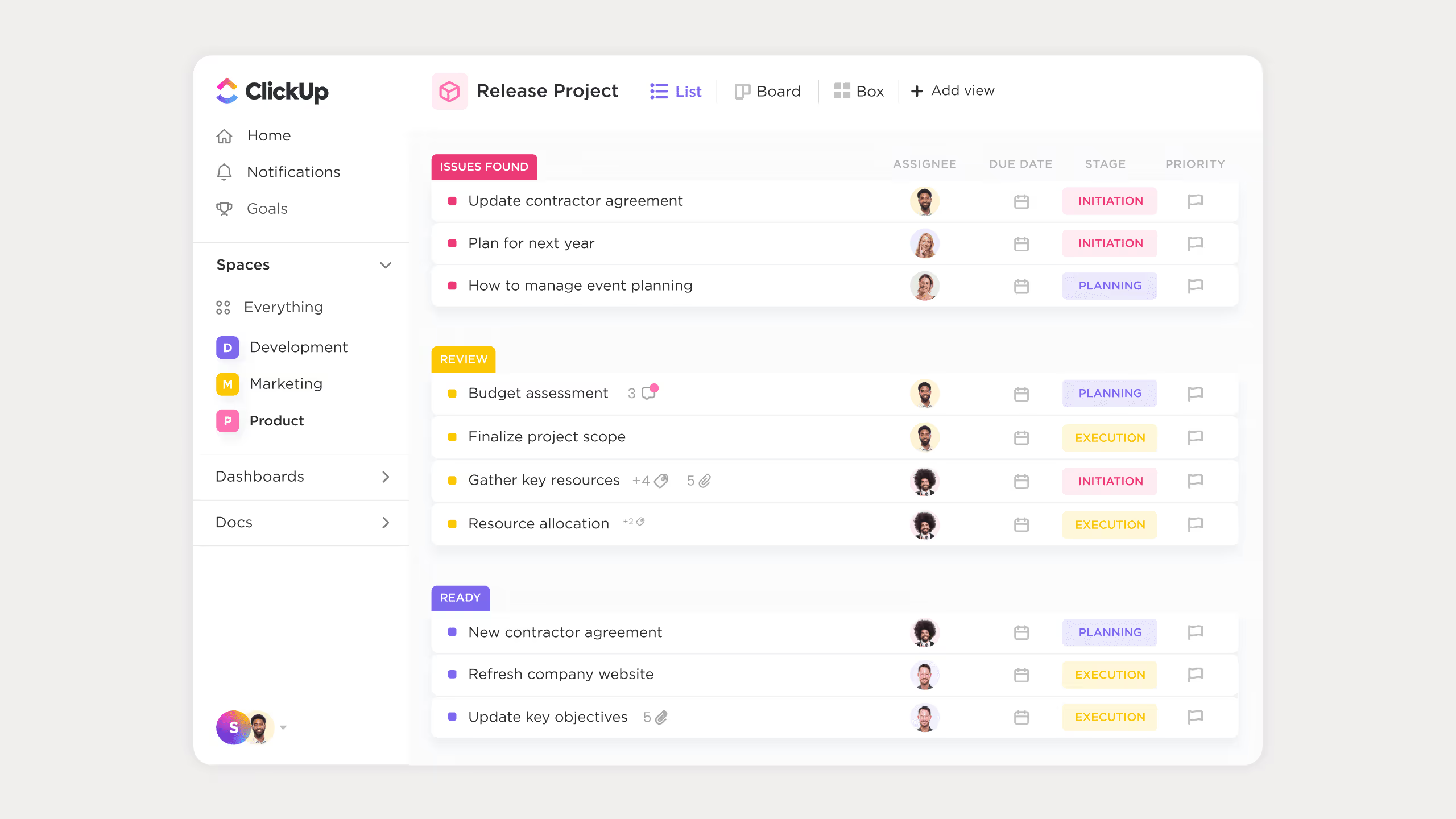
Multiple views: You can look at your work as a list, kanban board, Gantt chart, calendar, timeline, workload view, or mind map. More view options than almost any other tool out there.
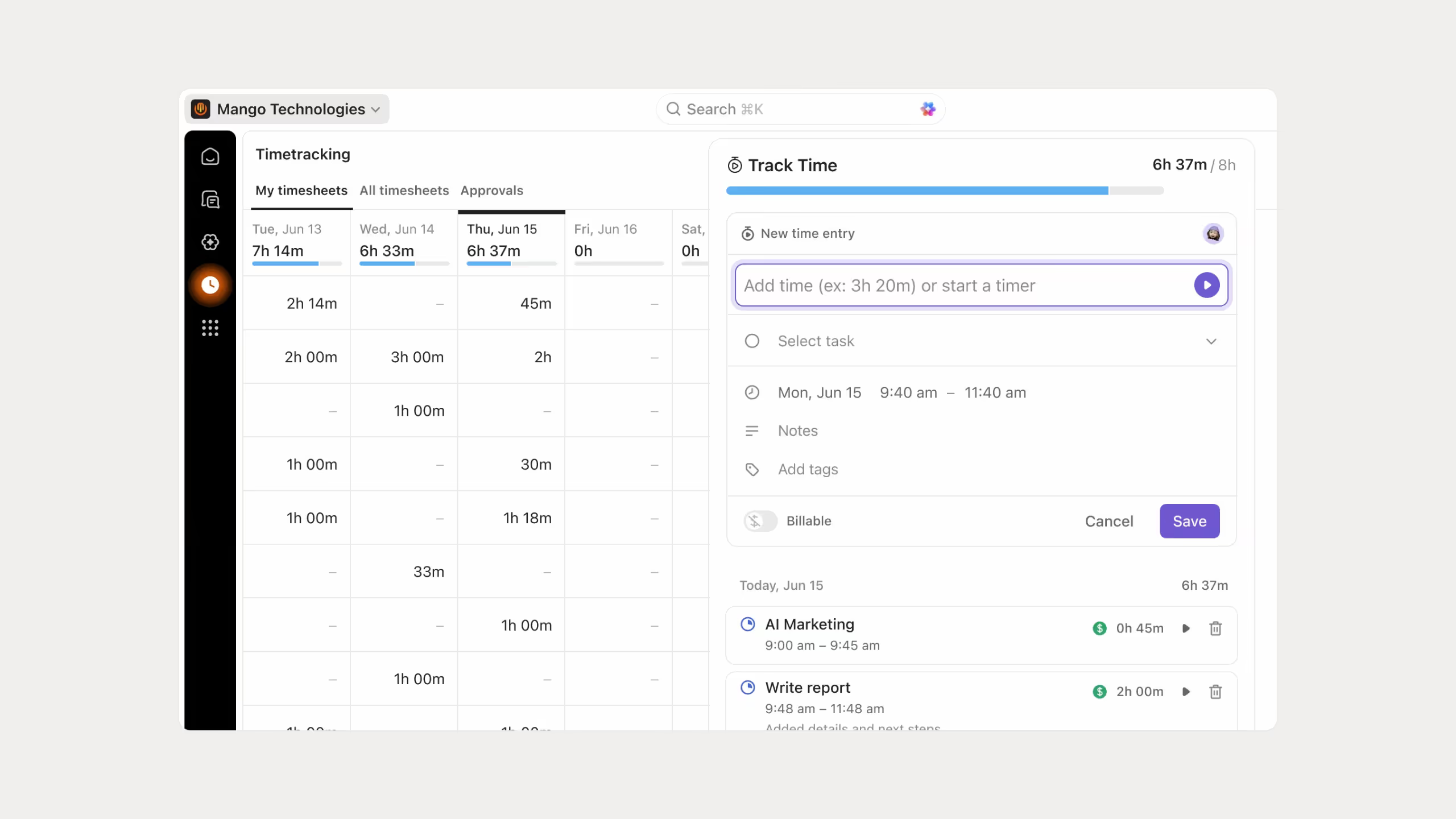
Native time tracking: Time tracking is built directly into tasks. No need for a separate app. Good if you run an agency or bill clients by the hour.
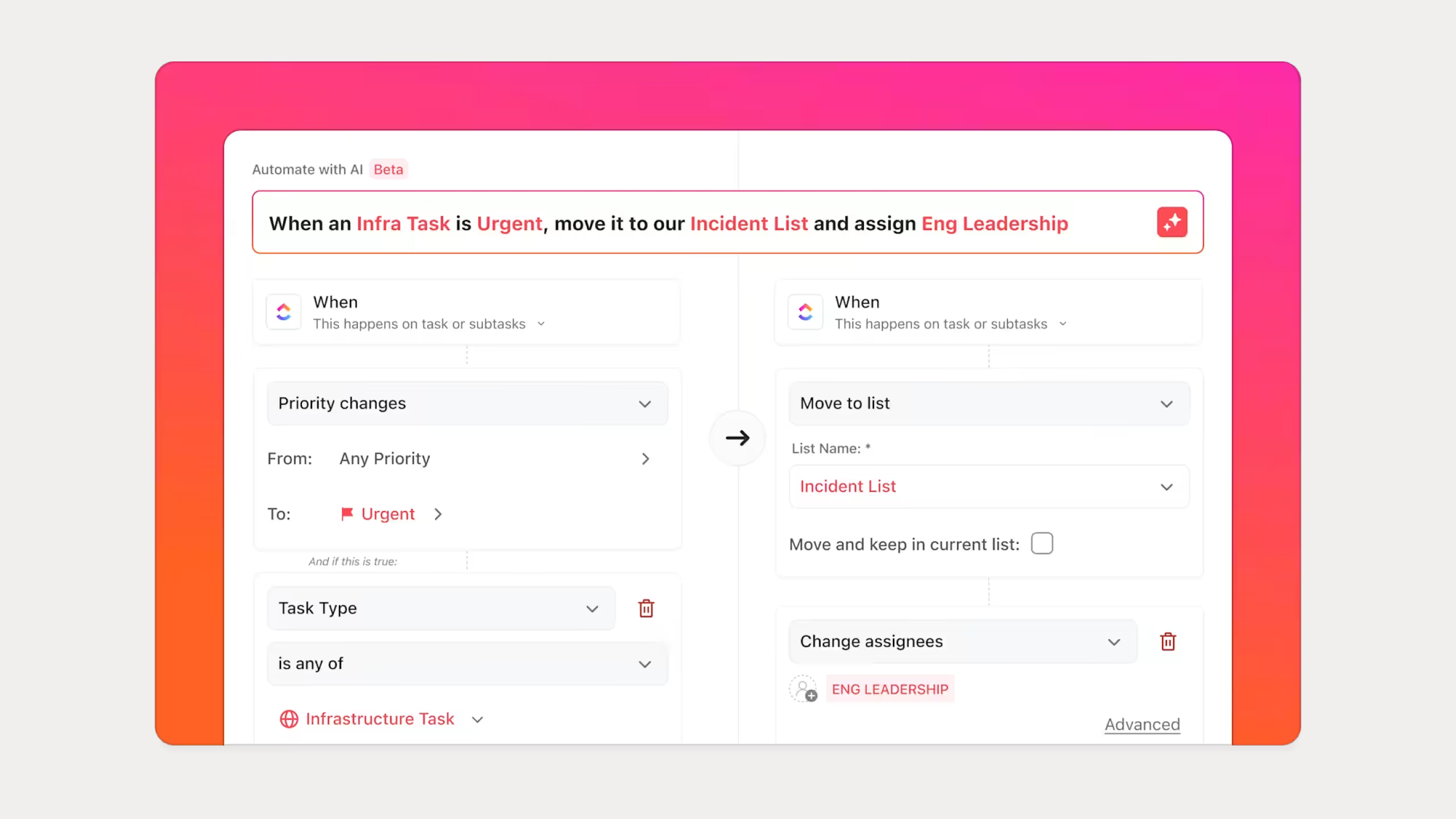
Automations: You can set up trigger-based automations like changing a task status automatically or assigning someone when a task moves to a certain stage. Saves a lot of manual work once you set it up.
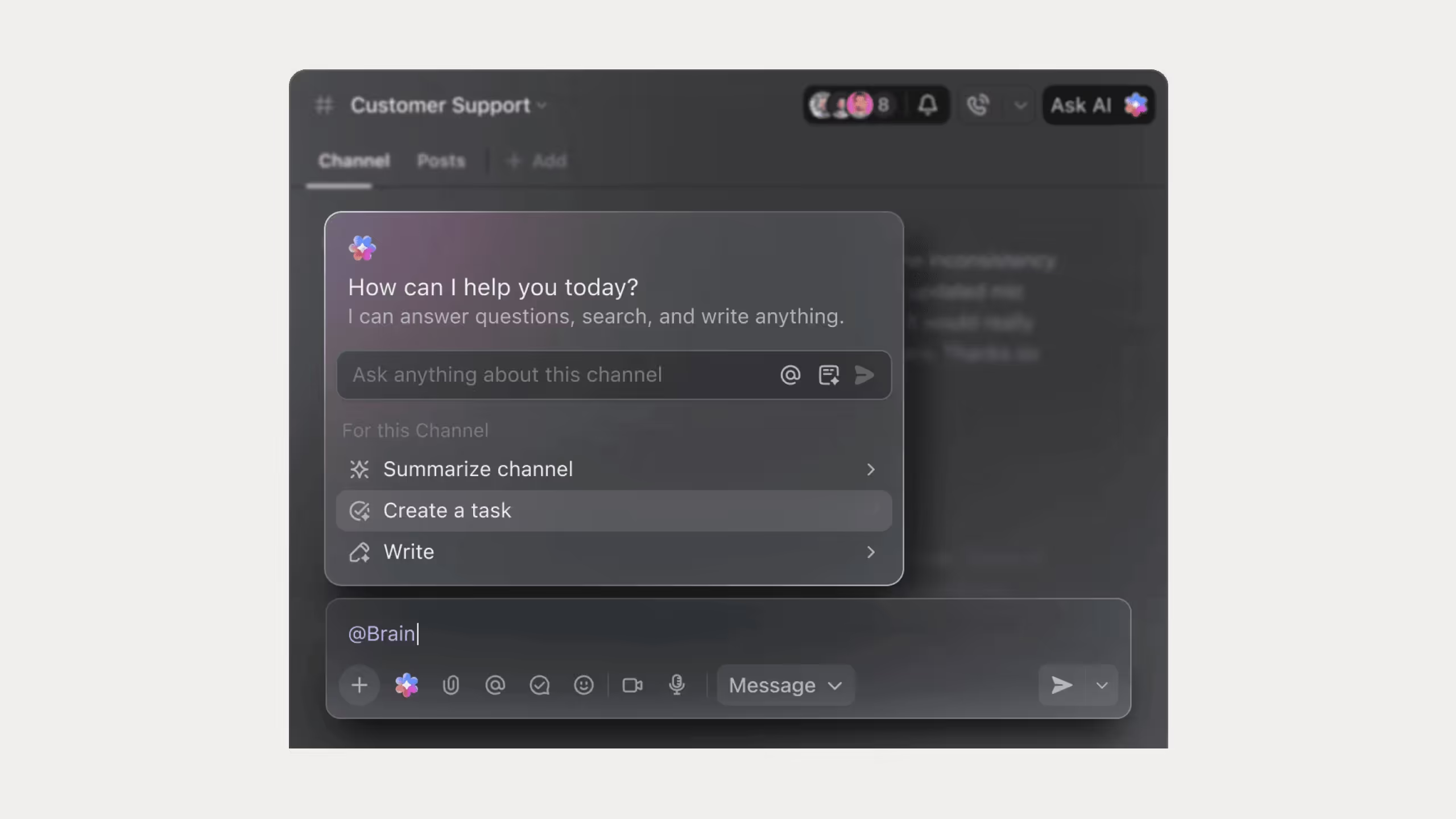
ClickUp Brain: Their AI assistant. It can summarize your work, answer questions about your workspace, and generate content. More details on the ClickUp AI page.
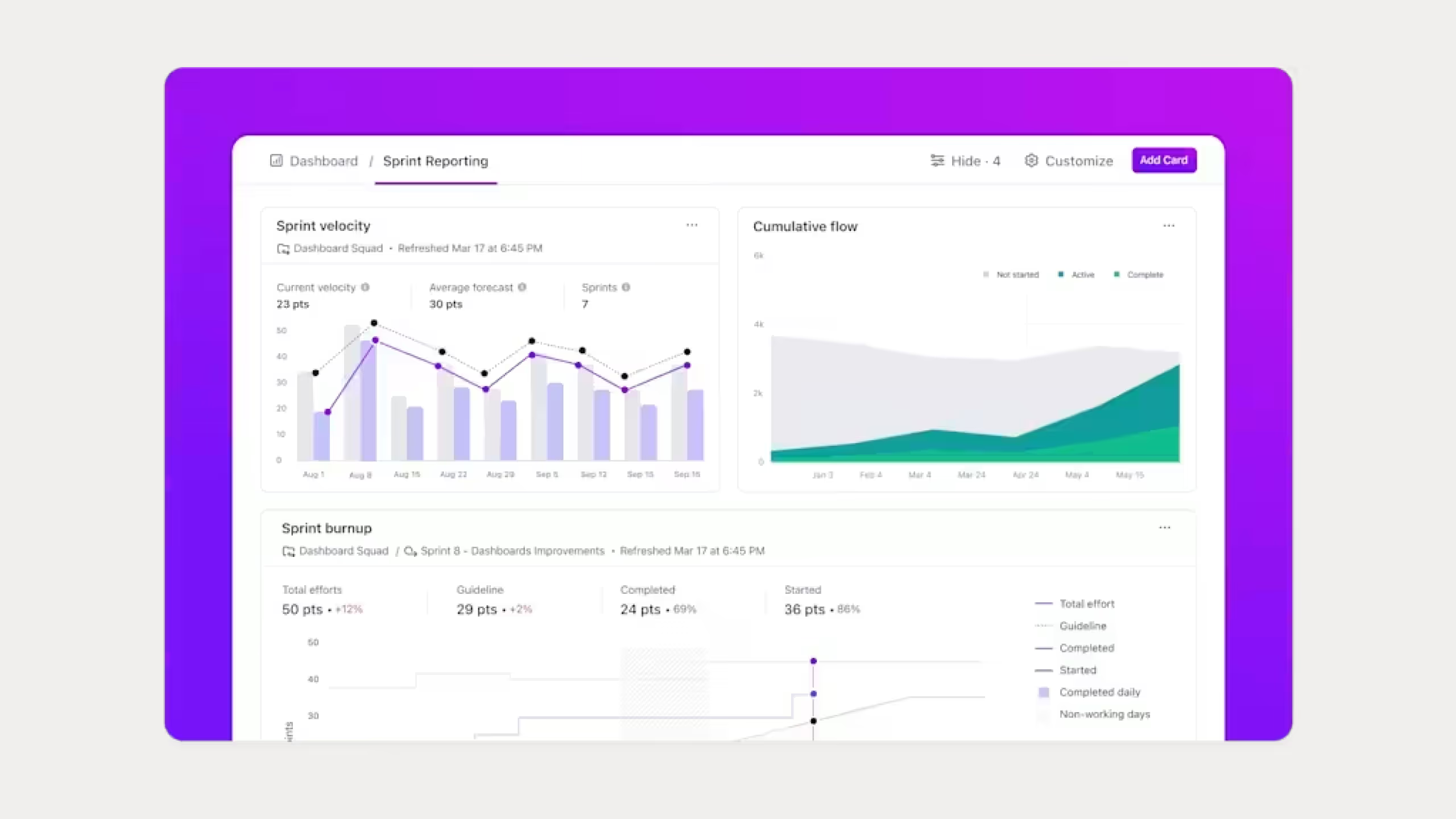
Dashboards and reporting: You can build dashboards to track team performance, project progress, and workload all in one place. Useful if you manage a team and need visibility across multiple projects.
ClickUp Pricing Plans
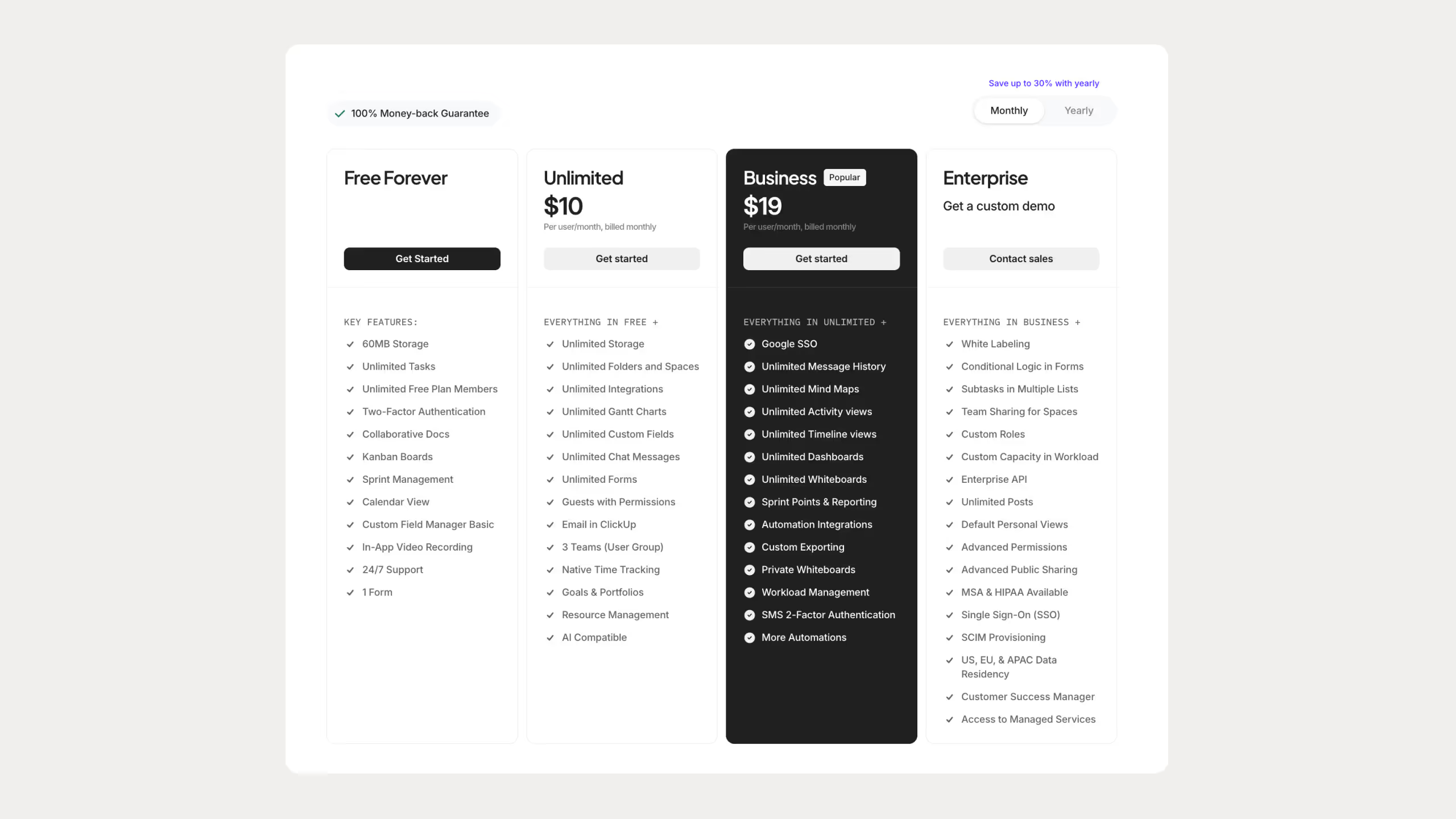
ClickUp has a free plan that's actually generous. You get unlimited tasks and users right from the start, which is rare. If you need more, the Unlimited plan is $10 per user per month and the Business plan is $19. Enterprise is custom pricing for bigger teams.
The one thing worth noting is that ClickUp Brain, their AI, is a separate $5 per user add-on on top of whatever plan you're on. Same model as Notion AI, you pay extra for it.
Compared to Notion, the pricing is pretty similar at the mid tier. The free plan is where ClickUp has an edge since it lets unlimited users in without paying anything.
Comparison: Notion vs Clickup Features
Who Has Better Task and Project Management?
ClickUp wins here. It was built for project management from day one. You get subtasks, dependencies, priorities, recurring tasks, Gantt charts, workload views, and native time tracking all ready to go without building anything yourself.
Notion can handle project management but you have to set it up yourself. Tasks are rows in a database, recurring tasks need manual formulas, and time tracking doesn't exist natively. I enjoy building systems in Notion but I won't pretend it's as ready-made for project management as ClickUp.
Who Has Better Documentation and Knowledge Management?
Notion wins easily. The block editor feels natural for writing, pages connect to each other cleanly, and building an internal wiki in Notion is one of the best experiences I've had in any tool. I use it for all my SOPs and guides.
ClickUp has Docs and they've improved, but it still feels like something added on top of a project management tool. Notion was built for this from day one and it shows.
Which Is Better for Collaboration?
Both work well but for different things. ClickUp has real-time editing, comments, mentions, whiteboards, and team chat. Notion has real-time editing, comments, and mentions too. I use Notion's collaboration with clients constantly and it works great for document-focused work. ClickUp is better if your team needs to collaborate around tasks and projects specifically.
What About Integrations?
ClickUp connects to more tools and has deeper workflow automation. Notion has grown here with native integrations, API access, Zapier and Make support, but ClickUp is still ahead if automation is central to how your team works.
Which Has Better AI?
Both have AI but they work differently. Notion AI is better for writing, summarizing, and working with content. I use it every day for rewriting and brainstorming without switching to another app. ClickUp Brain can take actions inside your workspace like scheduling and creating tasks automatically. For writers and content creators, Notion AI is more useful. For project managers, ClickUp Brain makes more sense.
Which Performs Better?
Notion feels faster and smoother in everyday use. ClickUp can get slow when your workspace gets large or you have a lot of automations running. Not a dealbreaker but worth knowing before you commit.
Which Is Better on Mobile and Offline?
Notion's mobile app is better for editing on the go. ClickUp's mobile app has more task features but feels heavier to use. For offline access both work to a degree. Notion lets you mark pages for offline use, ClickUp lets you view and create tasks offline. Both have limits, neither is perfect.
Notion vs Clickup: Quick Comparison Table
Notion vs Clickup: Pros and Cons Summary
Who Should Use each app and Who Should Avoid them?
Who Should Use Notion
Honestly, Notion works for a lot of different people but it clicks best with certain types of users.
If you're a student, freelancer, or solo creator, Notion is probably your best option. I built my entire business on it, from content planning to client portals to my template shop. It's flexible enough to handle all of that without needing multiple tools.
Small teams and startups also do well with Notion, especially if you need a knowledge base, SOPs, and project tracking in one place without paying for five different apps.
Content teams and writers will love it for editorial calendars, research, and linking tasks to documents.
Who might struggle with Notion:
Large teams with complex projects can hit performance limits. If you need advanced automations out of the box, Notion will frustrate you. Beginners also need time to learn how databases and views work before it clicks. And if you work mostly offline or on mobile, Notion is not the smoothest experience.
Who Should Use ClickUp
ClickUp is built for teams that need serious project management. Agencies, product managers, remote teams, and marketing teams running complex campaigns will get more out of ClickUp than Notion for that specific use case.
If you need time tracking, Gantt charts, workload views, and automations without building them yourself, ClickUp is the better choice.
Who might struggle with ClickUp:
If you just need a simple system, ClickUp will overwhelm you. The setup takes time and the interface is busy. Small businesses or solo users might find it more tool than they actually need.
Which One Should You Actually Use
Notion is a knowledge management tool that can handle tasks. ClickUp is a project management tool that can handle documents. That one line tells you most of what you need to know.
I use Notion and I always will. It fits how I think and how I work. But I can see exactly why a team running 20 client projects with hours to track would pick ClickUp over Notion without hesitation.
Try both free plans with real work for a week. A comparison chart can only tell you so much. How it feels when you're actually using it is what matters.
Common Questions About Notion vs Clickup
Can you switch from ClickUp to Notion?
Yes. You can export ClickUp tasks and docs and import them into Notion. You'll need to rebuild your databases and automations since the two tools work very differently under the hood.
Which has the better free plan?
ClickUp's free plan is more generous for teams, unlimited tasks, users, and integrations. Notion's free plan is better for individuals and small teams who mainly need pages and databases.
Can both tools integrate with other apps?
Yes. ClickUp has more built-in connections for workflow automation. Notion works well with Zapier, Make, and a growing list of native integrations.
Can you collaborate in both?
Yes. Both support real-time editing, comments, and mentions. ClickUp adds team chat and workload views which help larger teams coordinate across projects.