.avif)
Notion vs OneNote: Honest Comparison in 2026 (I tried both)

If you're stuck on the Notion vs OneNote debate, you're not alone. It's one of the most common comparisons people make when they're shopping around for a productivity or note-taking app. Both tools promise to help you capture ideas, stay organized, and get work done, but they go about it in completely different ways.
I'm a long-time Notion user, I've been using Notion since 2020, and I've built and sold templates to thousands of people across the world, so I know Notion very well. I've also used OneNote properly, not just to write this post.
So, in this guide I will share with you everything about these tools after using both, what I like about each one, what I hated, and where one of them helped me more than the other. Now, let's get started.
.avif)
Table of content
Notion: A Complete Overview
OneNote: A Complete Overview
Notion vs OneNote: Feature-by-Feature Comparison
Comparison Table: Notion vs OneNote at a Glance
What Are Notion and OneNote Actually For?
What is Notion?
Notion is an all-in-one workspace. That means you can use it for notes, tasks, databases, team docs, and project planning in one place. It was launched in 2016 by Ivan Zhao and Simon Last. What started as a small startup is now a very popular productivity tool.
Notion works using a block system. Every piece of content is a block. Text, images, tables, checklists, and even databases are all blocks. You can move them around by dragging and dropping. I think this is what makes Notion so powerful, but it also explains why beginners sometimes feel lost at first.
Once you understand the basics, you can build almost anything inside Notion.
Notion User Statistics
Notion has blown up over the last few years. When I started using it in 2020, it had around 1 million users. Today that number is over 100 million. That's not small tool numbers anymore.
- Over 100 million users worldwide as of 2024
- Around 4 million paid users
- A valuation of about $10 billion from its latest funding round
- Used by more than 50 percent of Fortune 500 companies, including Salesforce, Figma, and OpenAI
- The United States is the largest user base at 22%, followed by the United Kingdom at 7%
It went from a startup tool that productivity nerds loved to something Fortune 500 companies are running their teams on. That says a lot.
Key Notion Features
Notion has a lot of features. Here are the ones that actually matter when comparing it to OneNote.
Flexible pages and nested structure: Every page starts blank and you build it with blocks. Text, tables, checklists, embeds, whatever you need. Pages can live inside other pages, so you can go as deep as you want. I've been building in Notion since 2020 and this block system is still what makes it feel different from everything else I've tried.
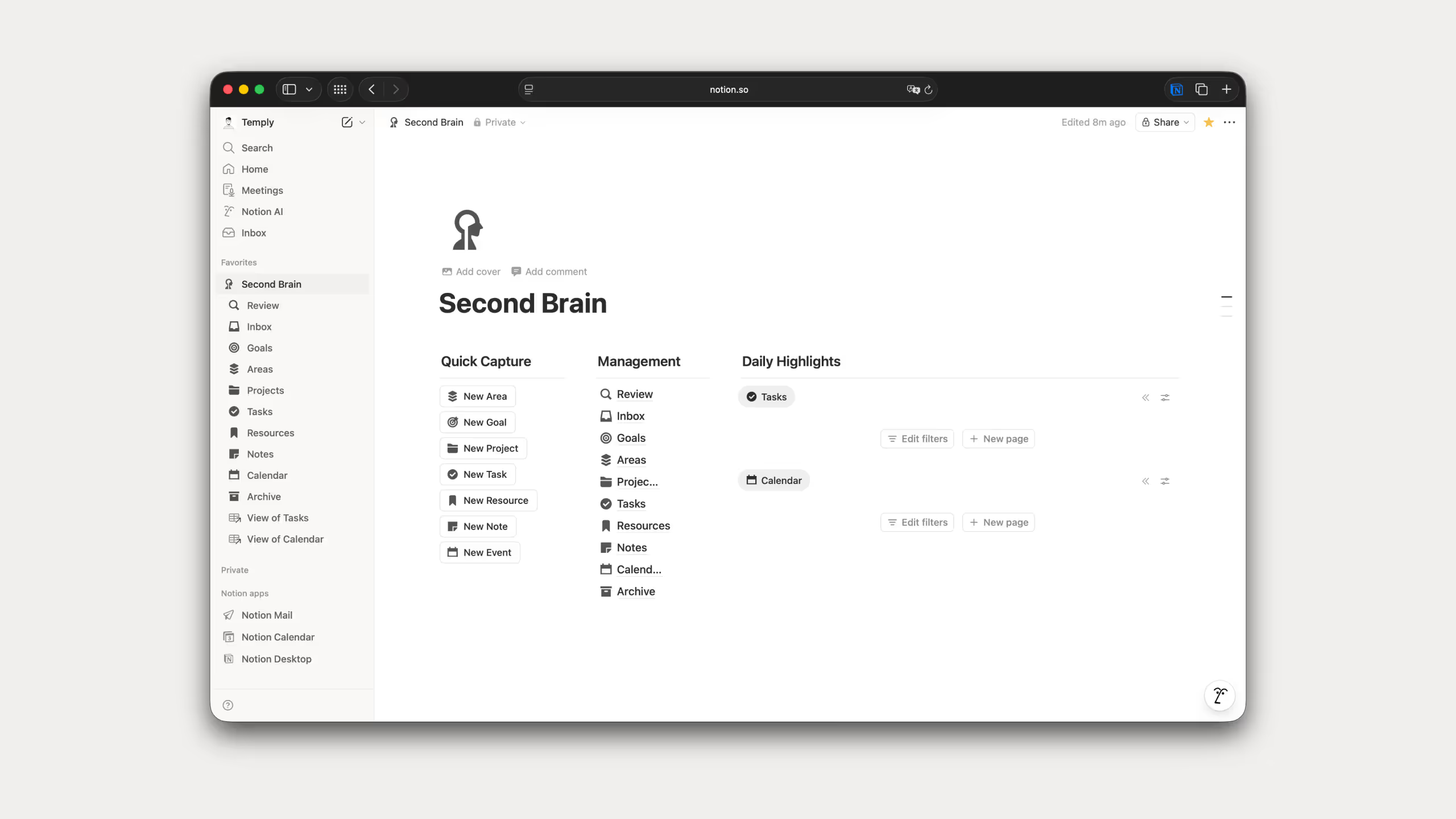
Databases and views: This is where Notion pulls ahead of almost everything else. You can create tables, kanban boards, calendars, timelines, and galleries. One database, multiple views, no duplicate data. I use this in almost every template I build, it's the feature I keep coming back to.
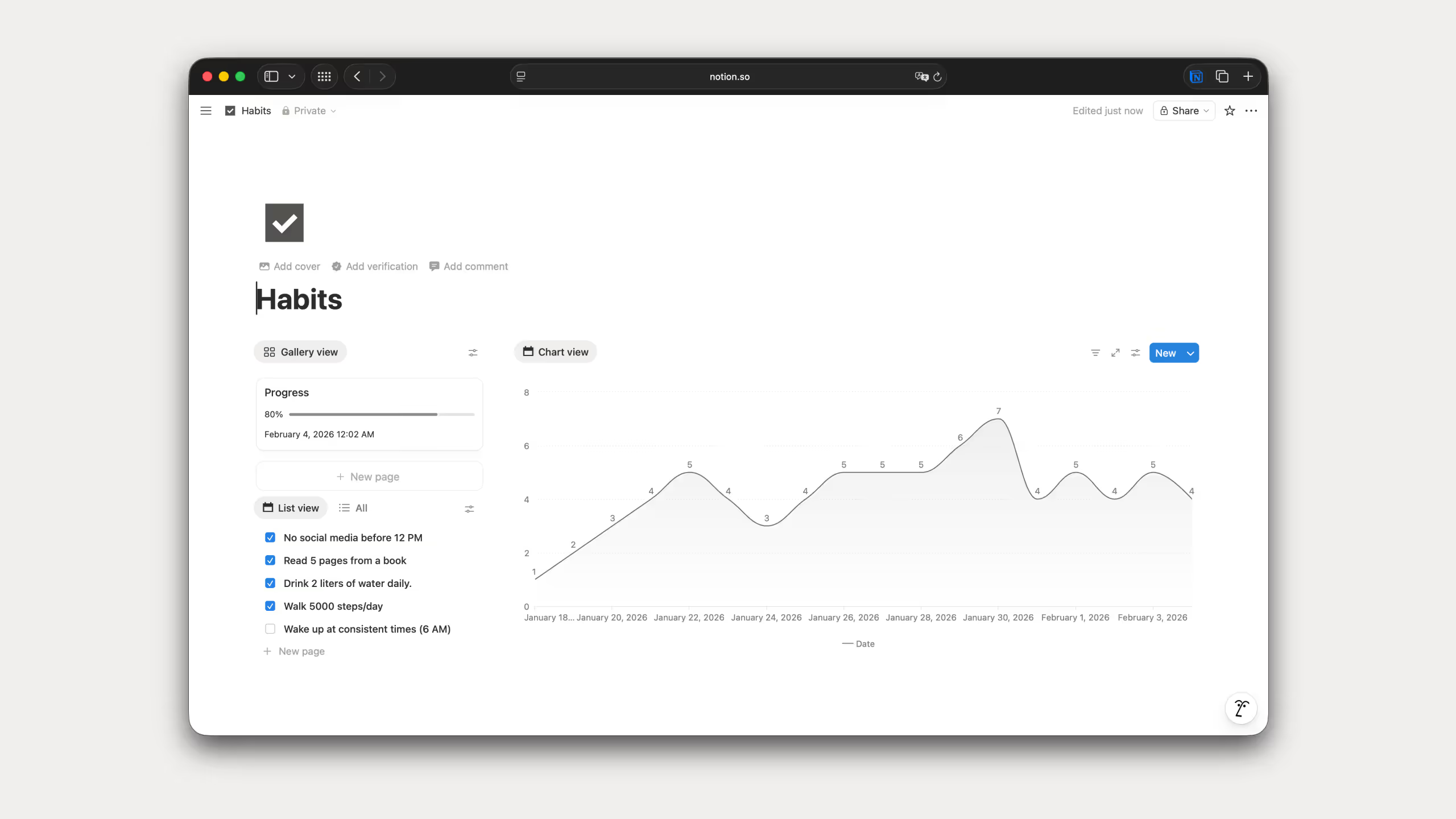
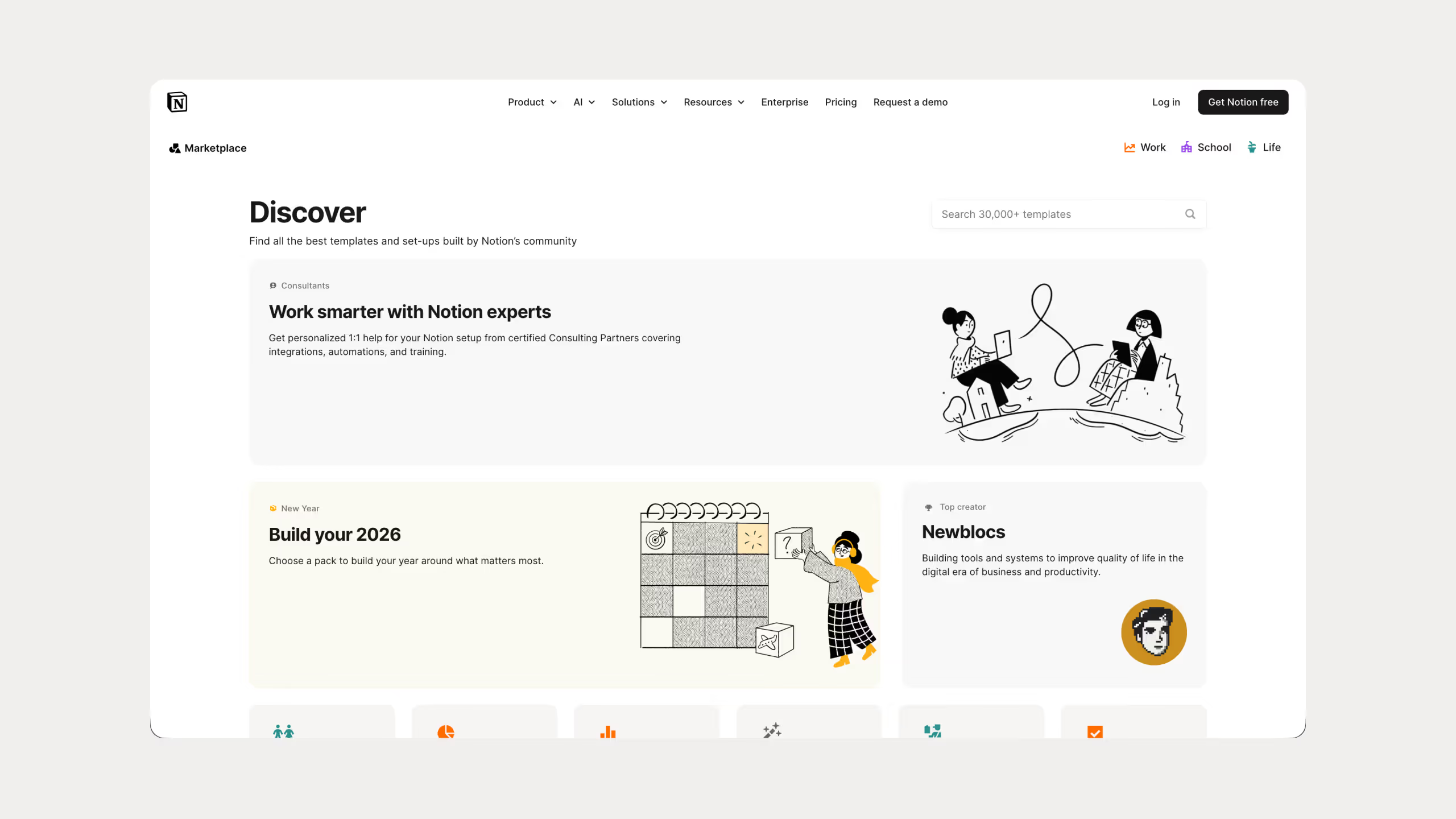
Templates: Thousands of ready-made templates for project planning, habit tracking, content calendars, and more. You can also build your own and reuse them. I've built 25 templates across different niches and sold them to over 67,000 people, so I can tell you this feature alone can save you hours of setup.
Notion AI: Built-in AI that works directly inside your workspace. You can write, summarize, translate, fix grammar, brainstorm, and more without leaving Notion. What I really like is that you can choose which AI model you want to use, Claude, GPT, Gemini, DeepSeek, they're all there. So, instead of opening another Ai chatbot app, everything is in one place
.avif)
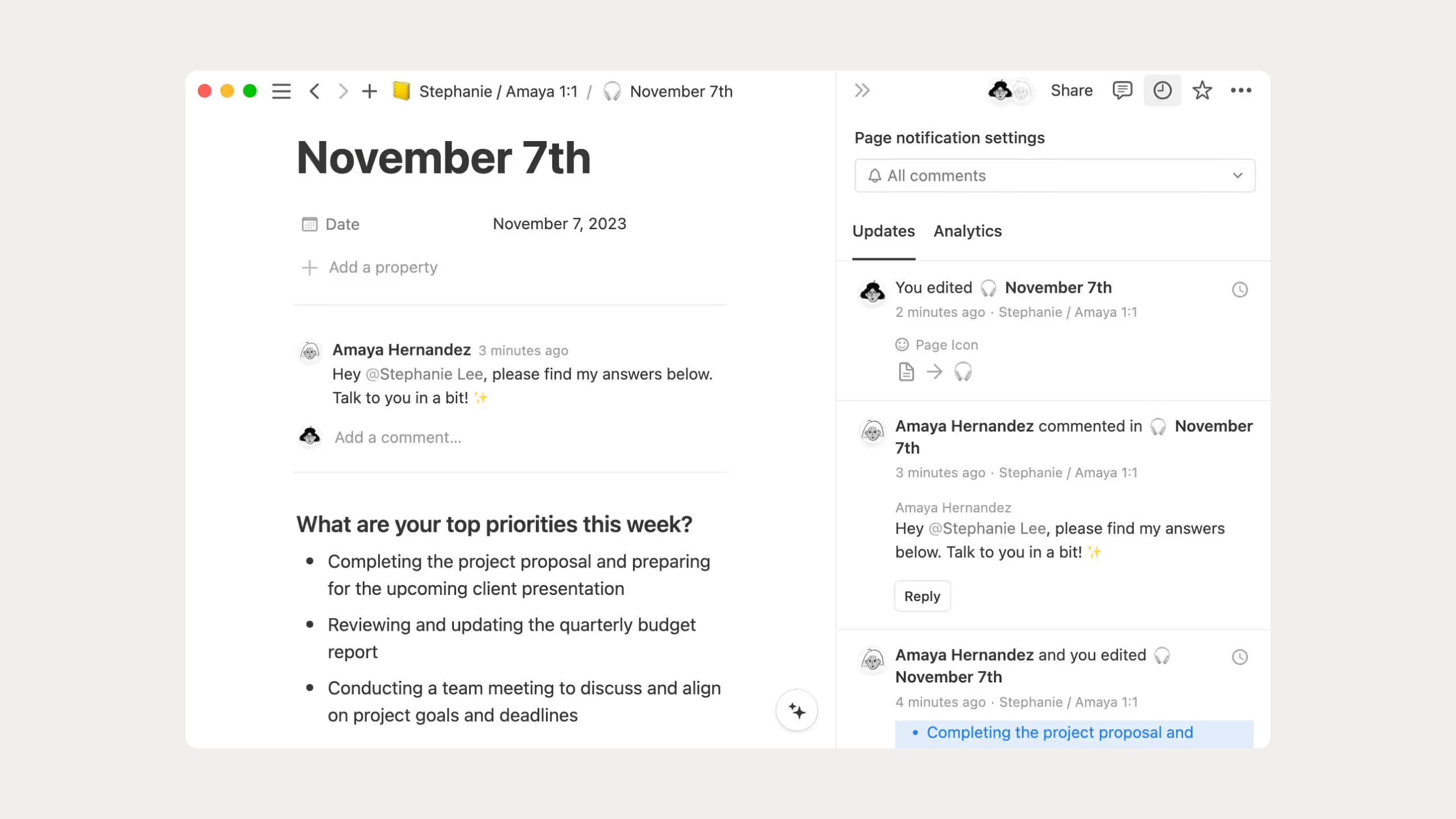
Collaboration: I love this feature. I always use this with other people so we can work together on the same page at the same time, I can leave comments to others, mention each other, and control permissions.
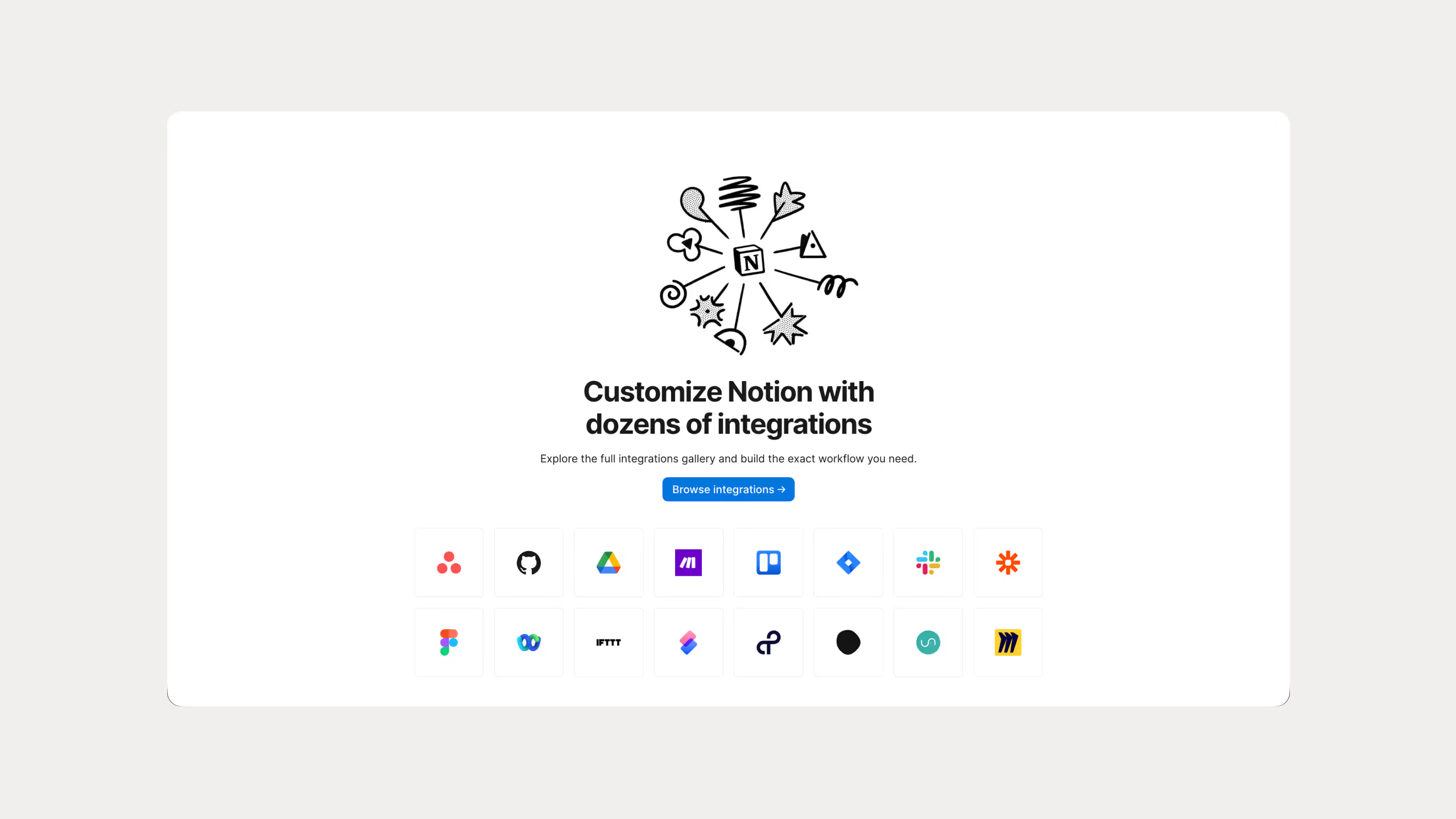
Integrations: Notion connects with tools like Slack, Google Drive, GitHub, Figma, and Asana. This lets you pull information from other apps into Notion.
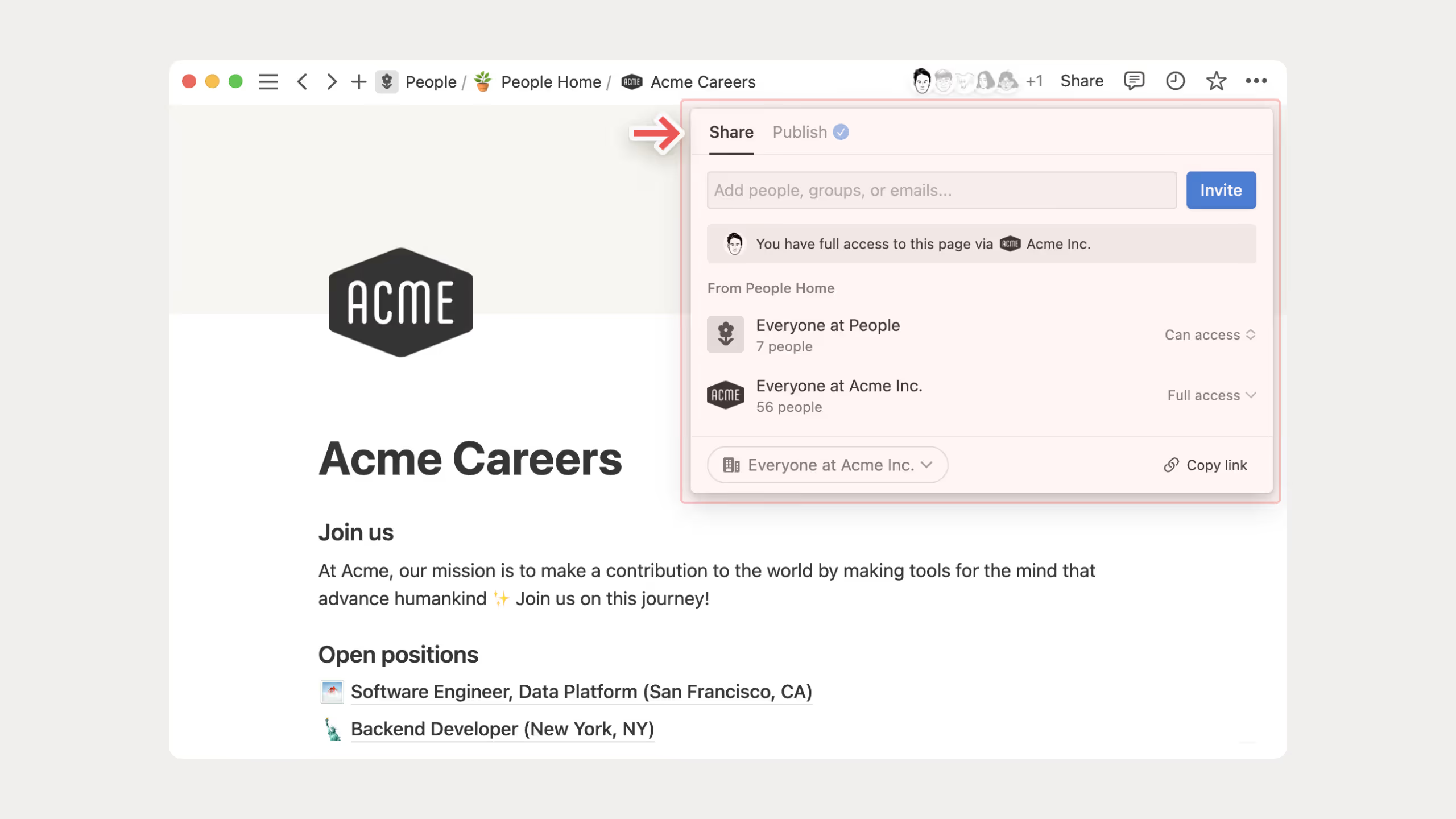
Web publishing: You can turn any Notion page into a public page with a custom domain and basic SEO settings. Some people even use this to build simple websites without touching any code. I use it for client portals and it works better than most people expect.
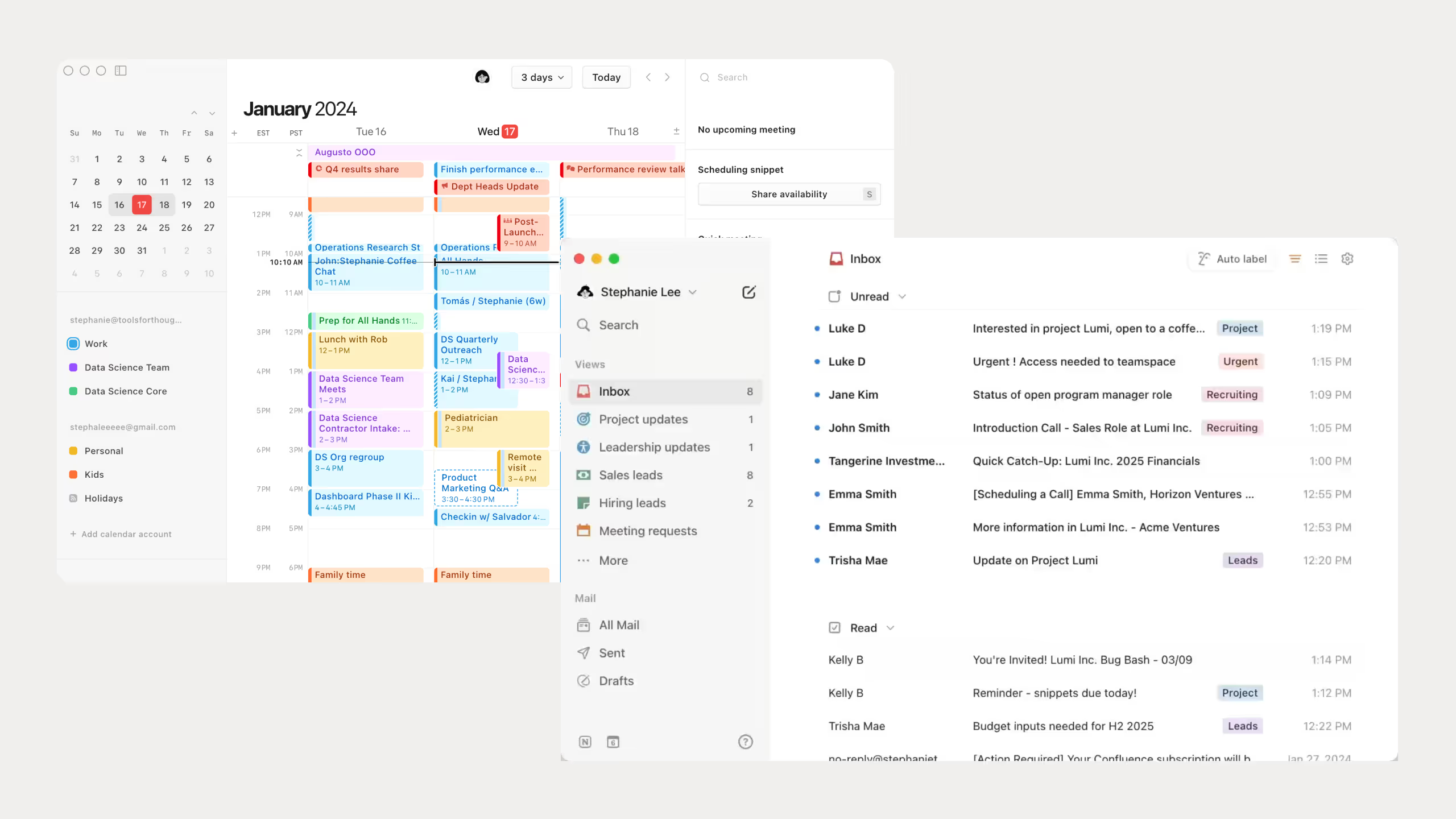
Calendar and Mail: Notion now has its own calendar app and an email app called Notion Mail. The calendar is honestly one of the features I use the most. I can schedule all my tasks from my tasks database directly in the calendar using drag and drop, it just works. The mail app I haven't really used yet, Gmail still does the job for me for now, so I can't tell about the Notion mail app.
Notion Pricing
Notion offers four pricing tiers:
.avif)
Honestly, I'm still on the free plan and it covers everything I need. For solo users it's more than enough to get started.
Also, a few things worth knowing:
- The free plan limits file uploads to 5MB and only keeps 7 days of page history
- Students and educators can get the Plus plan for free with a school email
- Full Notion AI is only available on Business and Enterprise plans, free and Plus only get a trial
- Paying yearly saves you around 20%
Best Use Cases for Notion
I've used Notion for pretty much everything over the years. Personal knowledge management and second brain, business management, wikis, client portals, content planning, project tracking. Once you understand how it works, you can bend it to fit almost any use case.
Here are the ones where Notion really shines:
- Personal Knowledge Management: Building a second brain with connected notes and databases. This is actually where I started with Notion back in 2020.
- Team Wikis and Documentation: Keep everything your team needs in one searchable place. I use this for internal guides and SOPs.
- Project Management: Track tasks, deadlines, and progress visually with databases and different views.
- Content Calendars: Plan and manage blog posts, videos, or social content all in one place.
- Client Portals: Share updates and deliverables through public or private Notion pages.
And much more. You just need to be creative, Notion will handle the rest.
Microsoft OneNote: A Complete Overview
What is OneNote?
Microsoft OneNote is a digital notebook that has been around since 2003. It is part of the Microsoft ecosystem and works like a real notebook with sections and pages.
OneNote focuses on freeform note-taking. You can click anywhere on the page and start typing or drawing. You can also record audio, paste images, and clip content from the web. I think this makes OneNote feel very natural, especially when you just want to capture ideas quickly.
OneNote User Statistics
OneNote has been around since 2003. I remember it sitting on my computer as a kid running Windows XP, so it's been everywhere long before most productivity apps even existed.
That history shows in the numbers:
- Part of Microsoft 365, which has over 345 million paid subscribers
- Downloaded 2.87 million times in Q4 2024
- Over 3,500 companies worldwide use OneNote for document management
- The US has the largest company user base with over 10,000 documented users
OneNote is still very relevant, especially in business environments where Microsoft is already everywhere.
Key OneNote Features
In the OneNote vs Notion debate, OneNote shines in a few specific areas.
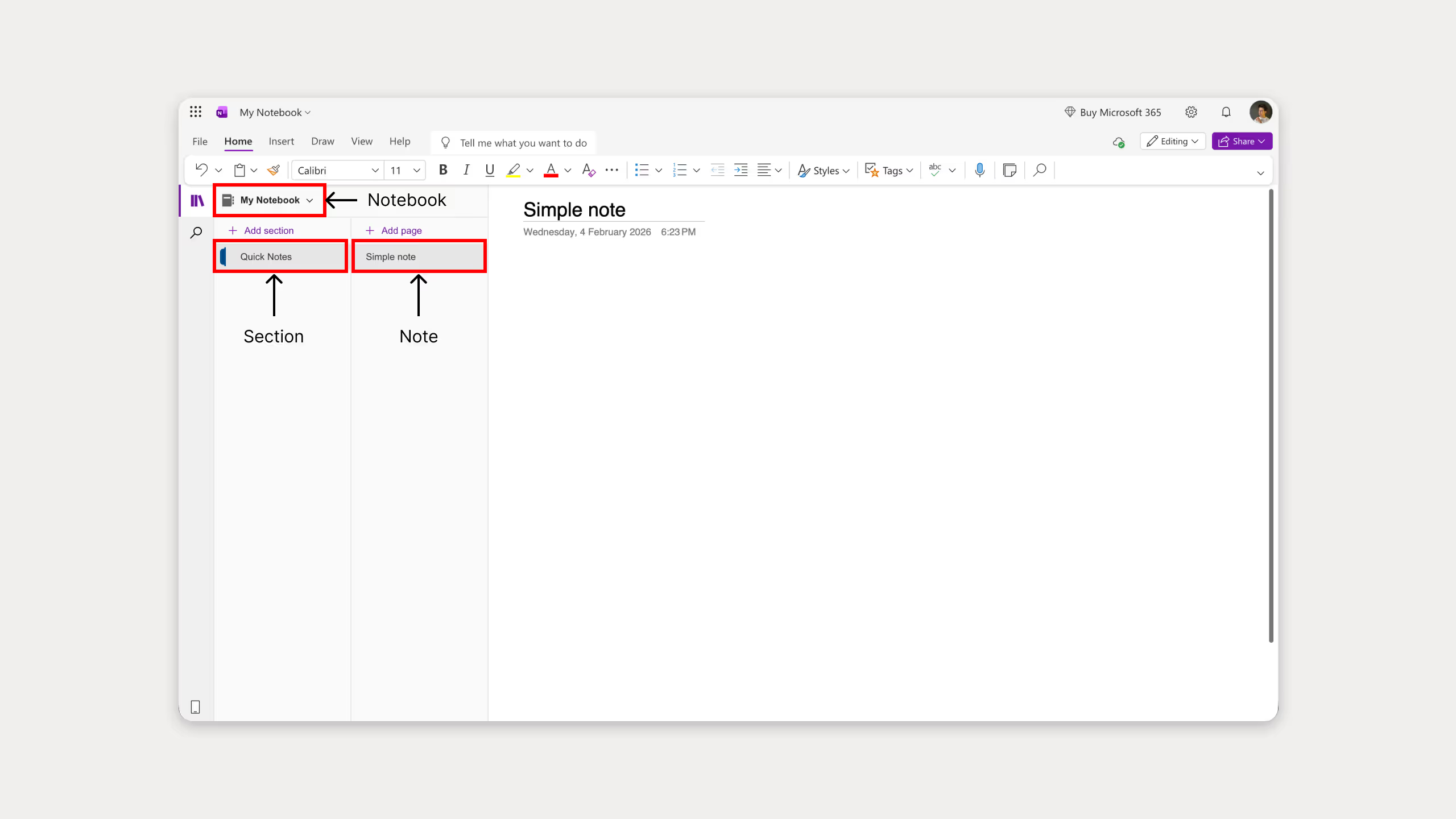
Note Structure: OneNote uses a familiar notebook layout. Notebooks contain sections, sections contain pages. If you've ever used a physical notebook, you'll feel right at home.
Freeform Canvas: You can click anywhere on the page and start typing, drawing, or pasting. No blocks, no structure, just a blank canvas. I personally love this feature especially on iPad with the Apple Pencil. This one feature alone could replace all my paper notebooks, and I have about 20 of them. I really wish Notion had something like this.
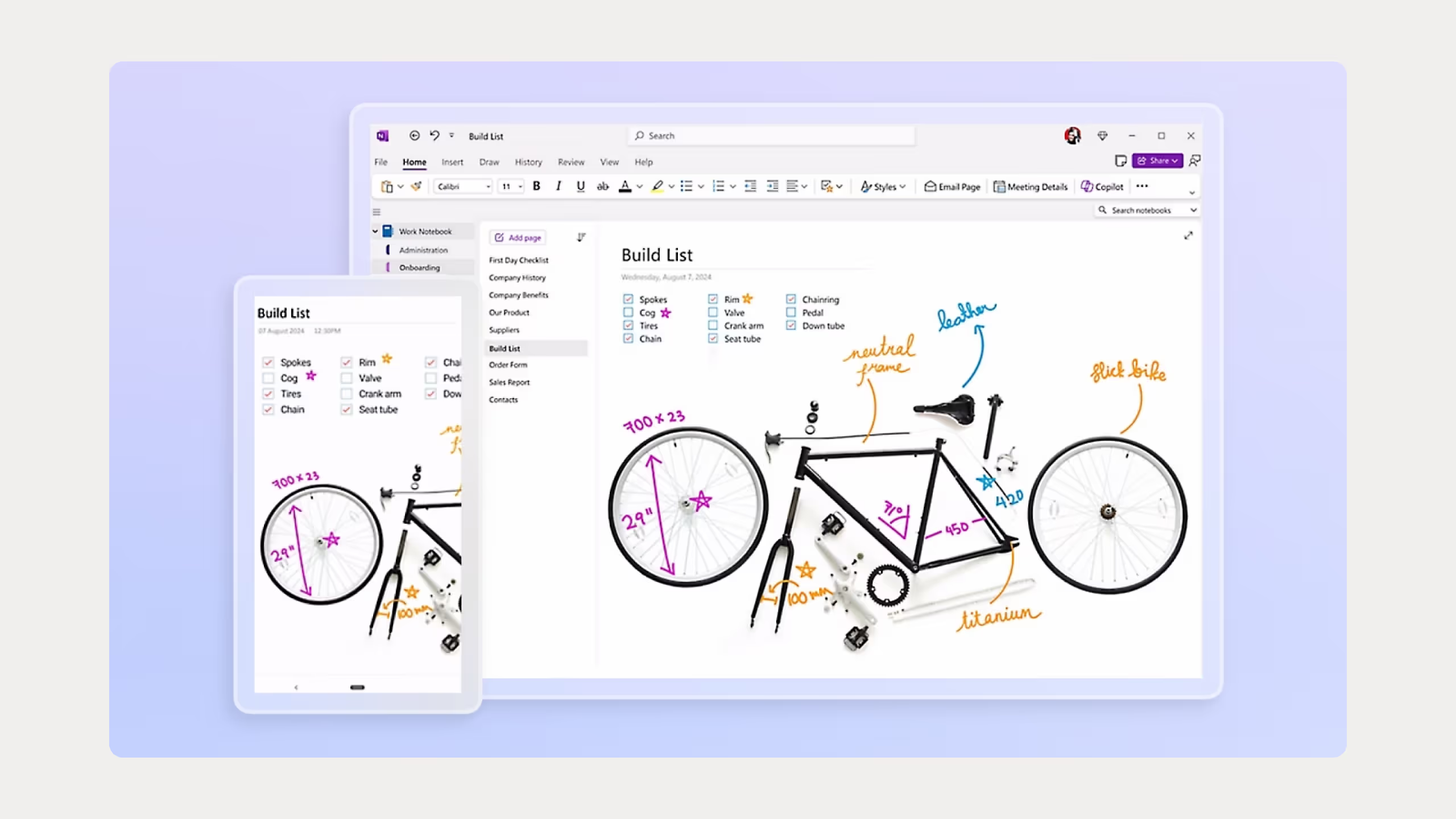
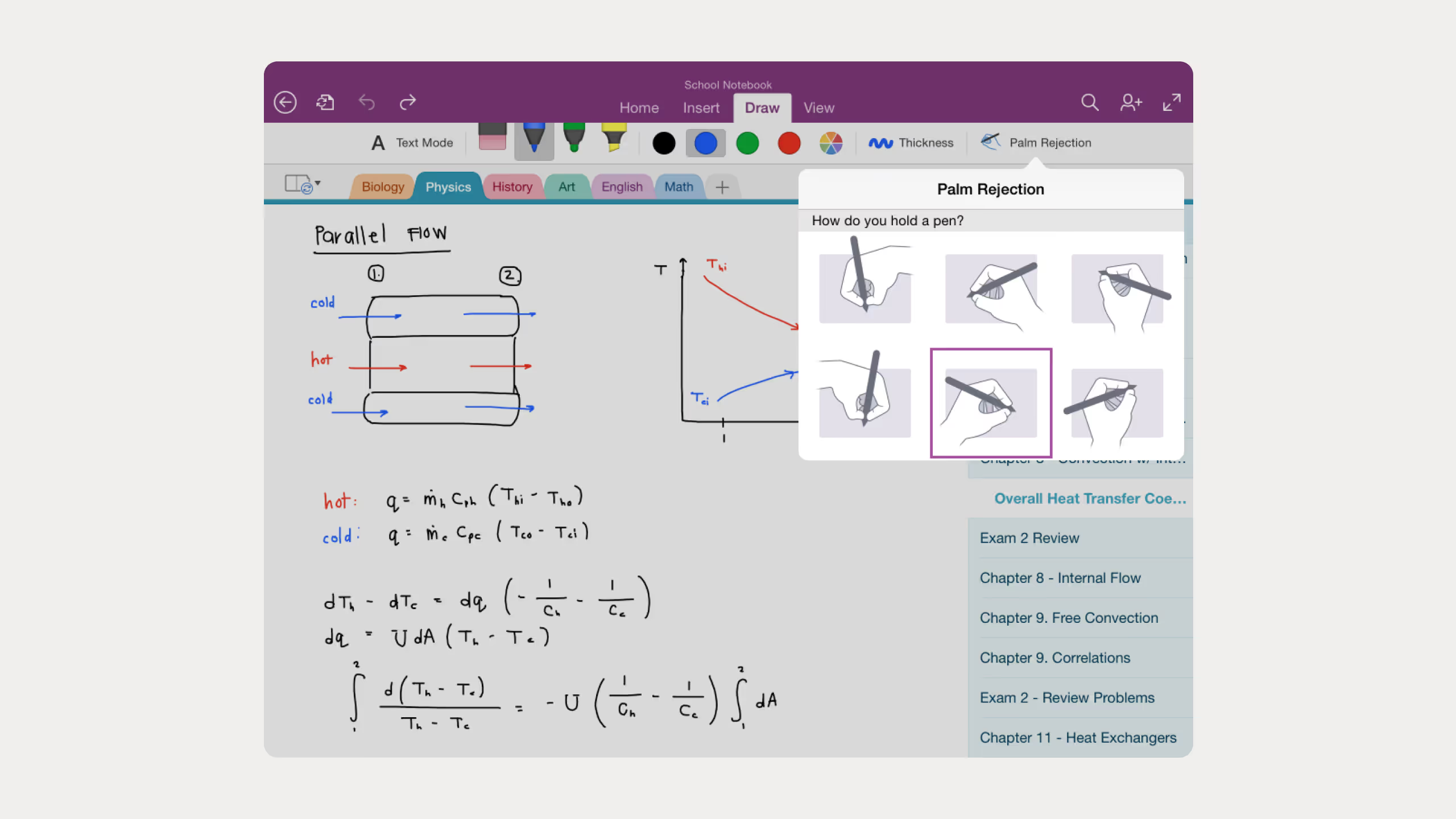
Handwriting Support: The ink tools are excellent. You can draw diagrams, annotate PDFs, and write naturally with your stylus, it stays as real handwriting. There's also a math assistant that can solve equations you write by hand. On iPad with the Apple Pencil this feels incredibly natural, it's one of the best handwriting experiences I've tried on a tablet.
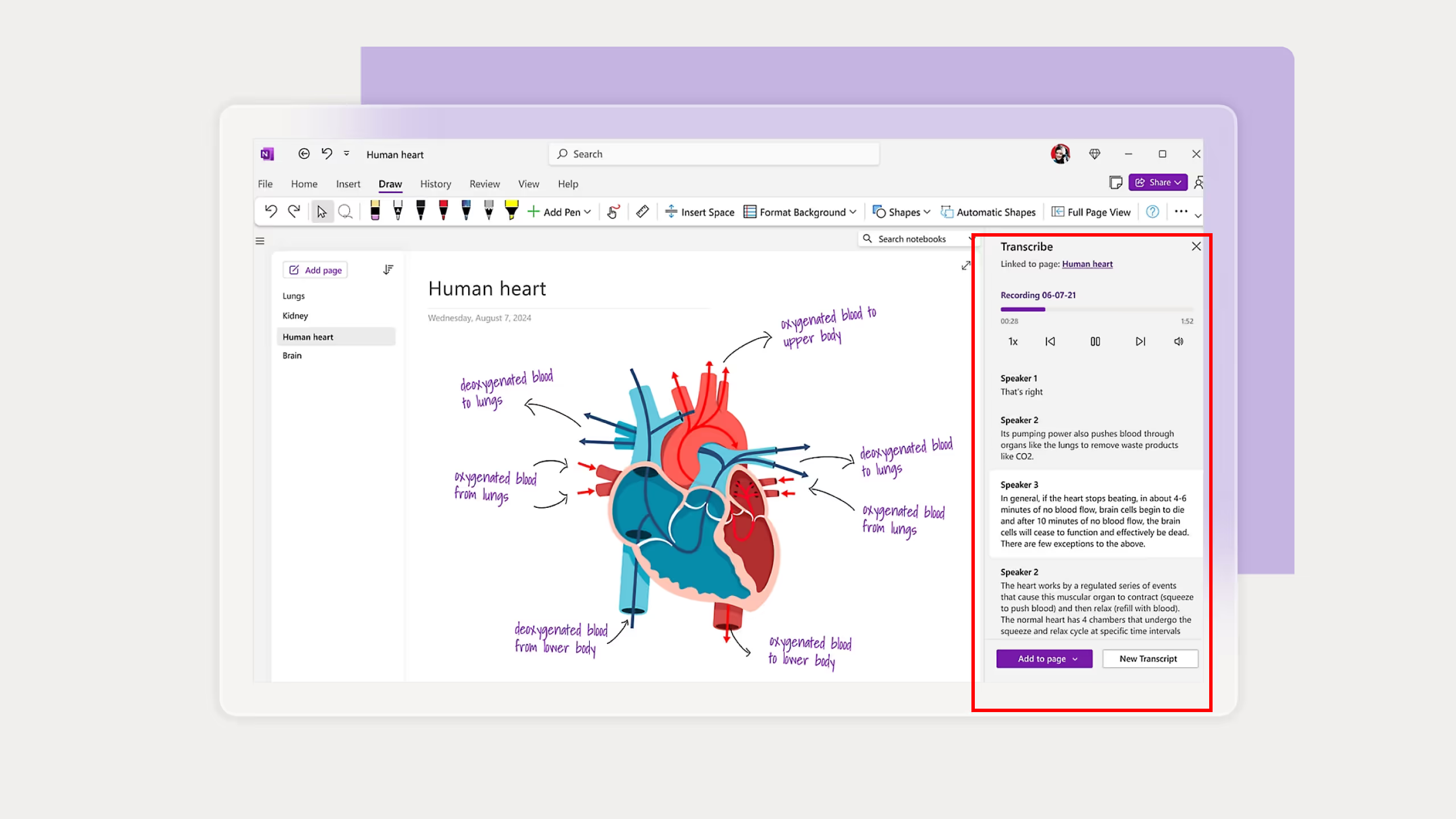
Audio and Video Recording: You can record meetings or lectures directly inside your notes with timestamps that sync to what you were writing at that moment. I personally never used this feature but I can see how useful it would be for students or people who attend a lot of meetings.
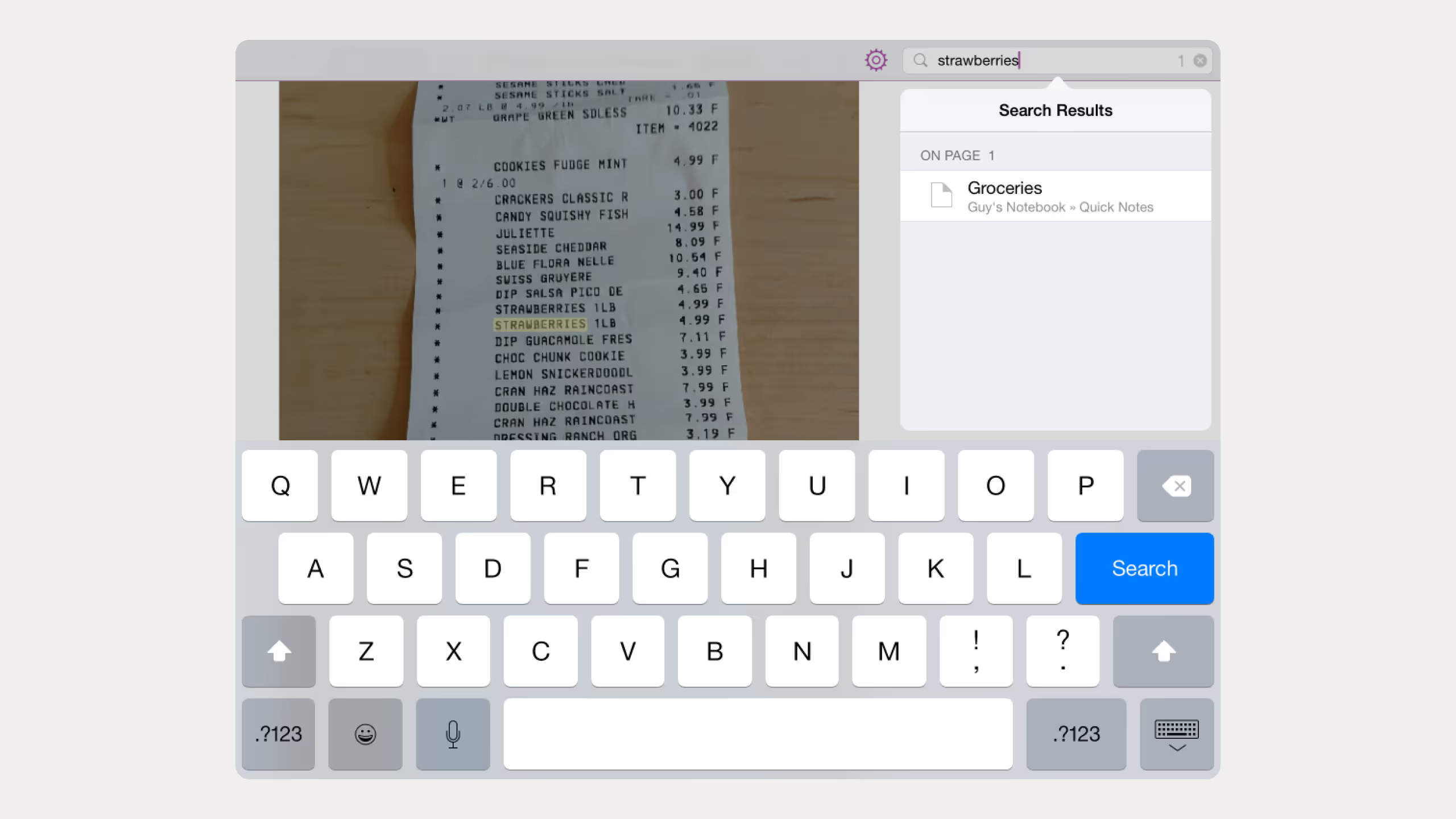
OCR and Search: OneNote can search inside images and screenshots, things like receipts, scanned documents, or anything you paste in. Really useful if you store a lot of visual content and need to find something specific later without searching image by image.
Microsoft Integration: Works seamlessly with Outlook, Teams, Word, Excel, and SharePoint. If you're already in the Microsoft ecosystem, this is a big advantage.
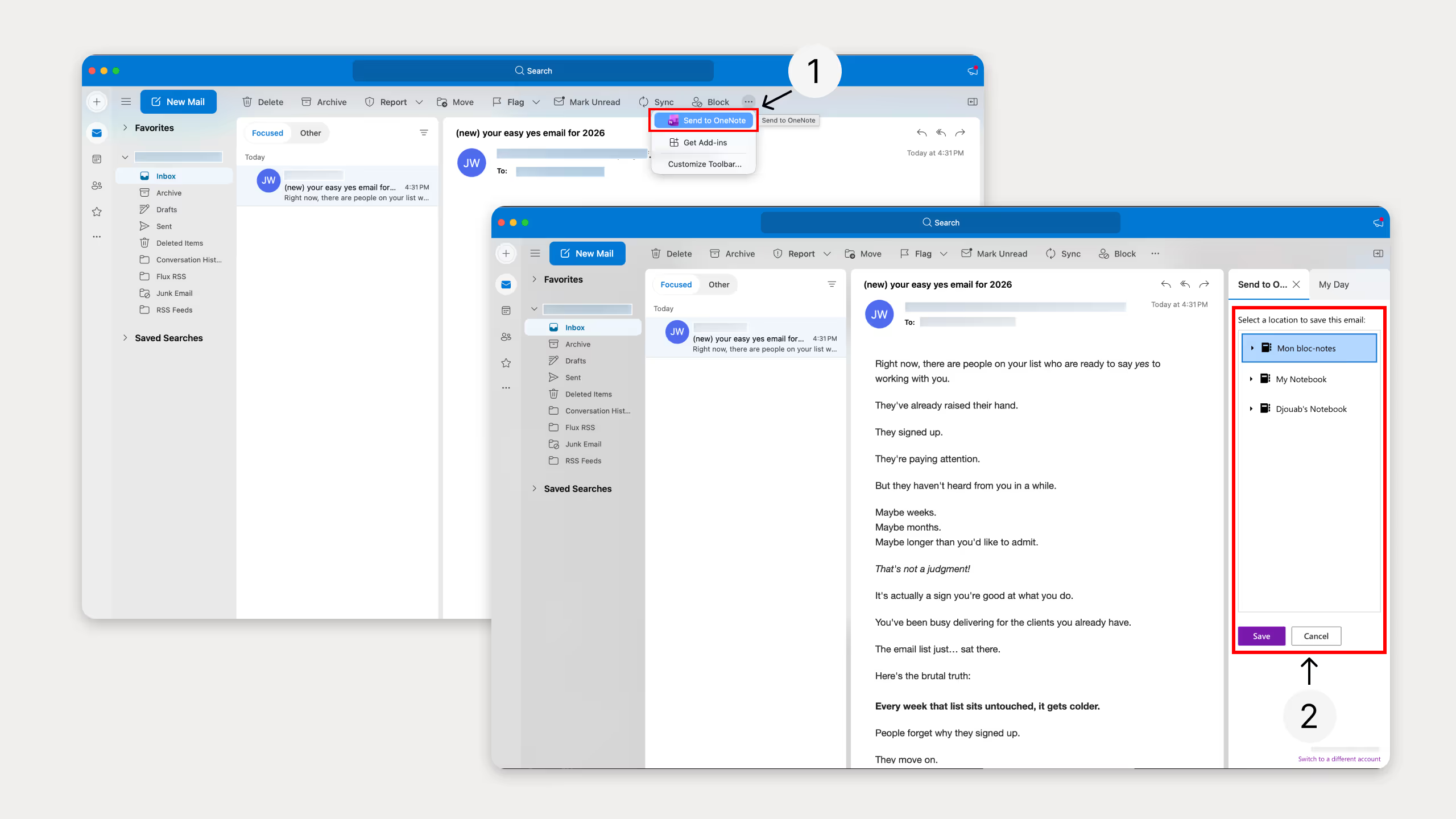
Collaboration: OneNote supports real-time collaboration. Multiple people can work on the same notebook at once, and changes sync automatically.
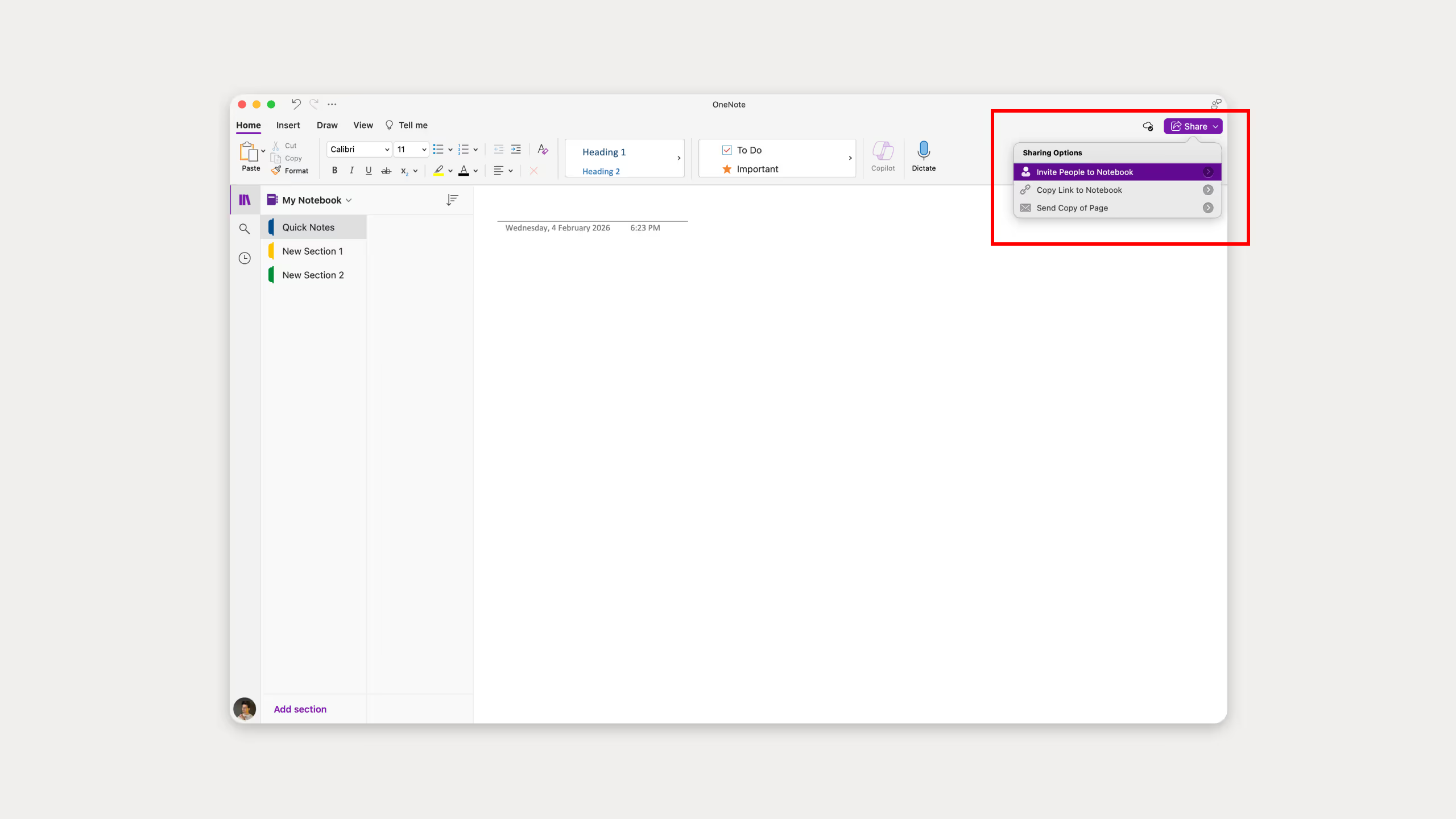
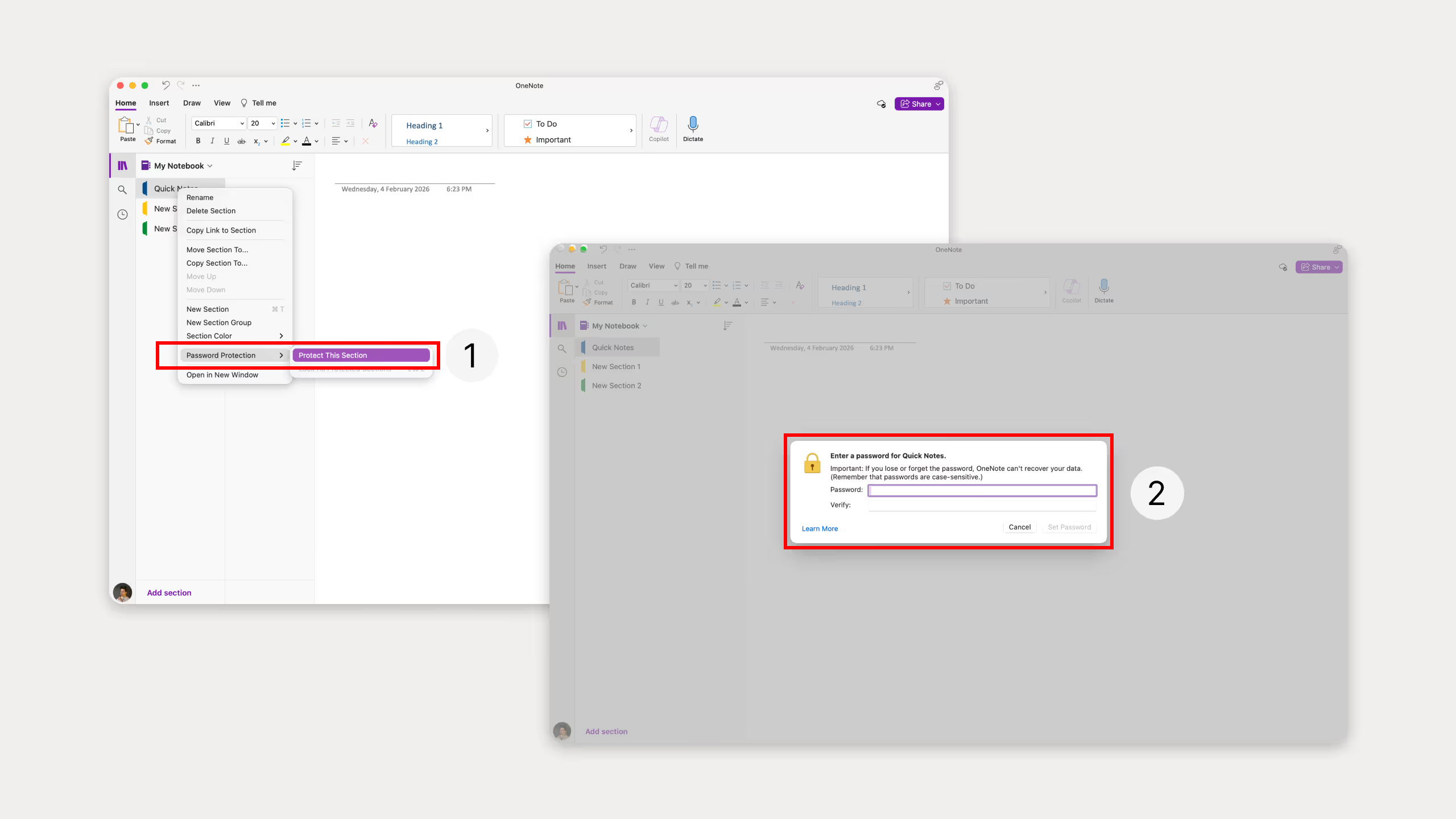
Password Protection: You can lock individual sections with a password. Useful if you're on a shared device or want to keep certain notes private.
OneNote Pricing
OneNote's pricing ties directly to Microsoft 365 ecosystem:
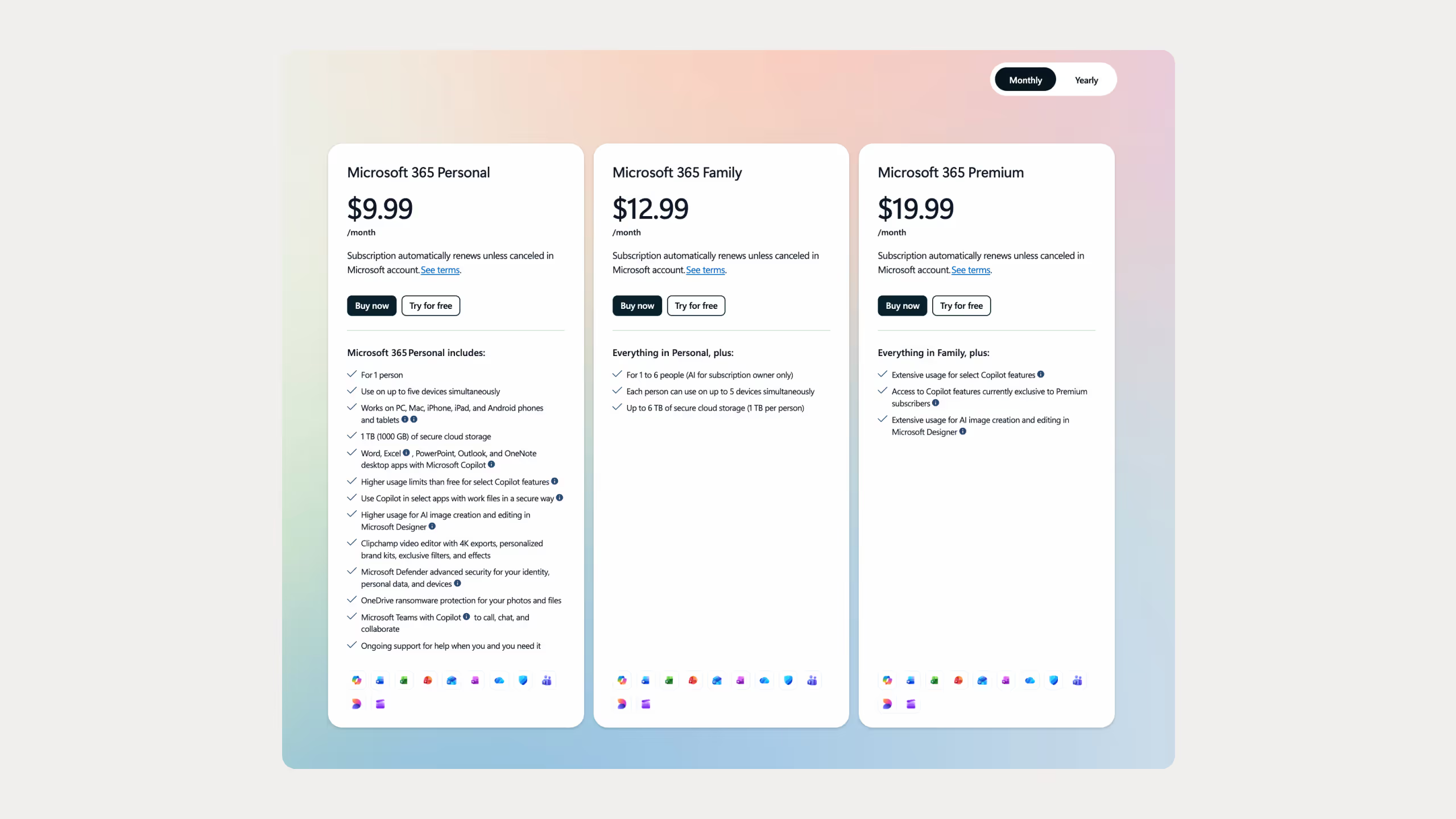
Key pricing notes:
- The free version includes all essential note-taking features
- Cloud storage through OneDrive is the main limitation on free accounts
- Microsoft Copilot AI features require a separate add-on or Microsoft 365 Copilot subscription
- Organizations already using Microsoft 365 get OneNote at no additional cost
Best Use Cases for OneNote
OneNote works best in specific situations. Here's where it really pulls ahead of Notion:
- Meeting Notes: Quick capture during calls with audio recording and timestamps that sync to what you were writing. Good if you attend a lot of meetings and want everything in one place.
- Handwritten Notes: This is where OneNote has no competition. If you use an iPad with Apple Pencil or any other stylus, the writing experience is excellent. Students especially will love this.
- Research Collection: Web clipping, PDF annotation, and the ability to paste images and screenshots and search through them later. Good for anyone who collects a lot of references.
- Personal Journals: You can lock individual sections with a password. If you want to keep certain notes private even on a shared device, this is a feature Notion simply doesn't have.
- Microsoft 365 Users: If your whole team is already on Teams, Outlook, and Word, OneNote fits right in. No need to add another tool to the stack.
Notion vs OneNote: Feature-by-Feature Comparison
How Does the Note-Taking Experience Compare?
OneNote wins for pure freeform note-taking. You can click anywhere on the page and start typing, drop in images, draw with a stylus, or record audio. No structure, no blocks, just a blank canvas.
Notion is the opposite. Everything is built from blocks and you have to be intentional about how you set things up. It's cleaner and more organized once you do, but you can't just click anywhere and start typing. For structured notes and documentation, Notion is better. For quick messy captures, OneNote is faster.
Which Tool Has Better Organization?
Notion wins here and it's not close. The database system lets you filter, sort, and connect information across your entire workspace. I use this constantly across my templates and it's one of the main reasons I switched to Notion in the first place.
OneNote uses a fixed structure: notebooks, sections, and pages. It works fine for basic note-taking but gets limiting fast when you have hundreds of notes and need to find something specific quickly.
Which Is Better for Teams?
Notion is stronger for team collaboration. You can comment on any block, mention teammates, assign tasks, and control permissions at a granular level. I use this with clients and it keeps everything in one place without back and forth emails.
OneNote works better in corporate environments where everyone is already on Teams and Outlook. If your whole company runs on Microsoft, OneNote slots in without friction.
What About Integrations?
OneNote wins on Microsoft integrations. If you live in Outlook, Teams, SharePoint, and Excel, it fits right in.
Notion connects to Slack, Google Calendar, GitHub, Zapier, Make, and more. The API also lets you build custom integrations. For most people outside corporate Microsoft environments, Notion's integrations are broader.
Which Works Better Offline?
OneNote wins, no question. It works fully offline on both desktop and mobile and syncs automatically when you reconnect. No setup needed.
Notion has improved its offline support but it's still unreliable. If you travel a lot or work in areas with bad internet, this is worth knowing before committing to Notion.
Which Is More Secure?
OneNote lets you lock individual notebook sections with a password, which is useful if you're on a shared device or storing sensitive personal info.
Notion is SOC 2 certified with encryption and granular team permissions. Better for teams and organizations, but it doesn't have section-level password protection for personal use.
Which Has Better AI?
Both have AI but they work differently. Notion AI lives inside your workspace and understands your content. I use it for rewriting, grammar, and brainstorming without switching to another app. You can also ask it questions about anything across your entire workspace.
OneNote uses Microsoft Copilot which is better for meeting notes and handwriting. If you're already paying for Microsoft 365 Copilot it adds real value, but it's an extra cost if you're not.
Comparison Table: Notion vs OneNote at a Glance
Which One Should You Actually Use?
Honestly, these two tools aren't really competing for the same person.
OneNote is for people who want a better notebook. Notion is for people who want to build a system.
I've used both and I'm clearly a Notion person. I like structure, I like databases, and I like building systems that actually work together. OneNote never gave me that. But I completely understand why someone would prefer it, especially for handwriting on a tablet or quick note capture without thinking about structure.
Here's the simple breakdown:
- Student taking lecture notes: OneNote
- Freelancer managing projects, clients, and content: Notion
- Corporate team on Microsoft 365: OneNote wins by default
- Solopreneur or startup team: Notion
If you're leaning toward Notion and don't know where to start, grab some free Notion templates and build from there. There's also a free Notion starter brain if you want a proper personal knowledge system set up from day one.
The Bottom Line: Notion vs OneNote in 2026
If you asked me to pick one, I'd pick Notion every time. I've been using it since 2020 and I've built my entire business on top of it. But that's me, I like systems, databases, and structure.
OneNote feels like a real notebook. Simple, flexible, and great for capturing ideas fast. Notion feels like building software for yourself. More powerful, but requires more thinking upfront.
Try both for a week with real work and you'll know immediately which one fits how your brain works.
Common Questions About Notion vs OneNote
Can I import my OneNote notebooks into Notion?
Not directly. You need to export your OneNote content to PDF or HTML first, then import those files into Notion. Some formatting will need manual cleanup after.
Does Notion work offline?
It has improved but it's still not reliable. Only pages you've already opened are available offline, and large databases can cause issues. If you need solid offline access, OneNote is the safer choice.
Which is more secure?
OneNote lets you password protect individual sections, which is useful for personal privacy on a shared device. Notion has stronger team-level controls like SSO and audit logs. For personal security OneNote wins, for team governance Notion is better.
Is Notion better than OneNote for students?
Depends on how you study. If you take handwritten notes on a tablet, need offline access in lecture halls, and want something simple, go with OneNote. If you want to build a study system with connected databases and templates, Notion is better. Both have free plans for students.