.avif)
Notion vs Evernote: Honest comparison in 2026 (I tried both)

Notion vs Evernote is one of the most searched topics on Google and I get that, both tools are great for note-taking.
I'm a Notion Certified Creator and I've been using Notion since 2020, so I have a deep understanding of how it works. I also used Evernote properly before writing this, not just a quick look around.
So in this guide I'll share what I actually think about both apps so you can decide which one is right for you.
.avif)
Table of content
Notion: A Complete Overview
Evernote: A Complete Overview
What is Notion?
Notion is an all-in-one workspace where you can keep notes, make to-do lists, run projects, and build your own systems. It started in 2013 and has grown into one of the most popular productivity tools in the world.
It runs on a block system. Everything you add, text, tables, images, databases, is a block you can move around and rearrange however you want. Once that clicks, you can build almost anything inside it.
By 2024 Notion had passed 100 million users worldwide with millions on paid plans and a growing presence inside major companies.
Notion by Numbers
Notion's growth is hard to ignore. I joined when they were still finding their feet back in 2020, and watching them go from 1 million to 100 million users in just a few years is honestly impressive.
- Over 100 million users worldwide as of 2024
- Around 4 million paid users
- $10 billion valuation from their latest funding round
- Over 50% of Fortune 500 companies using it, including Salesforce, Figma, and OpenAI
- US leads the user base at 22%, followed by the UK at 7%
What gets me is that Fortune 500 stat. This started as a tool for people who like building systems and now half of the biggest companies in the world are running on it.
Key Notion Features
Here are the Notion features worth knowing about when comparing it to Evernote.
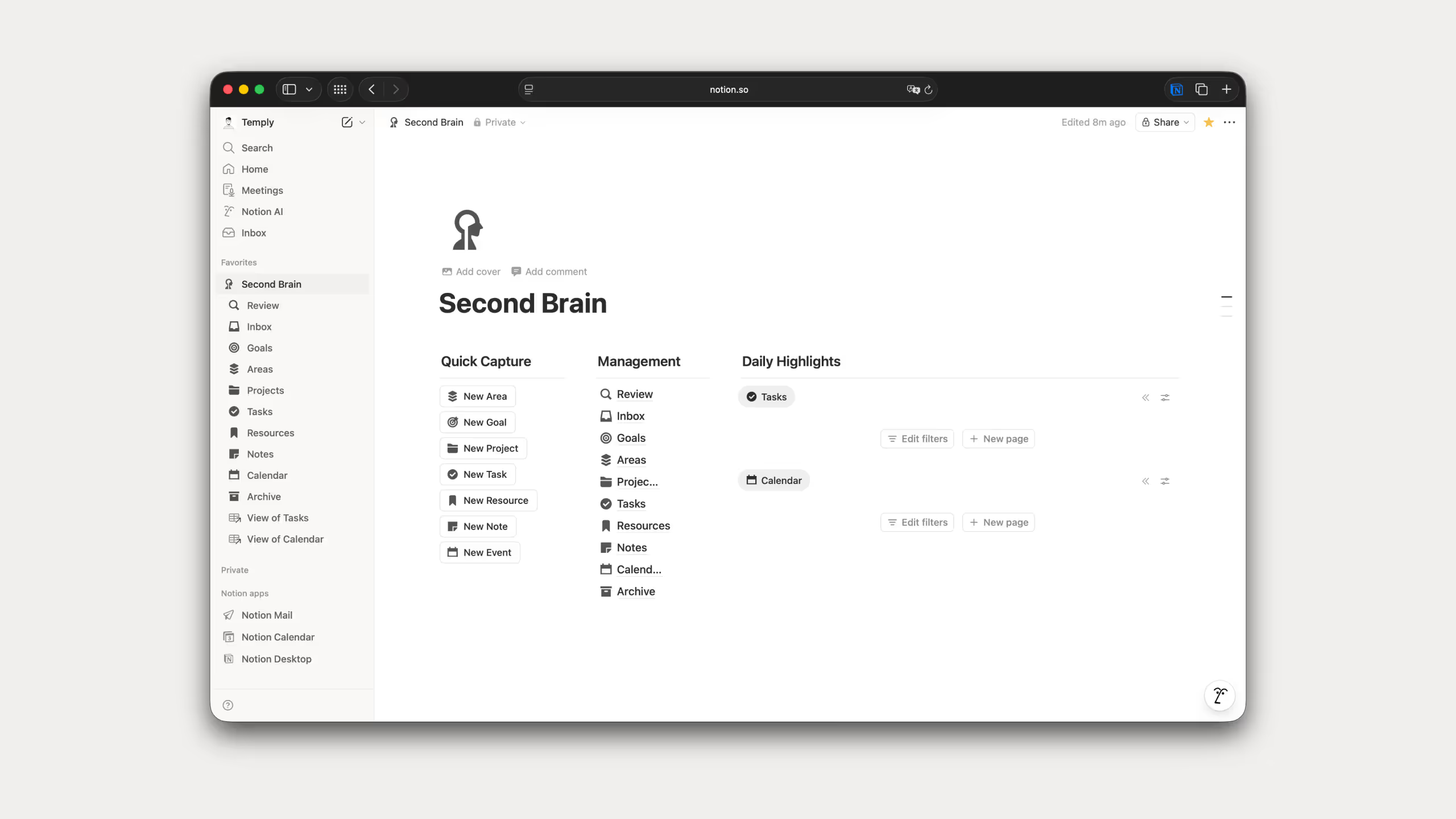
Pages and blocks: You start with a blank page every time and build it exactly how you want. Text, tables, checklists, embeds, databases, all as blocks you can drag around. I've been doing this since 2020 and the freedom it gives you still stands out compared to every other tool I've used.
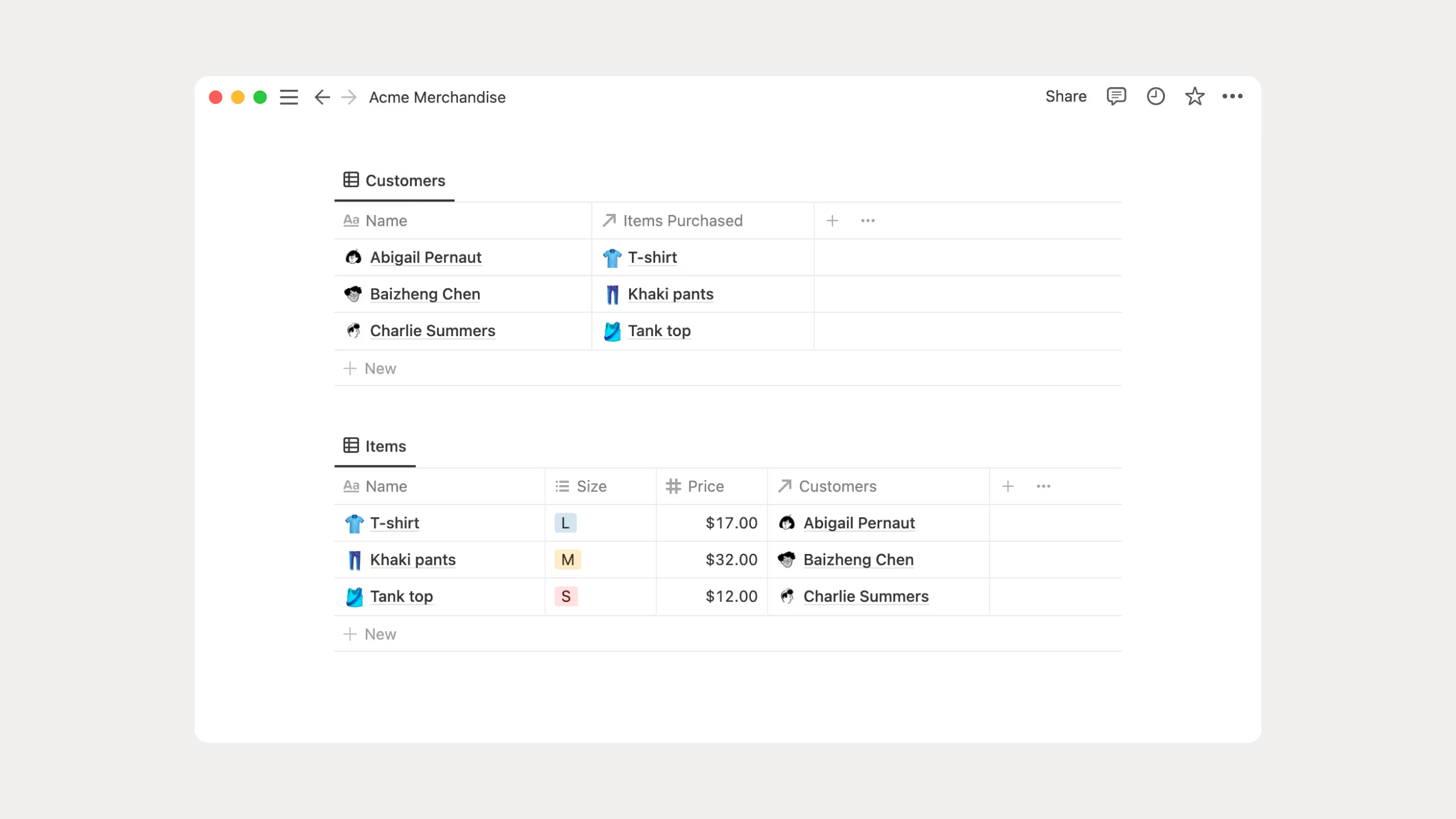
Databases: This is the feature that changes everything once you get it. Build a database once and view it as a table, board, calendar, timeline, or gallery. Same data, different angles. I use databases in almost every template I build and it's honestly the reason I never went back to anything else.
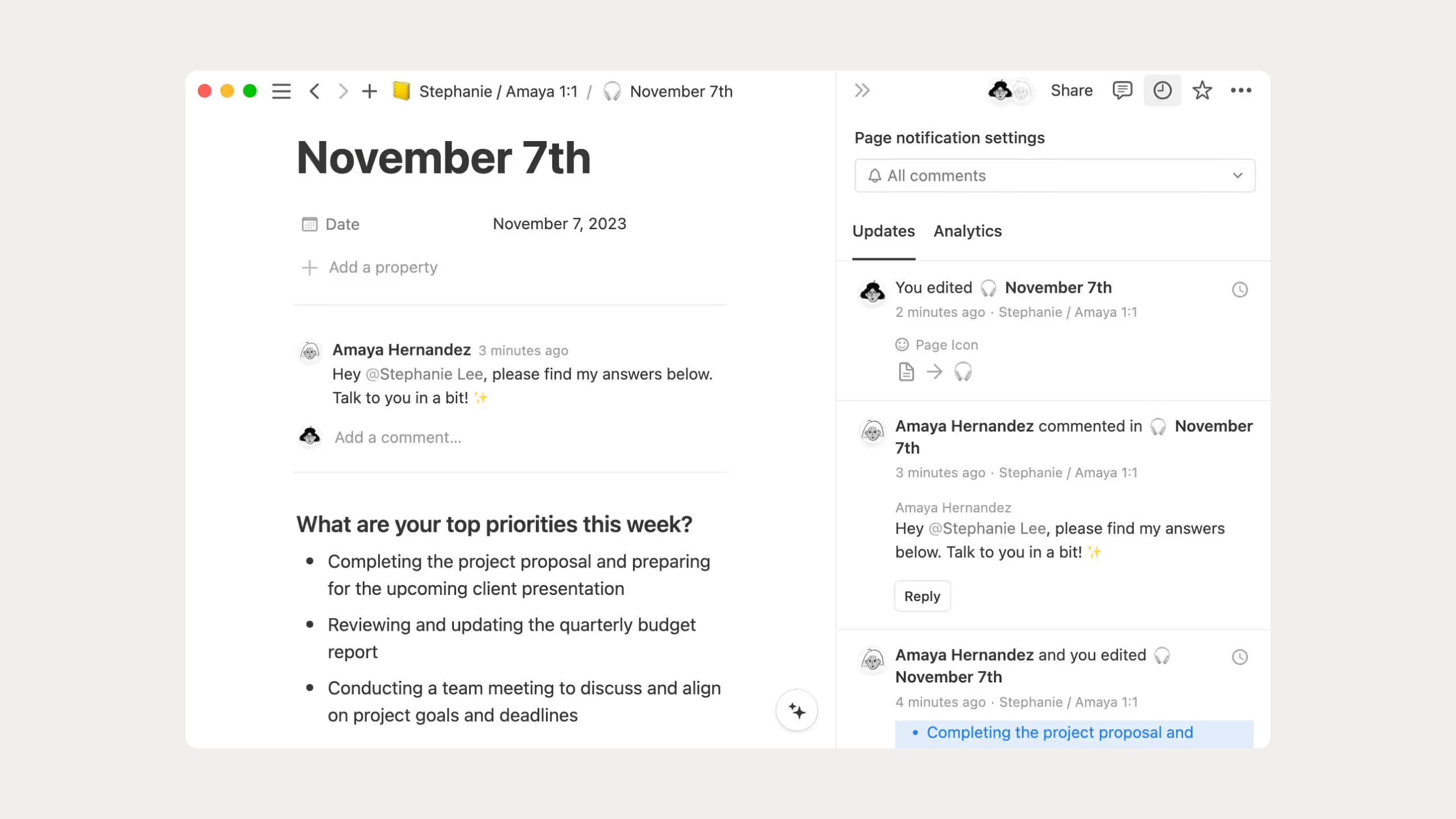
Collaboration: Working with other people in Notion is something I do all the time with clients. Everyone edits the same page in real time, you can leave comments, mention people, and set permissions. Clean and simple.
Notion AI: AI that lives inside your workspace. Rewriting, summarizing, grammar, brainstorming, all without switching apps. You also get to pick your model, Claude, GPT, Gemini, DeepSeek. I use this daily instead of jumping between different AI tools.
.avif)
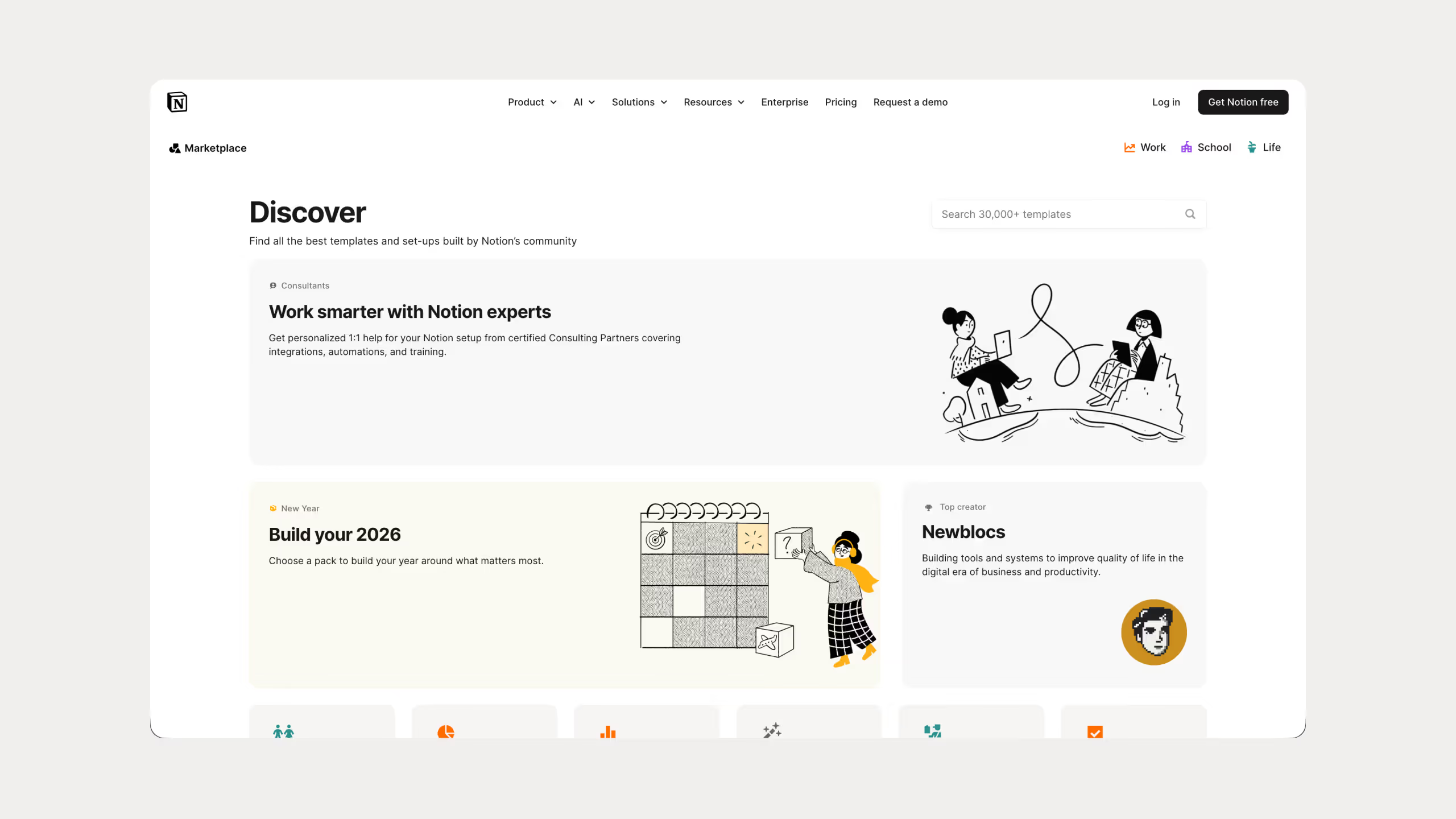
Templates: Notion has thousands of templates ready to go and you can build your own on top of that. I've built 25 templates that have been downloaded over 67,000 times, so I know firsthand how much a good template speeds things up.
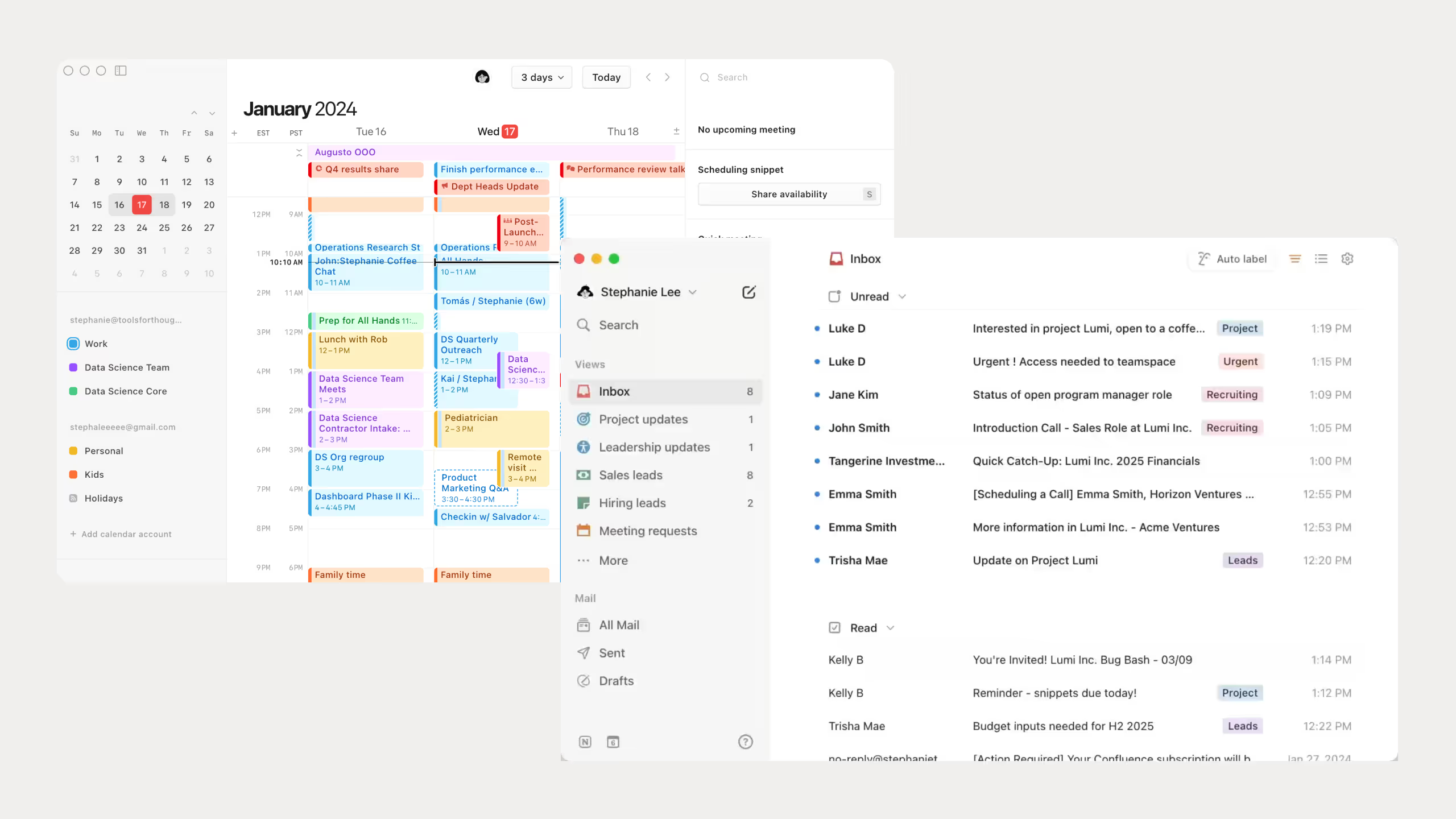
Calendar and Mail: The calendar syncs with your task database and drag and drop scheduling actually works well. I use it every day. Notion Mail I haven't touched yet, Gmail still does the job for me.
Notion Pricing Plans
.avif)
Notion has a free plan and it's genuinely good. I've been using it since 2020 and never felt the need to upgrade as a solo user. If you grow and need more, Plus, Business, and Enterprise are there. Full breakdown on the Notion pricing page.
The only thing I'd consider paying for is Notion AI. I use it every day, rewriting, grammar fixes, brainstorming, all without leaving Notion. You also choose which model you want, Claude, GPT, Gemini, they're all available. Details on the Notion AI page.
What is Evernote?
Evernote is one of the oldest note-taking apps out there. It launched in 2008 and became popular early on because it let you capture text, images, and scanned documents before most tools even thought about that.
You can save web pages, scan receipts, record voice notes, and search through everything fast. That search has always been one of its strongest points.
In 2023 Evernote was acquired by a company called Bending Spoons. They've been updating it since, adding AI features and redesigning the app. It's still evolving.
Evernote by the Numbers
Here are the main metrics for Evernote:
- 225 million registered users historically
- Approximately 8 million monthly active users currently
- Downloads dropped from 9.6 million (2017) to 1.7 million (2023)
- Revenue grew to approximately $18 million in 2023
- The platform supports 247 countries worldwide
- Approximately 320 employees
225 million registered users sounds like a lot until you realize only around 8 million are actually using it today. Downloads went from 9.6 million in 2017 down to 1.7 million in 2023. That's a big drop.
You can also feel it in the community. Notion's subreddit has around 440,000 members and it's active. Evernote's is a different story.
It's not gone but it's clearly not growing the way it once was. The Bending Spoons acquisition bought it some time. Whether that's enough we'll see.
Key Evernote Features
I haven't used Evernote as deeply as Notion so I'll keep this honest and straightforward.
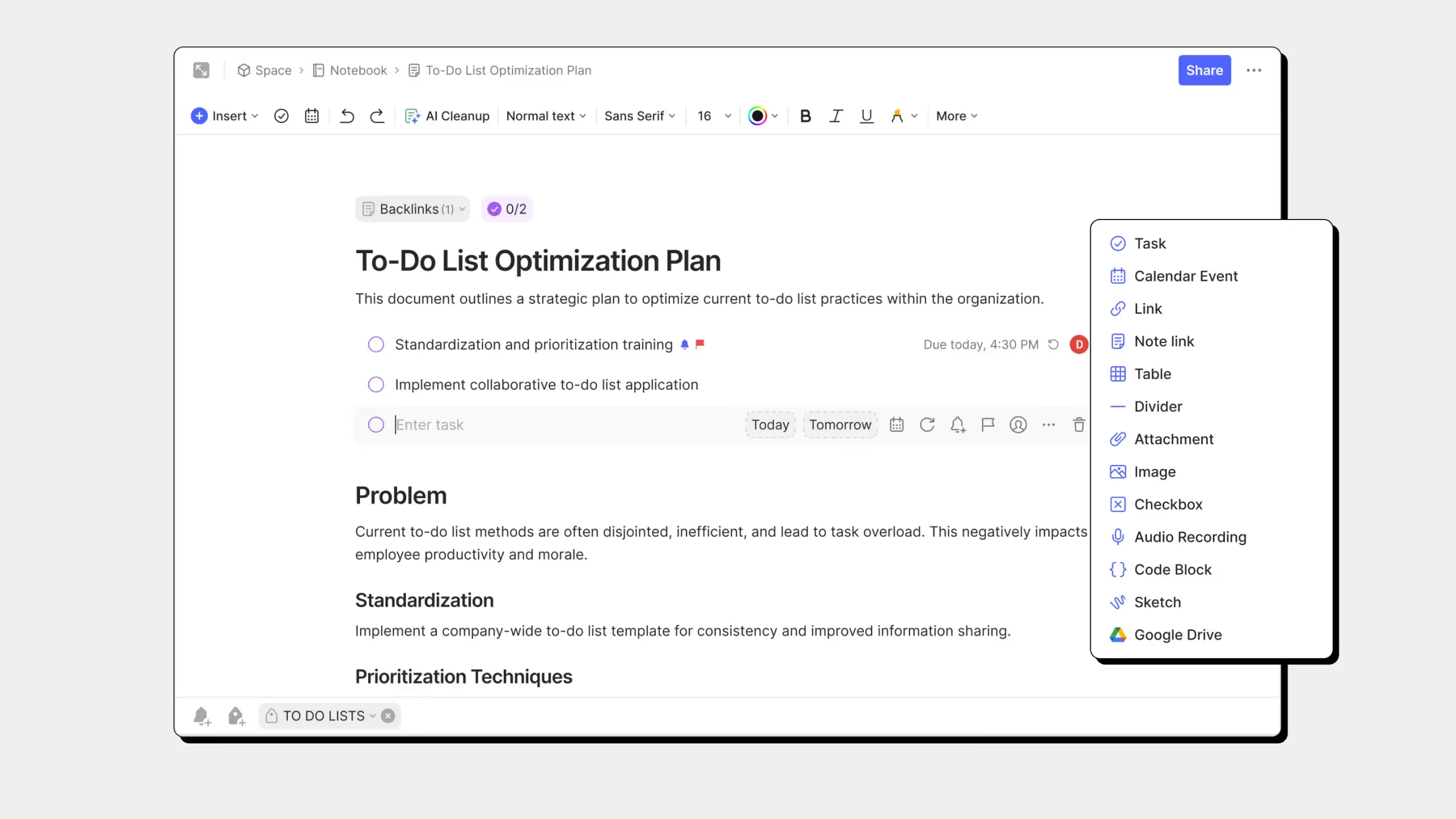
Fast note capture: You open it and start typing right away. No setup, no structure needed. Just write. For quick captures it feels faster than Notion.
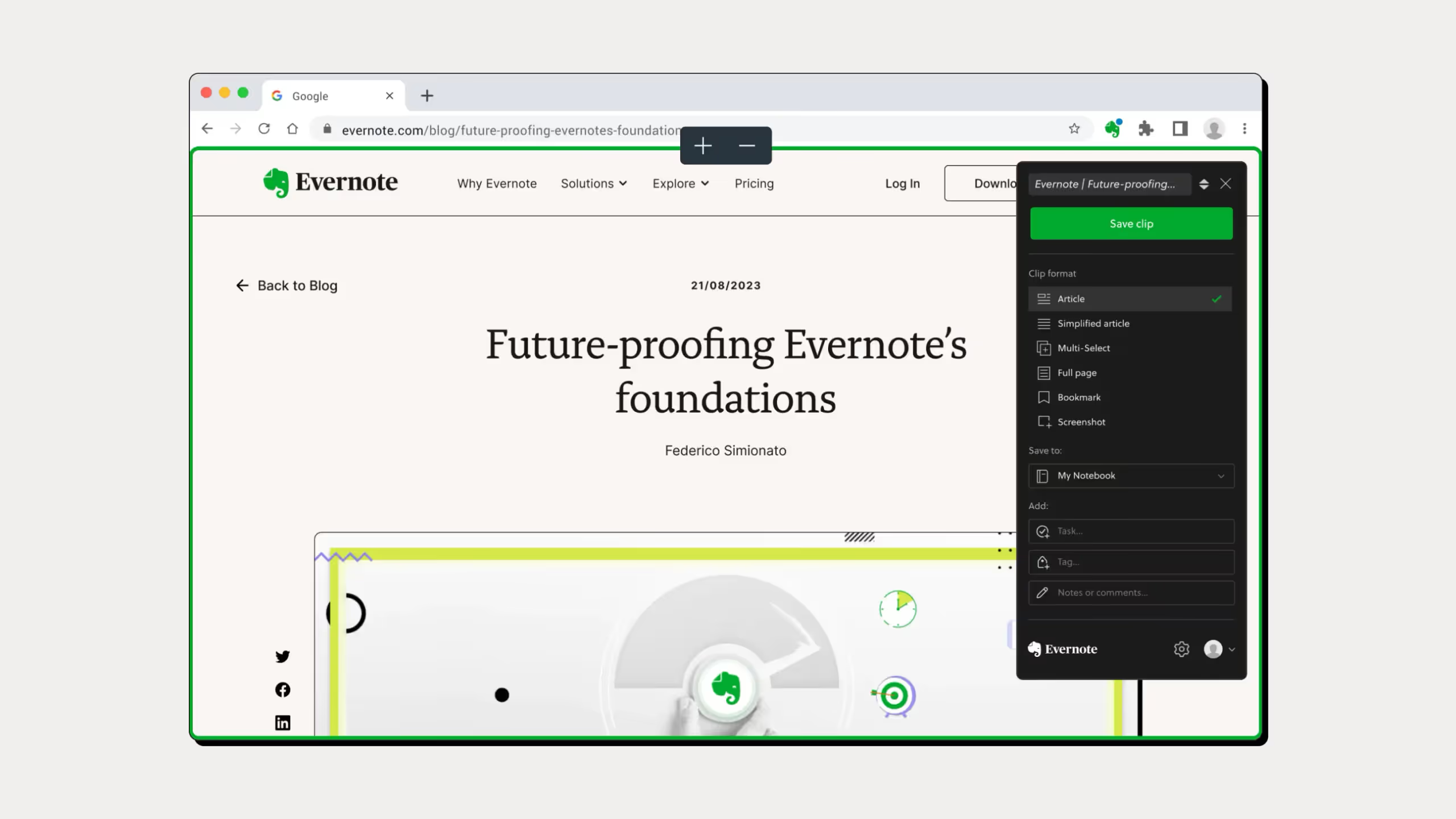
Web Clipper: The browser extension lets you save full articles, screenshots, and bookmarks directly to your notebooks. One of the best web clippers out there.
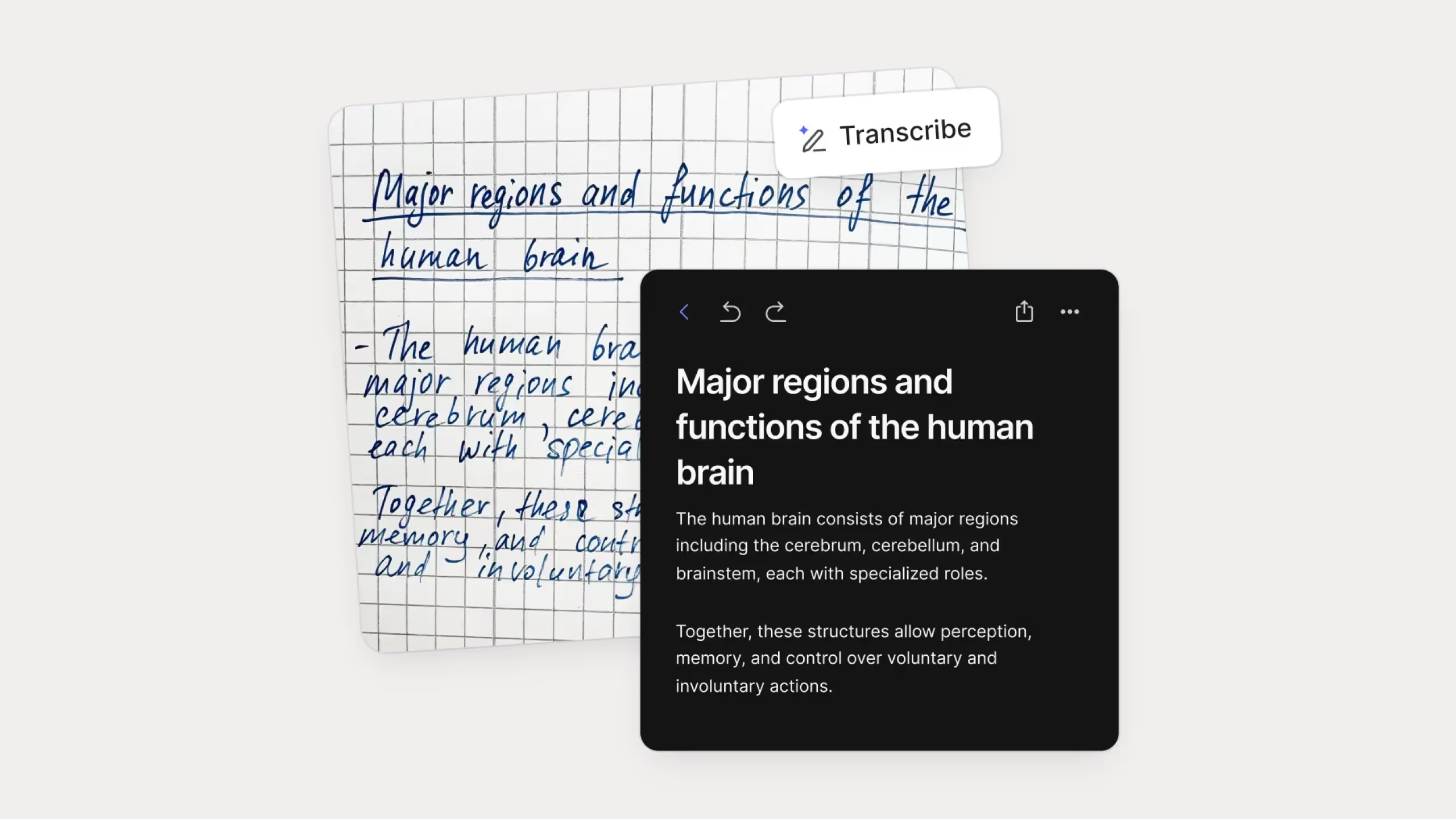
Document scanning and OCR: This is where Evernote has always been strong. You scan a document or photo and it can search the text inside it. Really useful if you store a lot of receipts, handwritten notes, or scanned files.
Search: Fast and smart. It searches inside images, PDFs, and text. If you save a lot of content and need to find things quickly, this is one of Evernote's best features.
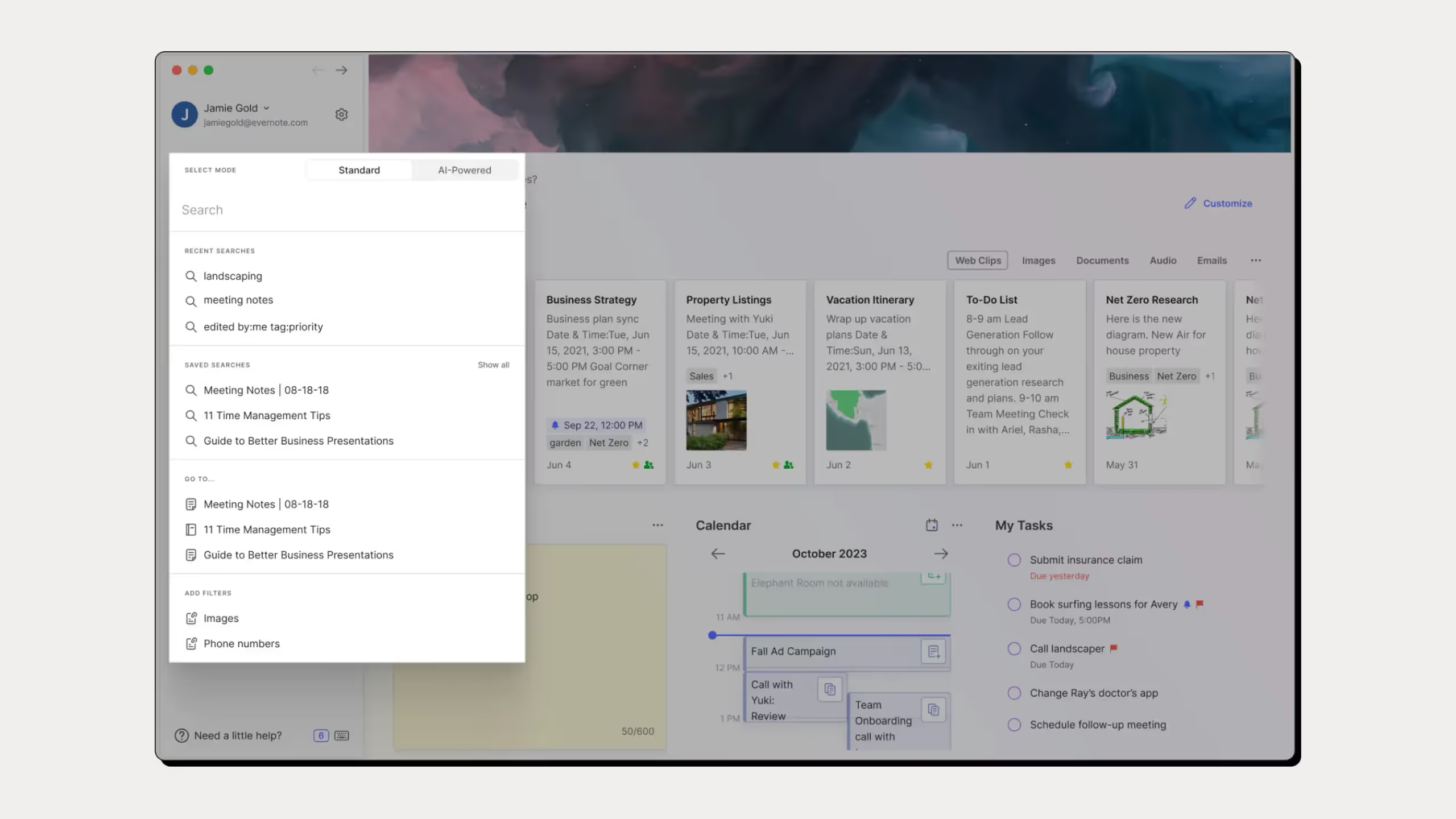
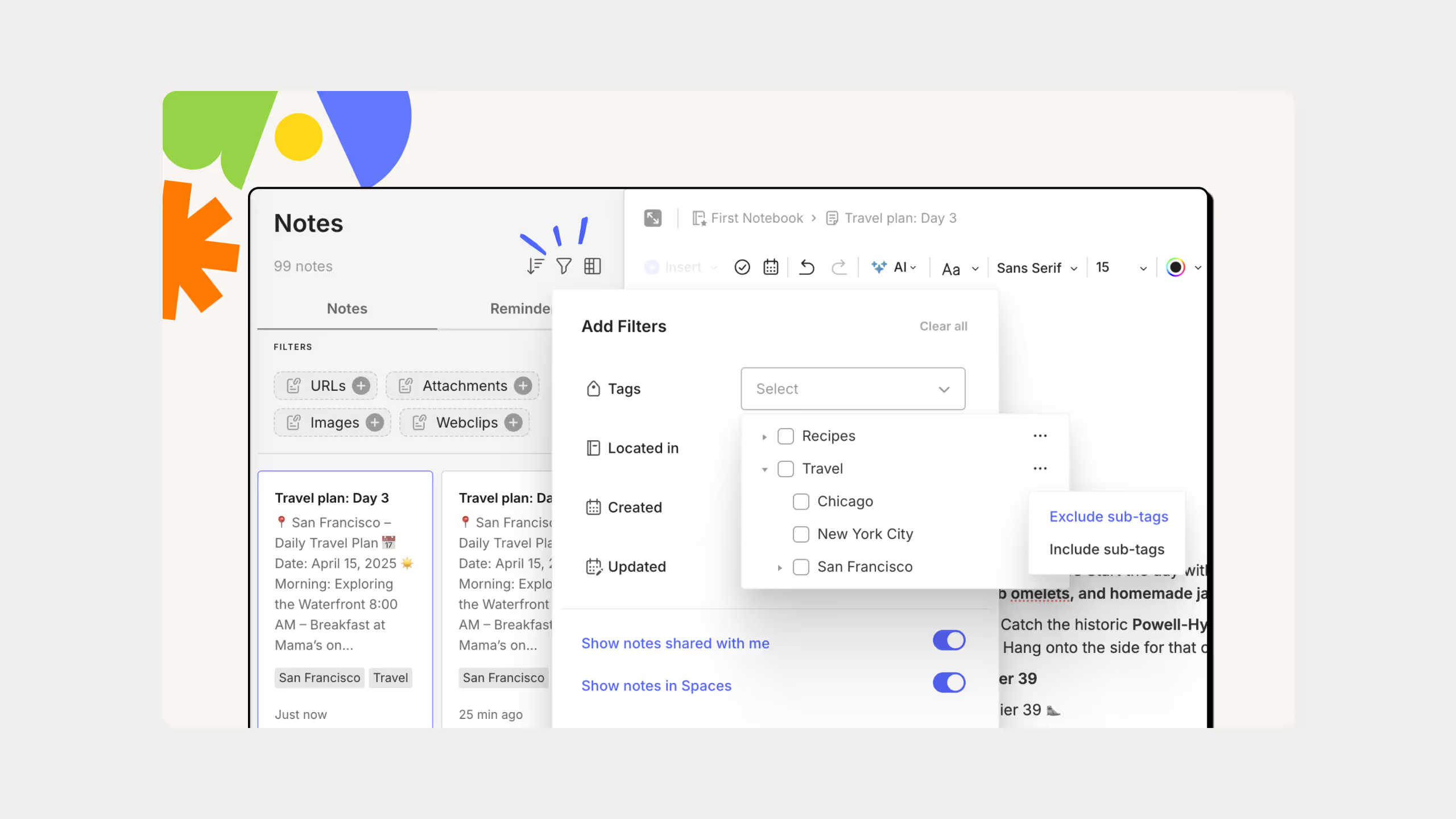
Notebooks and tags: Notes go into notebooks and you use tags to organize across categories. Simple and familiar structure that most people pick up immediately.
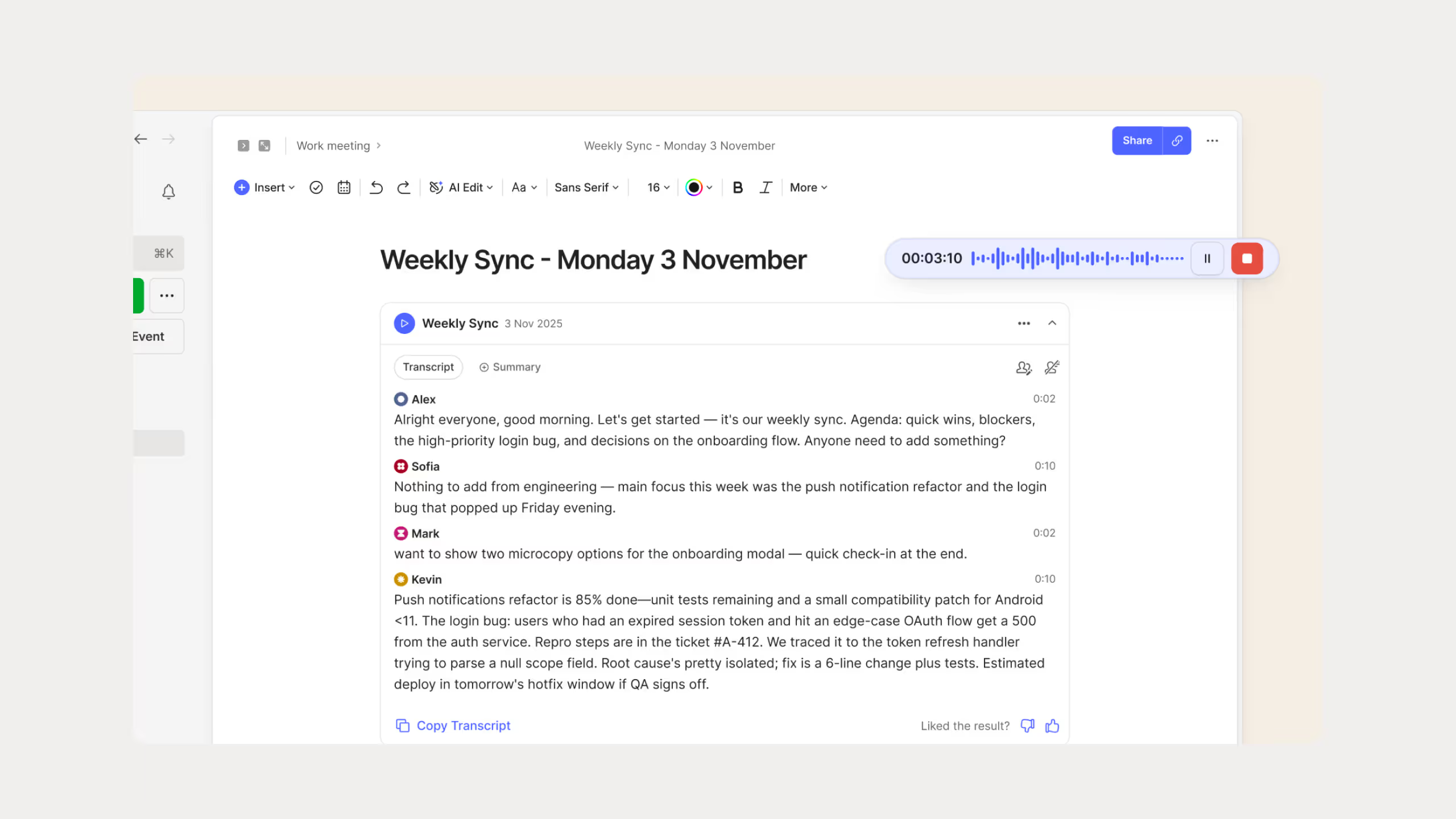
Audio notes: You can record voice memos and transcribe them. Useful for meetings or quick thoughts when you don't want to type.
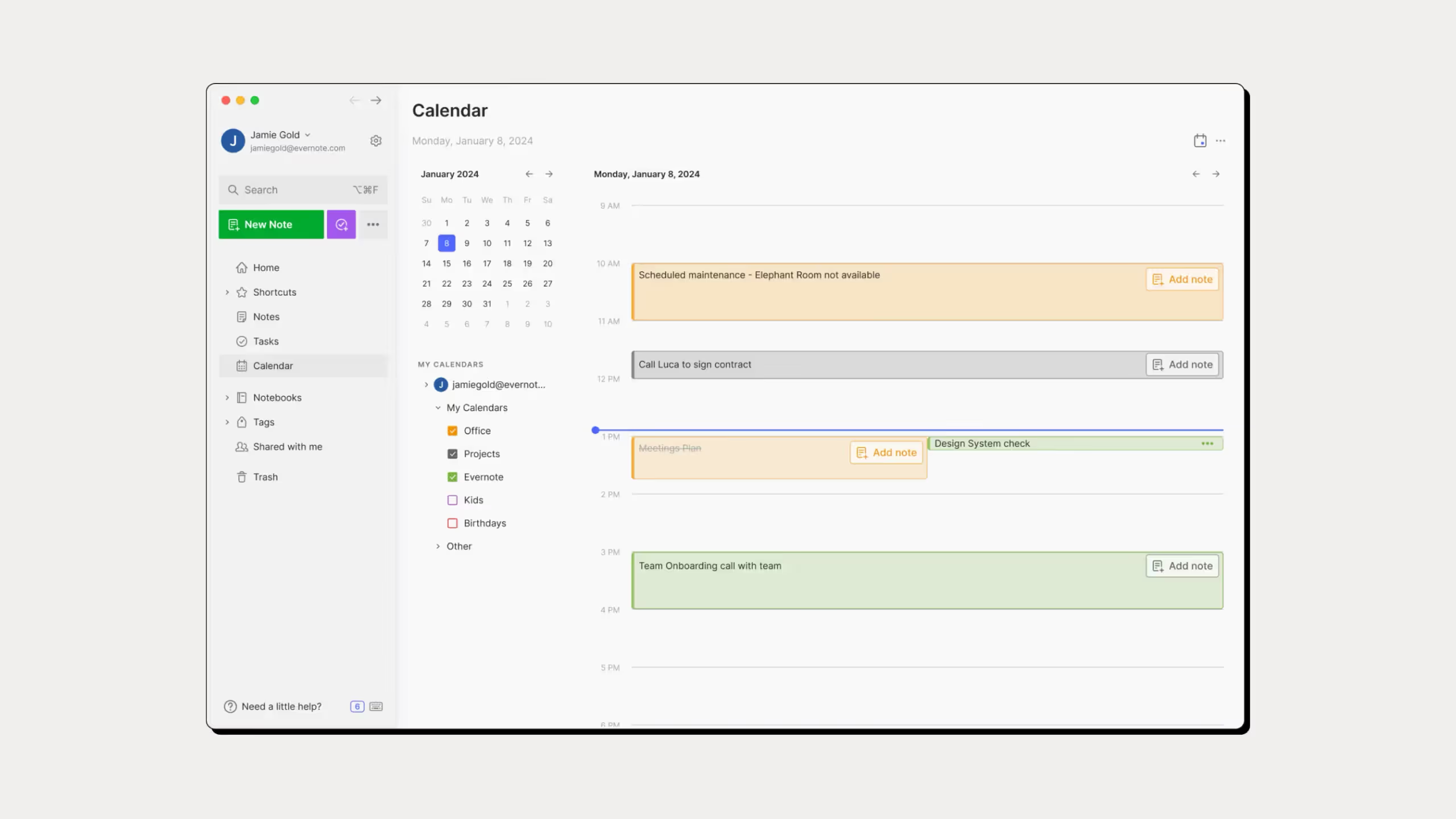
Calendar integration: Connects with Google Calendar and Outlook so your notes and events sit together.
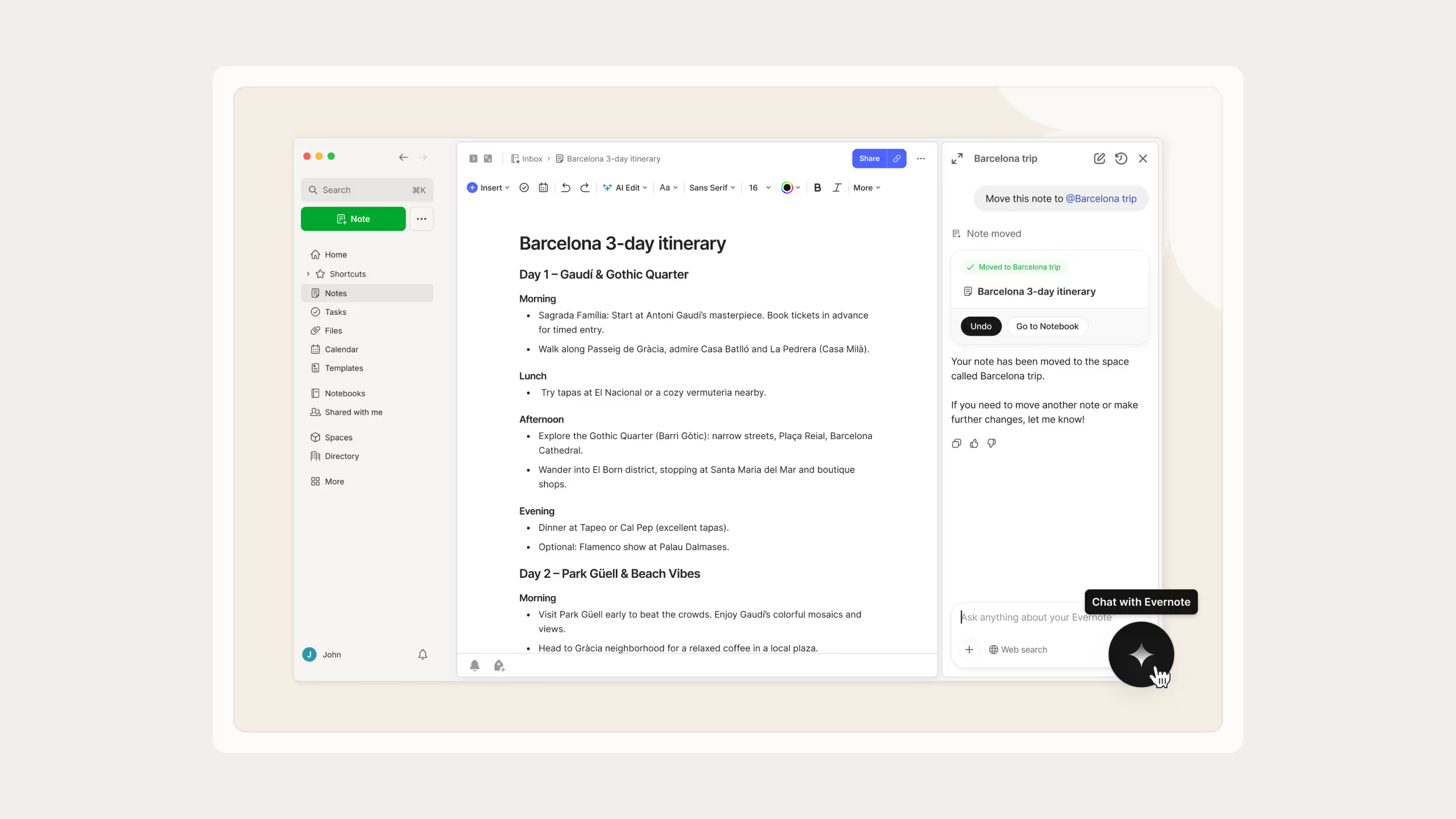
AI features: Bending Spoons added an AI assistant and smarter natural language search after the acquisition. Still early but it's moving in the right direction.
Evernote Pricing
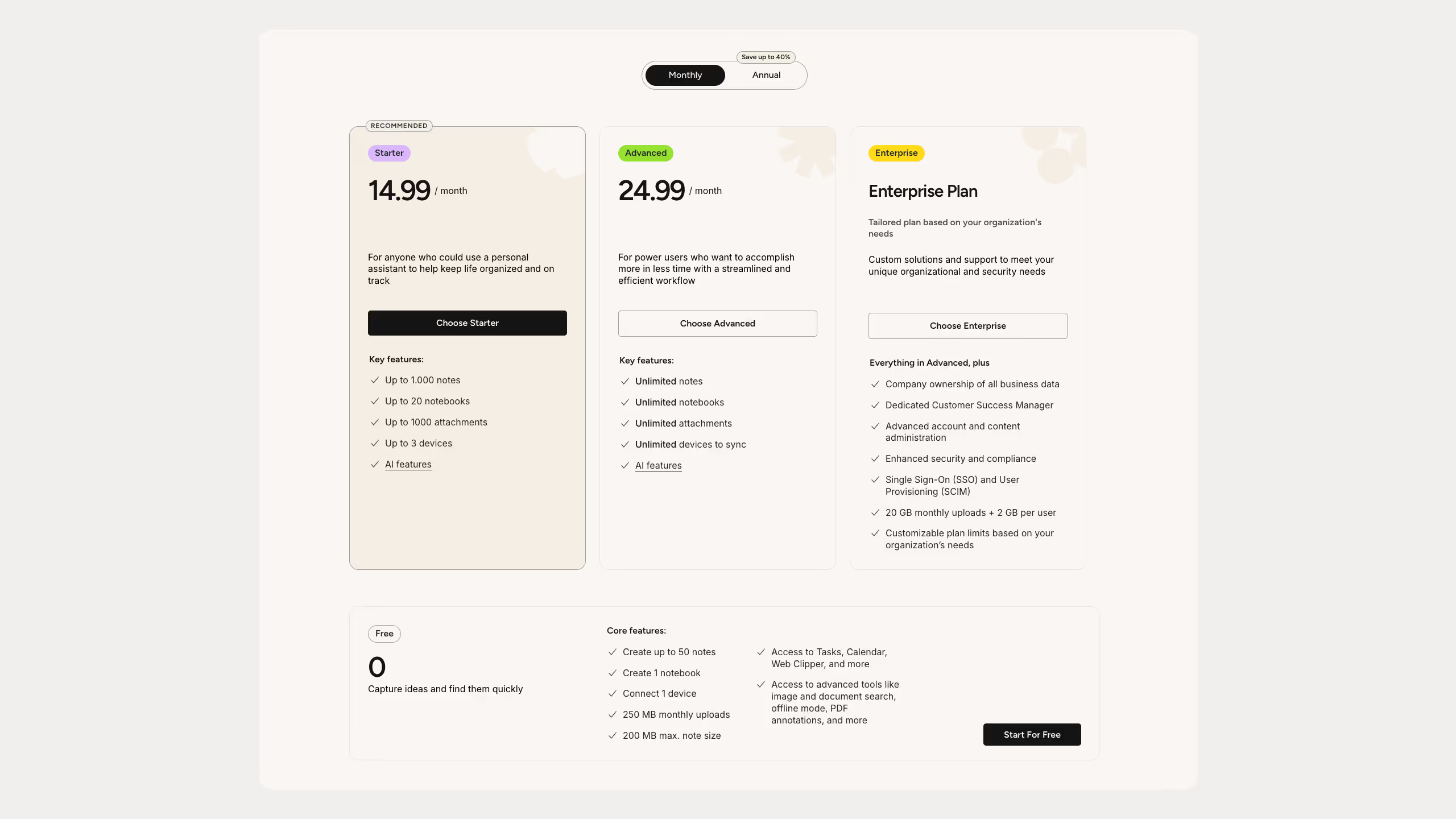
Evernote's free plan used to be decent. Now it's not. Since December 2023 you're limited to 50 notes and one device only. That's not enough for anyone using it seriously. You'll hit that wall fast and have to pay to keep going.
Notion vs Evernote: Detailed Feature Comparison
Here’s how they compare in the things most people care about.
How Does Note-Taking Compare?
Evernote wins for pure speed. You open it and start typing, no setup, no thinking about structure. If you just want to capture something fast, Evernote gets out of your way.
Notion is different. You build your notes with blocks which gives you a lot more flexibility but it's not as instant. If you want structured, connected notes that link to other pages and databases, Notion is better. If you just want to write something down quickly, Evernote is faster.
Who Has Better Organization?
Notion wins if you want to go deep. Linked databases, nested pages, multiple views, you can organize information in ways Evernote simply can't match. I use this constantly across my templates and it's one of the main reasons I stayed with Notion.
Evernote uses notebooks and tags which is simpler and familiar. Most people get it immediately without any learning curve. Less powerful but easier to start with.
Who Wins for Project and Task Management?
Notion wins easily. Boards, timelines, task databases, linked views, it can replace most project management tools if you set it up right. Evernote has basic reminders and tasks but nothing close to what Notion can do.
Which Is Better for Teams?
Notion is stronger for collaboration. Real-time editing, comments, mentions, and granular permissions make it work well for teams. I use this with clients regularly and it keeps everything clean.
Evernote lets you share notes and notebooks but collaboration feels basic compared to Notion. It was built for personal use first and it shows.
Which Has Better AI?
Notion AI is more built in and more capable. Writing, summarizing, translating, brainstorming, all using your actual workspace content. You also pick your model, Claude, GPT, Gemini, whatever you prefer.
Evernote added AI after the Bending Spoons acquisition. It's focused mainly on search and basic summaries. Still early and not as deep as Notion's implementation.
Which Is Better on Mobile?
Evernote feels lighter and faster for quick captures on your phone. If you need to jot something down on the go, it's smoother.
Notion's mobile app is more capable but heavier, especially with large databases. Better for doing actual work on mobile, not just capturing notes.
Which Works Better Offline?
Evernote is more reliable offline. You download your notes or notebooks to your device and they're fully accessible without internet. No preparation needed.
Notion works offline but only for pages you've already opened or marked for offline use. Some features like AI, embeds, and sharing won't work until you reconnect. It works but you have to think ahead.
What About Integrations?
Notion connects with more tools natively and works well with Zapier and Make. Evernote has fewer built-in integrations, though Zapier can fill some gaps. If connecting your workspace to other apps matters to you, Notion has more options.
Which Should You Choose?
Honestly this comes down to one question: do you want a note-taking app or a full workspace?
Choose Notion if you want one place to handle notes, projects, tasks, and your whole workflow. If you like building systems, working with a team, and having AI built into everything, Notion is the better pick. That's why I use it and why I've never seriously considered switching.
Choose Evernote if you just want to capture notes fast without thinking about structure. If you scan a lot of documents, save web content, or need reliable offline access without any setup, Evernote does those things better.
For different types of users:
Students and researchers: Notion is better if you want connected notes and organized research. Evernote is better if you just need to capture lecture notes fast without setting anything up.
Freelancers and solopreneurs: Notion can run your entire business, clients, projects, invoices, content planning, all in one place. I do exactly this. Evernote works if you just need somewhere to store ideas and references without the extra setup.
Teams: Notion wins. Real-time editing, comments, permissions, task tracking. Evernote can share notes but it's not built for team workflows.
Personal knowledge management: Notion is stronger if you want linked databases and flexible structures. Evernote works as a digital filing cabinet but it can't create the kind of connected systems Notion can.
Bottom Line: Honest Take on Notion vs Evernote in 2026
If I had to sum it up in one line: Evernote is simpler, Notion is more powerful.
Evernote is solid for what it does. Fast note capture, great scanning, reliable search. If that's all you need, it works. But Notion keeps growing and adding features while Evernote has been losing users for years. If you're starting fresh today, Notion is the better long term bet.
That said, if all your notes are already in Evernote and it's working for you, there's no urgent reason to switch. The best tool is the one you actually open and use every day.
Common Questions About Notion vs Evernote
Is Notion or Evernote better for note-taking?
Evernote is faster and simpler for quick notes with no setup. Notion is better if you want structured, connected notes that link to databases and other pages. Depends on whether you want speed or flexibility.
Can I move from Evernote to Notion?
Yes. Notion has a built-in Evernote import that brings over your notebooks, notes, and tags. Some formatting might need cleaning up after but the process is straightforward.
Does Notion work offline?
Notion added offline mode but it only works for pages you've already opened or marked for offline use. Evernote has had more reliable offline access for longer, especially on paid plans.
Which has better AI?
Notion AI is more capable. Writing, summarizing, workspace-aware answers, model selection. Evernote's AI is newer and focused mainly on search and basic editing. Notion wins here.