.avif)
Obsidian vs Notion: Honest comparison for 2026 (I tried both)

Notion vs Obsidian is a comparison I see come up a lot, especially from people who are serious about how they organize their knowledge.
I've been using Notion since 2020 and built my whole workflow on it. I also spent real time inside Obsidian before writing this. They are very different tools and the right one depends entirely on how your brain works.
So in this guide I'll tell you what I actually think about both, what each one does well, and who should pick which one. Let's get into it.
.avif)
Table of content
What is Notion?
Notion is the tool I've been running my entire workflow on since 2020. At its core it's a workspace where you can write notes, manage projects, build databases, and create systems, all in one place. It started back in 2013 and has grown into something most people in the productivity space have at least heard of.
Everything inside Notion is a block. Text, images, tables, databases, checklists, all blocks you can move around and stack however you want. It sounds simple but once it clicks you realize you can build almost anything with it.
Notion User Statistics
The growth speaks for itself. When I started using it in 2020 they had just crossed 1 million users. Four years later that number is over 100 million.
- Over 100 million users worldwide as of 2024
- Around 4 million on paid plans
- Valued at $10 billion after their latest funding round
- More than 50% of Fortune 500 companies using it
- US leads with 22% of the user base, UK follows at 7%
That Fortune 500 number still gets me every time. This started as a niche tool for people who like building systems and now some of the biggest companies on the planet are running on it.
Key Notion Features
Here are the features that actually matter when comparing Notion to Obsidian.
Pages and blocks: Every page starts blank and you fill it with whatever you need. Text, tables, checklists, embeds, databases. I've been building this way since 2020 and it still feels like the most flexible approach I've ever used for organizing information.
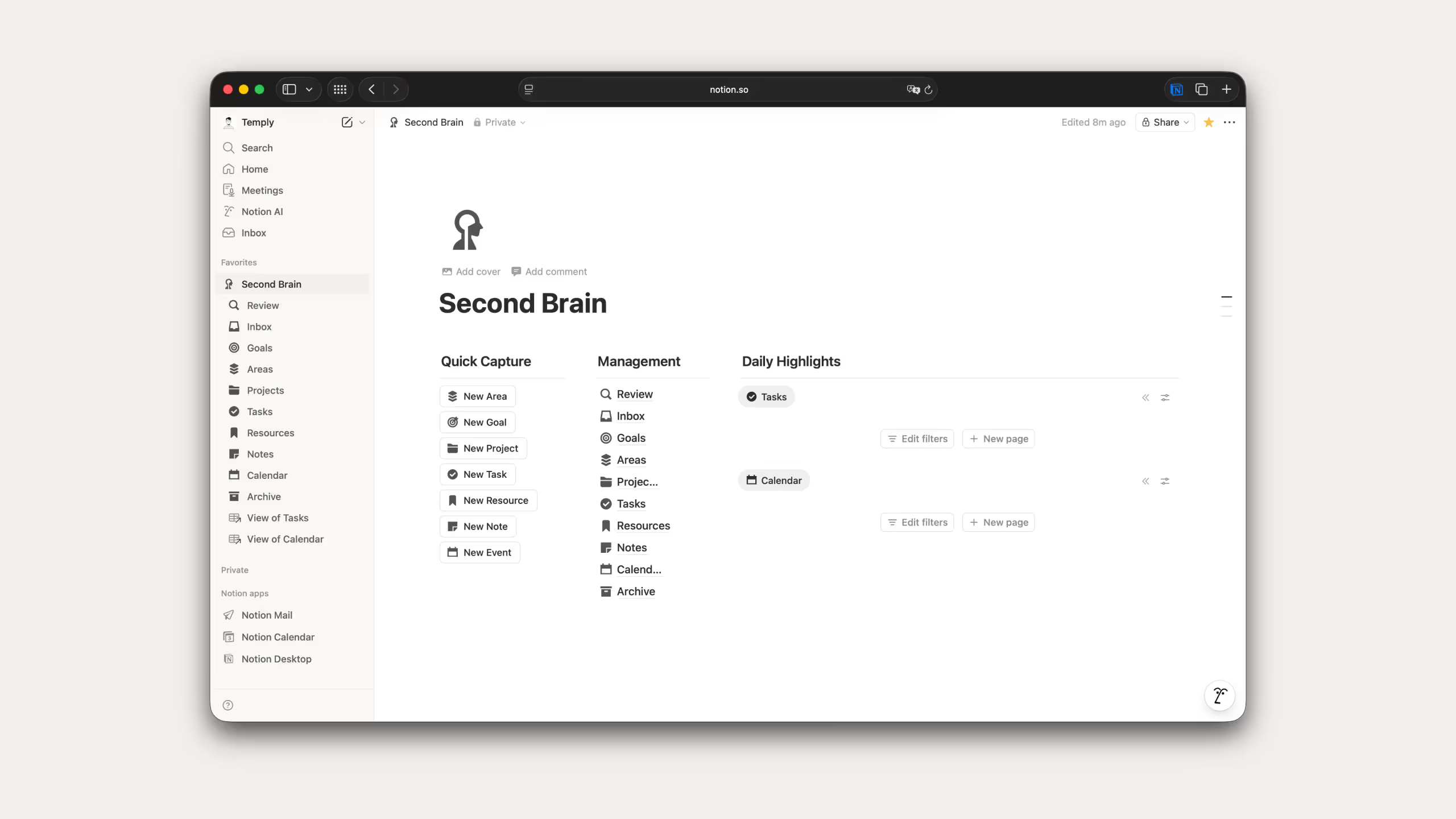
Databases: Once you understand databases, everything changes. You build one database and look at it as a table, board, calendar, timeline, or gallery depending on what you need. No duplicate data, just different perspectives on the same information. I use databases in almost every single template I've built.
.avif)
Collaboration: I use this constantly with clients. Multiple people editing the same page at the same time, leaving comments, mentioning each other, controlling who sees what. It just works.
.avif)
Templates: Thousands of ready made templates plus the ability to build your own. I've built 25 templates downloaded over 67,000 times so I know firsthand how much time a solid template saves when you're starting something new.

Notion AI: Built in AI that you use without leaving your workspace. Writing, rewriting, summarizing, brainstorming, grammar fixes. You also pick the model you want, Claude, GPT, Gemini, DeepSeek. I use this every day instead of bouncing between different AI apps.
.avif)
Calendar and Mail: The calendar connects directly to your task database and drag and drop scheduling works exactly as you'd expect. I use it daily. Notion Mail I haven't really tried yet, Gmail still does the job for me.

Notion Pricing
Free Plan: Perfect for individuals, includes collaborative workspace, 10 guest invites, up to 5MB file uploads, and 7-day page history.
Plus Plan: $10/user/month (billed annually) or $12/month (billed monthly). Adds unlimited file uploads, 30-day page history, and basic automation.
Business Plan: $20/user/month (billed annually) or $24/month (billed monthly). Includes private team spaces, bulk PDF export, 90-day page history, and 250 guest invites.
Enterprise Plan: Custom pricing with advanced controls, SSO, audit logs, and workspace analytics.
Notion AI Add-on: $10/user/month (billed annually) for AI-powered features.
.avif)
Free to start and genuinely useful. I've been on the free plan since 2020 and as a solo user it covers everything I need. Plus, Business, and Enterprise are there when you need more. Full details on the Notion pricing page.
The one thing worth paying for is Notion AI. I use it every single day. Details on the Notion AI page.
Best Use Cases for Notion
Notion works best when you need more than just a place to write things down.
If you work with a team, Notion is hard to beat. Real-time editing, shared pages, task tracking, permissions, it handles all of that without needing extra tools.
It's also where I'd point anyone doing content planning, project management, or building a company wiki. I use it for all three myself. My entire content calendar, client work, and internal docs live in Notion and they're all connected.
The database feature is what makes it genuinely powerful for these use cases. You can track customers, manage product roadmaps, or run editorial calendars all from the same workspace and view the same data in different ways depending on what you need at that moment.
And it works across every device without any setup. Desktop, mobile, web, everything stays in sync automatically.
What is Obsidian?
.avif)
Obsidian launched in 2020 and it works completely differently from Notion. Everything you write is stored locally on your device as plain markdown files. No cloud, no servers, just files sitting on your computer that you fully own.
The big idea behind Obsidian is linking your notes together. You connect ideas through links and over time you build a web of knowledge that shows you how your thoughts relate to each other. A lot of people call it a second brain and that description is pretty accurate once you see how it works.
Obsidian User Statistics
Obsidian has around 1.5 million active monthly users as of 2025 and has grown 22% year over year. What makes that impressive is that they did it without any venture capital. No investors, no funding rounds, just people paying for optional add-ons like Obsidian Sync and Publish. That's a rare thing in the software world.
The community is also genuinely active. Over 110,000 members in their Discord and more than 2,000 community plugins built by users. People who use Obsidian really use it, averaging 43 minutes a day in the app. That's not a tool people open and forget about.
Key Obsidian Features
I haven't used Obsidian as deeply as Notion so I'll keep this honest and straightforward.
Local-first storage: Everything saves directly to your device as plain markdown files. No internet needed, no cloud dependency. If Obsidian shut down tomorrow you'd still have every note in a format that works with any text editor.
Graph view: This is the feature that makes Obsidian unique. You can see all your notes visualized as an interactive network showing how ideas connect to each other. It's genuinely useful once your note collection grows large enough.
.avif)
Bidirectional linking: You link two notes together using double brackets and both notes automatically know about each other. This is what makes building a connected knowledge base feel natural in Obsidian.
.avif)
Canvas: A visual workspace where you can arrange notes, images, PDFs, and web content like a digital whiteboard. Good for brainstorming or mapping out complex ideas visually.
.avif)
Plugin ecosystem: Over 2,000 community plugins that add features like task management, advanced tables, kanban boards, and more. The core app stays lightweight and you only add what you actually need.
.avif)
Obsidian Pricing
Obsidian is completely free for personal use. No limitations, no paywalls, everything included. That alone makes it worth trying.
If you're using it for work in a team of two or more, it's $50 per user per year. Still reasonable compared to most tools.
The only things you pay extra for are the optional add-ons:
- Obsidian Sync Standard: $4/user/month for syncing across devices
- Obsidian Sync Plus: $8/user/month with more features
- Obsidian Publish: $8/site/month for publishing your notes to the web
.avif)
If you're a solo user who doesn't need sync or publishing, it costs you nothing. That's hard to argue with.
Best Use Cases for Obsidian
Obsidian works best for specific types of people and use cases.
If you care about privacy and owning your data long term, Obsidian is the obvious choice. Your notes are files on your device, nobody else has access to them.
Researchers, academics, and writers who need to connect complex ideas across hundreds of notes will get a lot out of the graph view and bidirectional linking. It's built for that kind of deep knowledge work.
If you travel a lot or work in places with bad internet, Obsidian works perfectly offline without any setup. Everything is local by default.
Developers also tend to love it because everything is plain markdown that works with version control and any text editor they already use.
And if you just want a distraction free place to think and write without the visual complexity of a tool like Notion, Obsidian's minimal interface is hard to beat.
Obsidian vs Notion: Feature by Feature Comparison
Who Wins on Data Storage and Privacy?
Obsidian wins if privacy matters to you. Everything is stored locally as markdown files on your device. If Obsidian shut down tomorrow you'd still have every note in a format that works anywhere. No cloud, no servers, no company holding your data.
Notion lives entirely in the cloud. You can access it from anywhere which is convenient, but you are trusting a company with your notes. Notion uses encryption and is GDPR compliant, but some users have lost work during outages. That's a real tradeoff worth knowing about.
Who Is Easier to Learn?
Notion is easier to start with. You type slash and get a menu of options, headings, images, databases, embeds. It's visual and intuitive from day one. The complexity comes later when you go deeper into databases and automations.
Obsidian uses markdown which takes some getting used to. Double brackets for links, hash symbols for headings. It feels technical at first but most people pick it up quickly. Once you do, the interface gets out of your way and lets you focus.
Who Has Better Organization?
Obsidian organizes through folders, tags, backlinks, and the graph view. It's flexible and non-hierarchical which works well for knowledge that doesn't fit neatly into categories.
Notion organizes through pages, databases, filters, and views. More structured and database-driven. I use this constantly across my templates and it works well when you want precise control over how information displays.
Which Is Better for Collaboration?
Notion wins easily. Multiple people editing the same page at once, comments, mentions, permissions, it's built for teams. I use this with clients all the time.
Obsidian was built as a personal tool. Real-time collaboration isn't really possible without workarounds. If you need to work with others, Obsidian is not the right choice.
Which Performs Better?
Obsidian is faster, no question. Everything runs locally so notes open instantly and search is immediate even with thousands of files.
Notion requires internet and can slow down as your workspace grows. Large databases and heavy pages can lag. It's not unusable but it's noticeably slower than Obsidian for everyday tasks.
Which Is More Customizable?
Obsidian goes deeper. Over 2,000 community plugins let you add kanban boards, calendar views, AI integrations, custom themes, and more. You can shape it into exactly what you need.
Notion is customizable through its block system, templates, and automations. You can't add plugins but the native features cover most use cases without extra setup. Better if you want power without tinkering.
Which Is Better on Mobile?
Notion wins here. Syncing across devices is built in and free. The mobile app works well for most tasks though complex databases can be harder to navigate on a small screen.
Obsidian on mobile requires either the paid Sync add-on or manual workarounds with iCloud or Dropbox. The app works but it's not as smooth as desktop and some plugins don't carry over.
Which Is Better for Knowledge Management?
Obsidian was built for this. Bidirectional links, backlinks, graph view, the whole system is designed around connecting ideas. Once your notes grow you can literally see your knowledge network visualized on screen.
Notion supports linking pages and backlinks but it doesn't have a visual knowledge graph. It's powerful for organizing information but the connection discovery that makes Obsidian special isn't there.
Which Is Better for Content and Formatting?
Notion looks better out of the box. Multiple fonts, icons, cover images, gallery views. Easy to mix text, images, databases, and embeds on one page.
Obsidian is more minimal. Great for focused writing and long form content but the aesthetic options are limited without plugins. If you want something that looks polished without effort, Notion wins.
Who Wins on Data Portability?
Obsidian wins completely. Your notes are plain markdown files. You can move them anywhere, open them in any text editor, and nothing is locked in.
Notion uses a proprietary format. Exporting to markdown works but you lose database structures, formatting, and relations. Moving years of Notion data somewhere else is painful. That's the honest tradeoff of using a cloud tool.
Comparison Table: Obsidian vs Notion
Which Should You Choose: Obsidian vs Notion?
Honestly this comes down to one question: do you want to own your data or do you want to collaborate with others?
Choose Obsidian if privacy and data ownership matter to you. If you work alone, travel a lot, need offline access, or want to build a personal knowledge base that you fully control, Obsidian is the better fit. It's also the right choice if you're comfortable with markdown and want deep customization through plugins.
Choose Notion if you work with a team, need databases, want everything synced across devices without setup, or just want one tool that handles notes, projects, and knowledge management all in one place. That's why I use it and why I've built my entire workflow on it.
One thing worth mentioning: a lot of people use both. Obsidian for personal thinking and private notes, Notion for team work and project management. It's not a bad approach if you don't mind managing two tools. Personally I keep everything in Notion because I prefer having one system, but I understand why someone would split it.
My Honest Take on Obsidian vs Notion
If I had to sum it up: Obsidian is for people who think in networks and want to own their data. Notion is for people who want to build systems and work with others.
I use Notion and I always will. It fits how I work, I like databases, I like collaboration, and I like having everything in one place. But I genuinely understand why someone who writes long form content, does deep research, or cares about privacy would pick Obsidian without hesitation.
Neither is wrong. They solve different problems for different people. The question is which problem looks more like yours.
Common Questions About Obsidian vs Notion
Can I move from Notion to Obsidian?
Yes but it takes work. Notion exports to markdown but you lose database structures and some formatting. Going the other way, from Obsidian to Notion, is easier since markdown imports well, though you lose your graph connections.
Is Obsidian or Notion better for students?
Obsidian is better for research notes, essay planning, and building connected knowledge over time. Notion is better for group projects, tracking assignments, and managing course materials. Obsidian is also completely free for personal use which matters when you're a student.
Does it matter for small businesses?
Yes. If you need team collaboration and project tracking, Notion. If you prioritize data privacy and building an internal knowledge base, Obsidian with paid Sync could work.
Can I use both?
Yes and a lot of people do. Obsidian for personal thinking, Notion for team work and projects. Some people sync notes between the two using Zapier or custom scripts.