.avif)
22 Best Notion Business templates to scale your biz in 2026

As a Notion creator, I have built a template for almost every use case when I needed it: marketing, business management, working with clients, and more.
Because I am certified by Notion itself, holding 3 official certificates and badges, I can tell immediately which templates will actually work for your business and which ones are just BS.
So, to make things easy for you, I searched the web for the best Notion business templates, hand-picked only the top options, and put them into one list. Some of these are even templates I use myself. Let's get started.
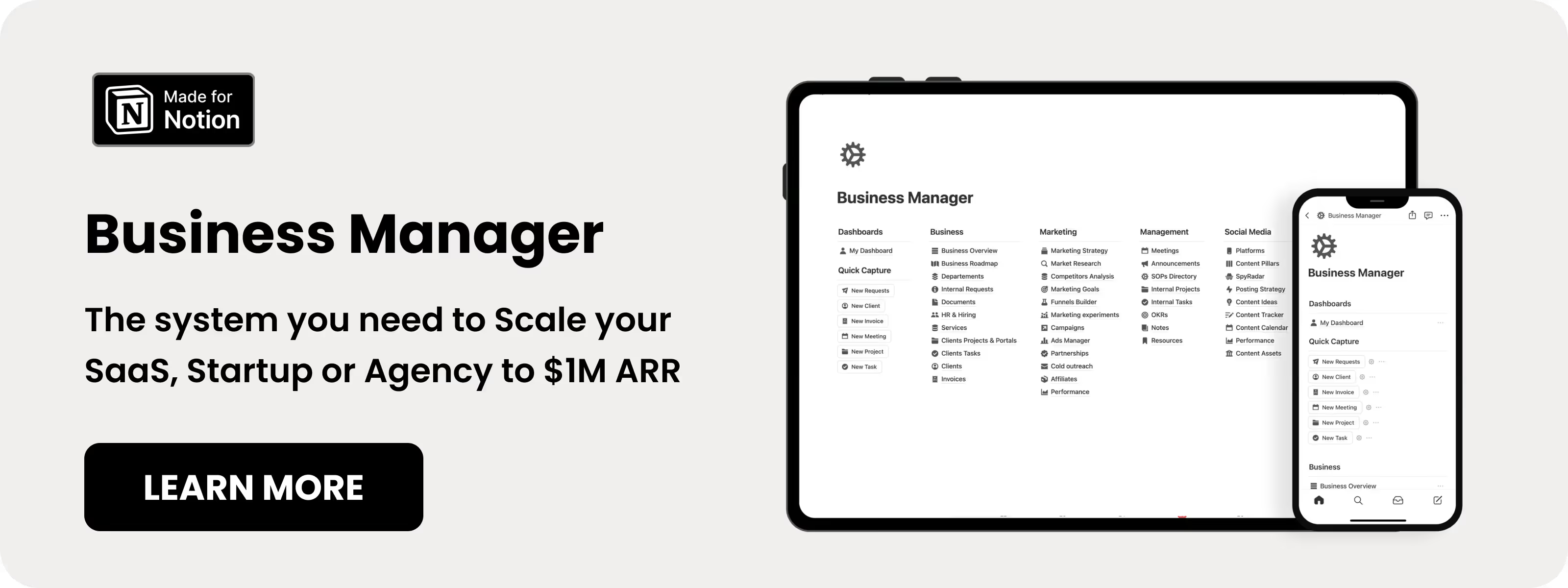
Table of content
- Notion Business Manager
- Notion Entreprise OS
- Notion Company OS
- Notion Business Hub
- Notion Ultimate Business OS
- Notion Company System
- Notion Startup OS
- Notion E-commerce Manager
- Notion Digital Business Kit
- Notion E-commerce Pack
- Notion Inventory Manager
- Notion Solopreneur Workspace
- Notion Freelancer Bundle
- Notion Agency Kit
- Notion Projects Tracker
- Notion Client OS
- Notion CRM
- Notion Marketing OS
- Notion Creator Studio
- Notion Social Media Planner
- Notion Campaigns Tracker
- Notion Invoices Tracker
22 Best Notion Business Templates in 2026
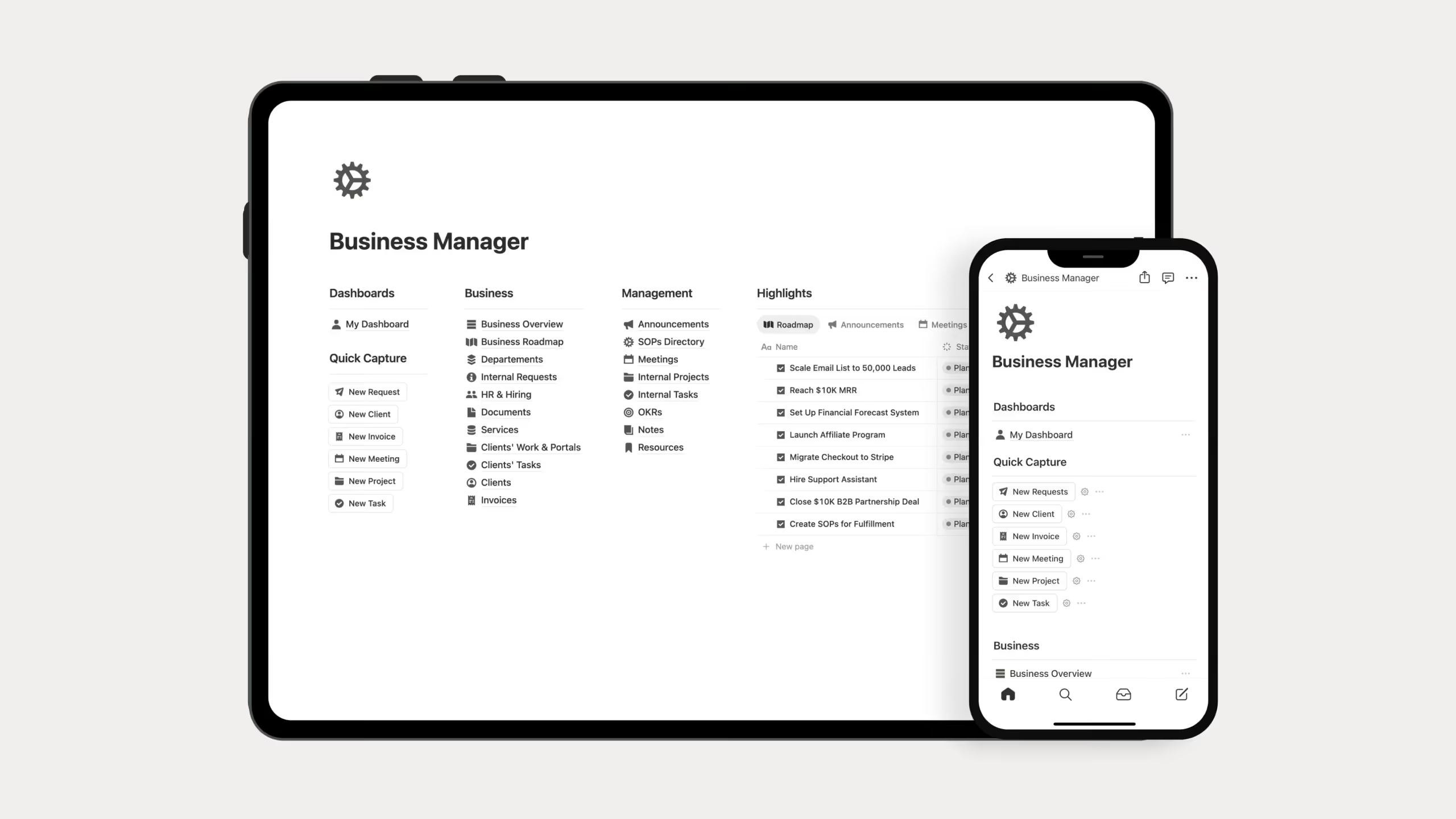
1. Notion Business Manager (⭐️ Recommended)
As a Notion creator, I built this template myself when I needed a better way to manage my own internal operations. I designed it to suit almost any business model, including startups, SaaS, and agencies. I am honestly proud that I created this myself to solve real operational problems.
Key Features:
- Business Roadmap: Plan strategic goals with timelines and priorities.
- Department Structure: Organize Marketing, Sales, and Operations in dedicated workspaces.
- SOP Library: Store and manage standard operating procedures.
- Market Research Hub: Track competitors, customer insights, and positioning.
2. Notion Enterprise OS
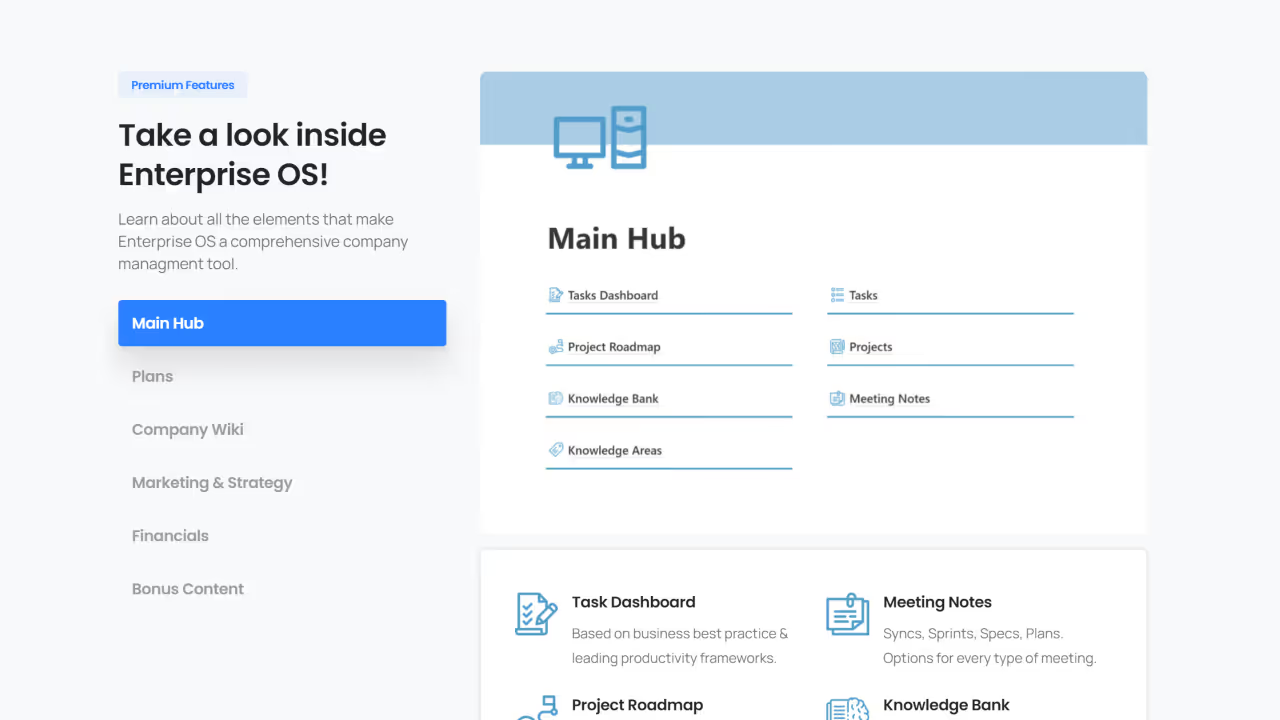
This template looks simple at first glance, but believe me, it's not. Don't let the minimal look fool you. It is actually one of the most complete templates I have ever seen. The creator managed to pack advanced tracking into a very clean layout.
Key Features:
- Employee Management: Track roles, responsibilities, and performance.
- Expense & Labor Tracking: Monitor operational costs in real time.
- Salary & Scheduling: Manage payroll data and team schedules.
- Strategic Planning Dashboard: Track objectives and key results.
3. Notion Company OS
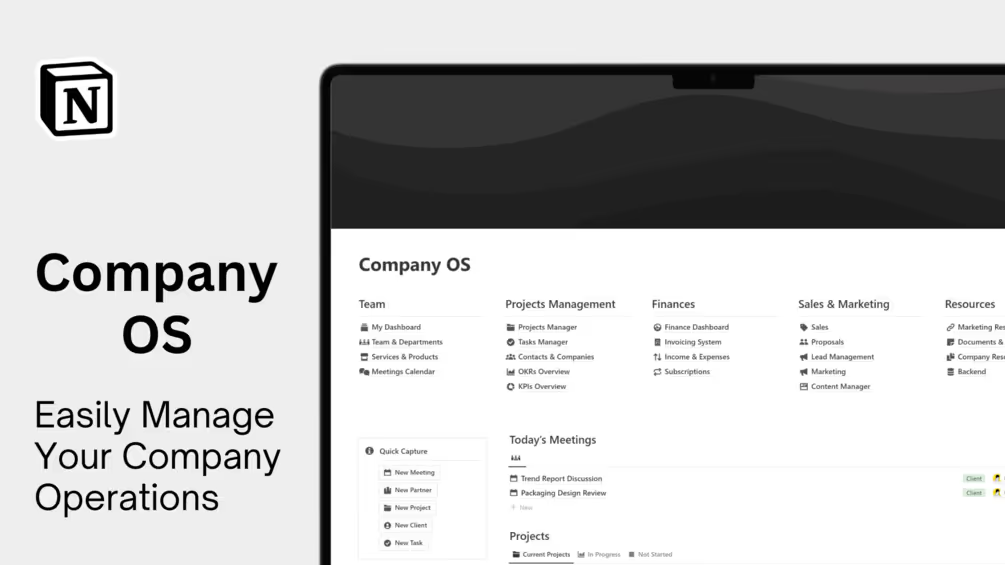
When I found this template on Gumroad, I said this one definitely needs to be on the list. Created by Simo and priced at $97, Company OS is a premium workspace built for modern enterprises, startups, and agencies that want to centralize their entire operation.
Key Features:
- Finance Dashboard: Track revenue, expenses, and cash flow.
- Project Management: Manage projects with boards, timelines, and status tracking.
- Goals Dashboard: Set company-wide objectives with ownership and deadlines.
- Team Alignment: Centralize documentation and meeting notes.
4. Business Hub for Notion
When I found this template, I was like: this is a great addition to the list. The Business Hub template has a 4.9-star rating from 144 reviews. This is a really good sign that actual business owners like it and use it. It is definitely a great template from MrPugo.
Key Features:
- Client Database: Store client details, communication, and projects.
- Financial Overview: Track income, expenses, and profitability.
- Task & Project Management: Organize daily work with flexible views.
- Document Library: Store contracts, proposals, and key files.
.avif)
Notion Startup and Founder Templates
5. Notion Ultimate Business OS
Number 5 on this list is the Ultimate Business OS from Hashim. I follow this creator on X (Twitter), and honestly, his templates are great. This Business OS is no exception; it is one of the most complete business templates out there. The solopreneur version is $39, while the enterprise version is $59.
Key Features:
- Business Dashboard: View projects, tasks, and finances in one place.
- Expense Tracking: Monitor spending and burn rate.
- Team Collaboration: Share workspaces and track progress.
.avif)
6. Notion Company System
Number 6 is the Notion Company System. This is a highly minimal, well-organized setup built specifically for people who dislike bright colors or cluttered, overwhelming layouts. At just $29, it is an incredible deal considering the volume of features packed into such a clean workspace. It absolutely deserves a place on this list.
Key Features:
- Scalable Architecture: Grows from startup to established company.
- Process Documentation: Create repeatable workflows.
- Knowledge Base: Build an internal wiki for onboarding.
- Integration Ready: Connect with other tools via integrations.
.avif)
7. Notion Startup OS
Number 7 on this list is Startup OS, which is an incredible template for startup founders. It has a 4.6-star rating from 34 reviews, and the feedback from buyers is filled with highly satisfied reviews. The template costs $79, but the creator also offers a package that includes a 1:1 coaching session with the template for a full price of $129.
Key Features:
- Idea-to-Launch Framework: Validate and ship faster.
- Task Management: Break launches into clear steps.
- CRM Tools: Track early customers and leads.
- 52+ Extra Templates: Dashboards and workflows.
.avif)
Notion E-commerce Templates
8. Notion E-commerce Manager
This is another template I built myself when I had to run a COD (cash on delivery) store in my country. This system helped me a lot back then, and because I used it heavily myself before ever offering it to others, I know firsthand that it is an excellent option for e-commerce brands.
Key Features:
- Order Management: Track orders from purchase to delivery.
- Inventory Tracking: Monitor stock and suppliers.
- Customer Database: Store order history and communication.
- Marketing Planner: Plan and track campaigns.
.avif)
9. Notion Digital Business Kit
Number 9 is the Notion Digital Business Kit. What I like about this one is that it covers the marketing and branding side of a business, whereas a lot of other templates out there just focus strictly on operations. At a price of $25, this is definitely a good deal.
Key Features:
- Business Planning: Create plans and projections.
- Finance Tracking: Monitor revenue and expenses.
- Goal Setting: Track quarterly and annual objectives.
- Entrepreneur Toolkit: Templates for digital business models.
.avif)
10. Notion E-commerce Pack (Free)
You may have asked yourself: are there even free templates out there for e-commerce? Yes, there are. I built this myself as a light, simple version of an e-commerce manager. With a 5-star rating from 41 reviews, I guess people really like using it.
Key Features:
- Order Tracking: Monitor fulfillment status.
- Inventory Basics: Track products and suppliers.
- Customer Records: Store essential customer data.
.avif)
11. Notion Inventory Manager (Free)
Here is another template I built myself. This one is designed for businesses that handle heavy logistics and inventory management. If your operations revolve around physical goods and managing warehouse stock, this system was built for you, and people actually love using it.
Key Features:
- Product Catalog: Maintain a full product list.
- Stock Levels: Track quantities and restock needs.
- Inventory Alerts: Set low-stock notifications.
.avif)
Notion Freelancer and Solopreneur Templates
12. Notion Solopreneur Workspace
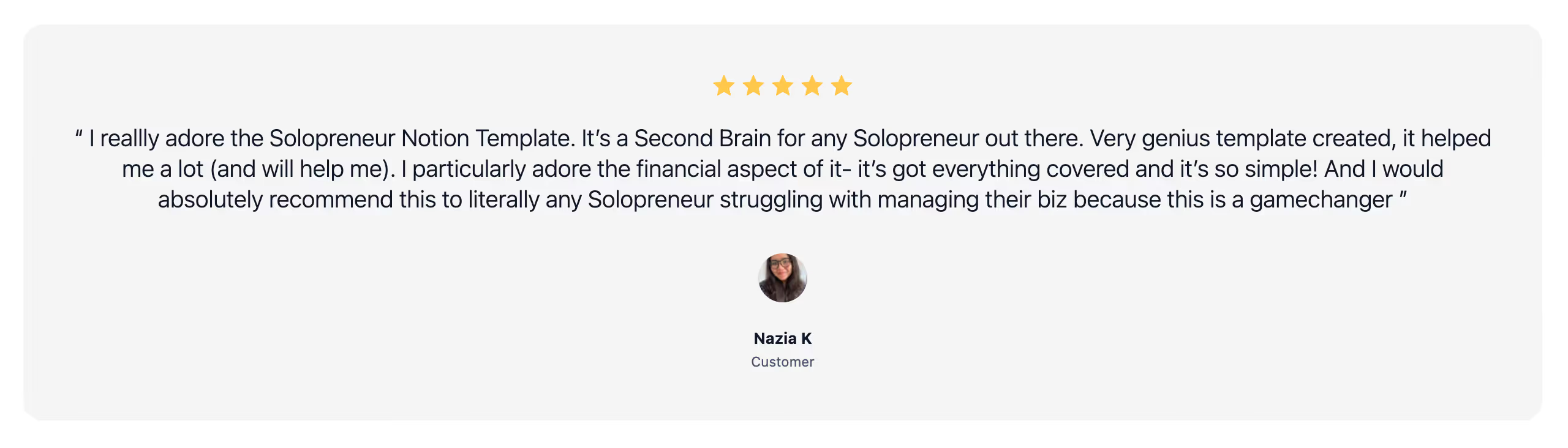
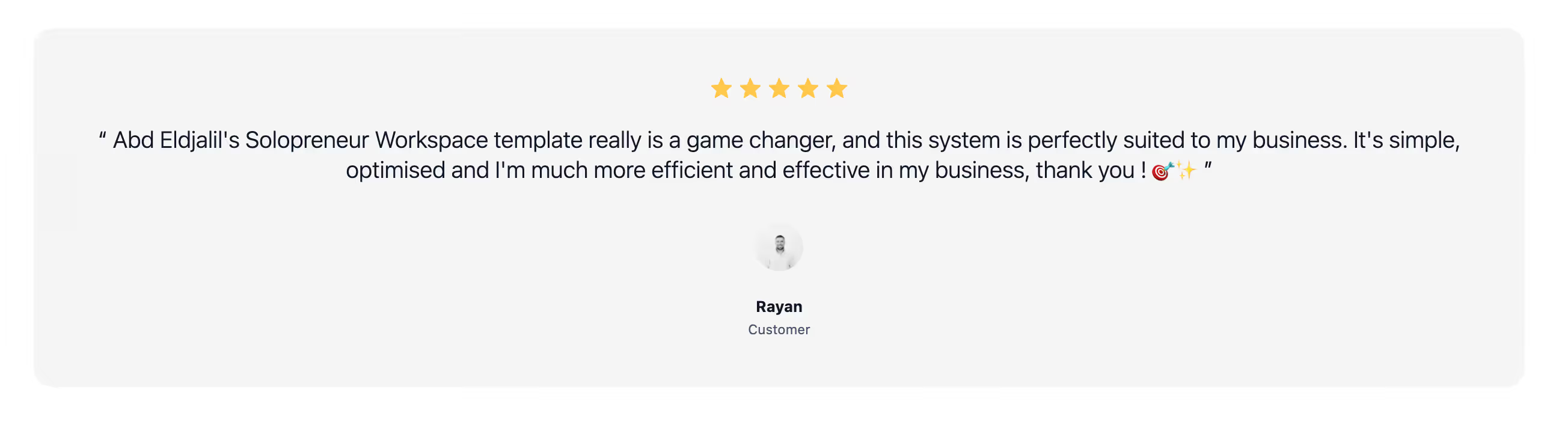
Ok, this is another one I created myself (I know, I know, I created a lot of templates, lol). This is actually the most popular business template people get from me, and almost all of them give it a 5-star rating. Solopreneurs love this system, here is exactly what buyers like Nazia and Rayan said about it:
Key Features:
- All-in-One Dashboard: View clients, invoices, and projects.
- Lead Capture & CRM: Track leads to conversion.
- Invoice Management: Create and track invoices.
- Content Planning: Plan and manage content.
.avif)
13. Notion Freelancer Bundle
I created this one myself too. It is a lighter, streamlined version of my solopreneur workspace, built specifically for freelancers who sell their services on Fiverr, Upwork, and similar platforms.
Key Features:
- Client Management: Manage leads and projects.
- Project Tracking: Track deadlines and milestones.
- OKR System: Set and track business goals.
- Client Portal: Share updates and deliverables.
.avif)
14. Notion Agency Kit
Number 14 on this list is the Notion Agency Kit. This is a very good template if you run an agency. It has over 470 sales and 18 5-star ratings. These are solid numbers actually. It costs $59, which is a fair price for an agency system I guess.
Key Features:
- Team Management: Coordinate contractors and employees.
- Client Workflows: Standardize project delivery.
- Resource Allocation: Track team capacity.
- Agency Operations: Scale delivery with systems.
.avif)
15. Notion Project Tracker (Free)
This is one of the first templates I created back then in 2022. To be honest, I integrated this project tracker into almost every single other template I sell because I know it is essential. People are still getting it after all these years and, of course, it is free.
Key Features
- Task Lists: Break projects into tasks.
- Progress Tracking: Visualize milestones.
- Deadline Management: Track due dates.
.avif)
Notion Client Management Templates
16. Notion Client OS
Client OS is one of the templates I am proud of creating. It is a project tracker and client portal at the same time. When I launched this in August 2025, people loved it. I guess it is still the best way to manage clients.
Key Features:
- Client Portals: Share progress and deliverables.
- Project Dashboard: View all active client work.
- Meeting Management: Track meetings and follow-ups.
- Deadline Tracking: Never miss key dates.

17. Notion CRM (Free)
I also created this simple CRM to manage your contacts. People also like to use it for lead management, sponsors, and that kind of stuff. and of course it's free!
Key Features:
- Contact Management: Store leads and clients.
- Sales Pipeline: Track deal stages.
- Communication Logs: Record interactions.
.avif)
Notion Marketing and Content Templates
18. Notion Marketing OS
I built this because people kept asking me for a marketing template. When I searched for options online back then, most of the existing ones were just lazy swipe files and static lists. So, I built this system and unloaded all the marketing experience I have gained over the past few years directly into it.
Key Features:
- Marketing Strategy Hub: Plan campaigns and messaging.
- Competitor Analysis: Track competitors.
- Experiment Tracker: Log and analyze tests.
- Funnel Builder: Visual funnel planning.
.avif)
19. Notion Creator Studio
I made this system myself because I needed an easier way to handle my social media. I have used it every day for three years to manage all my accounts. This is the exact template that helped me get over 40k followers and counting. If you found this page and are reading this article, you should know it is because of this template.
Key Features:
- Content Tracker: Plan content end to end.
- Posting Schedule: Visualize publishing.
- Brand Deals: Manage sponsorships.
- Affiliate Tracking: Track affiliate revenue.
.avif)
20. Notion Social Media Planner (Free)
This is another template I built myself, and what I like about it is that it's completely free to use. It now has more than 13,000 downloads and 260 5-star reviews. I am proud that this template helps so many people starting content creation without spending any money.
Key Features:
- Content Calendar: Plan posts visually.
- Post Templates: Standardize content.
- Basic Analytics: Track performance.
- Multi-Platform Planning: Manage all channels.
.avif)
21. Notion Campaigns Tracker (Free)
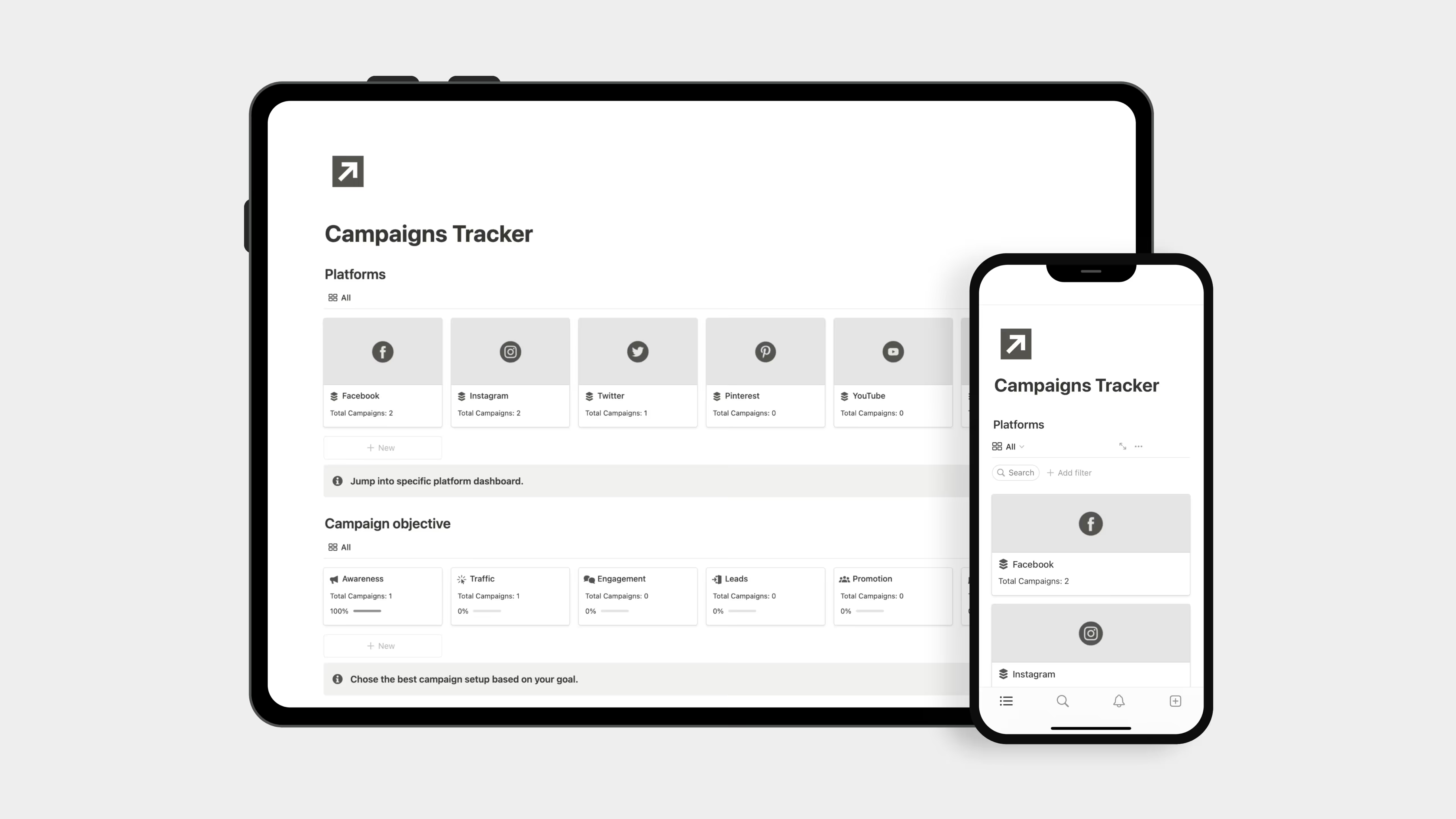
I used this template a lot back when I was running a cash-on-delivery (COD) e-commerce business. It helped me with my ads. Before I touched my ad manager app, I always used this tool to plan out my campaigns, and it did a great job.
Key Features:
- Campaign Organization: Centralize campaign info.
- Performance Tracking: Log metrics.
- Timeline Management: Coordinate schedules.
Notion Finance and Operations Templates
22. Notion Invoices Tracker (Free)
This invoice tracker is part of every business template I have made. A lot of small business owners skip tracking their invoices. Well, I was one of them until I got in trouble with one of my clients and his bookkeeper (They couldn't find the invoice, I forgot to send it in the first place) I am sorry again, Bernard, lol!
Key Features:
- Invoice Database: Store invoice data.
- Payment Tracking: Track paid and overdue invoices.
- Due Date Reminders: Avoid missed collections.
.avif)
Common Questions About Notion Business templates
Is Notion actually good for running a business?
Yes. I run my entire business on it and have been doing so since 2020. Client work, content planning, templates, internal docs, all in one place. Over 50% of Fortune 500 companies use it too, so it's not just for solo creators like me.
Does Notion work offline for business use?
It does now. You can download pages and work without internet, changes sync when you reconnect. It's not as smooth as being online but it works well enough for travel or unstable connections.
Can Notion replace my CRM, project management tool, and other business apps?
For a lot of businesses yes. The relational databases let you build a functional CRM, project tracker, content calendar, and documentation hub without paying for separate tools. That said, if you need very advanced automations or enterprise level reporting, some specialized tools still do that better.
How do Notion templates compare to spreadsheets or regular docs?
Spreadsheets are quick but static. Notion templates create living databases you can filter, sort, and view as boards, timelines, or calendars. Everything connects together and grows with your projects instead of becoming a mess of tabs.