.avif)
10 Notion Client Portal templates to Impress Clients in 2026

Notion client portal templates is quickly becoming a go-to solution for freelancers and agencies who want to look professional without spending weeks building custom systems from scratch. If you’re juggling multiple clients, chasing scattered emails, and losing track of project updates, you already know how quickly things get messy.
The right client portal solves this by giving you a centralized hub where clients can access project details, deliverables, and communication in one polished space.
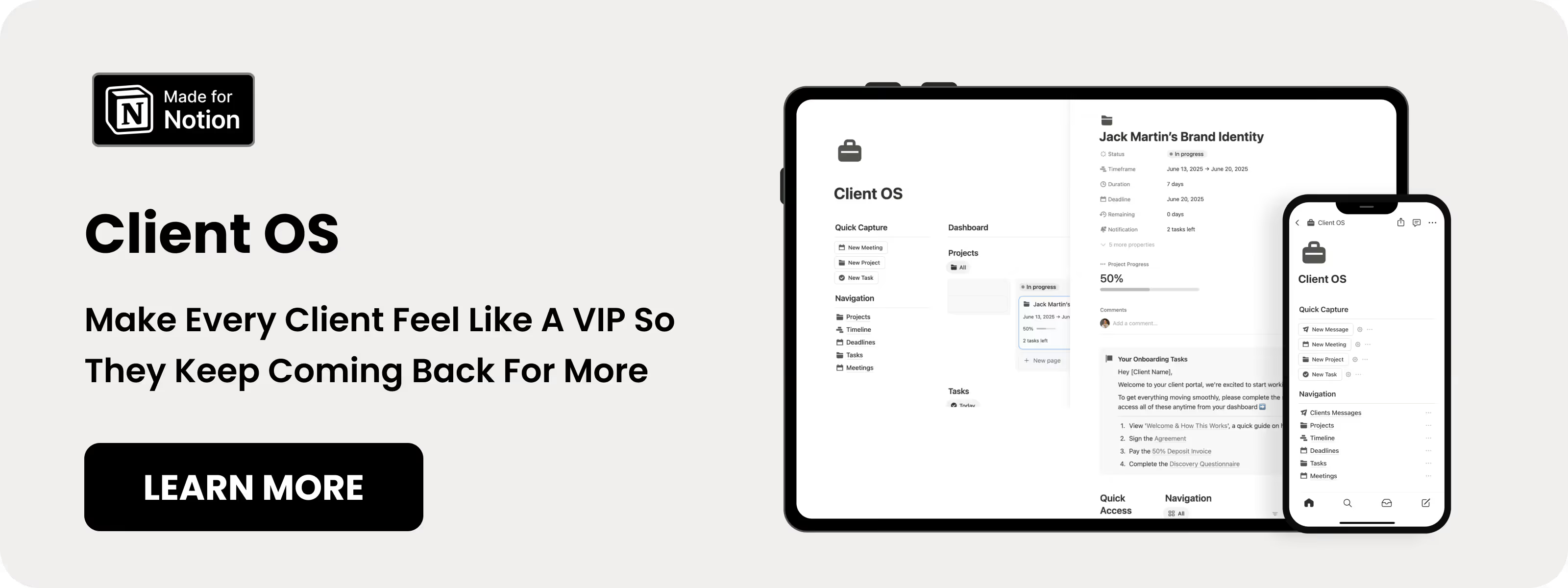
Table of content
10 Best Notion Client Portal templates
These Notion client portal templates are designed to simplify client management, project tracking, and communication. Each template is selected for practical features, real-world usability, and improved client experiences.
1. Notion Client OS (⭐️ Recommended)
Notion Client OS is a Notion client portal template that combines project management with a client-facing dashboard. It helps service providers attract high-paying clients while delivering a premium, organized experience.
Key Features:
- Client Portal: Manage projects and client communication from one dashboard.
- Document Management: Store and share files in one organized location.
- Client Messaging: Communicate directly within the portal, no email chains.
- Project Progress Tracking: Track project stages visually to keep clients informed.

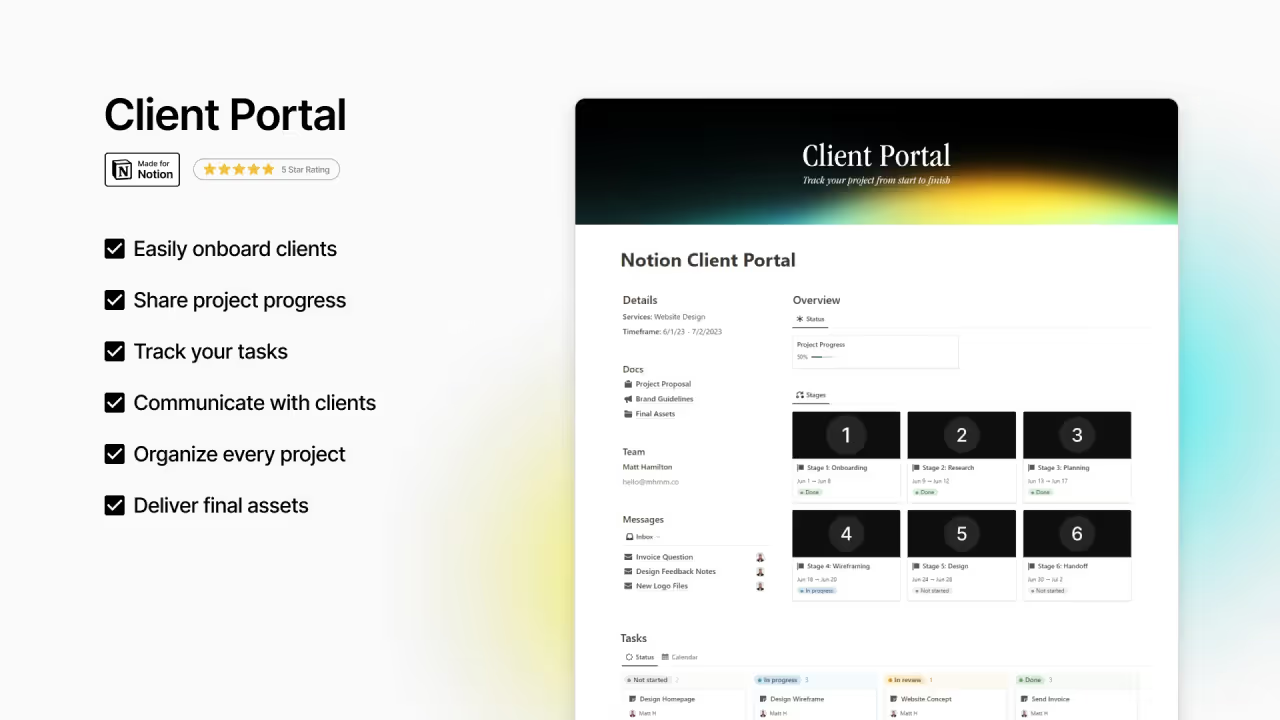
2. Notion Client Portal by Mrbio
This Notion client portal template offers a shareable space to streamline client onboarding and project management. It centralizes files, communication logs, and project documents for a professional workflow.
Key Features:
- Client Onboarding: Collect all client info for a smooth start.
- Project Status Tracker: Share real-time updates with clients.
- Final Asset Handoff: Deliver completed work in an organized format.
3. Notion CRM Client Portal
Notion CRM Client Portal template combines full CRM functionality with client-facing access. It’s ideal for managing all aspects of client relationships in one workspace.
Key Features:
- Comprehensive Client Portal: Central hub for project updates, files, and notes.
- Advanced Task & Project Management: Track all tasks and deadlines in one place.
- Invoicing & Financial Tools: Generate and track invoices directly.
- Centralized Client Communication: Keep all feedback and messages in one place.
.avif)
4. Notion Client Dashboard
Client Dashboard is a Notion client portal template with a clean, visual approach to client management. It’s perfect for freelancers who want to share project progress in an easy-to-understand format.
Key Features:
- Project Stage Organization: Break projects into onboarding, delivery, and feedback stages.
- Visual Progress Bar: Show project completion clearly to clients.
- Invoice Tracking: Monitor all invoices from a centralized dashboard.
- Meetings Dashboard: Track and manage meetings with notes.
.avif)
5. Notion Client Portal By JNKxStudio
This Notion client portal template is designed for freelancers and agencies managing multiple clients. It centralizes client management, project tracking, and admin tasks in one interface.
Key Features:
- Centralized Dashboard: Manage clients, projects, and tasks from one view.
- Project Tracking System: Organize tasks and milestones with real-time client updates.
- Invoices & Expenses Management: Link invoices and expenses directly to projects.
- Final Deliverables & Revisions: Upload files and manage client revisions seamlessly.
- Seamless Communication: Keep client conversations in one built-in messaging system.

6. Notion Client Portal by Agency Supply
Agency Supply’s Notion client portal template helps businesses organize client relationships efficiently. It provides a structured system for managing tasks, projects, and deliverables.
Key Features:
- Integrated Task System Across All Client Portals: Connect tasks across the workspace.
- Project Template with Task Generator: Use pre-built templates for large projects.
- Centralized Asset Hub: Access contracts, deliverables, and client assets.
.avif)
7. Notion Client Portal by OlsNotion (Free)
OlsNotion’s client portal template is a highly-rated Notion client portal template that enhances collaboration. It centralizes client information, projects, and resources for easy management.
Key Features:
- Centralized Client Management Hub: Store all client data in one place.
- Comprehensive Project Organization: Use connected databases and flexible views.
- Collaboration Enhancement: Improve communication and transparency with clients.
.avif)
8. Notion Client Onboarding Portal (Free)
Client Onboarding Portal is a Notion client portal template that focuses on the client journey from lead to off-boarding. It provides a clean, structured dashboard for client visibility and project tracking.
Key Features:
- Client Portal and Dashboard Hub: Give clients a central overview of all information.
- Client Pipeline Visualization: Track client progress through each workflow stage.
- Project Tracker: Keep all ongoing projects accessible and organized.
- Meetings Schedule with Notes: Organize upcoming meetings and relevant notes.
.avif)
9. Notion Client Portal by Chloe Forbesk (Free)
This free Notion client portal template helps freelancers and agencies create professional portals. It organizes project workflows, timelines, and resources for both clients and teams.
Key Features:
- Project Tracker Integration: Manage project backend and client-facing portal together.
- Help and Support Section: Provide clients with self-service support resources.
- Project Management Suite: Includes steps, timelines, documents, meetings, and resources.
- Built-in Database Templates: Templates guide workflow and simplify setup.
.avif)
10. Notion Client Portal Manager (Free)
Notion Client Portal Manager template is designed to centralize client communication and project details. It’s built from real freelancing experience to save time and improve client satisfaction.
Key Features:
- Customizable Client Portals: Give each client a personalized workspace.
- Centralized Organization: Manage tasks, deadlines, and communications in one place.
- Freelancer-Tested System: Streamline operations based on real-world experience.
- Proposal Breakdown Guide: Learn how to create client proposals step by step.
.avif)
Why service providers need a Notion Client Portal template
Client portals are becoming a standard, not a nice-to-have. Research shows that 88% of customers expect organizations to provide online self-service portals, while Deloitte reports that client portals can reduce document search and retrieval time by up to 35%. On top of that, 77% of people say that valuing their time is the most important thing a company can do.
A high-quality Notion client portal template improves client satisfaction, cuts administrative work, and boosts professionalism. Studies show 33% of clients end relationships due to a lack of personalization, making client portals crucial for keeping and growing clients.
This data, combined with growing demand, makes Notion client portal templates essential for modern service providers.
Common Questions About Notion Client Portal templates
How can I share Notion client portal template with clients?
Share your Notion client portal by clicking the "Share" button in the top-right corner of your page, then you can invite clients directly by email through Notion's collaboration features, allowing you to control access permissions and restrict editing rights while giving clients view-only or comment access to their dedicated portal sections.
Can clients access Notion client portal templates without Notion accounts?
Yes, Notion's sharing capabilities allow client access through web browsers without requiring separate Notion accounts, though some advanced features may require client registration.
How do Notion client portals compare to dedicated software?
While dedicated software may offer more specialized features, Notion templates provide excellent value, customization flexibility, and integration capabilities at significantly lower costs.
Is Notion secure enough for client information?
Notion provides enterprise-level security features including data encryption and permission controls. You can precisely control what each client sees by adjusting sharing settings. For sensitive information, use "Can view" permissions rather than edit access. The client portal template in Notion maintains security while still enabling collaboration.