.avif)
11 Best Notion Workout Tracker (Free + Paid) in 2026

The best Notion workout tracker templates let you plan workouts, log exercises, track progressive overload, and monitor your fitness progress all in one customizable workspace. Unlike dedicated fitness apps that lock you into rigid structures, Notion gives you complete control over how you organize your fitness journey.
In this guide, I'll walk you through 11 of the best Notion workout tracker templates available right now, explain what makes Notion a solid choice for fitness tracking, and show you how to build your own simple tracker from scratch.
.avif)
Table of content
- Free Notion Workout Tracker
- Notion Ultimate Workout Planner
- Notion Workout Tracker
- Notion Workout Tracker by Easlo
- Notion x Fitness
- Notion Workout Planner 2.0
- Notion Gym OS
- Notion Workout Tracker
- Notion Gym Planner
- Notion Workout Tracker
- Workout Tracker Notion Template
- How to Build a Simple Workout Tracker in Notion
What Are the Best Notion Workout Tracker Templates?
I've reviewed the most popular Notion workout tracker templates available. Each one takes a different approach to fitness tracking, so the best choice depends on your specific needs and budget.
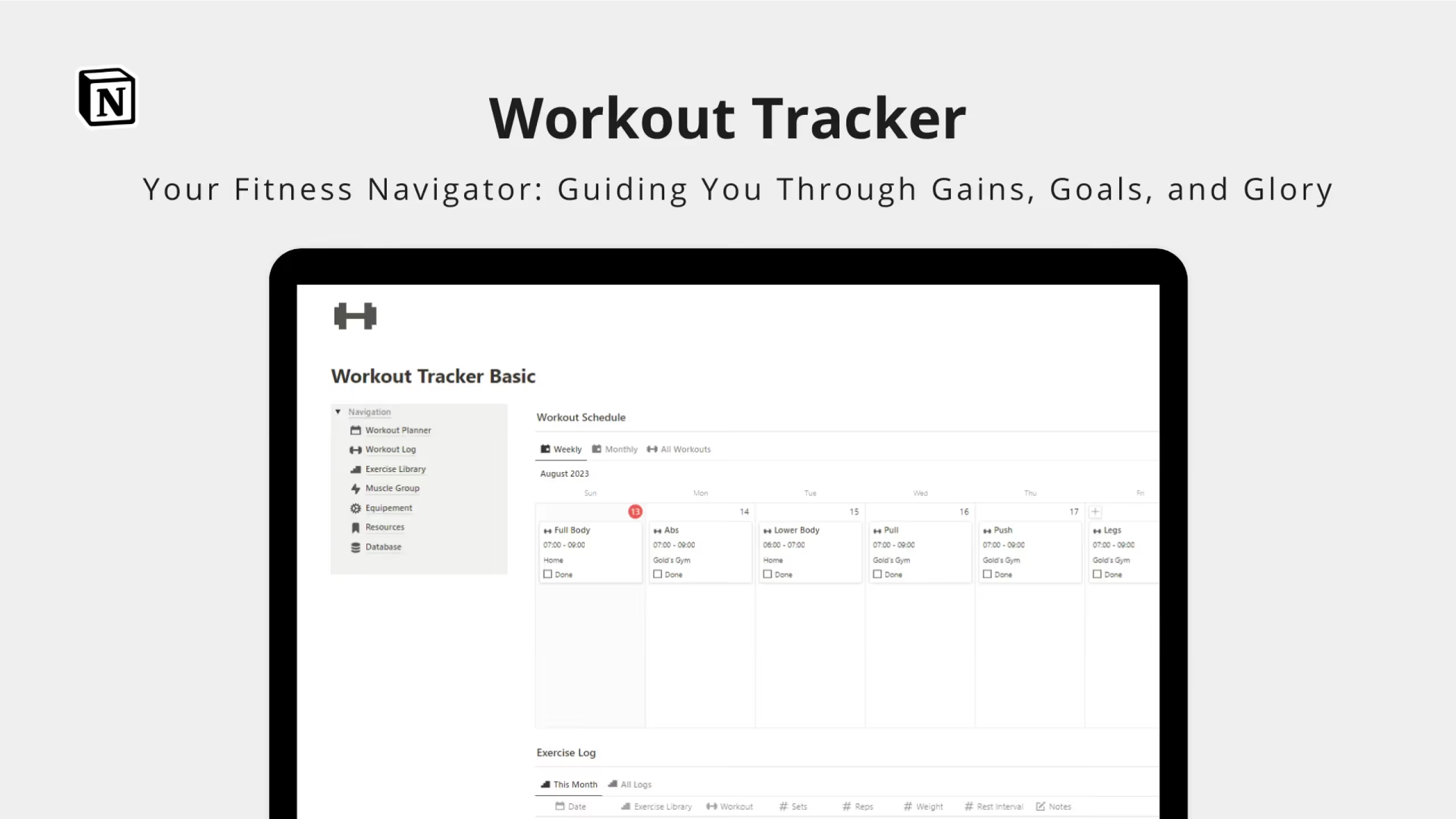
1. Free Notion Workout Tracker
This free template from ProductiveTemply provides a straightforward starting point for tracking your fitness routine. It's designed to help you plan workouts and monitor progress without unnecessary complexity.
Key Features:
- Clean dashboard layout: See your workout schedule and recent activity at a glance
- Exercise tracking: Log sets, reps, and weights for each workout session
- Progress monitoring: Track your improvements over time
Best for: Beginners who want a simple, no-cost entry point into Notion-based workout tracking.
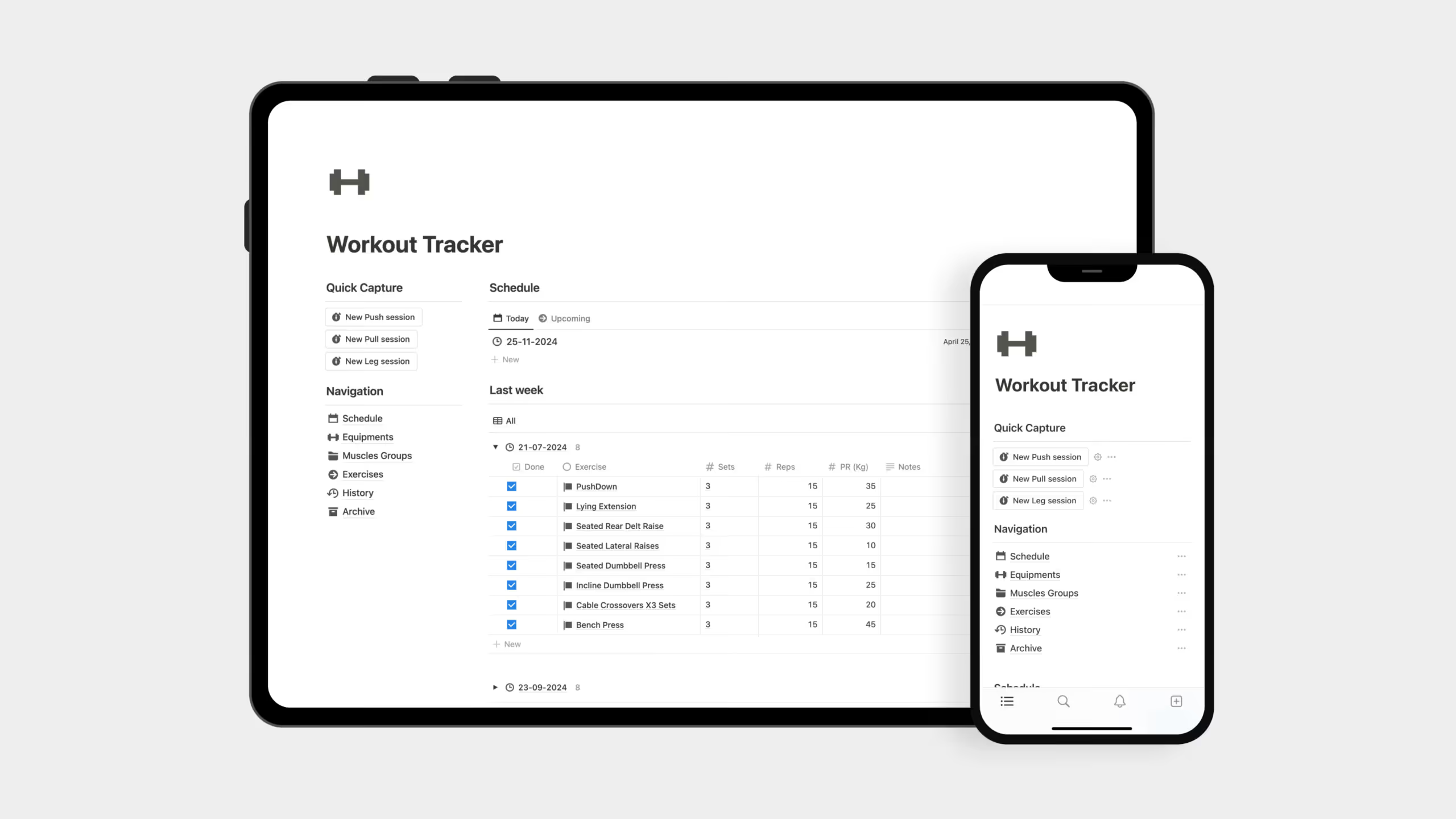
2. Notion Ultimate Workout Planner by Solt Wagner
The Notion Ultimate Workout Planner takes a comprehensive approach, combining workout tracking with nutrition management and health monitoring in one integrated system.
Key Features:
- Workout planner and tracker: Schedule sessions and log your training history by muscle groups
- Exercises library: Pre-built database of exercises to pull from when creating workouts
- Workout programs: Create structured training programs with cycles and phases
- Meal planner with recipes: Plan nutrition alongside training with a shopping list feature
- Health and medication tracker: Monitor supplements, medications, and health metrics
- Weight tracking: Log body weight over time to see trends
- Gym membership manager: Keep track of membership dates and payments
Best for: People who want an all-in-one fitness and nutrition system rather than just workout logging.

3. Notion Workout Tracker by EasyBlocks
EasyBlocks' Notion Workout Tracker focuses on building and scheduling workout routines effectively. It's a pay-what-you-want template, making it accessible to everyone.
Key Features:
- Routine builder: Create custom workout routines with your preferred exercises
- Workout calendar: Schedule and visualize your training week
- Personal records tracking: Log PRs for each exercise to monitor strength gains
- Lifetime access with updates: Template improvements included at no extra cost
Best for: Lifters who want a focused workout tracker without nutrition or health add-ons.
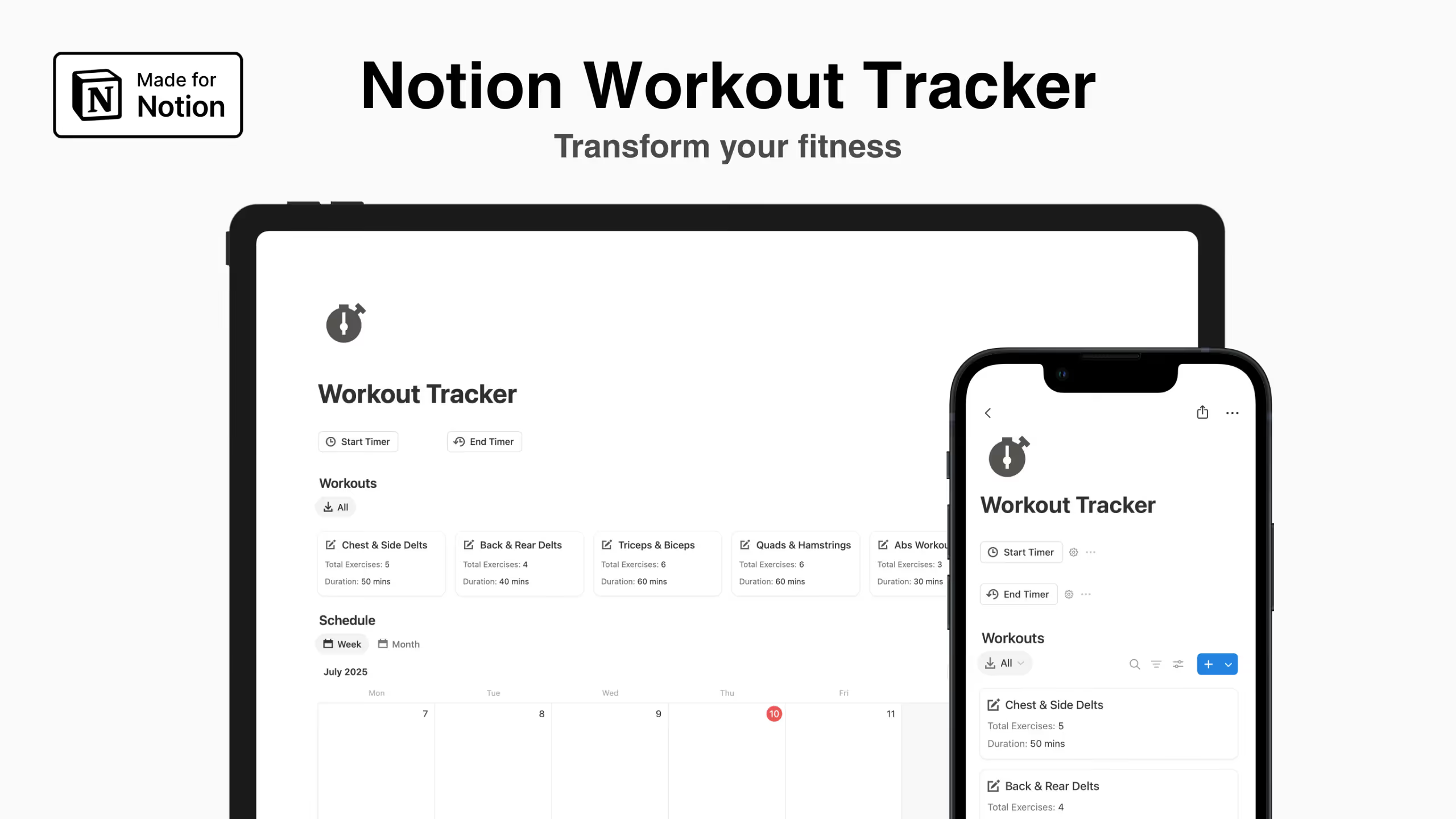
4. Notion Workout Tracker by Easlo
With over 1,200 ratings, Easlo's Workout Tracker is one of the most popular Notion fitness templates available. It comes in both free and pro versions.
Key Features:
- Training schedule: Plan your workout days in advance
- Workout routines: Create and save your favorite training splits
- Workout history: Archive and review past sessions
- Exercises database: Library of exercises organized by muscle group
- Exercise groups: Categorize movements for easy organization
Best for: Anyone wanting a proven, well-reviewed template with optional upgrade path.
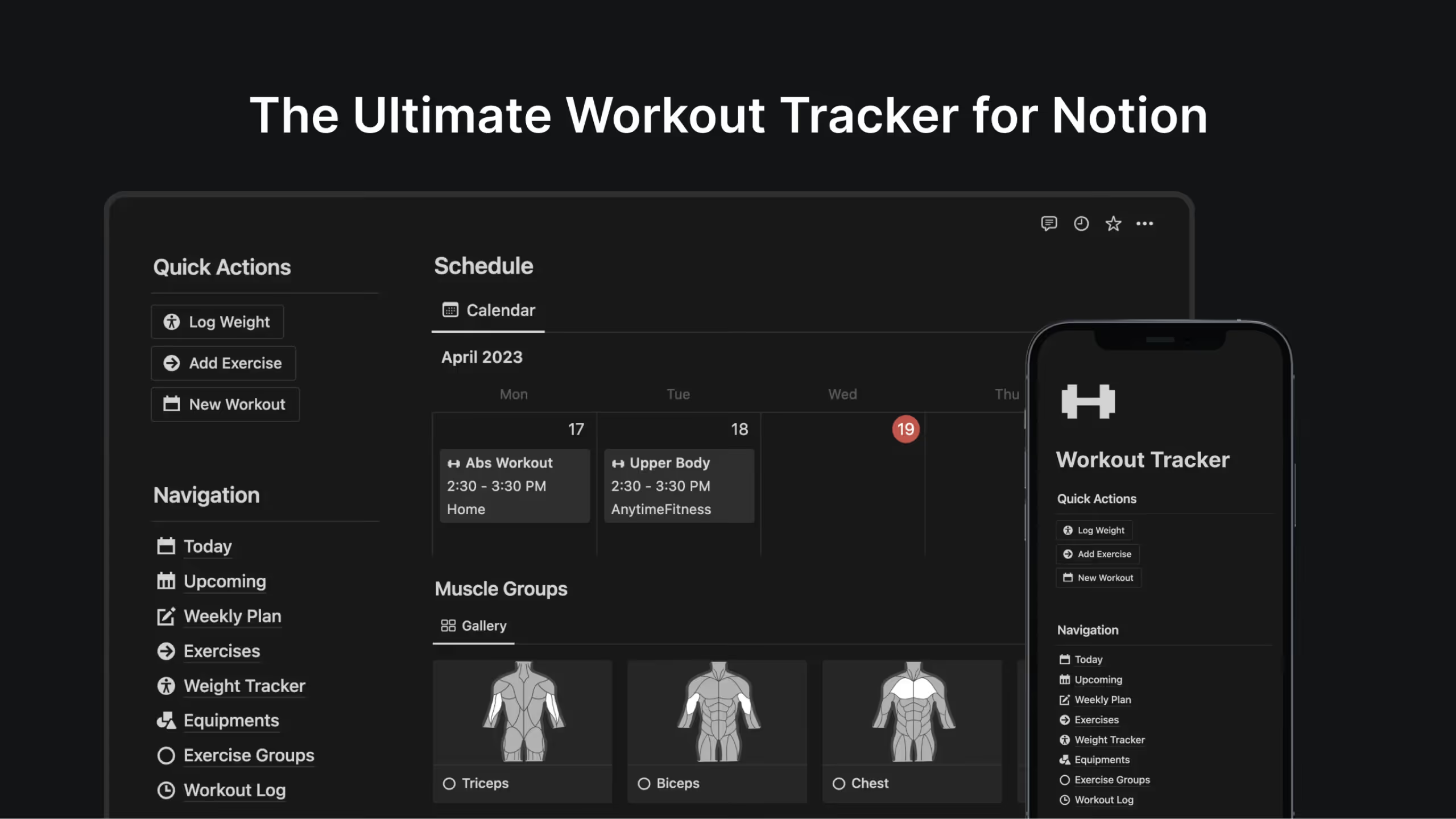
5. Notion x Fitness by Dave
Notion x Fitness aims to be a complete lifestyle transformation tool, not just a workout log. Created by a Notion Certified creator, it emphasizes the connection between exercise, nutrition, and overall health.
Key Features:
- Exercise library: Over 100 curated exercises covering strength, cardio, and flexibility
- Personalized workout plans: Build custom training programs based on your goals
- Nutrition and meal planning: Design meal plans to support your training
- Weight tracking: Monitor body weight and measurements
- Curated mobile version: Specifically optimized interface for gym use on your phone
Best for: People seeking a holistic fitness approach that connects workouts with nutrition.
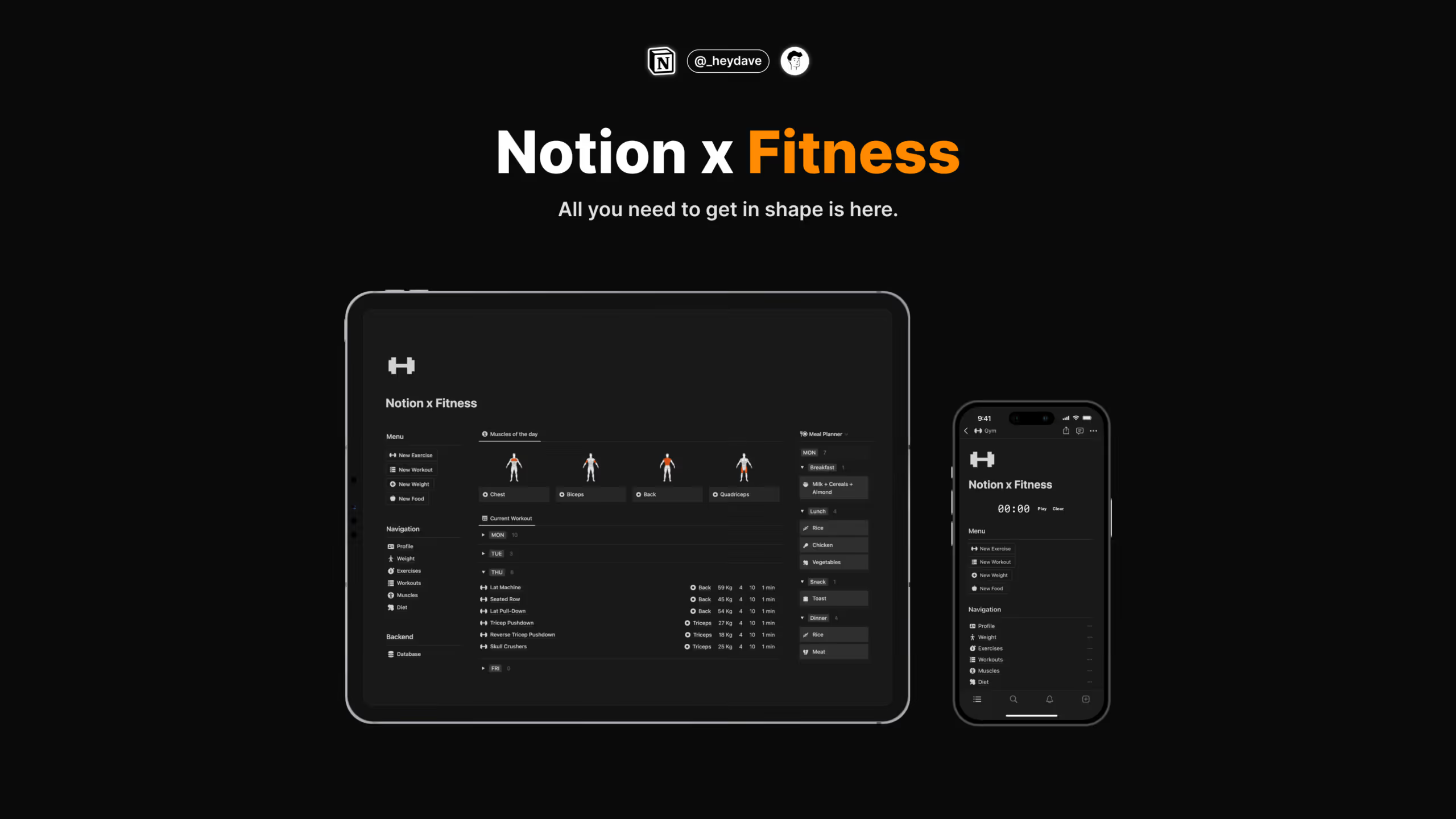
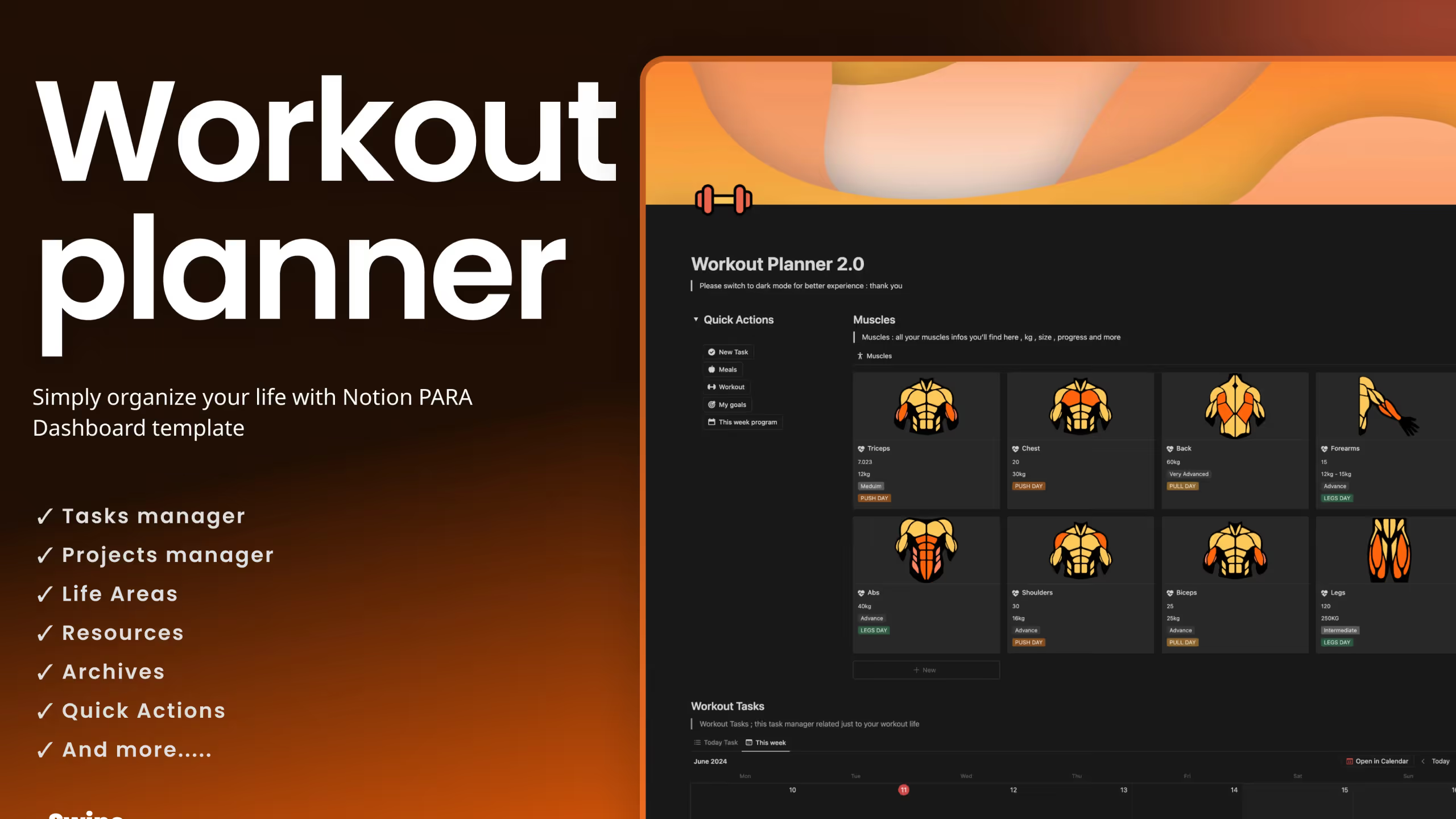
6. Notion Workout Planner 2.0 by OlsNotion
This free template from OlsNotion has been downloaded over 7,800 times. It offers solid functionality without any cost.
Key Features:
- Muscle groups database: Organize exercises by target muscles
- Exercise and workout tracking: Log your training sessions with full details
- Program creation: Build structured workout programs
- Progress chart: Visualize your improvements (user-created)
- Workout goals tracker: Set and monitor fitness targets
- Meal planner: Basic nutrition planning alongside workouts
Best for: Budget-conscious users who want a capable free option with room to customize.
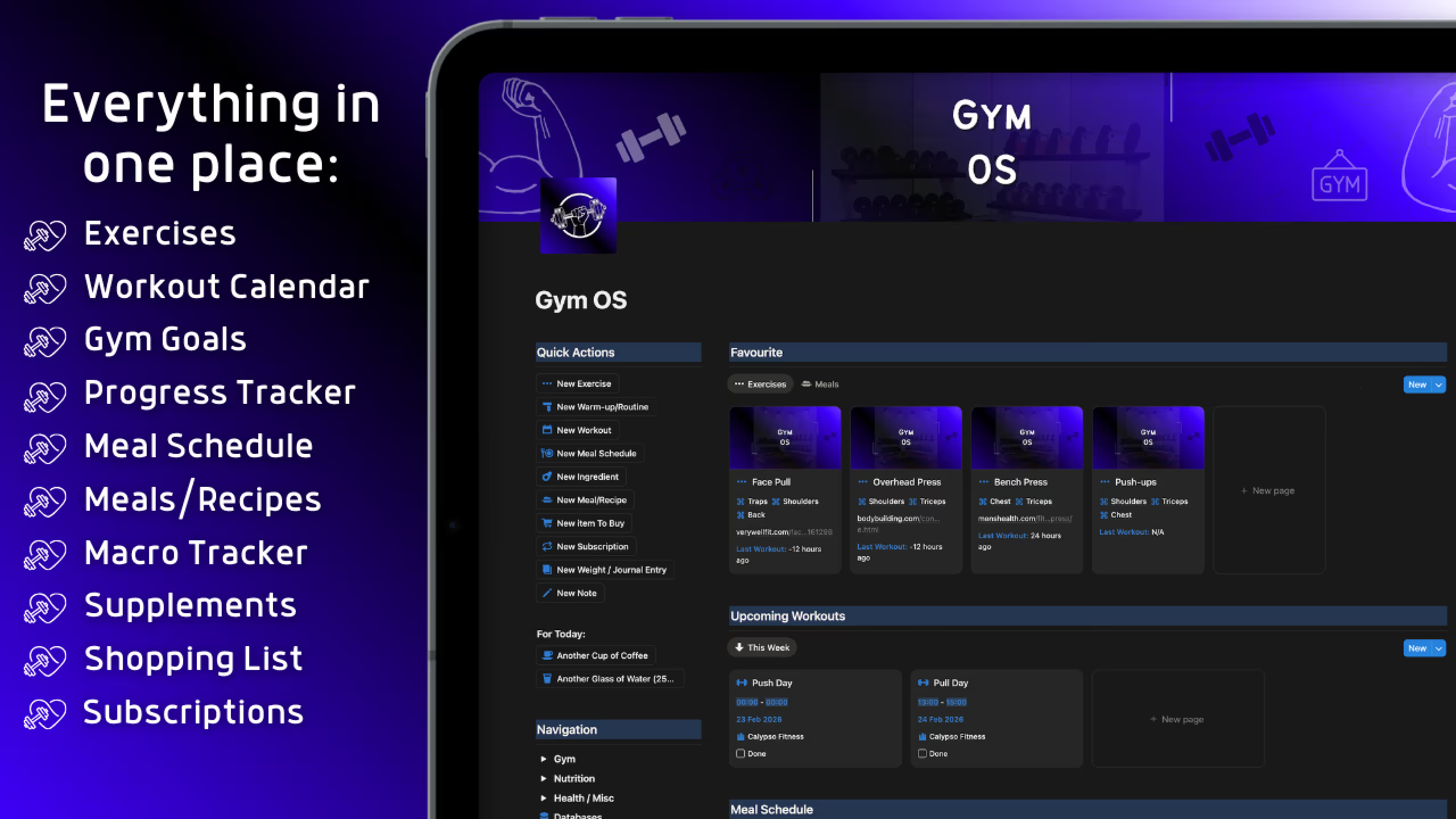
7. Notion Gym OS by Matthew
Gym OS positions itself as a complete operating system for your fitness journey. At a higher price point, it targets people serious about maximizing their gym results.
Key Features:
- Central dashboard: Manage, plan, and track all gym activities from one view
- Workout planner: Schedule exercises with specific sets, reps, and RIRs in advance
- Nutrition plan: Organize meals with calorie and macro information
- Favorite meals database: Save frequently eaten foods for quick logging
- Exercise chart: Proven exercises organized by muscle group
- Long-term goal planner: Monthly, quarterly, and yearly fitness goals
- Progress tracker: Automatic tracking of strength gains, consistency, and rep maxes
Best for: Dedicated gym-goers who want a premium, comprehensive system and are willing to invest in it.
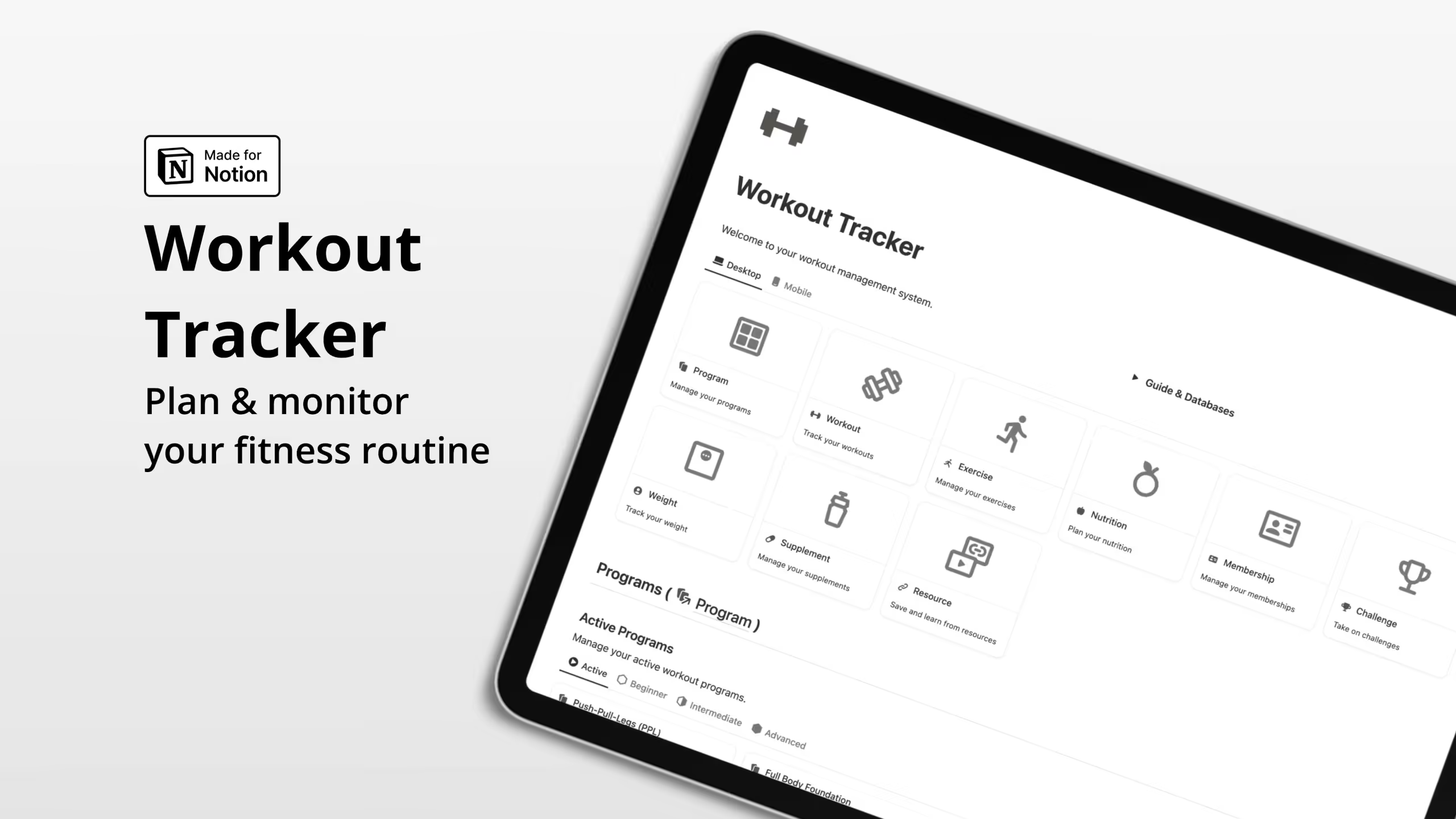
8. Notion Workout Tracker by Eazypath
Eazypath's Workout Tracker offers a comprehensive system for defining, scheduling, and monitoring your fitness routine.
Key Features:
- Program builder: Design workout programs for beginner, intermediate, or advanced levels
- Workout scheduling: Plan individual workouts throughout your week
- Session tracking: Record duration and rate how each workout felt
- Exercise organization: Sort exercises by muscle group
- Nutrition planning: Weekly diet management with food inventory tracking
- Weight tracking: Set target weight and monitor progress
- Supplement log: Track supplement inventory and daily intake
Best for: Users who want structured program building alongside comprehensive tracking.
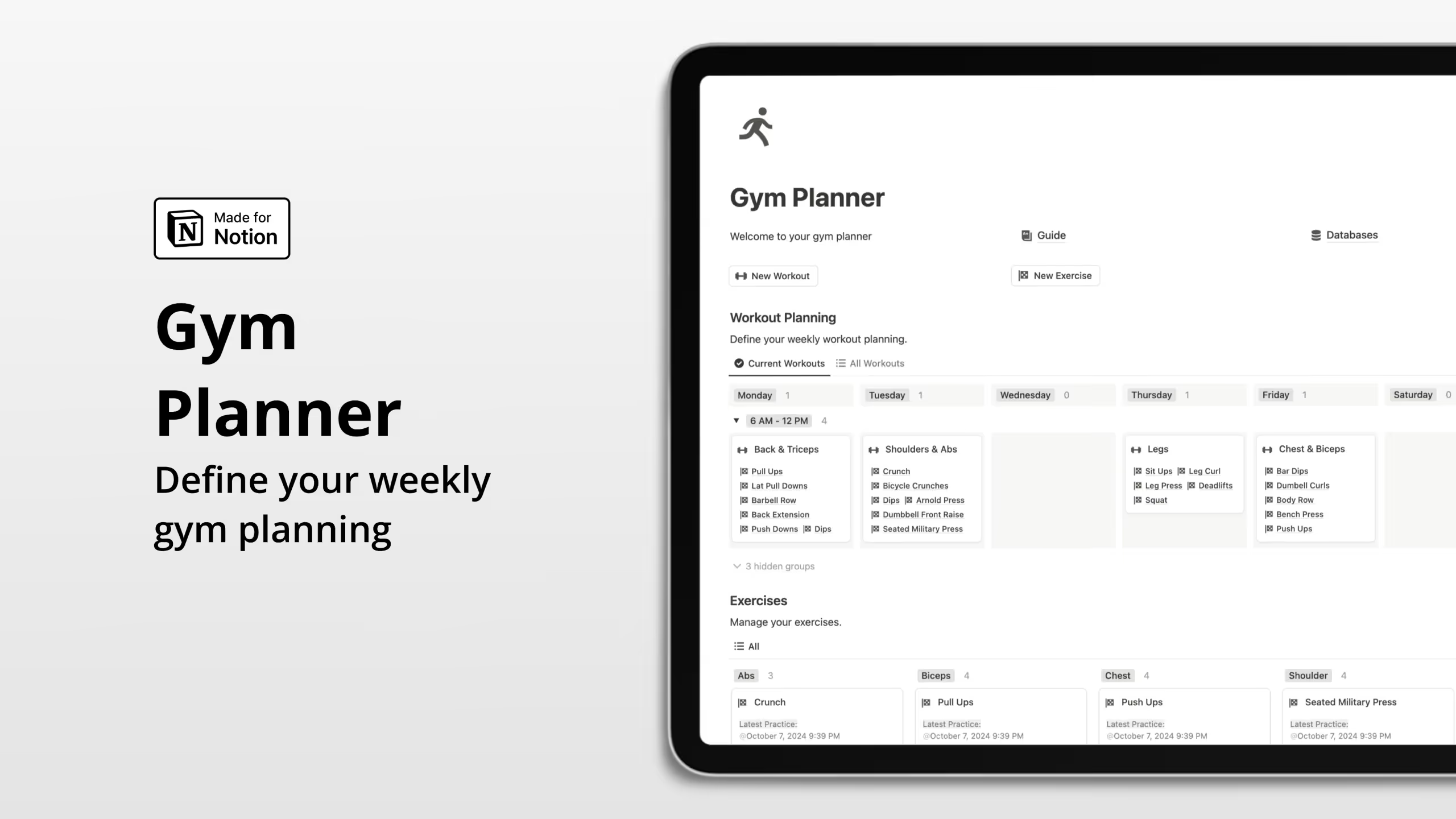
9. Notion Gym Planner by Eazypath
A simpler, free offering from Eazypath, this template focuses on weekly workout planning and session tracking without the extras.
Key Features:
- Weekly workout planning: Schedule workouts from Monday through Sunday
- Exercise management: Organize exercises by muscle groups
- Session tracking: Check off completed exercises during your workout
- Multi-device friendly: Use on desktop or bring your phone to the gym
- Free guide included: Instructions to understand all template features
Best for: People who want simple weekly planning without comprehensive tracking features.
10. Notion Workout Tracker by Rosidssoy
Rosidssoy's Workout Tracker comes in both free basic and paid pro versions, with strong emphasis on mobile optimization. Over 10,800 people have downloaded this template.
Key Features:
- Workout planner: Strategically plan sessions with mobile optimization
- Workout log: Track and analyze progress with a digital diary
- Exercise library: Access exercises with expert guidance
- Muscle group focus: Target specific areas for balanced training
- Equipment selector: Tailor workouts to available gear
- Goals and challenges: Set milestones and track achievements
- Body tracker: Monitor measurements and visualize transformation
- Supplement log: Manage supplement intake
Best for: Users who prioritize mobile usability and want a feature-rich pro option.
11. Notion Workout Tracker Template by Aldwin Nou
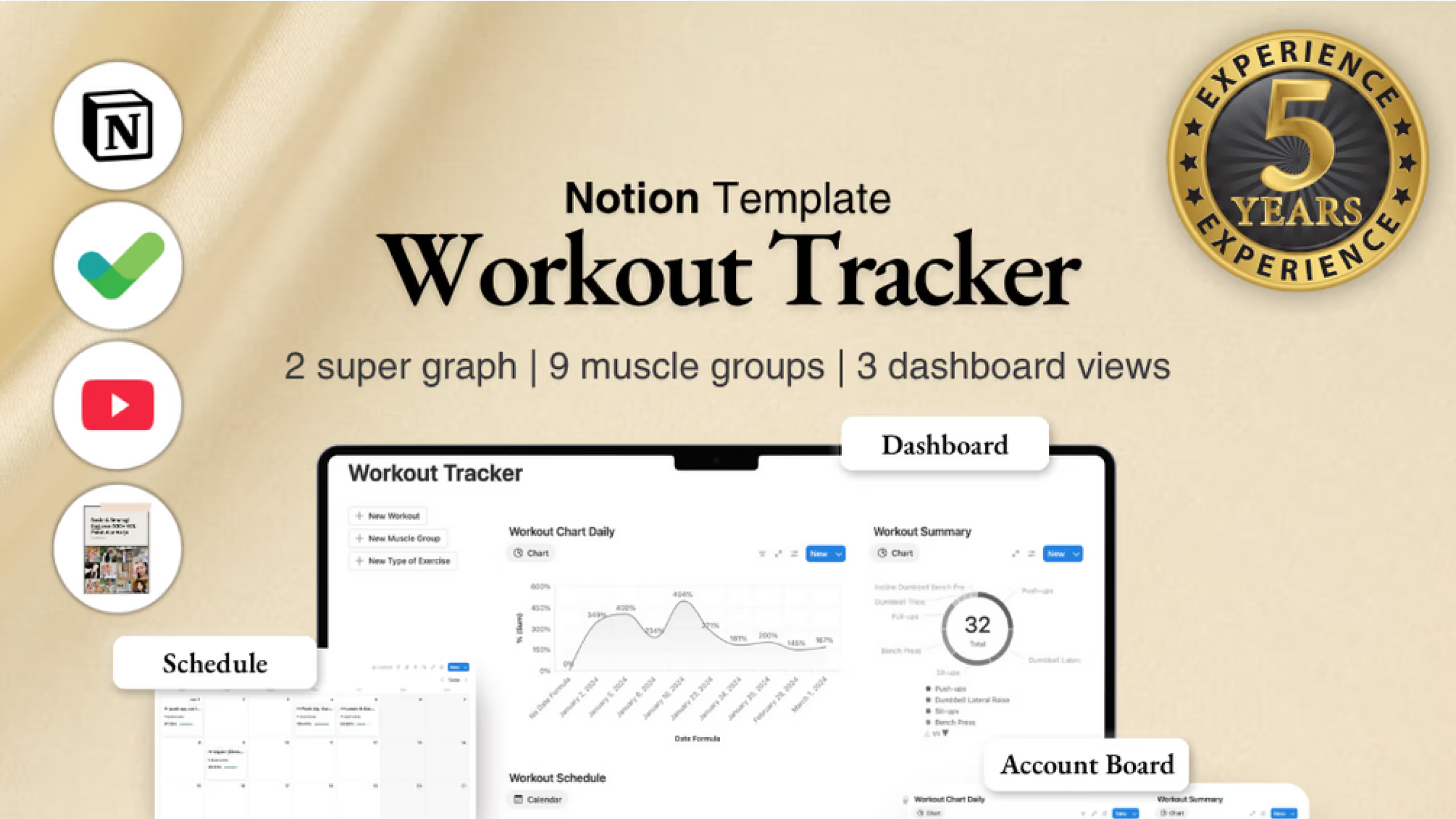
This free template focuses on visualization and data tracking for people who want to see their progress clearly.
Key Features:
- Daily workout chart: Visualize daily workout patterns and training frequency
- Workout summary chart: See progress, volume, and achievements over time
- Schedule calendar: Drag-and-drop planning for training sessions
- Exercises database: Organize every muscle group and exercise type
- Workout history log: Record date, exercises, muscle groups, weights, sets, reps, targets, and notes
Best for: Data-driven trainers who want visualization tools and comprehensive logging fields.
How to Build a Simple Workout Tracker in Notion
If you prefer building your own system rather than using a template, here's a straightforward approach. This takes about 30 minutes to set up and gives you a functional tracker you fully understand.
Step 1: Create Your Exercises Database
Start with a database of all exercises you might perform. Create a new full-page database and add these properties:
- Name (title): Exercise name like "Barbell Bench Press"
- Muscle Group (select): Primary muscle targeted (Chest, Back, Legs, Shoulders, Arms, Core)
- Equipment (select): What you need (Barbell, Dumbbell, Cable, Machine, Bodyweight)
- Notes (text): Form cues or variations
Populate this with 20 to 30 exercises you regularly perform. You can always add more later.
Step 2: Create Your Workout Log Database
This is where you'll record each training session. Create another database with these properties:
- Date (date): When you trained
- Workout Name (title): Something like "Push Day" or "Upper Body A"
- Exercises (relation to Exercises database): Link to exercises performed
- Duration (number): How long the session lasted in minutes
- Notes (text): How you felt, what went well, what to change
Step 3: Create Your Sets Database
For detailed tracking, create a database to log individual sets:
- Exercise (relation to Exercises database): Which exercise
- Workout (relation to Workout Log): Which session this belongs to
- Weight (number): Load used
- Reps (number): Repetitions completed
- Set Number (number): First set, second set, etc.
- Notes (text): RPE rating or form notes
Step 4: Create Useful Views
In your Workout Log database, create these views:
- Calendar view: See your training frequency at a glance
- Table view filtered to this week: Quick access to recent sessions
- Gallery view: Visual cards showing each workout
In your Exercises database:
- Grouped by Muscle Group: Easy exercise selection when planning
Step 5: Build a Dashboard
Create a new page as your workout hub. Add:
- A linked view of your Workout Log (calendar format)
- A linked view showing workouts from the past week
- Quick links to create a new workout
- Your current goals or PRs to beat
This basic setup covers 80% of what most people need. As you use it, you'll discover what's missing and can add properties or views accordingly.
Can Notion Track Progressive Overload and Personal Records?
Yes, and this is one of Notion's strengths for serious lifters. Progressive overload, the gradual increase of stress placed on your muscles during training, is the foundation of strength development. Without it, you plateau.
Most Notion workout templates include features specifically for tracking progressive overload:
Personal record databases. Log your best lift for each exercise. When you review your workout history, you can see if you're pushing past previous limits.
Previous workout reference. Many templates show what you lifted last session for each exercise directly in your logging view. This removes the guesswork about whether you're progressing.
Volume tracking. Beyond just weight, tracking total volume (sets x reps x weight) over time reveals progression even when you're not hitting new maxes.
Automated calculations. Notion's formula properties can automatically calculate one-rep max estimates, weekly volume totals, and other metrics useful for tracking overload.
The key is consistent logging. Research confirms that past behavior is the most significant predictor of future exercise behavior. When you track every workout, you create the data needed to make informed decisions about progression.
Can You Use a Notion Workout Template on Mobile at the Gym?
Absolutely. Notion's mobile app (available for iOS and Android) lets you access and edit your workout tracker from your phone. Most template creators specifically design mobile-optimized views for gym use.
Here's what to expect:
Simplified mobile views. Good templates include stripped-down views that show only what you need during a workout: the exercise name, target sets and reps, and input fields for logging.
Offline functionality. Notion's mobile app caches your pages for offline access. You can log sets even without cell service, and changes sync when you reconnect.
Quick data entry. Template creators often use keyboard-friendly input formats. For example, logging "135/10" for 135 pounds and 10 reps is faster than filling separate fields.
Widget support. On iOS and Android, you can add Notion widgets to your home screen for one-tap access to your current workout.
The experience isn't quite as seamless as dedicated fitness apps designed purely for gym logging. But for people who want their workout data integrated with the rest of their Notion workspace, the trade-off works.
Tips for better mobile gym tracking:
- Favorite your workout logging page for quick access
- Download pages for offline access before hitting the gym
- Use a template button to create new workout entries with one tap
- Set up a simplified table view showing only today's exercises
How Do You Track Calories and Macros Alongside Workouts in Notion?
Several templates in this list include nutrition tracking alongside workout logging. Here's how it typically works:
Meal database. A database of foods with calorie and macro information (protein, carbs, fat). Many templates come pre-loaded with common foods.
Daily log. Link foods from your database to each day, and formulas automatically calculate your totals.
Targets and progress. Set daily calorie and macro goals, then see how your actual intake compares.
Meal planning. Some templates include weekly meal planning views where you can drag foods into each day before the week starts.
Shopping lists. Generate grocery lists based on your planned meals.
For serious nutrition tracking, dedicated apps like MyFitnessPal or Cronometer offer larger food databases and barcode scanning. But for people who want a unified fitness system without app-hopping, Notion's nutrition tracking works well enough.
The templates that handle nutrition best include:
- Notion Ultimate Workout Planner (meal planner with recipes and shopping list)
- Gym OS (favorite meals database with macros)
- Notion x Fitness (nutrition and meal planning integration)
- Notion Workout Tracker by Eazypath (nutrition planning with food inventory)
Liked this? I've got more Notion templates that might help. They're all ready to use, no setup required.
Frequently Asked Questions
Is Notion free for workout tracking?
Yes. Notion's free plan includes everything needed for workout tracking: unlimited pages, databases, and basic features. You only need a paid plan if you want unlimited file uploads, version history beyond 7 days, or team collaboration features.
Can I share my Notion workout tracker with a trainer or workout partner?
Yes. Notion lets you share individual pages or entire databases with anyone via link. You can give view-only access or full editing permission. For workout partners, you could share your tracker and see each other's progress.
Do Notion workout templates work offline?
Partially. The Notion mobile app caches recently viewed pages for offline access. If you open your workout page before going to the gym, you can usually access and edit it without internet. Changes sync when you reconnect. For reliability, make sure to load your workout page before leaving WiFi.
How do I track different muscle groups in Notion?
Most templates use a "select" or "multi-select" property to categorize exercises by muscle group. When logging workouts, you link to exercises from your database, and the muscle group information comes along automatically. Some templates also calculate weekly volume per muscle group using rollup properties.
What's the difference between free and paid Notion workout templates?
Free templates typically offer core functionality: exercise databases, workout logging, basic tracking. Paid templates often add polish like pre-filled exercise libraries, optimized mobile views, nutrition tracking, progress visualizations, video tutorials, and ongoing updates. Whether the premium features are worth it depends on how much you value time saved versus customization freedom.
Can Notion replace my fitness app?
For many people, yes. If you value customization and already use Notion, switching your workout tracking there makes sense. However, if you rely on features like automatic exercise detection from wearables, built-in rest timers, or exercise demonstration videos, a dedicated fitness app might serve you better. Some people use both: Notion for planning and reviewing, a simple app for in-gym logging.