.avif)
10 Best Notion Wishlist Templates (Free + Paid) in 2026

The best Notion wishlist templates help you save items you want, organize them by category and priority, and actually find them when you're ready to buy. Whether you're tracking holiday gift ideas, building a shopping list, or trying to curb impulse purchases, a good wishlist template in Notion keeps everything in one searchable place.
This guide covers the top Notion shopping wishlist templates available right now, plus practical instructions for adding items from websites and sharing your list with family.
.avif)
Table of content
10 Best Notion Wishlist Templates for 2026
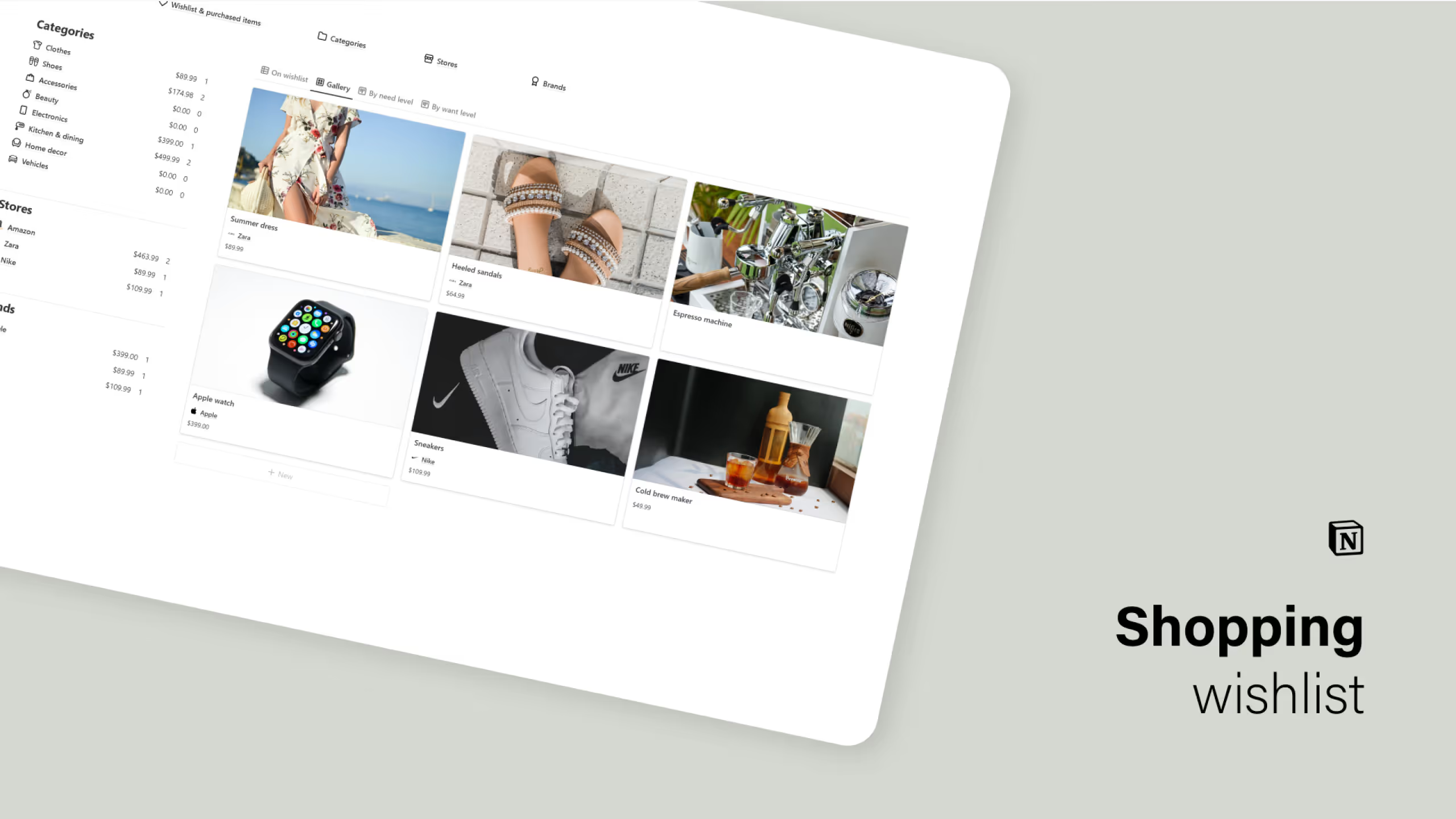
1. Notion Shopping Wishlist Template
This template is built for people who struggle with impulse buying and want a system that encourages intentional purchasing. It goes beyond a simple list by including integrated databases for stores, brands, and categories, each with their own summary statistics.
Key Features:
- Want/need assessment: Rate each item to help prioritize what actually matters
- Store and brand databases: Track where you shop and identify spending patterns
- Category summaries: See how your wishlist breaks down by type with built-in stats
What makes this template stand out is its focus on helping you make informed decisions rather than just collecting items. The dashboard approach gives you a bird's eye view of your shopping desires.
2. Notion Wishlist OS Template
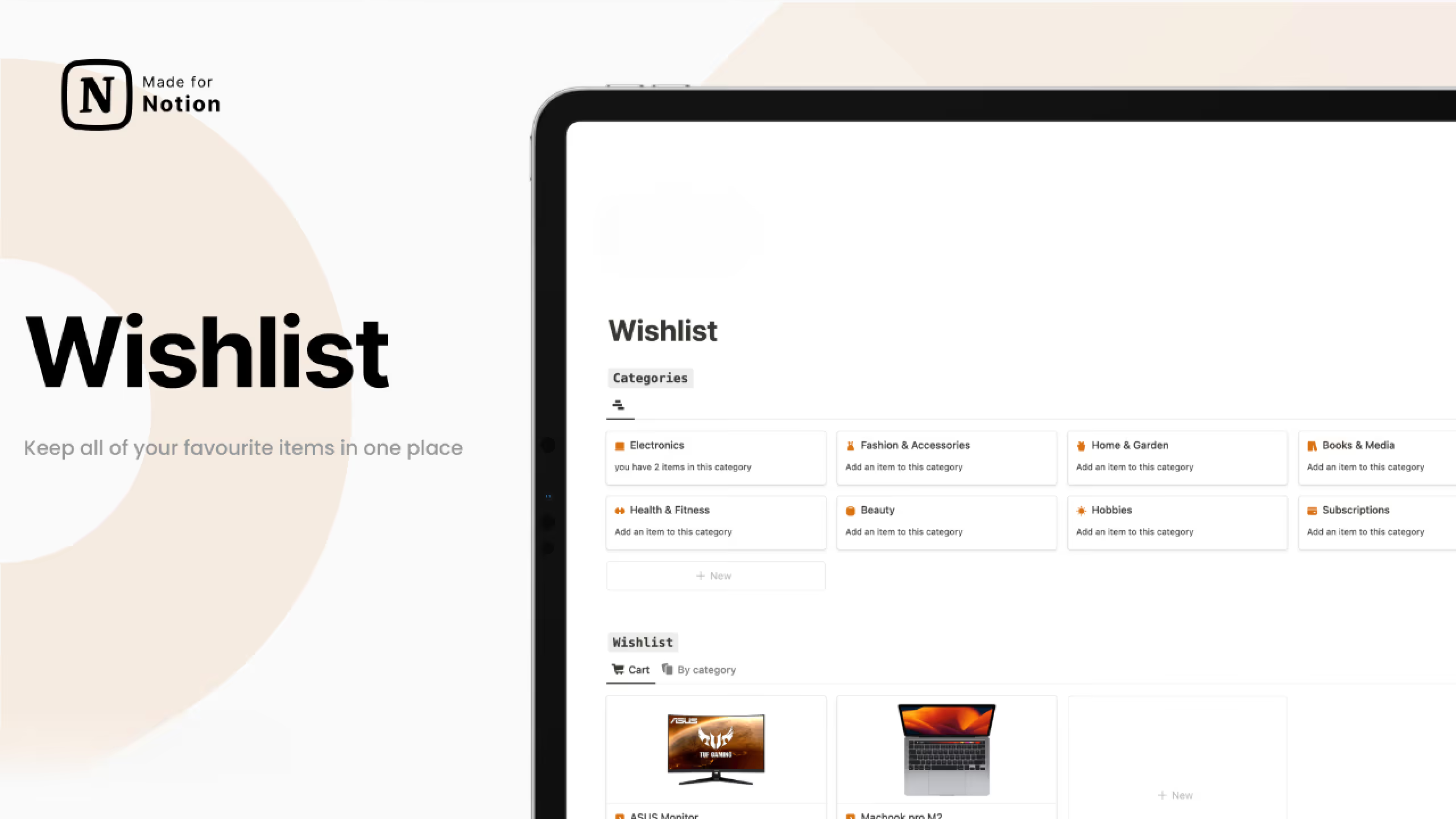
A clean, user-friendly template that balances simplicity with useful features. It's particularly good for people who want to set target dates for purchases and track how long items have been sitting on their list.
Key Features:
- Categories counter: See at a glance how many items you have in each category for balanced planning
- Multiple views: Sort and filter by category, status, or any other property you choose
- Calendar view: Set target purchase dates and visualize them on a calendar
The calendar view is especially helpful if you're saving up for specific items or planning purchases around sales events like Black Friday.
3. Notion Wishlist Template
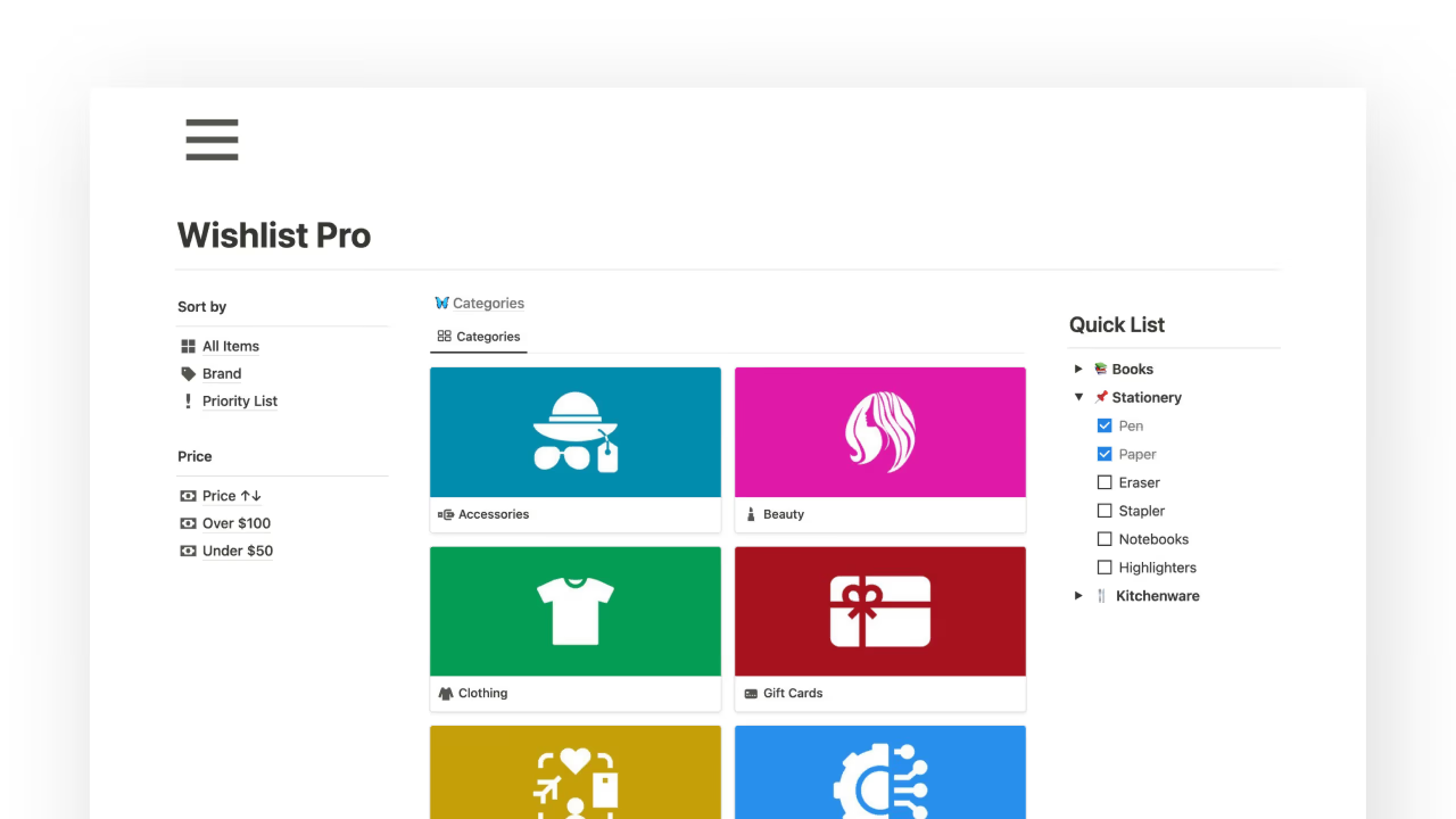
Another solid option with a focus on visual organization. This template uses the same core features as Wishlist OS but with a slightly different layout that some users might prefer.
Key Features:
- Categories: Keep track of item distribution across different categories
- Flexible filtering: Multiple pre-built views for different browsing needs
This template works well for people who prefer a gallery view with images of their wishlist items rather than a simple table layout.
4. Notion Wishlist Management Template
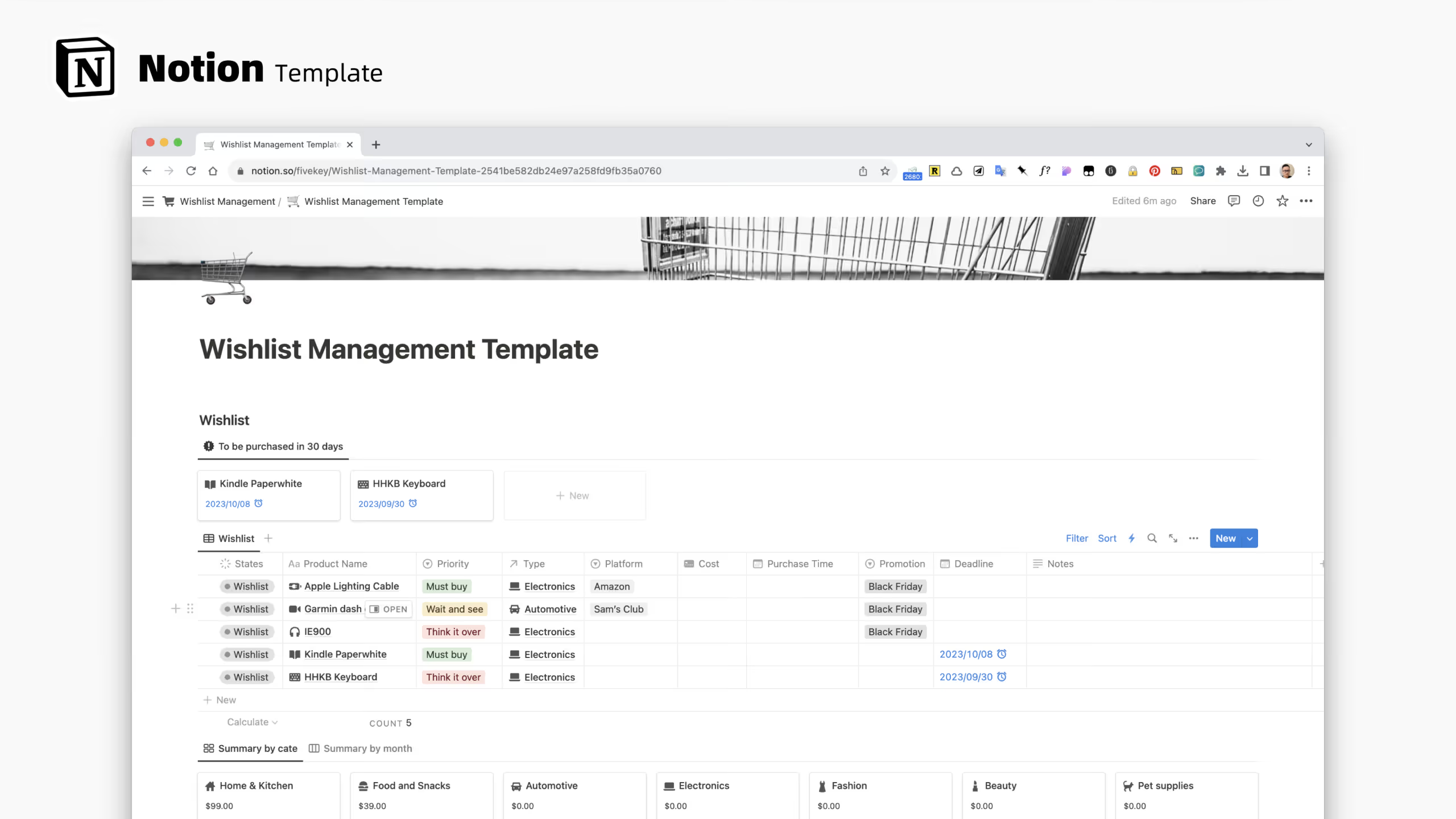
Designed specifically for daily shopping management, this template helps you track both items you want to buy and your actual purchase history. It's more comprehensive than a simple wishlist because it includes expense tracking features.
Key Features:
- Purchase record: Log what you've bought alongside what you want
- Monthly cost summaries: See spending patterns organized by month and category
- 30-day purchase forecast: Automatically shows items with deadlines in the next month
If you want to connect your wishlist to broader spending awareness, this template bridges the gap between wanting and buying.
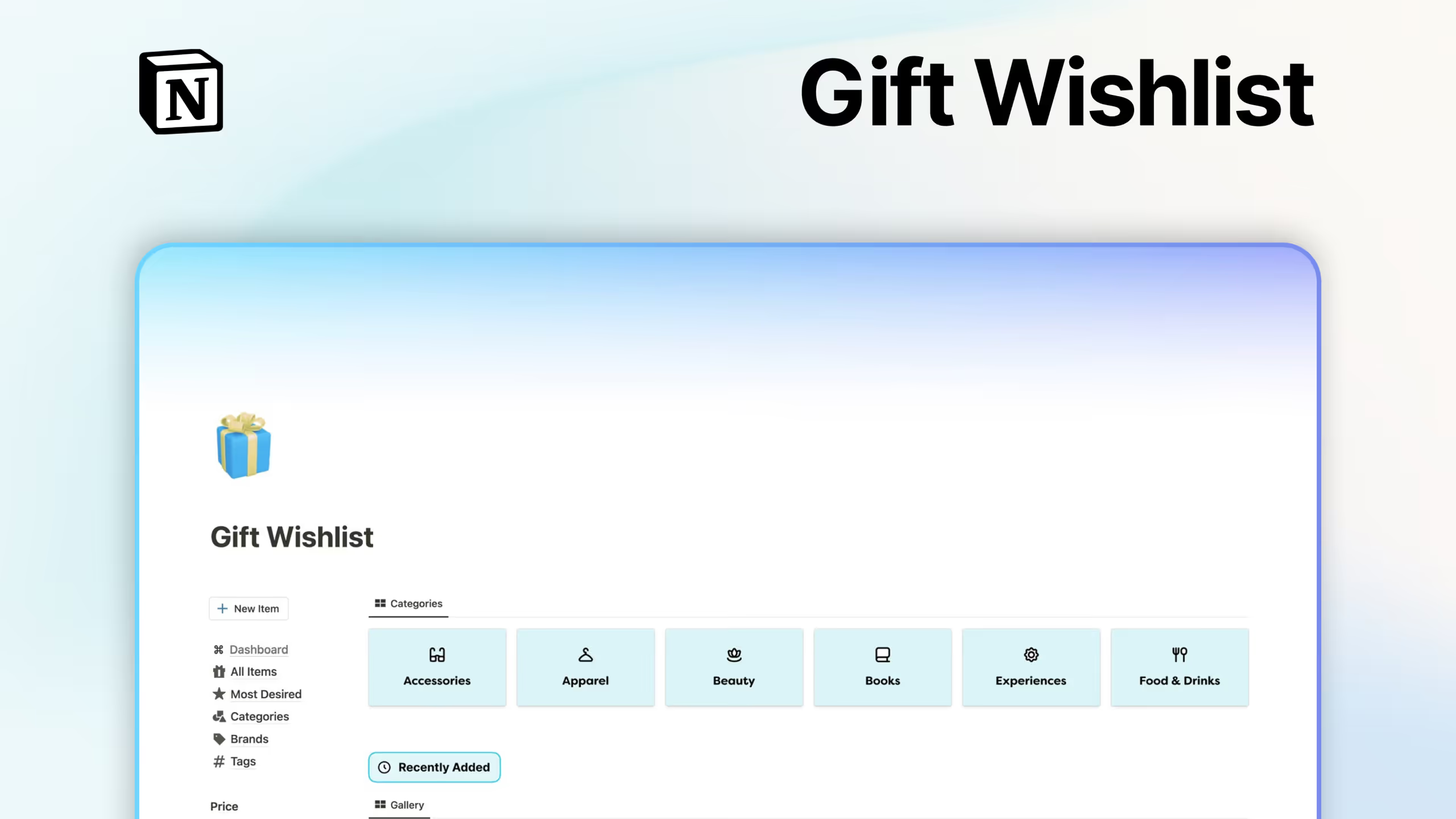
5. Notion Gift Wishlist
Built specifically for sharing with friends and family, this template is perfect for birthdays, holidays, weddings, and other gift-giving occasions. It comes pre-loaded with common gift categories and focuses on shareability.
Key Features:
- 12 pre-built categories: Accessories, apparel, beauty, books, experiences, food and drinks, fun, gift cards, home, lifestyle, tech, and miscellaneous
- Sort and filter options: Organize by name, brand, date added, or price range
- Priority marking: Flag your most-wanted items so gift-givers know where to start
The template is straightforward and focused, which makes it easy to share with people who might not be familiar with Notion.
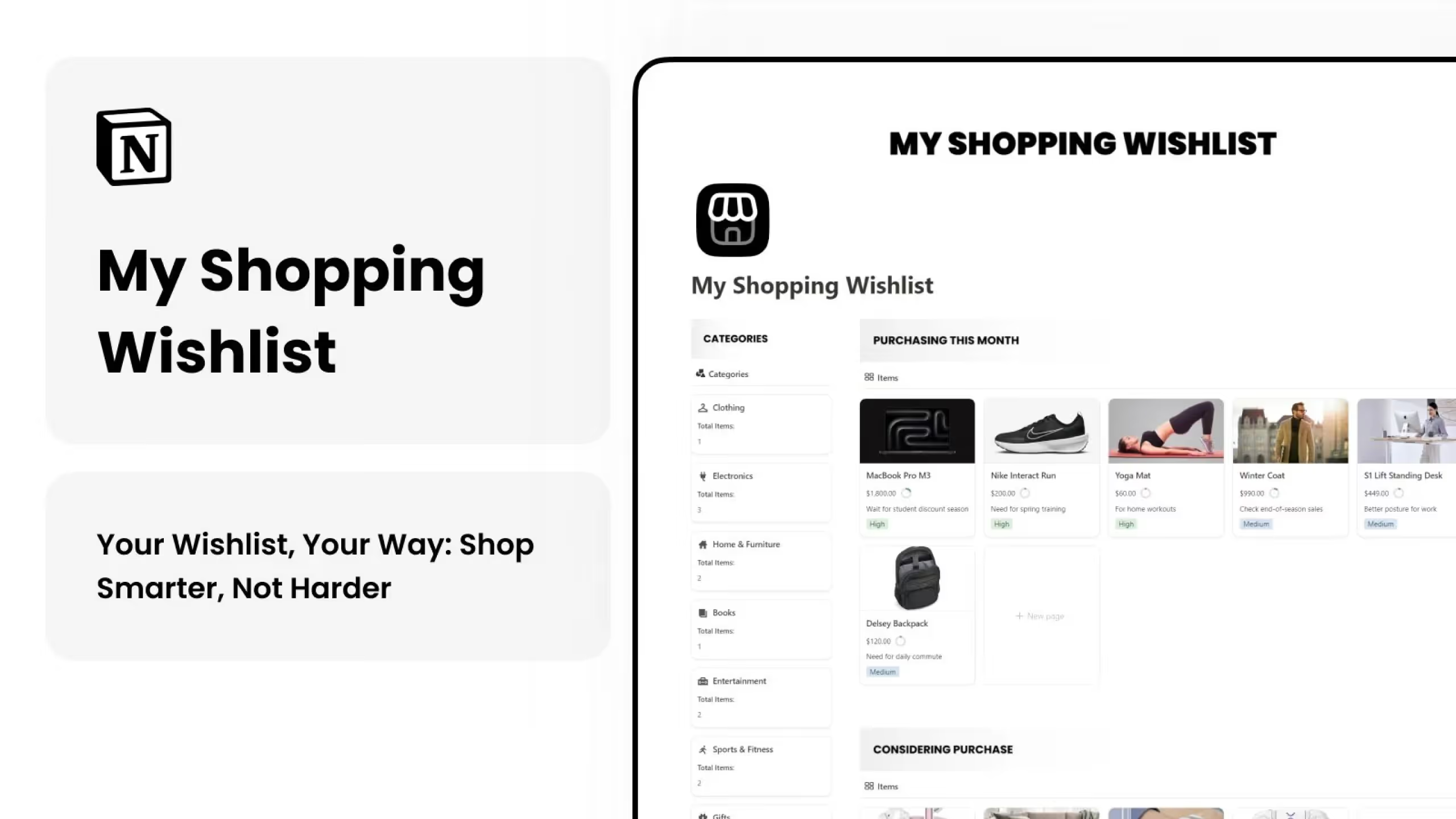
6. Notion Shopping Wishlist Template
A minimalist free template that covers the essentials without overwhelming you with features. Good for people who want a quick setup and simple maintenance.
Key Features:
- Price and budget tracking: Keep tabs on costs and set spending goals
- Priority system: Mark items by importance
- Category organization: Sort items into logical groups
- Purchase status: Track what's been bought and what's still waiting
This template works well as a starting point that you can customize over time as you figure out what you actually need.
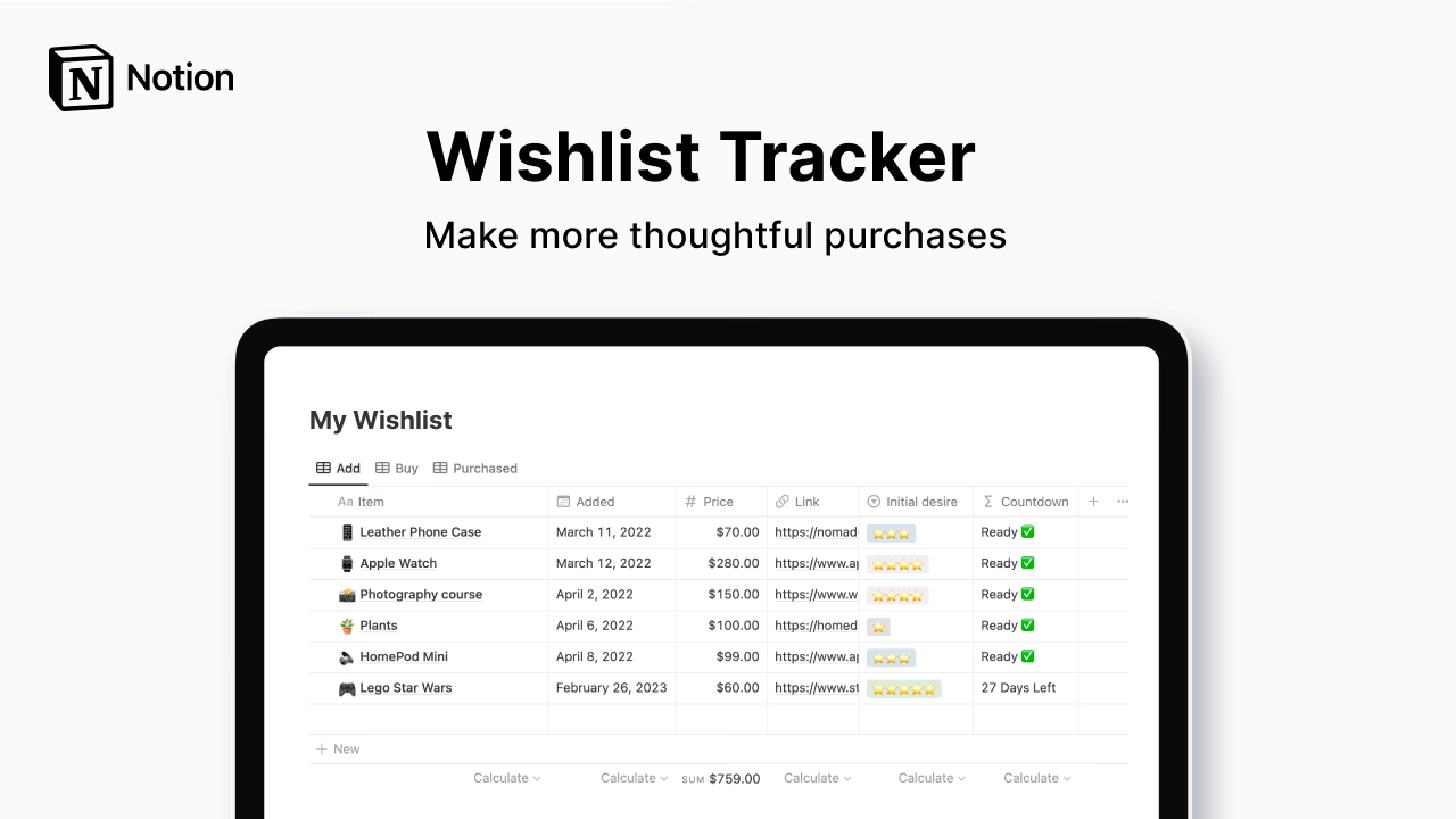
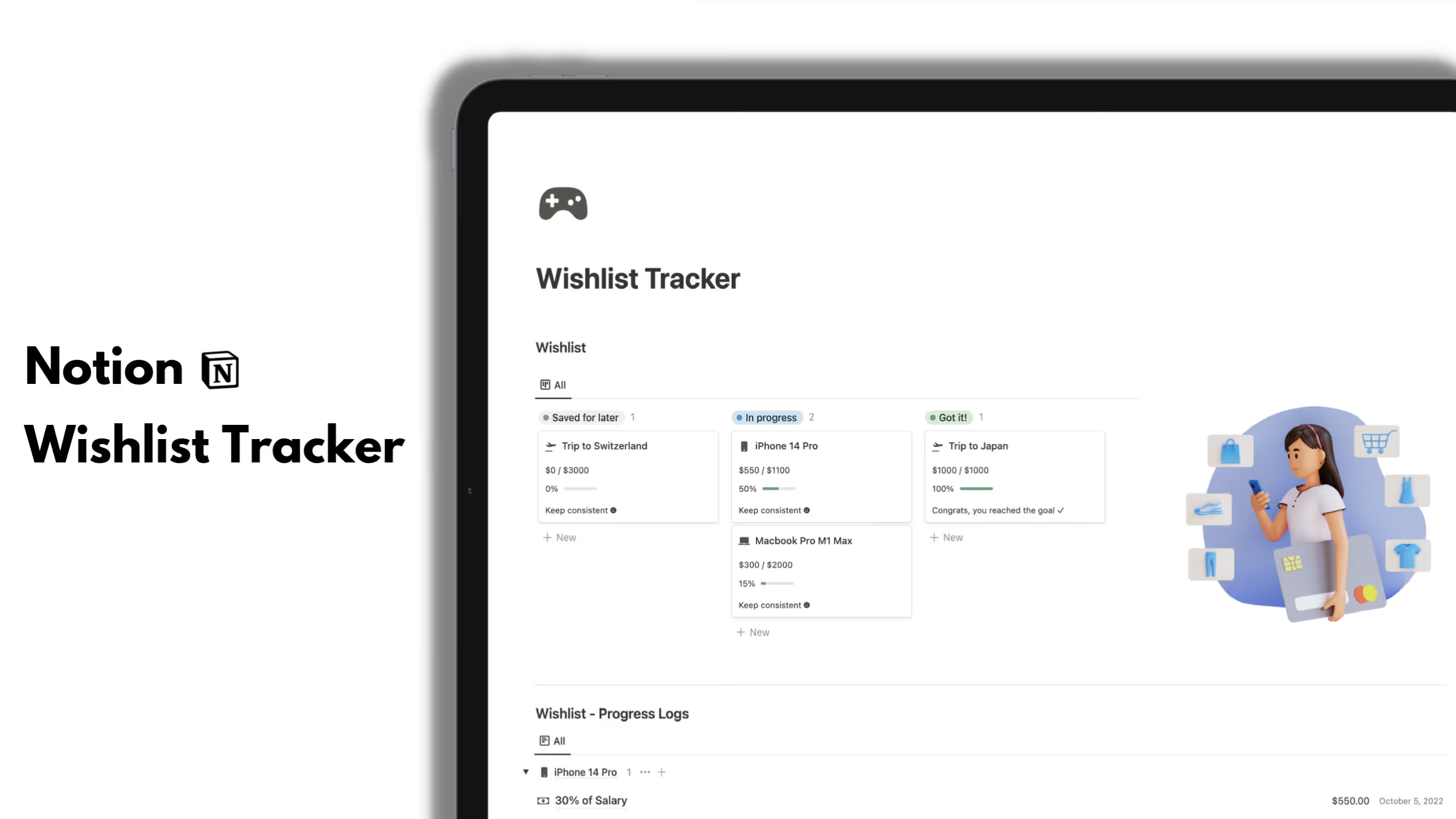
7. Wishlist Tracker for Notion
This template includes a unique feature for fighting impulse purchases: an automatic countdown timer. When you add an item, the template tracks how long it's been on your list, encouraging you to wait before buying.
Key Features:
- Automatic countdown: See how long each item has been on your wishlist
- Running total: View the combined cost of all your wishlist items
- Centralized tracking: Keep all desired purchases in one organized location
The waiting period approach is backed by consumer psychology. Many people find that the urge to buy fades after a few days or weeks, which is exactly what this template helps you discover.
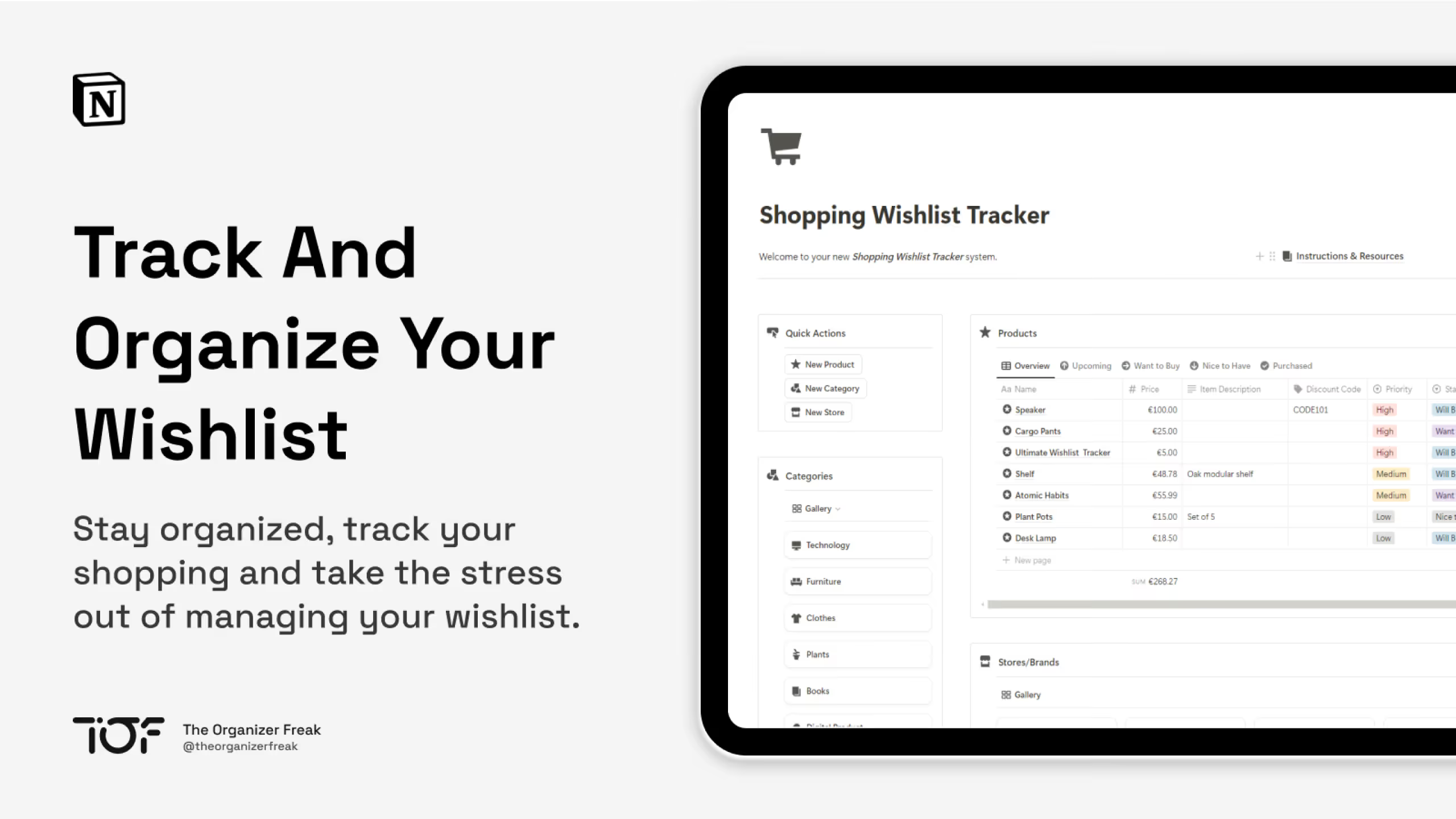
8. Notion Shopping Wishlist Tracker
Available in both free and premium versions, this template offers a clean dashboard approach with quick-add functionality for rapid item entry.
Key Features:
- Product tracker: Store all the details you need about each item
- Category and store organization: Filter by where you'll buy and what type of item
- Quick add buttons: Speed up the process of adding new items
- Status tracking: Mark items as purchased when you buy them
The free version covers the basics, while the ultimate version adds category insights, a stats dashboard with budget tracking, and a "save for later" archive.
9. Notion Wishlist Tracker
A minimal, clean template for people who want simplicity over features. If you're looking for a no-fuss way to track items without complex dashboards or multiple databases, this is worth considering.
Key Features:
- Clean interface: Straightforward design without unnecessary complexity
- Goal tracking: Keep wishlist items alongside broader goals
- Simple organization: Basic but effective categorization
Sometimes the best template is the one you'll actually use consistently, and this minimalist approach works well for people who find complex systems overwhelming.
10. Notion Wishlist Tracker Template
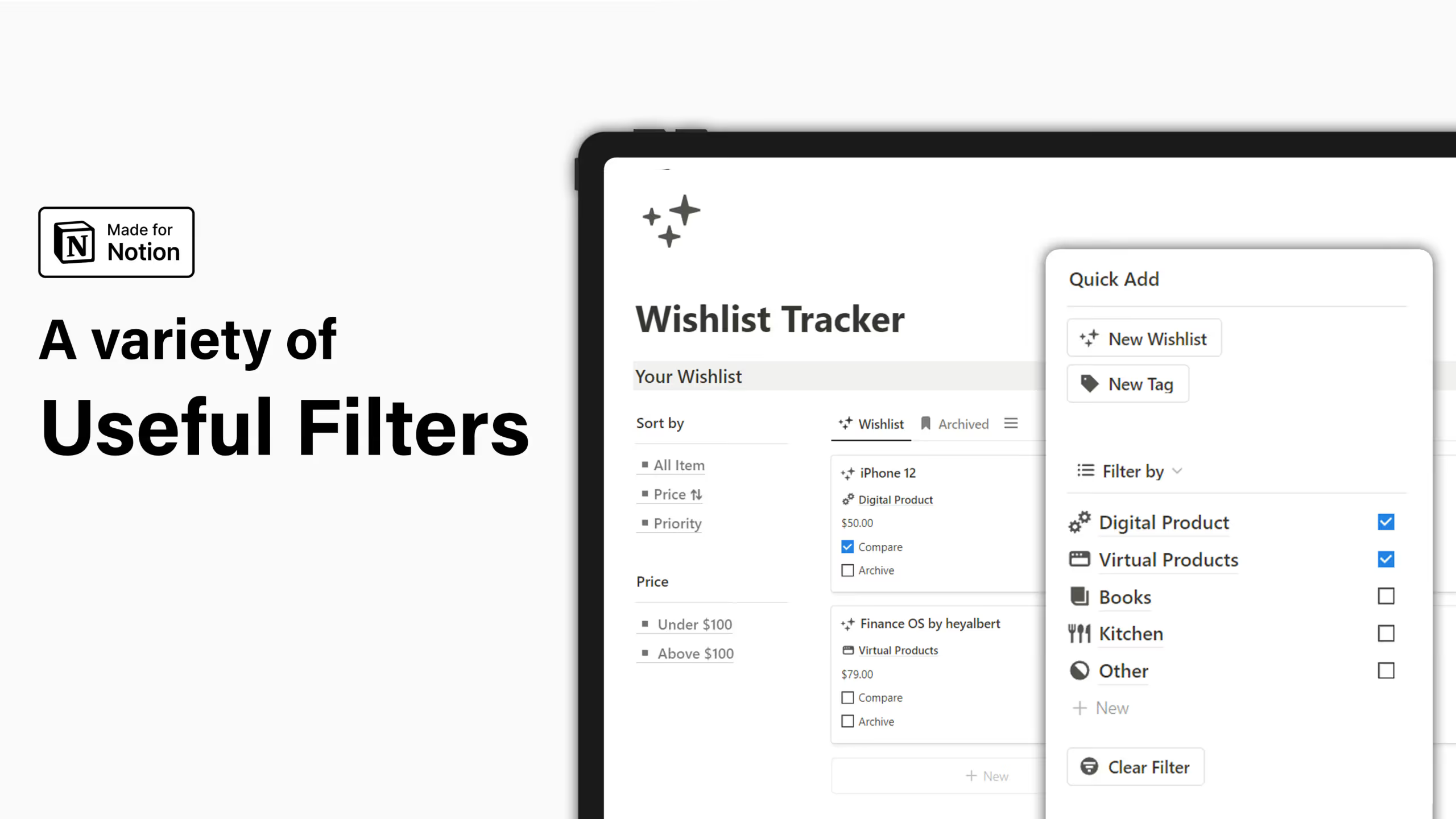
This template comes in both basic (free) and pro versions, with the pro version adding comparison features for making decisions between similar items.
Key Features:
- Tag management: Categorize wishes using flexible tags
- Quick add panel: Add new items without navigating away from your main view
- Price filtering and sorting: Organize by cost and priority
- Comparison interface (Pro): Weigh pros and cons when deciding between similar items
The comparison feature is particularly useful if you're the type of person who researches extensively before making purchases.
How Do I Add Items to My Notion Wishlist From Shopping Websites?
One of the biggest advantages of using Notion for your wishlist is the ability to clip items directly from websites while you're browsing. There are two main ways to do this.
Using Notion Web Clipper
Notion's official Web Clipper extension works with Chrome, Firefox, Safari, and Edge. Here's how to set it up for wishlist use:
- Install the Web Clipper from your browser's extension store
- Click the Notion icon in your browser toolbar while on any product page
- Select your wishlist database as the destination
- Click save, and the page URL and title are automatically captured
The Web Clipper grabs the page title and URL automatically. You'll need to manually add other details like price and category after clipping, but it's still faster than copying and pasting everything.
Using Save to Notion Extension
For more control over what gets captured, the Save to Notion extension offers advanced features:
- Custom forms: Set up different clipping templates for different types of items
- Automatic field mapping: Configure the extension to grab prices, images, and other data automatically from supported sites
- Screenshot capture: Save product images directly to your wishlist
The setup takes a few more minutes, but once configured, you can clip items with all their details in a single click.
Pro tip: Some users set up a waiting period rule where they only allow themselves to buy items that have been on their wishlist for at least 48 hours. This simple practice can significantly reduce impulse purchases.
How Do I Share My Notion Shopping Wishlist With My Partner or Family?
Sharing your Notion wishlist for birthdays, holidays, or just so your family knows what you actually want is straightforward. You have a few options depending on how much access you want to give.
Option 1: Share a View-Only Link
This is the simplest approach for sharing with people who don't need to edit anything.
- Open your wishlist page in Notion
- Click the "Share" button in the top right corner
- Toggle on "Share to web"
- Turn OFF the options for editing, commenting, and duplicating
- Copy the link and send it to your family
Anyone with the link can view your wishlist but can't make changes. This works great for gift-giving situations where you just want people to see what you want.
Option 2: Invite as Guests
If you want family members to be able to mark items as purchased (so others don't buy duplicates), you can invite them as guests.
- Click "Share" on your wishlist page
- Enter their email address
- Set their permission level to "Can edit" or "Can comment"
- They'll receive an email invitation to view or edit the page
Keep in mind that guests can see the page but might see other content if your databases are linked elsewhere in your workspace. Test this in a private browser window to see exactly what they'll see.
Option 3: Create a Separate Shareable Page
For maximum control, create a dedicated page just for sharing:
- Create a new page in your workspace
- Add a linked view of your wishlist database to this page
- Filter the view to show only items you want to share
- Share this specific page rather than your main wishlist
This approach lets you keep some items private while sharing others, and keeps your main workspace separate from what others can access.
How Do I Create a Wishlist in Notion?
If you prefer building your own system over using a template, creating a basic wishlist in Notion takes just a few minutes. Here's a simple approach that covers the essentials.
Step 1: Create a New Database
- Create a new page in Notion
- Type
/tableand select "Table - Full page" or "Table - Inline" - This creates your wishlist database
Step 2: Set Up Your Properties
Delete the default properties and add these instead:
- Name (Title): The item name
- Price (Number): Cost of the item, formatted as currency
- URL (URL): Link to the product page
- Category (Select): Options like Tech, Clothing, Home, Books, etc.
- Status (Select): Options like Want, Need, Purchased, Gifted
- Priority (Select): High, Medium, Low
- Image (Files & media): Product photos
- Date Added (Created time): Automatically tracks when you added each item
Step 3: Add Views
Click the "+" next to your table name to add additional views:
- Gallery view: Shows items with images, great for visual browsing
- Board view: Organizes items by status or category in columns
- Filtered views: Create views for specific categories or priorities
Step 4: Start Adding Items
You can add items manually by clicking "New" in your database, or use the Web Clipper to add items while shopping online.
The beauty of building your own is that you can start simple and add complexity as you figure out what you actually need. Many people find that a basic setup with just name, price, URL, category, and status covers 90% of their wishlist needs.
Liked this? I've got more Notion templates that might help. They're all ready to use, no setup required.
Frequently Asked Questions
Can I track prices and budgets in Notion wishlists?
Yes. Most wishlist templates include a price property, and some like Wishlist Management by Notion Template Guru add monthly cost summaries and spending forecasts. You can also create custom formulas to calculate totals, filter by price range, or set budget alerts.
How do I use Notion Web Clipper to save wishlist items?
Install the Notion Web Clipper browser extension, then click the Notion icon while on any product page. Select your wishlist database as the destination and click save. The page URL and title are captured automatically. You'll need to manually add price and category information afterward.
Can multiple family members edit a shared Notion wishlist?
Yes. When you share a page, you can invite specific people by email and give them "Can edit" permissions. This lets multiple family members add items, mark things as purchased, or leave comments. Just be aware that anyone with edit access can see and modify all items in that shared view.
Are Notion wishlist templates good for reducing impulse purchases?
They can be. Research on consumer behavior shows that creating a waiting period between wanting something and buying it reduces impulse purchases significantly. Templates like the Wishlist Tracker for Notion by Notion Daily include automatic countdowns that track how long items have been on your list, making it easier to implement a waiting period rule.