.avif)
10 Best Notion Goals Templates (Free + Paid) in 2026

A good Notion Goals Template does more than just list what you want to achieve, it helps you actually follow through. The right Notion goals tracker gives you a clear place to define goals, break them down, and see progress without overcomplicating things.
In this guide, you’ll find Best Notion Goals Templates that cover different styles, from simple trackers to more structured systems. Whether you want something minimal or a more complete Notion goals tracker, these are the options worth using in 2026.
.avif)
Table of content
- Notion Second Brain template
- Notion Goals Tracker System template
- Notion Goal Tracker by Solt Wagner
- Notion Goals and Milestones template
- Notion Goal Tracker by Easlo
- Notion Goal Tracker by Dave
- NotionTwins Goal Tracker template
- Ultimate Goal Tracker (Aesthetic) template
- Notion Goals Planner template
- Green Aesthetic Notion Goals Template
- How to Build a Simple Goal Tracker in Notion
10 Best Notion Goals Tracker Templates in 2026
1. Notion Second Brain template (⭐️ Recommended)
This Notion goals template is more of a full system than a simple tracker, and I’d reach for it when I want my goals tied to everything else I’m working on. It works well if you prefer a Notion goals tracker that connects projects, tasks, and long-term planning in one place.
Key features:
- Goals page with milestone tracking: Break goals into clear steps with visible progress
- P.A.R.A. system: Organize goals alongside projects, resources, and areas
- Task integration: Turn goals into actionable tasks without extra setup
- Quick capture inbox: Save ideas and goals instantly before organizing
.avif)
2. Goals Tracker System template
This Notion goals template focuses purely on tracking without unnecessary extras, which makes sense for me when I just want clarity. I’d use this Notion goals tracker when I need something simple but still visual enough to stay consistent.
Key features:
- Goals + projects tracking: Keep related work grouped under each goal
- Progress charts: Visualize how each goal is moving forward
- Life area categories: Separate goals by areas like health or career
- Mobile-friendly layout: Update goals easily from your phone
.avif)
3. Notion Goal Tracker by Solt Wagner
Among simpler Notion goals templates, this one stands out for being easy to start with. I’d personally pick this if I want a clean Notion goals template without spending time learning a system.
Key features:
- Goals + to-do integration: Create tasks directly from goals
- Progress bars: Track completion visually as tasks get done
- Calendar and board views: Switch perspectives based on workflow
- Simple navigation: Move between goals without friction
.avif)
4. Goals and Milestones template
This template is one of the better Notion goals tracker options for long-term planning. I’d reach for this when I need to break big goals into phases instead of tracking everything at once.
Key features:
- Milestone breakdown: Split large goals into manageable stages
- Habit tracker: Support goals with daily actions
- Dashboard overview: See all goals and milestones at a glance
- Completed archive: Keep track of past wins
.avif)
5. Notion Goal Tracker by Easlo
I like this Notion goals template because it starts with evaluating your life before setting goals. This makes sense for me when I want a Notion goals tracker that helps me focus on what actually matters.
Key features:
- Life area assessment: Identify where to focus your effort
- Goal commitment structure: Keep goals aligned with priorities
- Progress tracking: Measure results with clear indicators
- Minimal design: Remove distractions and stay focused
.avif)
6. Notion Goal Tracker by Dave
This Notion goals tracker feels more advanced and data-driven compared to others. I’d use this Notion goals template when I want detailed tracking and a clearer roadmap of everything ahead.
Key features:
- Task + calendar integration: Manage execution alongside planning
- Roadmap view: See goals across a timeline
- Detailed goal properties: Track status, priority, and deadlines
- Overview dashboard: Monitor all goals in one place
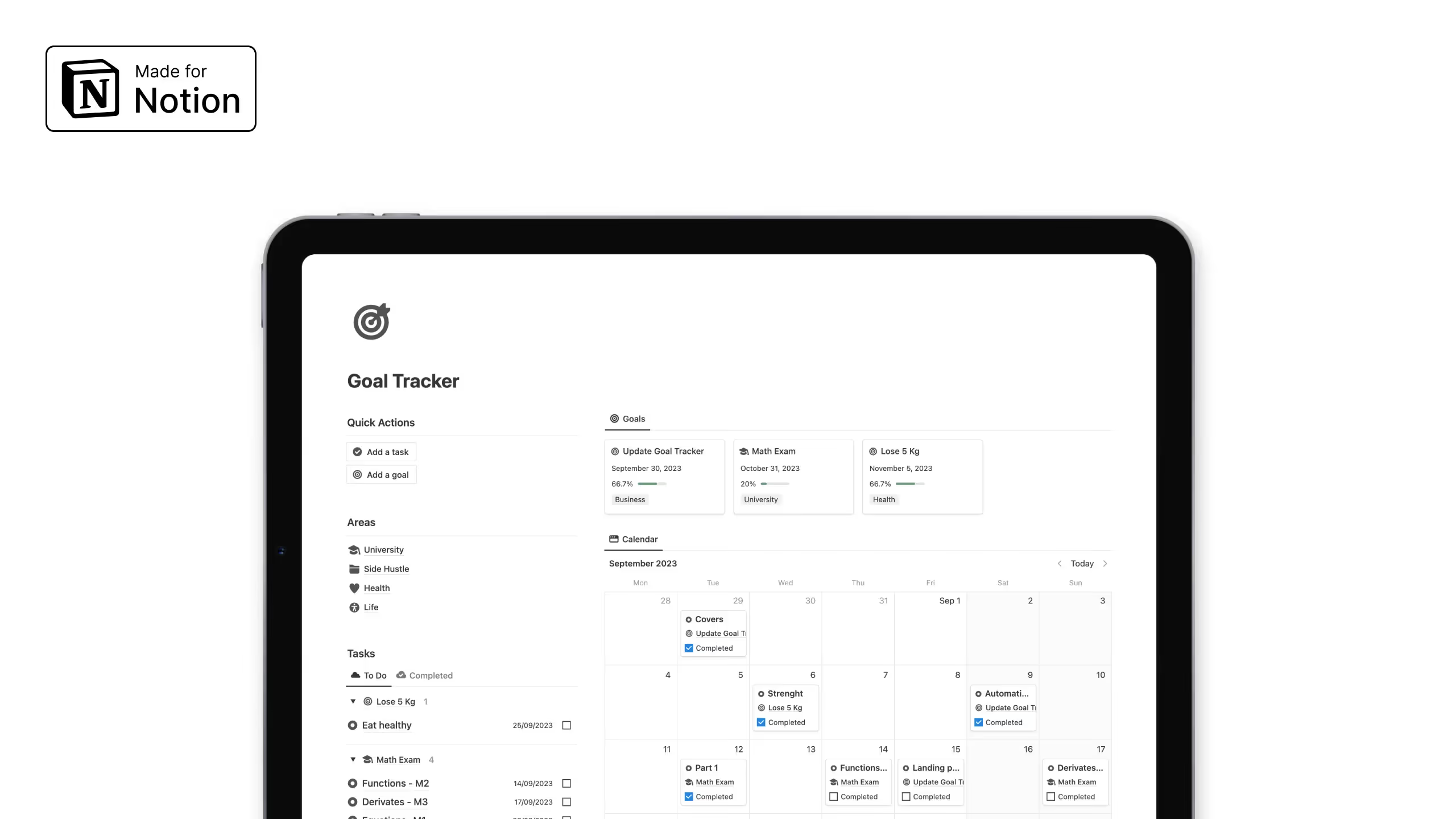
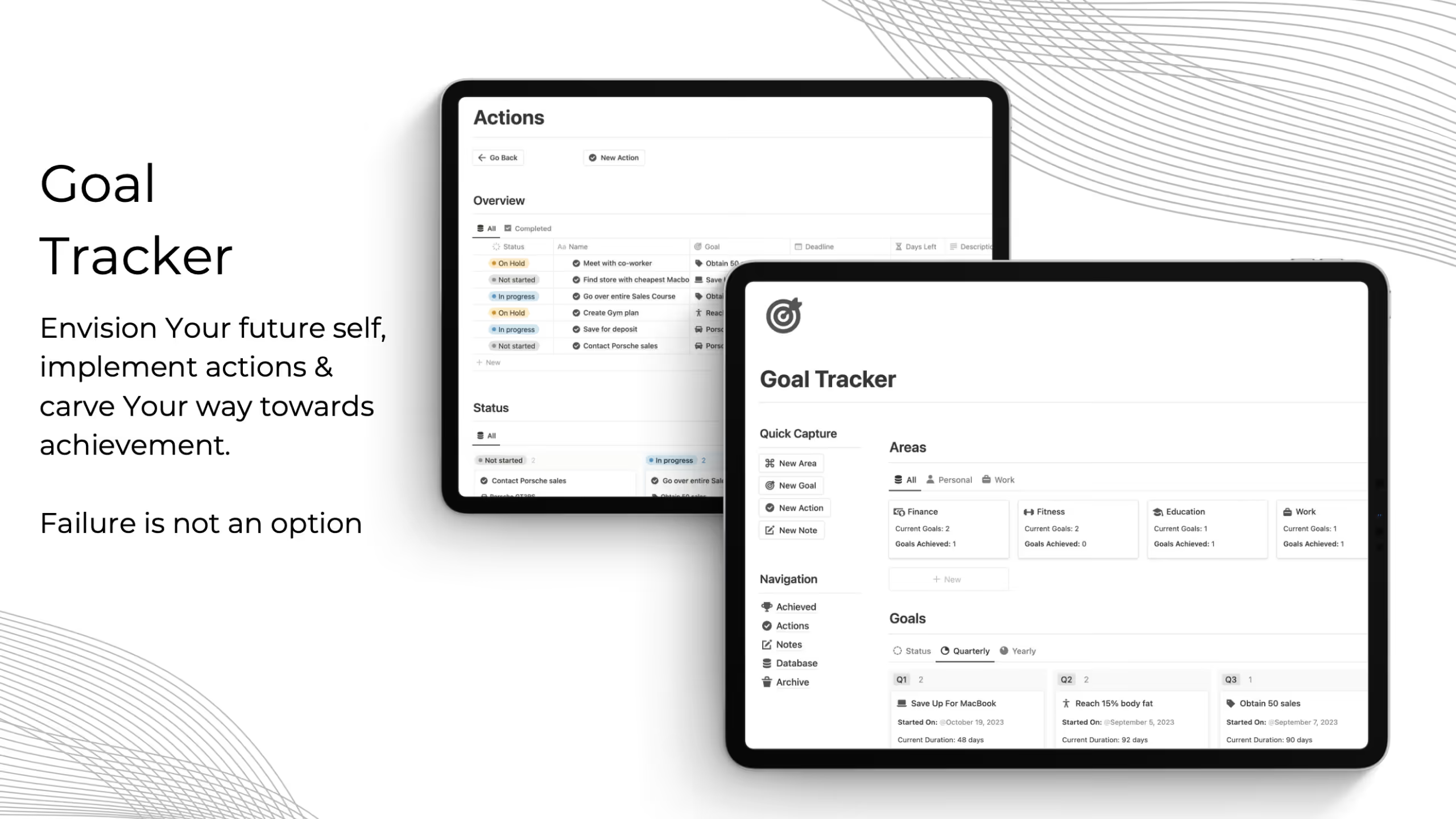
7. NotionTwins Goal Tracker template
If you want a more visual Notion goals template, this one leans heavily into clarity and layout. I’d reach for this when I want a Notion goals tracker that feels motivating to check daily.
Key features:
- Focus areas: Organize goals by key life categories
- Action steps: Turn goals into concrete tasks
- Achievement history: Track completed goals over time
- Timeline views: Visualize progress across dates
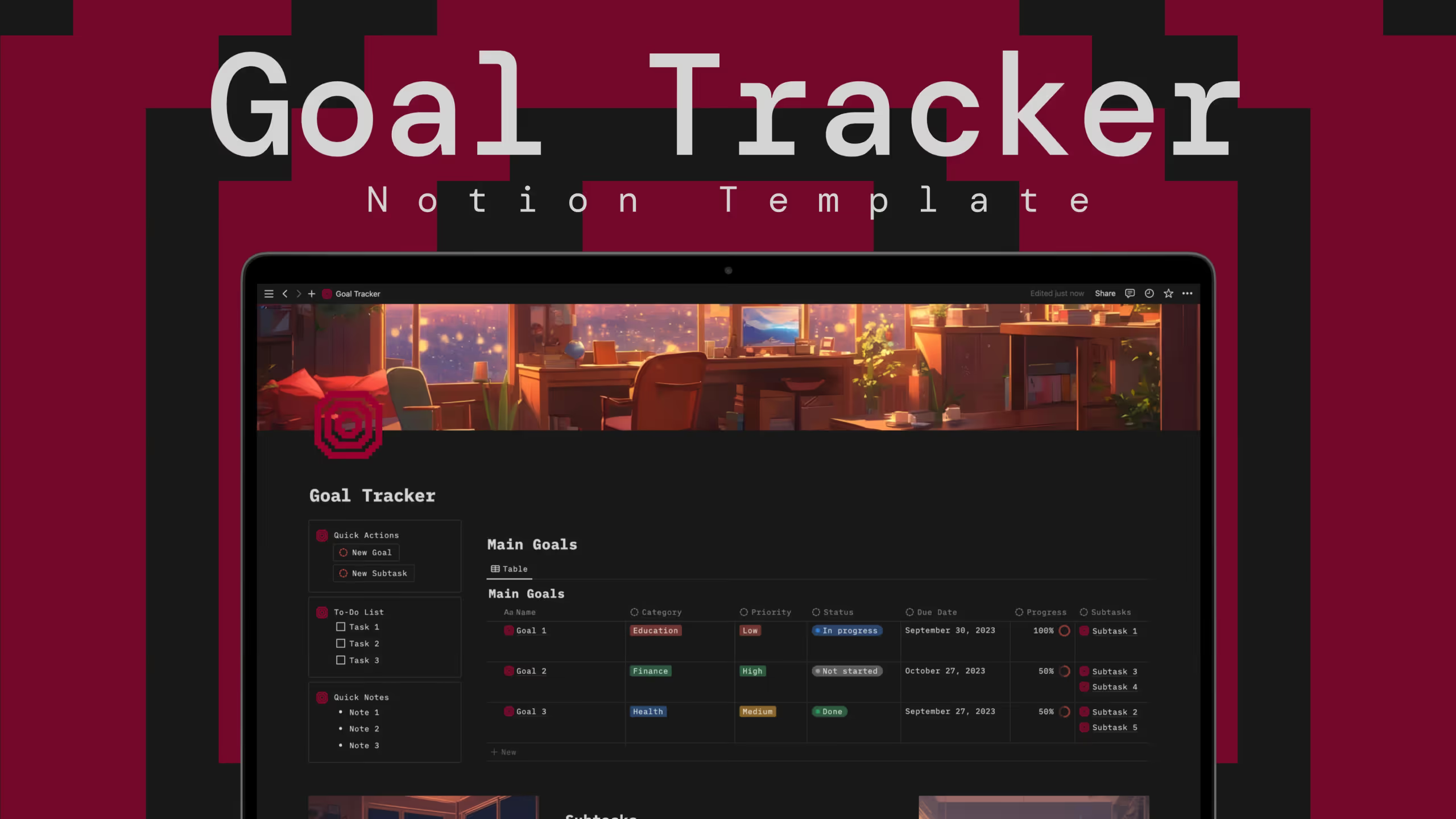
8. Ultimate Goal Tracker (Aesthetic) template
This Notion goals template combines structure with design, which makes it more enjoyable to use regularly. I’d personally pick this if I want a Notion goals tracker that looks polished but still handles detailed tracking.
Key features:
- Custom categories and priorities: Organize goals your way
- Status + deadlines: Track progress from start to finish
- Subtask progress calculation: Automatically update completion
- Notes and resources: Attach supporting context to goals
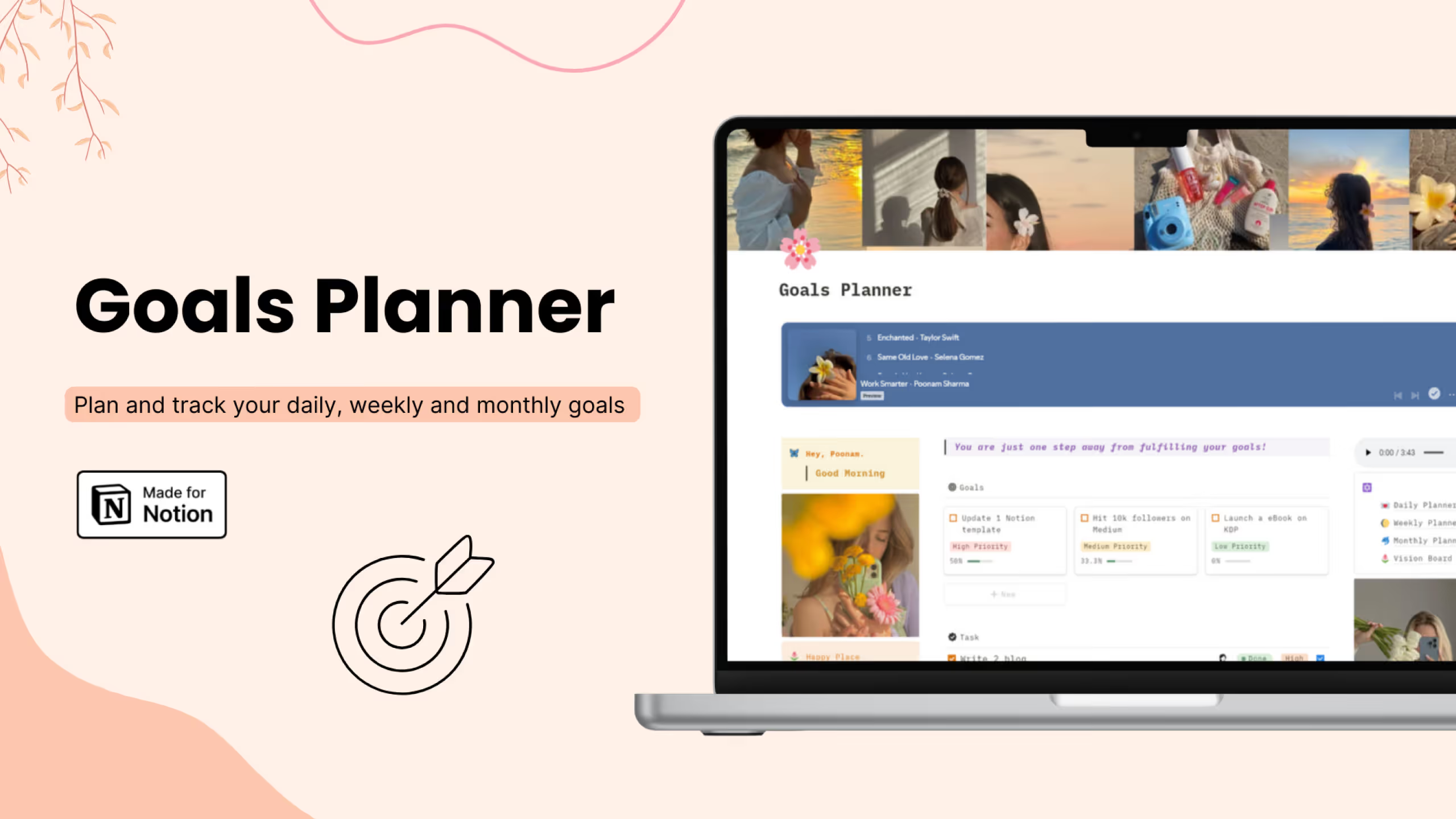
9. Aesthetic Notion Goals Planner template
This template is more of a layered Notion goals tracker that works across daily to monthly planning. I’d use this Notion goals template when I want built-in reflection instead of just tracking progress.
Key features:
- Daily top priorities: Focus on the most important tasks
- Weekly reviews: Evaluate progress consistently
- Monthly milestones: Plan bigger outcomes step by step
- Vision board: Connect goals to personal motivation
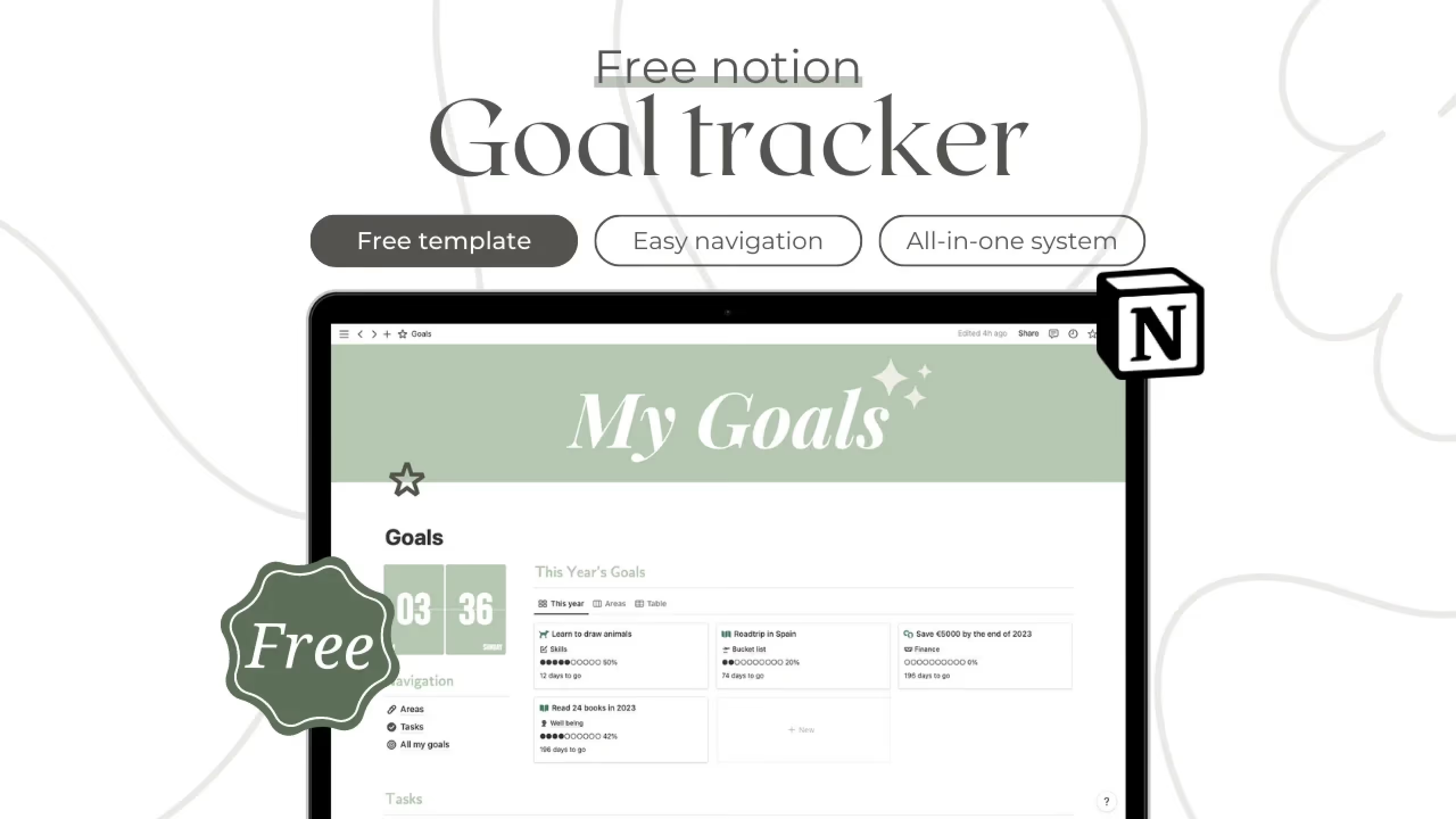
10. Green Aesthetic Notion Goals Template
If design matters to you, this Notion goals template keeps things simple while looking clean. I’d reach for this Notion goals tracker when I want something functional but visually calming to use daily.
Key features:
- Goal breakdown: Turn big goals into smaller steps
- Aesthetic layout: Consistent and clean visual style
- Customization options: Adjust colors and visuals easily
- Tutorial included: Learn how to use and tweak the setup
How to Build a Simple Goal Tracker in Notion (Step-by-Step)
You don't need a fancy template to start tracking goals in Notion. Here's how to build a functional goal tracker in about 10 minutes.
Step 1: Create a new page for your goal tracker.
Open Notion and create a blank page. Name it something like "My Goals" or "2026 Goals."
Step 2: Add a database.
Type "/database" and select "Table database - Inline." This creates an empty table right on your page.
Step 3: Set up your properties.
Rename the default "Name" column to "Goal." Then add these properties:
- Status (Select type): Options for "Not Started," "In Progress," "Complete"
- Category (Select type): Options for your life areas like "Career," "Health," "Finance"
- Deadline (Date type): When you want to achieve this goal
- Priority (Select type): "High," "Medium," "Low"
Step 4: Create a tasks database.
Add another inline database below your goals. Name it "Tasks" and give it these properties:
- Task (default text column)
- Status (Checkbox type)
- Due Date (Date type)
- Related Goal (Relation type): Link this to your Goals database
Step 5: Add a rollup for progress.
Go back to your Goals database and add a Rollup property. Configure it to show "Percent checked" from the related Tasks. This gives you automatic progress tracking.
Step 6: Create useful views.
Click the "+" next to your table view to add:
- A Board view grouped by Status (to see goals by stage)
- A Calendar view (to see goals by deadline)
Step 7: Add your first goals.
Enter 3-5 goals you're working on. For each goal, add a few related tasks. Watch the progress percentage update as you check off tasks.
That's it. You now have a working goal tracker with progress tracking, multiple views, and task integration. As you use it, you'll discover what additional properties or views would help you personally.
Liked this? I've got more Notion templates that might help. They're all ready to use, no setup required.
Frequently Asked Questions
What should a good Notion goals template include?
A solid Notion goals template usually includes a goal overview, measurable key results, an action plan, and a progress tracker. Many also add reflection sections so you can review and adjust your approach over time.
How do you actually track progress in a Notion goals tracker?
Most Notion goals trackers use progress bars, task completion, or status updates to show how far you’ve come. These visual indicators help you stay motivated and quickly see which goals need attention.
Can a Notion goals template help with long-term goals?
Yes, especially when the template breaks goals into smaller tasks or milestones. Long-term goals become easier to manage when you track them through actionable steps and regular updates.
Do Notion goal trackers support habits as well?
Many templates include habit tracking alongside goals, since daily actions are often what drive long-term results. This combination makes it easier to connect what you do every day with bigger outcomes.
How do you start using a Notion goals template?
You typically duplicate a template into your workspace, define your goals, and then break them into tasks with deadlines. From there, you update progress regularly and review your results to stay on track.
Why do people use Notion instead of spreadsheets for goals?
Notion allows you to connect goals, tasks, and habits in one system instead of managing separate files. This makes it easier to move from planning to execution without switching tools