.avif)
11 Notion Assignment Tracker every student needs in 2026

The best Notion assignment tracker templates help you see every due date, subject, and task in one place. A good template saves time, reduces stress, and makes it easier to stay on top of school.
In this guide, you’ll find the best Notion assignment tracker templates for students, plus clear step-by-step instructions to build your own simple version from scratch.
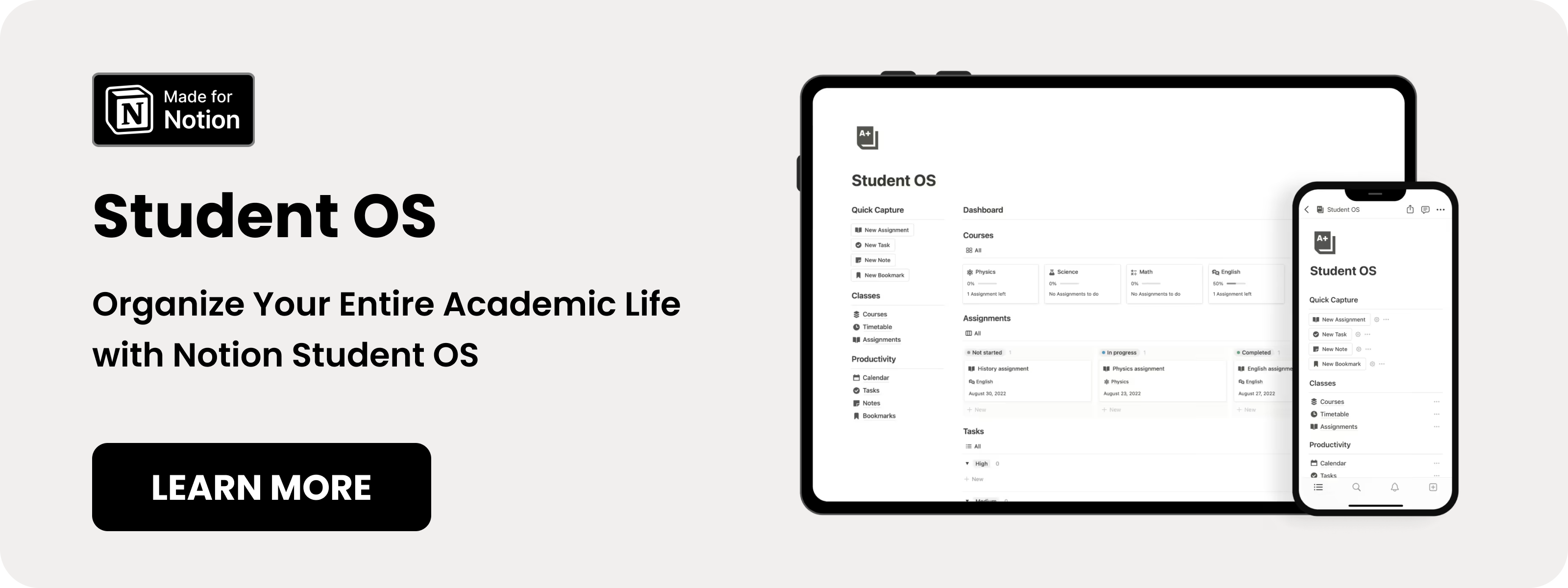
Table of content
- Notion Student OS Template
- Notion Assignment Tracker Template Free
- Notion Assignment Tracker Template
- Notion Student Planner Template
- Notion Student Dashboard Template
- Assignment Tracker in Notion
- Notion Homework & Assignment Hub
- Notion Assignment Dashboard
- Assignment and Exam Tracker for Students
- Assignment Tracker Template
- Notion Assignment Tracker Template
- How to create a simple Notion Assignment Tracker Step by Step
11 Best Notion Assignment Tracker Templates in 2026
Here are the best Notion assignment tracker templates for students who want structure without overcomplicating things.
1. Notion Student OS template (⭐️ Recommended)
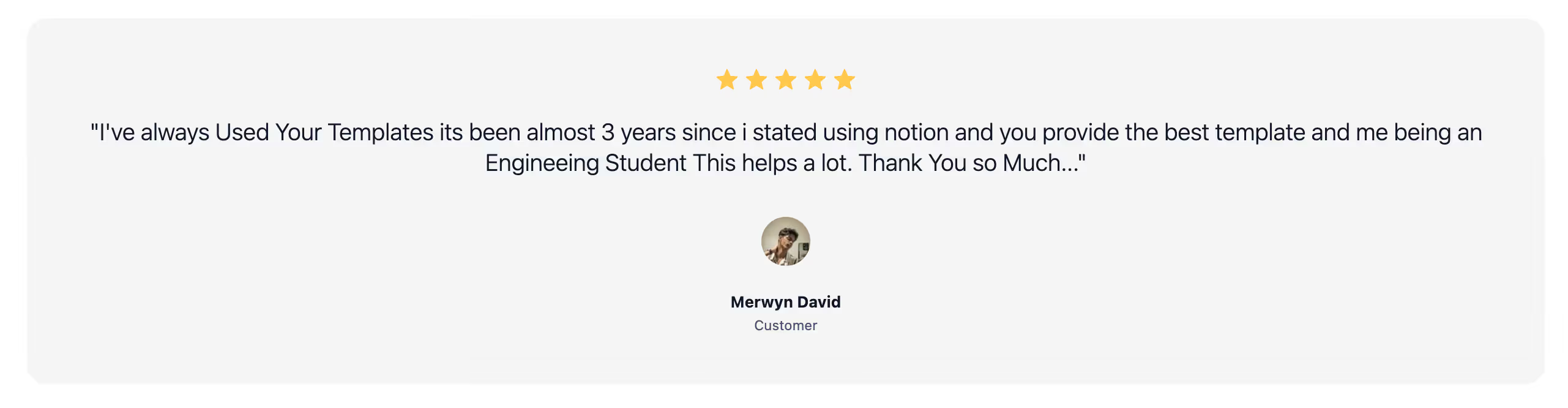
This is the second template I built myself and honestly my best selling one so far. Students love it, I get feedback like this all the time from engineering students, med students, etc. Merwyn is one of them, here is what he said:
Key features:
- Tracks courses, assignments, grades, exams, and study sessions in one place.
- Uses structured note systems like Cornell notes to improve retention.
- Shows progress visually so you always know where you stand.
- Stores all course files and resources in one organized library.
.avif)
2. Notion Assignment Tracker Template Free
This Notion assignment tracker template keeps things simple. I’d personally pick this if I wanted a focused assignment-only system without extra dashboards.
Key Features:
- Clean database setup: Minimal properties for fast input.
- Status tracking fields: Easily move tasks from not started to completed.
- Date sorting: Automatically organize by deadline.
.avif)
3. Notion Assignment Tracker Template
Among simple Notion assignment tracker templates, this one works well for students who prefer clarity over complexity. This makes sense for me when I just need to track due dates and course names.
Key Features:
- Course tagging: Assign each task to a specific class.
- Calendar integration: Visual timeline of deadlines.
- Pre-built views: Switch between table and calendar layouts.
.avif)
4. Notion Student Planner Template
If you want structure beyond just assignments, this Notion assignment tracker inside the planner works best. I’d use this when balancing exams, projects, and weekly goals.
Key Features:
- Weekly planner view: Plan upcoming assignments weekly.
- Assignment database: Organize tasks by deadline and subject.
- Task prioritization: Highlight urgent work.
.avif)
5. Notion Student Dashboard Template
This template is one of the more complete Notion assignment tracker setups for students who like visual dashboards. I’d pick this when I want everything connected, from assignments to productivity metrics.
Key Features:
- Visual dashboard layout: At-a-glance view of active assignments.
- Filtered task views: Separate overdue, upcoming, and completed tasks.
- Organized workspace sections: Keep academics centralized.
.avif)
6. Assignment Tracker in Notion
This official Notion assignment tracker template is simple and beginner-friendly. This is one of the better options for someone new to Notion.
Key Features:
- Pre-Built Table Database: Ready-to-use layout.
- Due Date Property: Helps sort upcoming assignments.
- Status Field: Track completion easily.
.avif)
7. Notion Homework & Assignment Hub
This template combines homework organization with assignment tracking. I’d reach for this if I wanted something slightly more structured than a plain table.
Key Features:
- Dashboard Overview: Central hub for school tasks.
- Assignment Tracking Database: Monitor due dates and status.
- Subject Categorization: Organized course structure.
.avif)
8. Simple Assignment Dashboard in Notion
Among minimal Notion assignment tracker templates, this one keeps everything distraction-free. I like this when I want focus without extra modules.
Key Features:
- Clean Dashboard Layout: Easy-to-read workspace.
- Assignment Table: Track tasks and deadlines clearly.
- Basic Status Indicators: Simple progress tracking.
.avif)
9. Notion Assignment and Exam Tracker for Students
This Notion assignment tracker also tracks exams, which makes it useful during finals season. I’d personally pick this when assignments and exams overlap heavily.
Key Features:
- Assignment & Exam Tracking: Monitor both in one database.
- Deadline Overview: Clear timeline of upcoming events.
- Course Sorting: Organize by class.
.avif)
10. Notion Assignment Tracker Template
This assignment tracker template in Notion keeps things straightforward and functional. Good choice for students who just need structure.
Key Features:
- Task Database: Log assignment details.
- Due Date Filtering: Focus on upcoming deadlines.
- Completion Status Column: Track progress.
.avif)
11. Notion Assignment Tracker Template Free
Among Notion assignment tracker templates, this one positions itself as an optimized layout for students. I’d use this when I want a ready-made setup with improved organization.
Key Features:
- Structured Assignment Layout: Organized columns.
- Deadline Management: Visual tracking of due dates.
- Course-Based Grouping: Manage subjects separately.
.avif)
How Do I Create a Simple Notion Assignment Tracker Step by Step?
You do not need a complex template. You can build your own in 10–15 minutes.
Step 1: Create a New Database
- Open Notion
- Create a new page
- Select “Table – Full Page”
Name it: Assignment Tracker.
Step 2: Add Essential Properties
Add these properties:
- Due Date (Date)
- Status (Select: Not Started, In Progress, Done)
- Course (Multi-select)
- Priority (Select: Low, Medium, High)
Keep it simple. More fields create friction.
Step 3: Create Filtered Views
Add these views:
- Calendar View filtered by Due Date
- “This Week” view filtered where Due Date is within next 7 days
- Overdue view filtered where Due Date is before today and Status is not Done
These views turn a simple table into a powerful Notion assignment tracker.
Step 4: Add a Weekly Dashboard
Create a new page called “Weekly Overview.”
Embed your database and add a linked view filtered to show only this week’s assignments.
Now you have a personal student dashboard.
Frequently Asked Questions
Is Notion good for college students?
Yes. Notion allows databases, calendar views, and dashboards in one tool. That makes it ideal for tracking assignments and projects in one place.
How do I download and use a Notion assignment tracker template?
Users often need help with the Notion “Duplicate” process and permissions to add a free template to their workspace.
Can I use a Notion assignment tracker on the free plan?
Yes. Notion’s free plan supports template duplication, databases, views, filters, and calendar views, everything needed for an assignment tracker database.
Can I sync Notion assignment deadlines to my calendar app?
You can export or sync using third-party tools like Notion to Calendar so due dates appear in Google Calendar, Apple Calendar, Outlook, and more.
How do I add due date notifications for my assignments in Notion?
Notion itself does not send native push notifications for due dates, but syncing the database to a calendar app lets you set alerts.
What types of assignments can I track with a Notion assignment tracker?
Students use these templates for homework, essays, quizzes, projects, exams, and group assignments.
How do I organize multiple courses inside one Notion assignment tracker?
Most templates include a “Course” field so you can filter and view assignments by class.
Can I customize a Notion assignment tracker to fit my own workflow?
Yes. Notion databases and templates are fully customizable, you can add properties like priority, estimated time, resources, or formula fields.
Can I track grades along with assignments in Notion?
Some advanced trackers include grade tracking and calculators tied to assignments.